Create Needed by Create: Worldshaper Utilities worldshaper-utilities-3.0.0+mc1.21.1-neoforge.jar
requiredMatching file found Matched file: Create 6.0.10 for mc1.21.1

CurseForge · Minecraft mod
An enhanced Create Worldshaper with survival-friendly controls.
Quick answer
Create: Worldshaper Utilities worldshaper-utilities-3.0.0+mc1.21.1-neoforge.jar targets 1.21.1 with NeoForge. The project page does not say whether this file belongs on the client, dedicated server, or both. All 1 required mods have matching files.
Where it goes
The project page does not say whether this file belongs on the client, dedicated server, or both.
The source does not explicitly classify this release as client-only or server-only.
worldshaper-utilities-3.0.0+mc1.21.1-neoforge.jar. Change the file and its required mods may change too.
Install Create first. We found matching files for this game-version and loader setup.
We only count dependency files that match this setup. A file for another loader does not fill the gap.
Before you install it
Built for Create: Worldshaper Utilities worldshaper-utilities-3.0.0+mc1.21.1-neoforge.jar. Pick another file and the loader, install side or required mods may change.
Use worldshaper-utilities-3.0.0+mc1.21.1-neoforge.jar. It targets 1.21.1 with NeoForge; another release may have different loader, side or dependency requirements.
Install Create first. We found matching files for this game-version and loader setup.
The project page does not say whether this file belongs on the client, dedicated server, or both.
Use the “Get this file” button beside worldshaper-utilities-3.0.0+mc1.21.1-neoforge.jar. It opens that exact file at the source.
About this project

🔥 Works in Survival!
Upgrade your building workflow with a powerful new Worldshaper designed for both creative and survival gameplay.
This Create addon adds an enhanced Worldshaper that feels identical to the original — but with smarter mechanics, better control, and survival-friendly building.
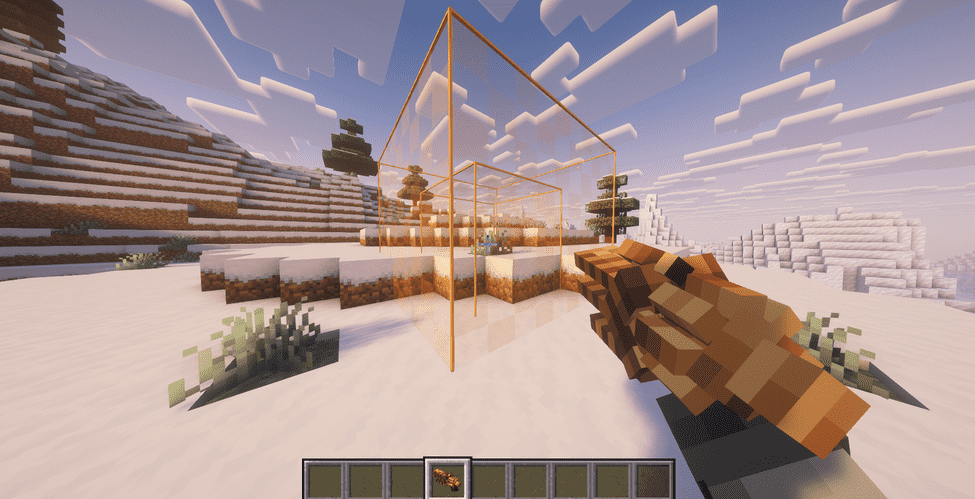
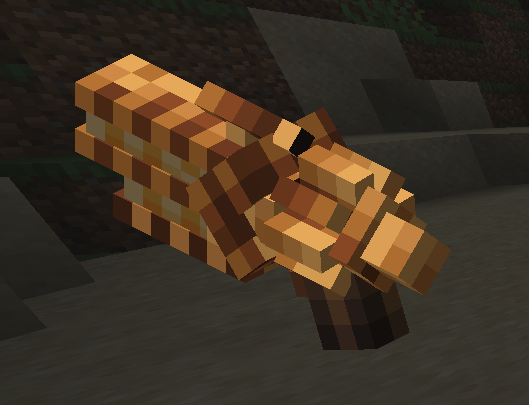
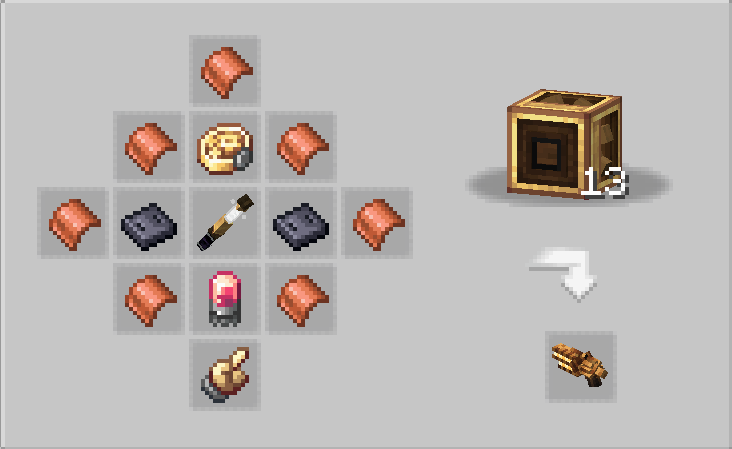
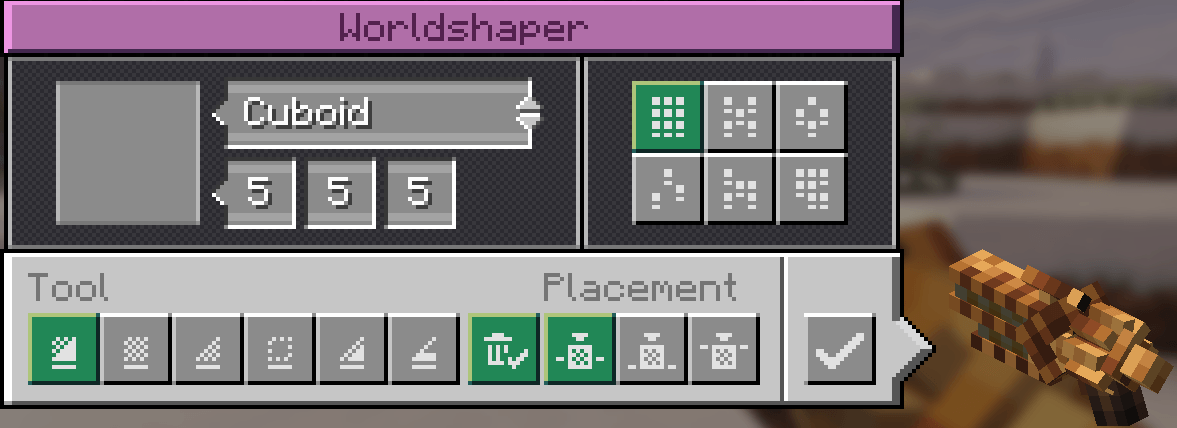

🧱 Adds a new Worldshaper (Create-style)
✅ Fully compatible — does NOT modify Create’s original Creative Worldshaper
🎮 Same UI, controls, modes, preview, and selection behavior
📦 Survival building support
Places blocks directly from your inventory
No blocks = no placement
No duplication
🧊 Creative mode still works without limitations
📏 Configurable range and cuboid size
Optionally drops removed blocks as items. Block drop when using the clear mode! ( can be turned off )
Drops spawn near the player (clean & controlled)
🔘 GUI toggle to enable/disable drops
✨ Optional Silk Touch clear mode
🛡️ Block blacklist support
⚙️ Drop/action limits to reduce lag
🚫 Prevents duplication and unsafe behavior
Custom copper industrial design
Fits perfectly with the Create mod aesthetic
Fully customizable via:
worldshaperutilities-common.toml
Adjust:
Range & size limits
Drop behavior
Silk Touch mode
Performance limits
Blacklisted blocks
The default Creative Worldshaper is powerful — but limited to creative-style usage.
Worldshaper Utilities brings that same power to survival gameplay
without breaking balance or causing item duplication.
This is an addon for the Create mod.
Create is required to run this mod.
This mod does NOT modify or replace Create’s original Worldshaper.


NOT APPROVED BY OR ASSOCIATED WITH MOJANG OR MICROSOFT
Project description from CurseForge.
Pick your setup
Choose the version and loader you play, then open the matching release.
Check the dependencies, then try the file in a copied instance before changing a world you care about.
Recent files
7 Aug 2026
7 Aug 2026
30 Apr 2026
30 Apr 2026
28 Apr 2026
28 Apr 2026
Looking for an older file? The official CurseForge project page is in Resources.
 mod
modA major core optimization release featuring improved recursive crafting scheduling, recipe-index warm-up, safer transaction settlement, rewritten pinyin search, and optional Project MMO salvage integration.
 mod
modA project can translate you sodium mod into Chinese
 mod
modPrimeClient is the custom Client-side Mod made specifically for Pixelmon Prime. It enables the ability to communicate with the server using the PrimeAPI.