Minecraft version
Back to mods 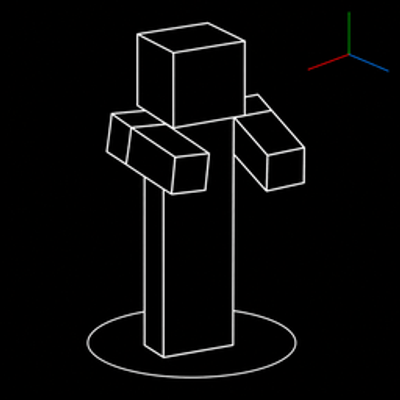
CurseForge · Minecraft mod
FTB Quests Entity Visualization
Adds entity visualization to FTB Quests
Choose a version Pick your version below, then grab the matching file.
Quick answer
Which FTB Quests Entity Visualization release should I use?
Latest stable file 1.9.0
Game version 1.21.1
Loader NeoForge
FTB Quests Entity Visualization 1.9.0 targets 1.21.1 with NeoForge. Installation on the client is optional. Installation on the dedicated server is optional. No extra mods listed for this file.
Where it goes
Is FTB Quests Entity Visualization required on the client, server, or both?
Installation on the client is optional. Installation on the dedicated server is optional.
Client Optional
Dedicated server Optional
Loader for this release NeoForge
Required install it here Optional supported, not mandatory Not supported do not install here Source doesn’t say do not assume
The source marks this as usable on both the client and server.
What else does FTB Quests Entity Visualization 1.9.0 need?
1.9.0. Change the file and its required mods may change too.
This file does not list any required mods. Do not add a library just because a different file uses it.
This file does not list any required or optional mods.
Before you install it
Add FTB Quests Entity Visualization without breaking your instance.
Built for FTB Quests Entity Visualization 1.9.0. Pick another file and the loader, install side or required mods may change.
- 01
Stick to this file
Use 1.9.0. It targets 1.21.1 with NeoForge; another release may have different loader, side or dependency requirements.
- 02
Bring the mods it needs
This file does not list any required mods. Do not add a library just because a different file uses it.
- 03
Put it on the correct side
Installation on the client is optional. Installation on the dedicated server is optional.
- 04
Pick the file you checked
Use the “Get this file” button beside 1.9.0. It opens that exact file at the source.
About this project
What does FTB Quests Entity Visualization add?
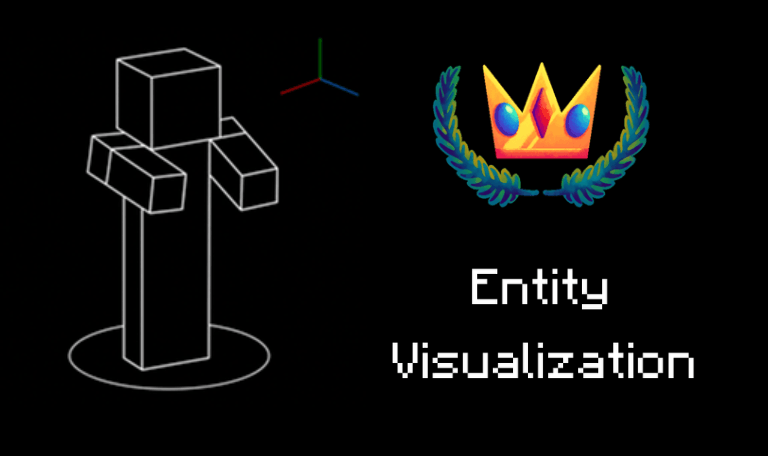
This is an unofficial add-on mod for FTB Quests.
This mod replaces the boring spawn‑egg icon in a task with the actual entity rendered live in 3D.
Each task has its own size, X/Y offset, and rotation options, which are added into the FTB Quests task editor.
 - Any entity can be displayed, not just living entities.
- Entity renders work for observation tasks.
- Every entity renders inside the kill quest entity name menu.
- Kill and Observation tasks that target an entity type tag cycle through every entity in that tag.
- You don't need a Kill or Observation task, you can display entities for any task or quest.
- Any entity can be displayed, not just living entities.
- Entity renders work for observation tasks.
- Every entity renders inside the kill quest entity name menu.
- Kill and Observation tasks that target an entity type tag cycle through every entity in that tag.
- You don't need a Kill or Observation task, you can display entities for any task or quest.Config:
- Toggle spin, idle, and walk animation defaults.
- Spin speed multiplier
- Camera tilt
- Full‑bright rendering toggle
- Entity tag cycling toggle and cycle speed
In Game FTB Quests Options:
- NBT Data
- Variant
- Entity Visualization Size
- Entity Visualization X Offset
- Entity Visualization Y Offset
- Entity Visualization Rotation
- Entity Visualization Spin (Use Global/Always Spin/Never Spin)
- Entity Visualization Idle (Use Global/Always Idle/Never Idle)
- Entity Visualization Walk (Use Global/Always Walk/Never Walk)
- Black Silhouette (None/Until Available/Until Completed)
- Use Task Icon As Quest Icon (False/True)
Compatibility:
Requires FTB Quests and FTB Library
Credit:
Inspired by the entity visualization in Better Questing hunt task.
Project description from CurseForge.
Pick your setup
FTB Quests Entity Visualization by Minecraft version and loader
Choose the version and loader you play, then open the matching release.
Minecraft version
1.20.1
2 loader buildsCheck the dependencies, then try the file in a copied instance before changing a world you care about.
Recent files
FTB Quests Entity Visualization versions and loaders
1.9.0
ftbquestsentityvis-1.9.0-1.21.1-neoforge.jar
29 Aug 2026
Client Optional Server Optional Dependencies No extras listed Listed on Release listing
Check the 1.21.1 · NeoForge setup 1.21.1NeoForge release
ftbquestsentityvis-1.9.0-1.21.1-fabric.jar
29 Aug 2026
Client Source doesn’t say Server Source doesn’t say Dependencies 5 required · matched Listed on Release listing
Check the 1.21.1 · Fabric setup Fabric1.21.1 release
ftbquestsentityvis-1.9.0-1.20.1-fabric.jar
29 Aug 2026
Client Source doesn’t say Server Source doesn’t say Dependencies 2 required · 2 unchecked Listed on Release listing
Check the 1.20.1 · Fabric setup Fabric1.20.1 release
ftbquestsentityvis-1.9.0-1.20.1-forge.jar
29 Aug 2026
Client Source doesn’t say Server Source doesn’t say Dependencies 2 required · 2 unchecked Listed on Release listing
Check the 1.20.1 · Forge setup 1.20.1Forge release
1.8.0
ftbquestsentityvis-1.8.0-1.21.1-neoforge.jar
28 Aug 2026
Client Optional Server Optional Dependencies No extras listed Listed on Release listing
Check the 1.21.1 · NeoForge setup 1.21.1NeoForge release
ftbquestsentityvis-1.8.0-1.21.1-fabric.jar
28 Aug 2026
Client Source doesn’t say Server Source doesn’t say Dependencies 2 required · 2 unchecked Listed on Release listing
Check the 1.21.1 · Fabric setup Fabric1.21.1 release
ftbquestsentityvis-1.8.0-1.20.1-fabric.jar
28 Aug 2026
Client Source doesn’t say Server Source doesn’t say Dependencies 2 required · 2 unchecked Listed on Release listing
Check the 1.20.1 · Fabric setup Fabric1.20.1 release
ftbquestsentityvis-1.8.0-1.20.1-forge.jar
28 Aug 2026
Client Source doesn’t say Server Source doesn’t say Dependencies 2 required · 2 unchecked Listed on Release listing
Check the 1.20.1 · Forge setup 1.20.1Forge release
ftbquestsentityvis-1.7.0-1.21.1-fabric.jar
30 Jul 2026
Client Source doesn’t say Server Source doesn’t say Dependencies 2 required · 2 unchecked Listed on Release listing
Check the 1.21.1 · Fabric setup Fabric1.21.1 release
ftbquestsentityvis-1.7.0-1.20.1-fabric.jar
30 Jul 2026
Client Source doesn’t say Server Source doesn’t say Dependencies 2 required · 2 unchecked Listed on Release listing
Check the 1.20.1 · Fabric setup Fabric1.20.1 release
ftbquestsentityvis-1.7.0-1.21.1-neoforge.jar
30 Jul 2026
Client Source doesn’t say Server Source doesn’t say Dependencies 2 required · 2 unchecked Listed on Release listing
Check the 1.21.1 · NeoForge setup 1.21.1NeoForge release
ftbquestsentityvis-1.7.0-1.20.1-forge.jar
30 Jul 2026
Client Source doesn’t say Server Source doesn’t say Dependencies 2 required · 2 unchecked Listed on Release listing
Check the 1.20.1 · Forge setup 1.20.1Forge release
Looking for an older file? The official CurseForge project page is in Resources.
 mod
mod CurseForge + Modrinth · Minecraft
Carpet-FGA-Addition
An AI-powered Carpet extension mod packed with practical utilities, including longer player name support and fake-player area mining.
 mod
mod CurseForge · Minecraft
Functional-Storage-JS
Allows you to add new Functional Storage Drawers and Upgrades using KubeJS!
 mod
mod CurseForge · Minecraft
The Underworld dimension
A simple mod that adds a new dimension, new ores, new tools, weapons, and armor, as well as various features.