Fabric API Needed by What The Drop?! What The Drop 1.2.0 (Fabric)
requiredMatching file found Matched file: [26.3] Fabric API 0.165.2+26.3
CurseForge · Minecraft mod
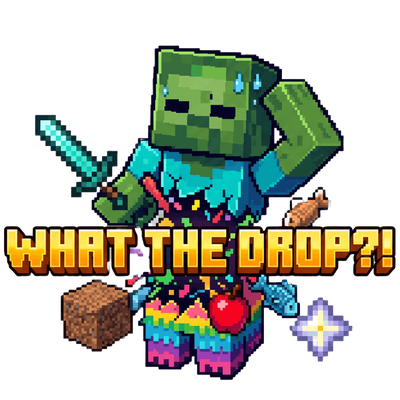
Kill a zombie, get some dirt... or a stack of diamonds! Replaces all mob drops with 100% random items. What will you get?
Quick answer
What The Drop?! What The Drop 1.2.0 (Fabric) targets 26.3 with Fabric. The project page does not say whether this file belongs on the client, dedicated server, or both. All 1 required mods have matching files.
Where it goes
The project page does not say whether this file belongs on the client, dedicated server, or both.
The source does not explicitly classify this release as client-only or server-only.
What The Drop 1.2.0 (Fabric). Change the file and its required mods may change too.
Install Fabric API first. We found matching files for this game-version and loader setup.
We only count dependency files that match this setup. A file for another loader does not fill the gap.
Before you install it
Built for What The Drop?! What The Drop 1.2.0 (Fabric). Pick another file and the loader, install side or required mods may change.
Use What The Drop 1.2.0 (Fabric). It targets 26.3 with Fabric; another release may have different loader, side or dependency requirements.
Install Fabric API first. We found matching files for this game-version and loader setup.
The project page does not say whether this file belongs on the client, dedicated server, or both.
Use the “Get this file” button beside What The Drop 1.2.0 (Fabric). It opens that exact file at the source.
About this project
Welcome to What The Drop?!
Are you tired of the same old mob farms? Do you want to add a little chaos to your survival experience? This mod completely overhauls the loot system by turning every entity in the game into a walking loot roulette!
Whenever a mob dies, its vanilla drops are completely canceled and replaced with 100% random items from the game's item registry.
Random Items: You could get anything! From a block of dirt, to a Nether Star, to items from other mods you have installed.
Random Quantities: The amount of the item dropped is also randomized, scaling from 1 up to the item's Max Stack Size. (You won't get a stack of 64 swords, but you might get 64 apples!).
No "Air" Drops: The randomizer is optimized to ensure it never drops "Air" blocks, so every kill guarantees a real item.
You can control the chaos in-game using the /randomdrops command! Perfect for server admins or players who want to tweak the difficulty on the fly.
/randomdrops status - Displays whether the mod is currently enabled or disabled, and shows the current stack limit setting.
/randomdrops on - Enables the random drops. Let the chaos begin!
/randomdrops off - Disables the mod and returns mob drops back to vanilla.
/randomdrops stacks <number> (Example: /randomdrops stacks 10) - Sets the number of random stacks that will drop per kill. If set to 10, the mob will drop between 1 and 10 stacks of items. Note: Each individual stack will still respect the item's max stack size (e.g., a stack of swords will only ever have 1, while a stack of dirt can have up to 64).
Just install the mod, load up your world, and start hunting. It’s perfect for challenge runs, chaotic multiplayer servers, or just seeing how fast you can get overpowered gear by slaying a few chickens.
Project description from CurseForge.
Pick your setup
Choose the version and loader you play, then open the matching release.
Check the dependencies, then try the file in a copied instance before changing a world you care about.
Recent files
whatthedrop-fabric-26.3-1.2.0.jar
7 Nov 2026
whatthedrop-neoforge-26.3-1.2.0.jar
7 Nov 2026
whatthedrop-1.1.0.jar
7 Nov 2026
3 May 2026
3 May 2026
whathedrop1.0.0.jar
3 May 2026
Looking for an older file? The official CurseForge project page is in Resources.
 mod
This mod provides a more advanced way to protect your server. It is used on servers that have online-mode to false in order to prevent account stealing and player coordinate leakage.
 mod
Unofficial port of Ice and Fire: Dragons to NeoForge and Fabric for Minecraft 1.21.1 to 26.3: dragons, sea serpents, myrmexes and more.
 mod
Enhance the NETHER adventure experience ,and the addition of entirely new species.