Fabric API Needed by RevivalPVP Revival PVP 1.21.9
requiredMatching file found Matched file: [1.21.9] Fabric API 0.134.1+1.21.9
CurseForge · Minecraft mod
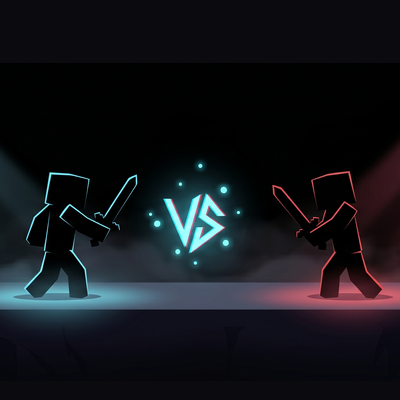
Cross-server competitive 1v1 PvP duels, you can queue, fight, climb the leaderboard, all from a clean in-game hub. Open with Y or /pvp.
Quick answer
RevivalPVP Revival PVP 1.21.9 targets 1.21.9 with Fabric. The project page does not say whether this file belongs on the client, dedicated server, or both. All 1 required mods have matching files.
Where it goes
The project page does not say whether this file belongs on the client, dedicated server, or both.
The source does not explicitly classify this release as client-only or server-only.
Revival PVP 1.21.9. Change the file and its required mods may change too.
Install Fabric API first. We found matching files for this game-version and loader setup.
We only count dependency files that match this setup. A file for another loader does not fill the gap.
Before you install it
Built for RevivalPVP Revival PVP 1.21.9. Pick another file and the loader, install side or required mods may change.
Use Revival PVP 1.21.9. It targets 1.21.9 with Fabric; another release may have different loader, side or dependency requirements.
Install Fabric API first. We found matching files for this game-version and loader setup.
The project page does not say whether this file belongs on the client, dedicated server, or both.
Use the “Get this file” button beside Revival PVP 1.21.9. It opens that exact file at the source.
About this project
Competitive 1v1 PvP duels with cross-server matchmaking. Press Y anywhere in Minecraft (title screen, your survival world, your friends' server) and the RevivalPVP hub opens. Pick a kit, queue, fight a real opponent on the RevivalPVP duel server, return to wherever you were when it's over.
No alt account, no extra login. Signs in with your Minecraft account via the standard Mojang session protocol. Same trust model as joining any online server.
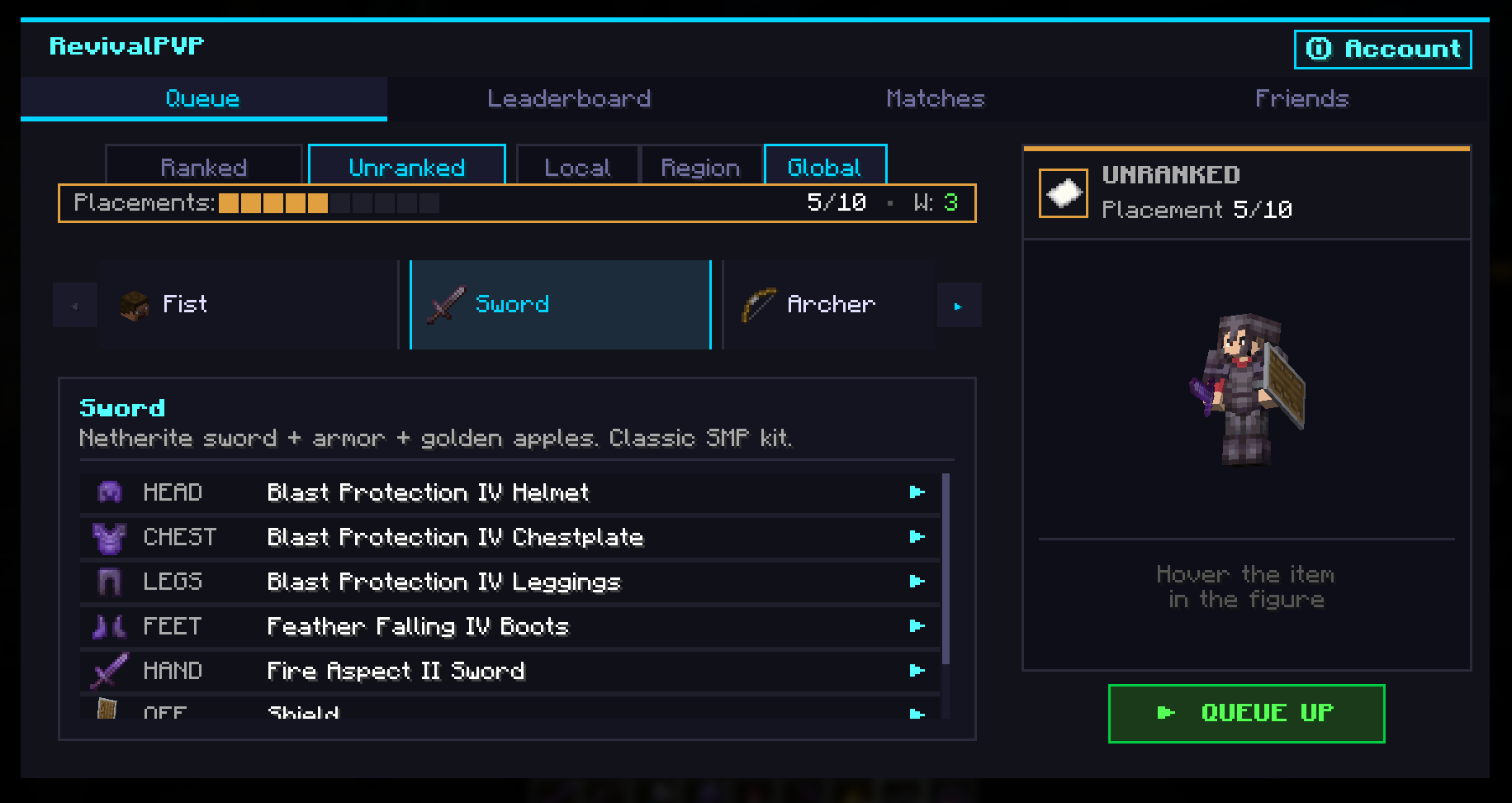
revival-pvp-mod-<version>.jar into your mods/ folder.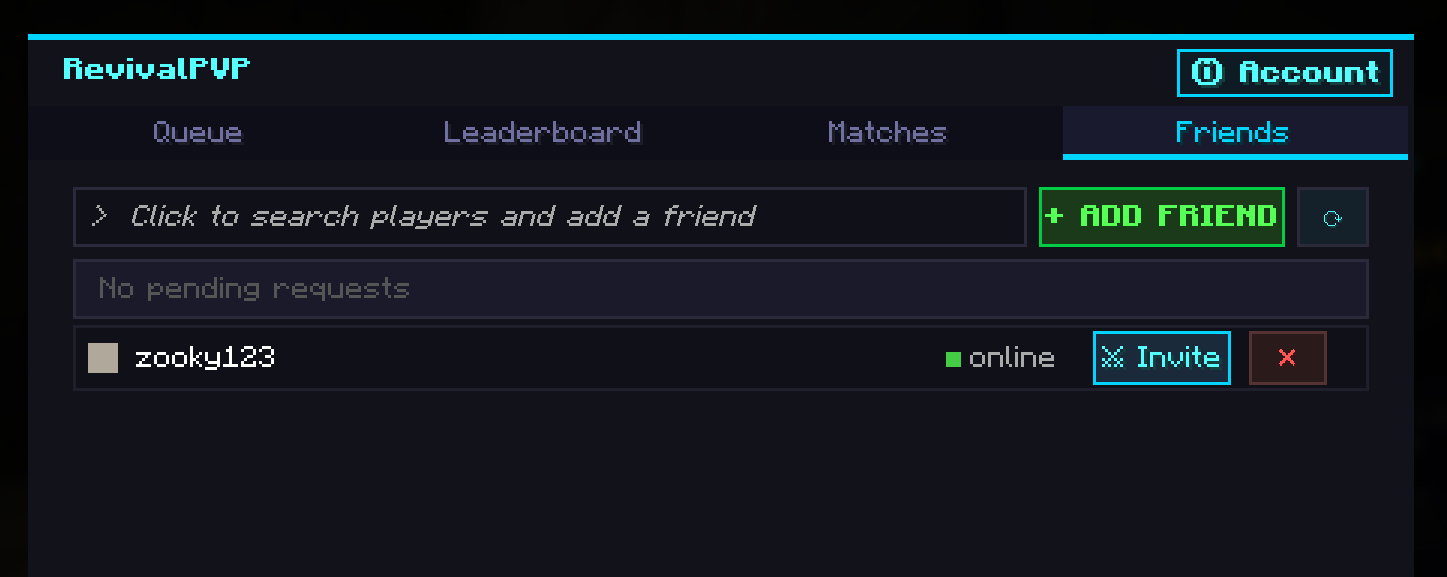
Do I need an account on revivalpvp.net? No. The mod uses your Minecraft session for auth, the same protocol Minecraft itself uses to join an online-mode server. You can also create a website account from the in-game hub by generating a one-time login code.
Does this require server-side install? No, the mod works on any vanilla server. There's an optional companion plugin (RevivalPVPServerMod) that lets server admins expose /pvp to players who don't have the mod installed, useful for partner servers. Modrinth listing is for the client mod only.
What does the mod send to the backend? Your Minecraft UUID + username (to identify you in the duel system), match results during a duel, and queue/kit/scope preferences when you queue. No chat logs, no inventory contents from your own world, no telemetry beyond match-related events. The default backend is api.revivalpvp.net and is configurable in config/revivalpvp.json.
Can I duel friends from any server? Yes. Open the hub on the server you're on, send your friend a duel invite, and the mod transfers both of you to the duel server when accepted. Both players need RevivalPVP installed (or the server-mod must be installed on their server).
Is the mod open source? The Modrinth release is free to use. Source-code availability is documented on the project's website.
What's the rebind key? Default is Y. Change in Options, Controls, RevivalPVP. The same hub also opens from the pause menu via an added "RevivalPVP" button.
/pvp chat-clickable hub.Project description from CurseForge.
Pick your setup
Choose the version and loader you play, then open the matching release.
Check the dependencies, then try the file in a copied instance before changing a world you care about.
Recent files
revival-pvp-mod-1.0.0-1.21.9.jar
14 May 2026
revival-pvp-mod-1.0.0-1.21.8.jar
14 May 2026
revival-pvp-mod-1.0.6-1.21.7.jar
14 May 2026
revival-pvp-mod-1.0.0-1.21.6.jar
14 May 2026
revival-pvp-mod-1.0.5-1.21.5.jar
14 May 2026
revival-pvp-mod-1.0.3-1.21.4.jar
13 May 2026
revival-pvp-mod-1.1.0-1.21.11.jar
10 May 2026
revival-pvp-mod-1.0.0-26.1.jar
8 May 2026
Looking for an older file? The official CurseForge project page is in Resources.
 mod
This mod disables item drop scatter by centering items on the block grid.
 mod
Make falling in Minecraft realistic!
 mod
Data-driven multiblock machines for NeoForge.