Minecraft version
Back to mods 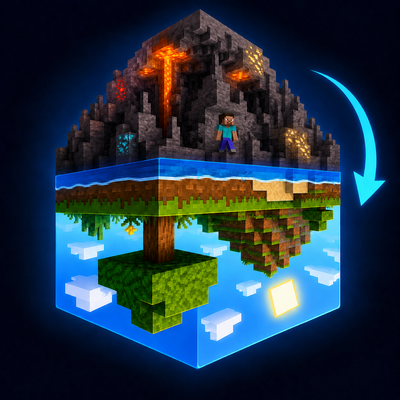
CurseForge · Minecraft mod
UpisDown
Below sea level and in the Nether, your gravity flips — you fall toward the ceiling instead of the floor.
Choose a version Pick your version below, then grab the matching file.
Quick answer
Which UpisDown release should I use?
Latest stable file upisdown-0.1.1.jar
Game version 26.2
Loader Fabric
upisdown-0.1.1.jar targets 26.2 with Fabric. The project page does not say whether this file belongs on the client, dedicated server, or both. No extra mods listed for this file.
Where it goes
Is UpisDown required on the client, server, or both?
The project page does not say whether this file belongs on the client, dedicated server, or both.
Client Source doesn’t say
Dedicated server Source doesn’t say
Loader for this release Fabric
Required install it here Optional supported, not mandatory Not supported do not install here Source doesn’t say do not assume
The source does not explicitly classify this release as client-only or server-only.
What else does upisdown-0.1.1.jar need?
upisdown-0.1.1.jar. Change the file and its required mods may change too.
This file does not list any required mods. Do not add a library just because a different file uses it.
This file does not list any required or optional mods.
Before you install it
Add UpisDown without breaking your instance.
Built for upisdown-0.1.1.jar. Pick another file and the loader, install side or required mods may change.
- 01
Stick to this file
Use upisdown-0.1.1.jar. It targets 26.2 with Fabric; another release may have different loader, side or dependency requirements.
- 02
Bring the mods it needs
This file does not list any required mods. Do not add a library just because a different file uses it.
- 03
Put it on the correct side
The project page does not say whether this file belongs on the client, dedicated server, or both.
- 04
Pick the file you checked
Use the “Get this file” button beside upisdown-0.1.1.jar. It opens that exact file at the source.
About this project
What does UpisDown add?
UpisDown flips your gravity in the places where, frankly, normal gravity was getting a little too comfortable.
How it works:
Dig below sea level with solid rock overhead and you'll find yourself pulled toward the ceiling instead of the floor. Walk back to the surface and you'll be unceremoniously returned to the boring downward direction everyone else uses. In the Nether, the flip is permanent — because the Nether didn't need another reason to be hostile, but here we are. The End, remarkably, is the one dimension that keeps its head on straight.
The details that actually matter:
- Camera, movement, and mouse input all compensate for the flip so you're not completely helpless. You're only mostly helpless.
- Jumping pushes you off the ceiling. Sprint-jumping still works. You're welcome.
- Fall damage applies upward. Gravity doesn't care which direction it's humiliating you from.
- Diving underwater below sea level triggers the flip after a brief buffer — no accidental inversions from splashing through a puddle.
- Nether portals place an obsidian platform near the ceiling on arrival, because landing is your problem now.
- The flip animates smoothly. ROLL spins the camera around the Z axis. VERTICAL does a dramatic forward tumble. Both are configurable.
What it isn't:
This is not a full gravity overhaul, not a dimension mod, not a physics sandbox. It's one targeted mechanic applied in specific conditions. Either that sounds interesting to you or it doesn't.
Project description from CurseForge.
Pick your setup
UpisDown by Minecraft version and loader
Choose the version and loader you play, then open the matching release.
Minecraft version
26.1.2
1 loader buildCheck the dependencies, then try the file in a copied instance before changing a world you care about.
Recent files
UpisDown versions and loaders
upisdown-0.1.1.jar
16 Aug 2026
Client Source doesn’t say Server Source doesn’t say Dependencies No extras listed Listed on Release listing
Check the 26.2 · Fabric setup Fabric26.2 release
upisdown-0.1.0.jar
9 May 2026
Client Source doesn’t say Server Source doesn’t say Dependencies No extras listed Listed on Release listing
Check the 26.1.2 · Fabric setup Fabric26.1.2 release
Looking for an older file? The official CurseForge project page is in Resources.
 mod
mod CurseForge + Modrinth · Minecraft
Armor Hider
Hide or adjust the transparency of armor, glint, and offhand items - with full multiplayer sync. No dependencies required.
 mod
mod CurseForge · Minecraft
Emoticons Reforged
A modern Minecraft 1.20.x port of the classic Emoticons mod, created for the Blockbuster 1.20 port.
 mod
mod CurseForge · Minecraft
Peterwolf's Boats & Ships
Peterwolf's Boats & Ships** adds three original, steerable wooden watercraft to Minecraft with custom 3D models