Minecraft version
Back to mods 
CurseForge · Minecraft mod
Build In
Like it ? Rebuild It !
Choose a version Pick your version below, then grab the matching file.
Quick answer
Which Build In release should I use?
Latest stable file BuiltIn-1.0.0-1.21.1
Game version 1.21.1
Loader NeoForge
Build In BuiltIn-1.0.0-1.21.1 targets 1.21.1 with NeoForge. The project page does not say whether this file belongs on the client, dedicated server, or both. No extra mods listed for this file.
Where it goes
Is Build In required on the client, server, or both?
The project page does not say whether this file belongs on the client, dedicated server, or both.
Client Source doesn’t say
Dedicated server Source doesn’t say
Loader for this release NeoForge
Required install it here Optional supported, not mandatory Not supported do not install here Source doesn’t say do not assume
The source does not explicitly classify this release as client-only or server-only.
What else does Build In BuiltIn-1.0.0-1.21.1 need?
BuiltIn-1.0.0-1.21.1. Change the file and its required mods may change too.
This file does not list any required mods. Do not add a library just because a different file uses it.
This file does not list any required or optional mods.
Before you install it
Add Build In without breaking your instance.
Built for Build In BuiltIn-1.0.0-1.21.1. Pick another file and the loader, install side or required mods may change.
- 01
Stick to this file
Use BuiltIn-1.0.0-1.21.1. It targets 1.21.1 with NeoForge; another release may have different loader, side or dependency requirements.
- 02
Bring the mods it needs
This file does not list any required mods. Do not add a library just because a different file uses it.
- 03
Put it on the correct side
The project page does not say whether this file belongs on the client, dedicated server, or both.
- 04
Pick the file you checked
Use the “Get this file” button beside BuiltIn-1.0.0-1.21.1. It opens that exact file at the source.
About this project
What does Build In add?
BuiltIn — Constructor & Blueprint Paper
NeoForge · Minecraft 1.21.1
BuiltIn adds the Constructor block: preview structures in a GUI, place a ghost build in the world, rotate and offset it, then construct block-by-block with a clear materials list (technical / unobtainable blocks are filtered out).
It also adds Blueprint Paper to capture areas from the world or share structures between players (client-side library). On first install, vanilla village house templates can be copied into your config folder so you always have blueprints to start from.
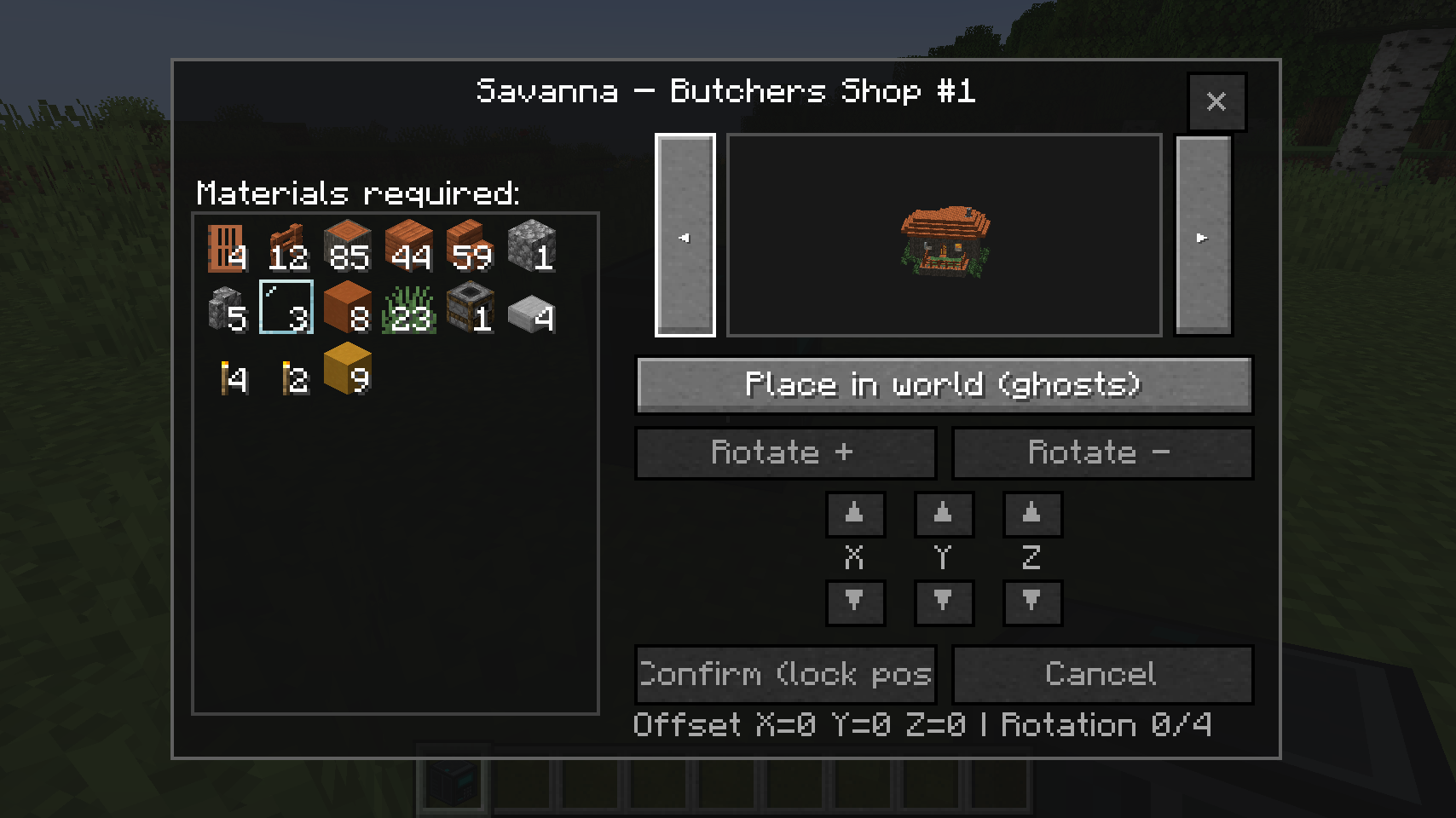
Constructor GUI — preview & materials
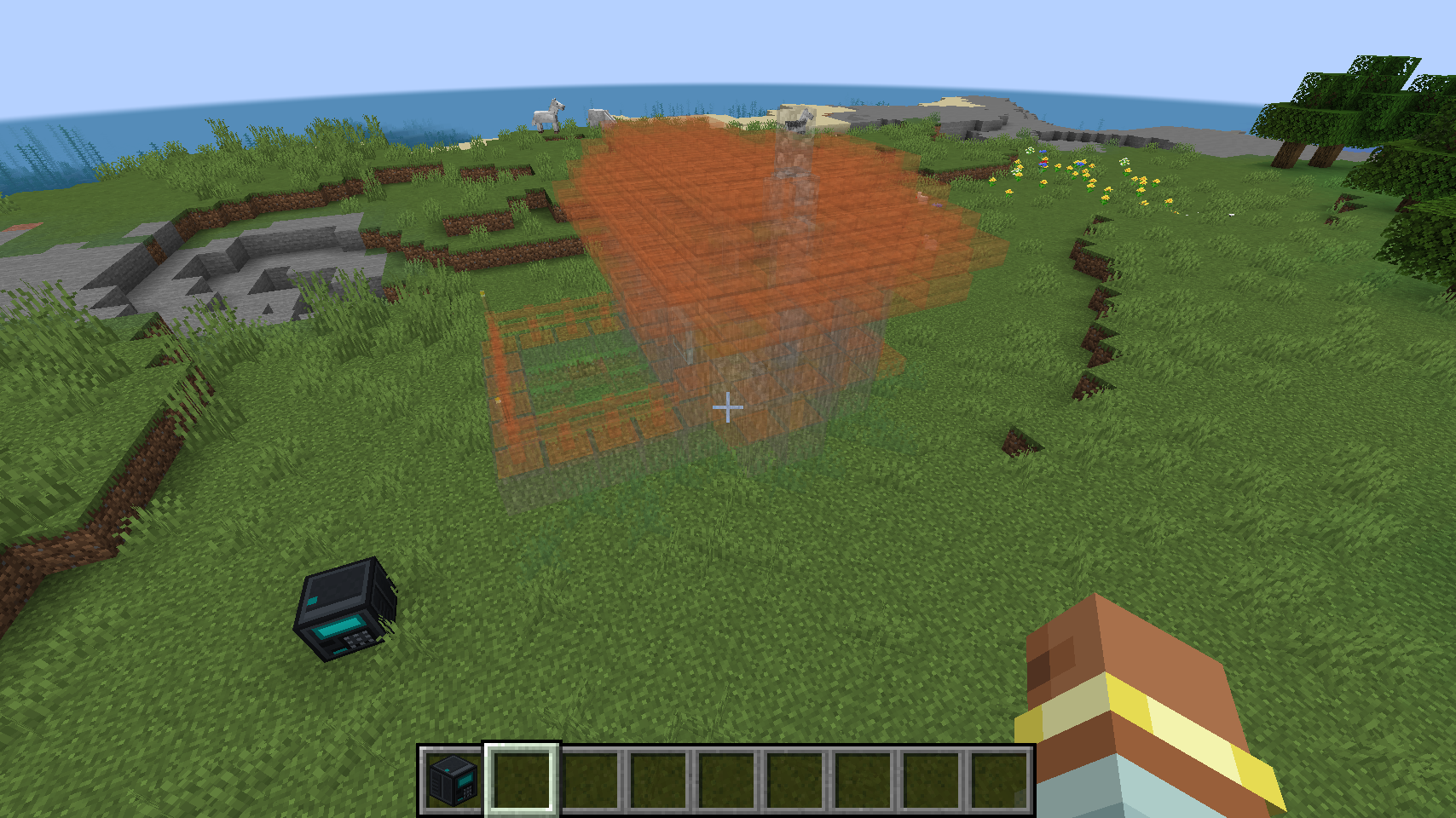
Ghost preview in the world
Features
- Constructor GUI with 3D preview, ghost placement, rotation, offsets, confirm/cancel.
- Materials panel — sorted counts; filters out jigsaw, structure blocks, barriers, and blocks without survival items.
- Vanilla village structures — templates can be populated under your config folder from the game’s structure manager.
- Custom structures — add
.nbtfiles manually or create them in-game with Blueprint Paper. - Per-player client lists for player-made structures (stored under config on disk).
- Delete user-added structures from the Constructor GUI (
user_*only).
Adding structures — two ways
1) Via config folder (manual / modpack-friendly)
- Open your Minecraft instance config folder.
- Open
config/builtin/Structure/ - Add valid Minecraft structure files:
*.nbt(structure-block / exported template format). - Files named
user_*are treated as player-added blueprints (removable with ✕ in the GUI). Other.nbtfiles are normal library entries. - Restart or open the Constructor — blueprints reload from that folder. On a dedicated server, opening the Constructor ensures templates are refreshed before the GUI opens.
Tip: Ship extra .nbt files with a modpack so players get structures without using Blueprint Paper.
2) In-game — Blueprint Paper
- Hold Blueprint Paper.
- First right-click a block → corner A (confirmed in the action bar).
- Second right-click a block → corner B. Must be on the same Y as A (flat rectangle for the floor plan).
- Set height on the screen (live preview), then Add.
- Writes a
user_*.nbtunderconfig/builtin/Structure/on your client and fills the paper with structure data. - Import: with a filled paper, right-click the Constructor to add the blueprint to your client list.
- Shift + right-click → reset corners and clear stored blueprint data.
Empty paper shows “Empty blueprint paper” in the tooltip; filled paper has an enchant-style glint. Trade papers like items — each player imports into their own client folder.
Vanilla village bootstrap
The mod can copy vanilla village house templates into config/builtin/Structure/ when appropriate, so the Constructor isn’t empty on first use.
Requirements
- Minecraft 1.21.1
- NeoForge (match your loader version)
FAQ
Why no barriers / structure blocks in materials?
Filtered for survival-friendly builds.
Second paper click ignored?
Corner B must match corner A’s Y level.
Where are files stored?config/builtin/Structure/ on the client machine.
Mod ID: builtin · BuiltIn
Project description from CurseForge.
Pick your setup
Build In by Minecraft version and loader
Choose the version and loader you play, then open the matching release.
Check the dependencies, then try the file in a copied instance before changing a world you care about.
Recent files
Build In versions and loaders
BuiltIn-1.0.0-1.21.1
BuiltIn-1.0.0-1.21.1.jar
9 May 2026
Client Source doesn’t say Server Source doesn’t say Dependencies No extras listed Listed on Release listing
Check the 1.21.1 · NeoForge setup 1.21.1NeoForge release
Looking for an older file? The official CurseForge project page is in Resources.
 mod
mod CurseForge · Minecraft
Recrafted by Glutt0ky
Recrafted is a Minecraft mod that adds redstone blocks, village, donjon and jobs. Created by Glutt0ky with the amazing MCreator software.
 mod
mod CurseForge + Modrinth · Minecraft
NovoAtlas
A data-driven image based world generator for Minecraft.
 mod
mod CurseForge · Minecraft
Road to Laugh Tale
Read the Poneglyphs, decipher the Void Century, hunt the four Road Poneglyphs and open the route to Laugh Tale. A full endgame addon for Mine Mine no Mi, voice acted, ending in a Pirate King fight.