Fabric API Needed by Shader Profiles shader-profiles-1.1.0.jar
requiredMatching file found Matched file: [26.1.2] Fabric API 0.155.3+26.1.2
CurseForge · Minecraft mod
A client-side utility mod to save, manage, and quickly switch between multiple Iris shader configurations.
Quick answer
Shader Profiles shader-profiles-1.1.0.jar targets 26.1, 26.1.1, 26.1.2 with Fabric. The project page does not say whether this file belongs on the client, dedicated server, or both. All 3 required mods have matching files.
Where it goes
The project page does not say whether this file belongs on the client, dedicated server, or both.
The source does not explicitly classify this release as client-only or server-only.
shader-profiles-1.1.0.jar on 26.1.2. Every mod below is checked against that same setup.
Install Fabric API, Iris Shaders, Sodium first. We found matching files for this game-version and loader setup. 1 comes through another mod in the chain.
1 extra mod was pulled in by another dependency. Indented rows show who needs each one. We only count dependency files that match this setup. A file for another loader does not fill the gap.
Before you install it
Built for Shader Profiles shader-profiles-1.1.0.jar on 26.1.2. Pick another file and the loader, install side or required mods may change.
Use shader-profiles-1.1.0.jar. It targets 26.1, 26.1.1, 26.1.2 with Fabric; another release may have different loader, side or dependency requirements.
Install Fabric API, Iris Shaders, Sodium first. We found matching files for this game-version and loader setup. 1 comes through another mod in the chain.
The project page does not say whether this file belongs on the client, dedicated server, or both.
Use the “Get this file” button beside shader-profiles-1.1.0.jar. It opens that exact file at the source.
About this project
Shader Profiles is a lightweight, client-side utility mod designed to bring a comprehensive profile management system to your Iris shader configurations. It allows you to save, manage, and switch between multiple shader settings seamlessly without ever leaving the game.
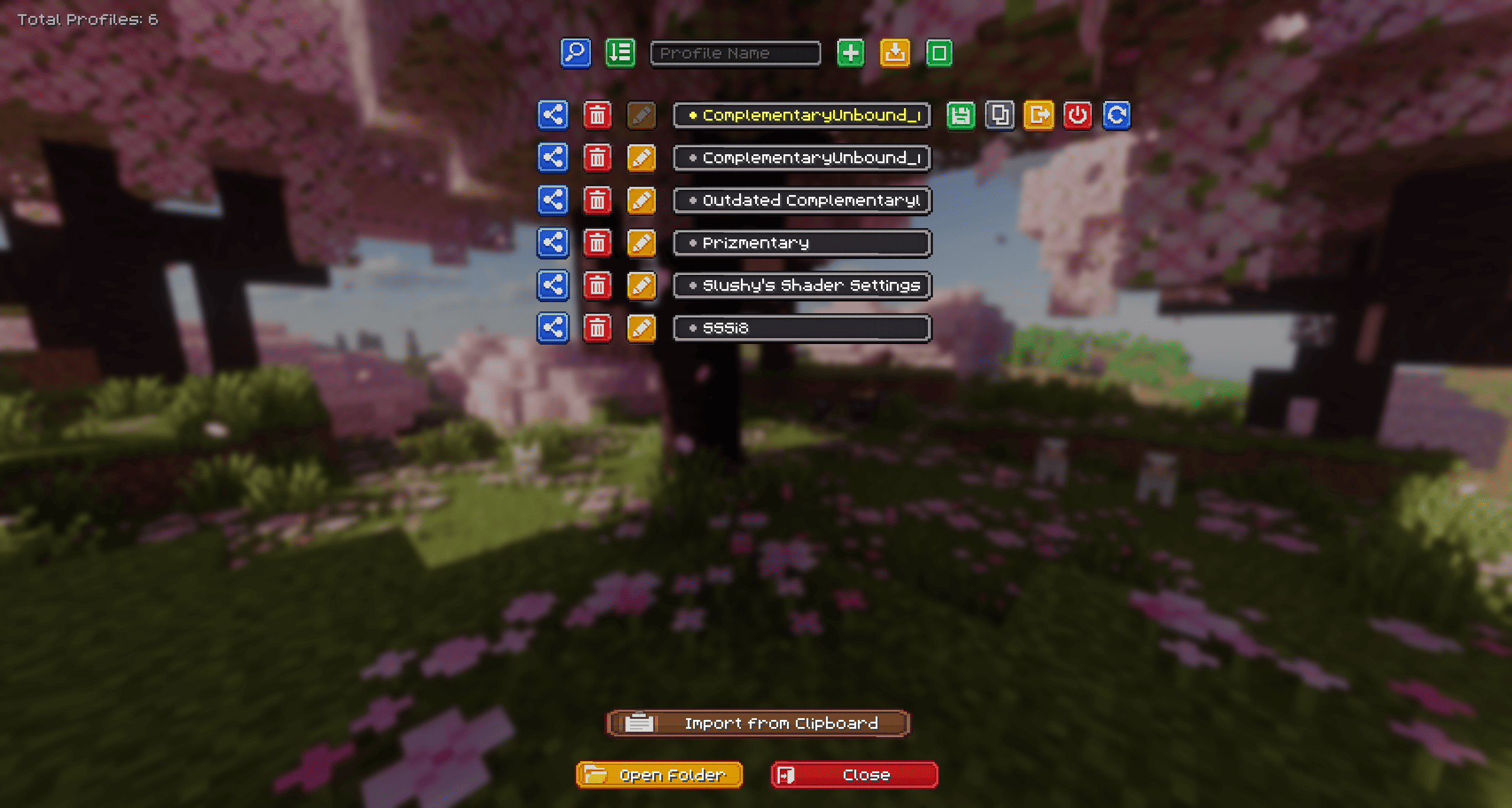
If you frequently change your shader settings based on your current activity—such as using highly demanding settings for taking cinematic screenshots, and performance-optimized settings for regular gameplay or combat—this mod eliminates the need to manually adjust individual sliders every time.
shaderpacks folder and uses a smart fingerprinting system to automatically detect and select the correct matching shader, even if you changed the original .zip file name..txt files or bulk-exporting via .zip archives. You can easily import these local files back into the game.Video Settings > Shader Packs and select a shader.Shader Pack Settings menu.Profiles button located in the top-left corner.Controls menu under the Shader Profiles category.Project description from CurseForge.
Pick your setup
Choose the version and loader you play, then open the matching release.
Check the dependencies, then try the file in a copied instance before changing a world you care about.
Recent files
16 May 2026
9 May 2026
Looking for an older file? The official CurseForge project page is in Resources.
 mod
Additional shapes for any block, including modded ones
 mod
An API to add custom villager professions and villager biome types with custom trades without writing code.
 mod
Backup mod that keeps your worlds safe with automatic and manual backups, with an easy in-game UI to create, manage, and restore them.