Minecraft version
Back to mods 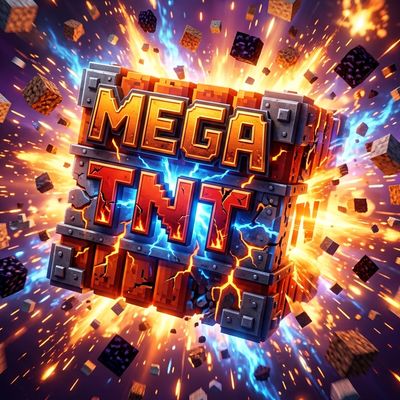
CurseForge · Minecraft mod
MegaTNT
Unleash 43+ epic TNT variants! From Nuclear Bombs to Black Holes and Cat Rain, experience the most chaotic and powerful explosive pack for Minecraft.
Choose a version Pick your version below, then grab the matching file.
Quick answer
Which MegaTNT release should I use?
Latest stable file MegaTNT_v3.0.5_1.20.1_Fabric.jar
Game version 1.20.2-Snapshot, 1.20.5-Snapshot, 1.20.2
Loader Fabric
MegaTNT_v3.0.5_1.20.1_Fabric.jar targets 1.20.2-Snapshot, 1.20.5-Snapshot, 1.20.2 with Fabric. The project page does not say whether this file belongs on the client, dedicated server, or both. No extra mods listed for this file.
Where it goes
Is MegaTNT required on the client, server, or both?
The project page does not say whether this file belongs on the client, dedicated server, or both.
Client Source doesn’t say
Dedicated server Source doesn’t say
Loader for this release Fabric
Required install it here Optional supported, not mandatory Not supported do not install here Source doesn’t say do not assume
The source does not explicitly classify this release as client-only or server-only.
What else does MegaTNT_v3.0.5_1.20.1_Fabric.jar need?
MegaTNT_v3.0.5_1.20.1_Fabric.jar. Change the file and its required mods may change too.
This file does not list any required mods. Do not add a library just because a different file uses it.
This file does not list any required or optional mods.
Before you install it
Add MegaTNT without breaking your instance.
Built for MegaTNT_v3.0.5_1.20.1_Fabric.jar. Pick another file and the loader, install side or required mods may change.
- 01
Stick to this file
Use MegaTNT_v3.0.5_1.20.1_Fabric.jar. It targets 1.20.2-Snapshot, 1.20.5-Snapshot, 1.20.2 with Fabric; another release may have different loader, side or dependency requirements.
- 02
Bring the mods it needs
This file does not list any required mods. Do not add a library just because a different file uses it.
- 03
Put it on the correct side
The project page does not say whether this file belongs on the client, dedicated server, or both.
- 04
Pick the file you checked
Use the “Get this file” button beside MegaTNT_v3.0.5_1.20.1_Fabric.jar. It opens that exact file at the source.
About this project
What does MegaTNT add?
🧨 Mega TNT Random Pack (43+ Variants)
Welcome to the ultimate explosive experience! Mega TNT Random Pack is a massive collection of over 43 unique TNT variants designed to bring chaos, destruction, and hilarious surprises to your Minecraft world. Whether you want to wipe out a mountain or rain cats from the sky, this mod has a bomb for every occasion.
🚀 Key Features
- 43+ Unique Explosives: From classic power-ups to reality-bending anomalies.
- Extreme Destruction: High-tier bombs like the Tsar Bomba and Error 404 for those who want to see the world burn (literally).
- Thematic Chaos: Not everything just blows up! Experience the Tsunami TNT, Meteor Rain, and Black Hole TNT.
- Spawn Bombs: Unleash armies of cats, creepers, or golems with specialized mob-spawning TNTs.
🔥 Featured TNTs
- The Big Three:
- Tsar Bomba (5000): Massive radius destruction.
- Black Hole TNT (10000): Consumes everything in its path.
- Error 404 (100000): The ultimate lag-inducing, world-shattering explosion.
- Nature's Wrath:
- Instant Forest: Create a biome in seconds.
- Lava Ocean: Turns the landscape into a volcanic nightmare.
- Lightning TNT: Strikes down your enemies with the power of Thor.
- Fun & Weird:
- Cat TNT: Rains adorable (but chaotic) kittens.
- Diamond TNT: Literally makes it rain precious minerals!
- Rainbow TNT: Fills the world with colorful rainbow sheep.
🛠️ Technical Info
- Platform: Fabric
- Minecraft Version: 1.20.1 (and compatible versions)
- Developer: Danie
⚠️ Warning
Some bombs in this pack are extremely powerful. It is recommended to use them on high-performance machines and always backup your worlds before using the "Big Bang" or "Error 404" TNTs!
Project description from CurseForge.
Pick your setup
MegaTNT by Minecraft version and loader
Choose the version and loader you play, then open the matching release.
Minecraft version
1.20.5-Snapshot
1 loader buildMinecraft version
1.20.5
1 loader buildMinecraft version
1.20.4
1 loader buildMinecraft version
1.20.3-Snapshot
1 loader buildMinecraft version
1.20.3
1 loader buildMinecraft version
1.20.2-Snapshot
1 loader buildMinecraft version
1.20.2
1 loader buildMinecraft version
1.20.1
1 loader buildMinecraft version
1.20-Snapshot
1 loader buildMinecraft version
1.20
1 loader buildCheck the dependencies, then try the file in a copied instance before changing a world you care about.
Recent files
MegaTNT versions and loaders
MegaTNT_v3.0.5_1.20.1_Fabric.jar
10 May 2026
Client Source doesn’t say Server Source doesn’t say Dependencies No extras listed Listed on Release listing
Check the 1.20.6 · Fabric setup 1.20.2-Snapshot1.20.5-Snapshot1.20.2Fabric release
Looking for an older file? The official CurseForge project page is in Resources.