Back to mods
Gather project artwork

CurseForge · Minecraft mod

Gather

Material Gathering. The mod provides automatic base material calculation, HUD progress, needed blocks outlines and SO MUCH MORE

Choose a version Pick your version below, then grab the matching file.

Quick answer

Which Gather release matches 26.1.2?

Updated 5 months ago
Best match for your filters Gather v1.3.1 [Fabric 26.1.x]
Game version 26.1, 26.1.1, 26.1.2
Loader Fabric

Gather v1.3.1 [Fabric 26.1.x] targets 26.1, 26.1.1, 26.1.2 with Fabric. The project page does not say whether this file belongs on the client, dedicated server, or both. All 1 required mods have matching files.

Where it goes

Is Gather required on the client, server, or both?

The project page does not say whether this file belongs on the client, dedicated server, or both.

Client Source doesn’t say
Dedicated server Source doesn’t say
Loader for this release Fabric
Required install it here Optional supported, not mandatory Not supported do not install here Source doesn’t say do not assume

The source does not explicitly classify this release as client-only or server-only.

What else does Gather v1.3.1 [Fabric 26.1.x] need?

Gather v1.3.1 [Fabric 26.1.x] on 26.1.2. Every mod below is checked against that same setup.

All 1 required mods have matching files

Install Fabric API first. We found matching files for this game-version and loader setup. 5 come through another mod in the chain.

3 listed on this file 5 pulled in by those mods
Fabric API Needed by Gather v1.3.1 [Fabric 26.1.x]
required
Matching file found Matched file: [26.1.2] Fabric API 0.155.3+26.1.2
Where Is It (Unofficial Port) Optional for Gather v1.3.1 [Fabric 26.1.x]
optional
Matching file found Matched file: [26.1] Where Is It (Unofficial Port) 2.7.5.2+26.1
Mod Menu Optional for Gather v1.3.1 [Fabric 26.1.x]
optional
Matching file found Matched file: v18.0.2 for 26.1
Just Enough Items (JEI) Needed by Where Is It (Unofficial Port)
pulled in
Matching file found Matched file: 29.53.0.115 for Fabric 26.1.2
YetAnotherConfigLib Needed by Where Is It (Unofficial Port)
pulled in
Matching file found Matched file: 3.9.7 for fabric 26.1
Text Placeholder API Needed by Mod Menu
pulled in
Matching file found Matched file: placeholder-api-3.0.0+26.1.jar
MezzConfigGUI Needed by Just Enough Items (JEI)
pulled in
Matching file found Matched file: MezzConfig GUI mc26.1.2-0.5.10 for Fabric
MezzConfig Needed by Just Enough Items (JEI)
pulled in
Matching file found Matched file: MezzConfig 0.7.1 for Fabric 26.1.2

5 extra mods were pulled in by other dependencies. Indented rows show who needs each one. We only count dependency files that match this setup. A file for another loader does not fill the gap.

Before you install it

Add Gather without breaking your instance.

Built for Gather v1.3.1 [Fabric 26.1.x] on 26.1.2. Pick another file and the loader, install side or required mods may change.

  1. 01

    Stick to this file

    Use Gather v1.3.1 [Fabric 26.1.x]. It targets 26.1, 26.1.1, 26.1.2 with Fabric; another release may have different loader, side or dependency requirements.

  2. 02

    Bring the mods it needs

    Install Fabric API first. We found matching files for this game-version and loader setup. 5 come through another mod in the chain.

  3. 03

    Put it on the correct side

    The project page does not say whether this file belongs on the client, dedicated server, or both.

  4. 04

    Pick the file you checked

    Use the “Get this file” button beside Gather v1.3.1 [Fabric 26.1.x]. It opens that exact file at the source.

About this project

What does Gather add?

Gather is a mod that I decided to build when I found myself needing to collect materials for an automatic storage system. It goes without saying that the development of the mod delayed the storage system project quite a bit lol.
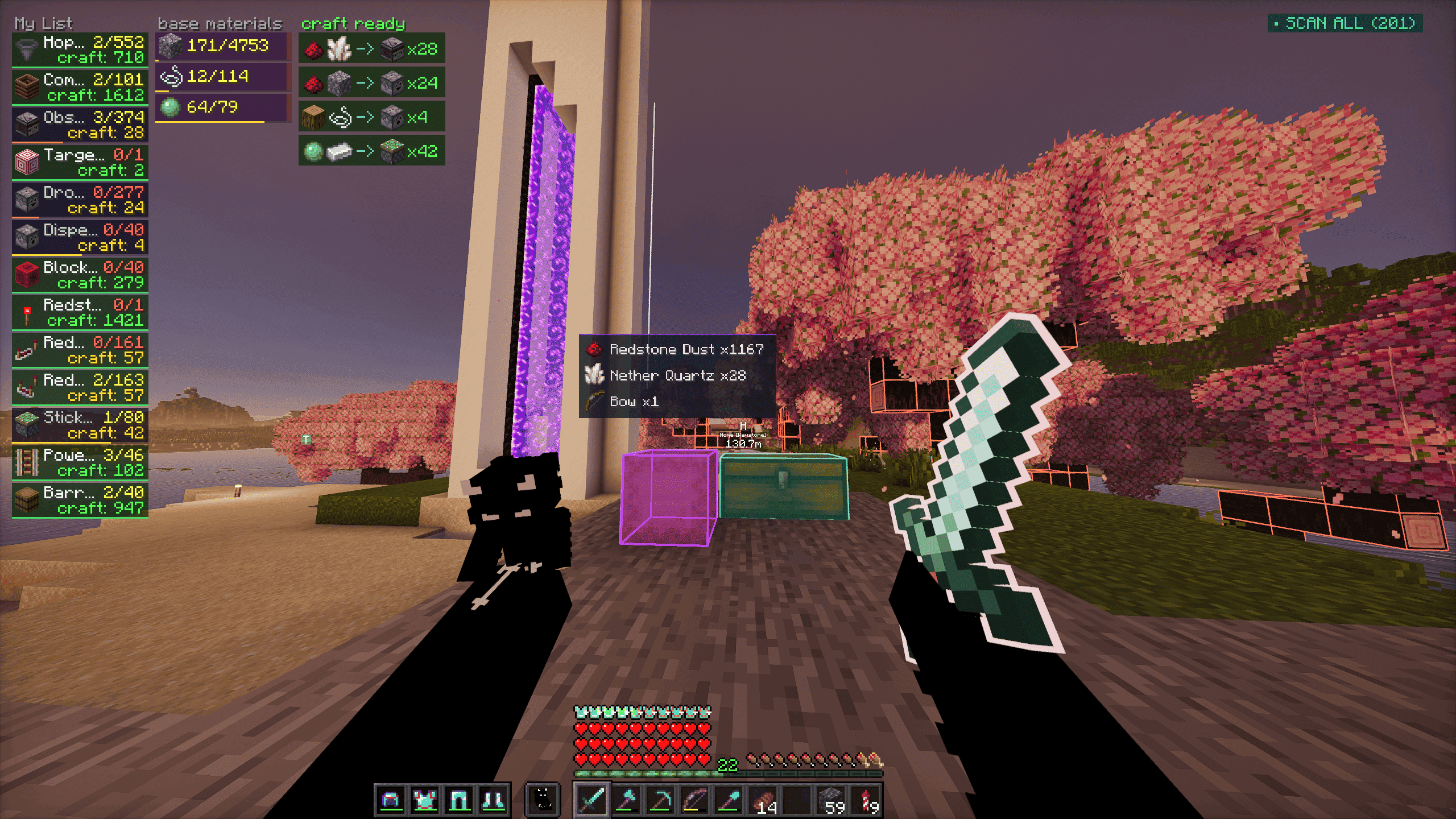
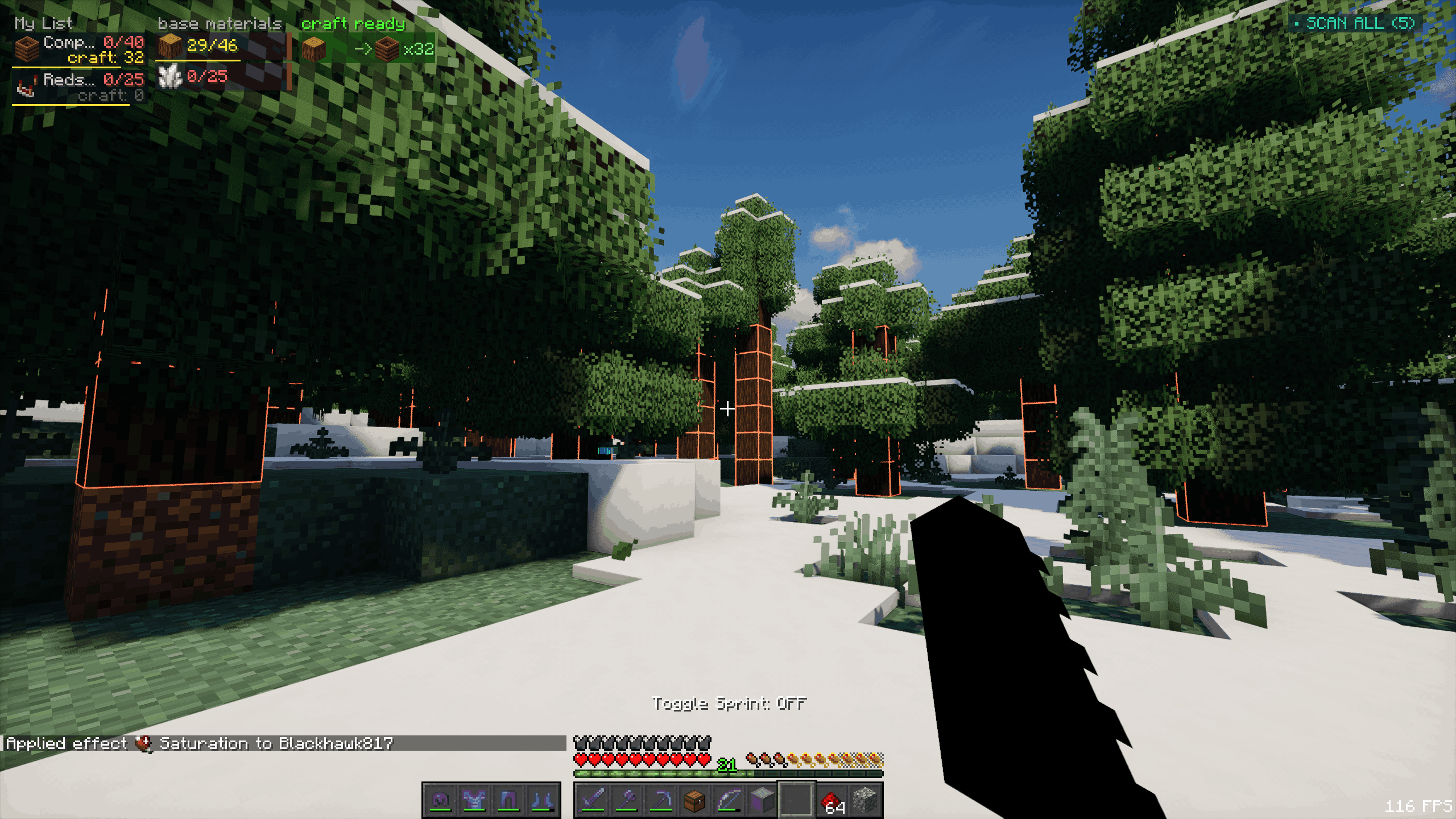
Current Features

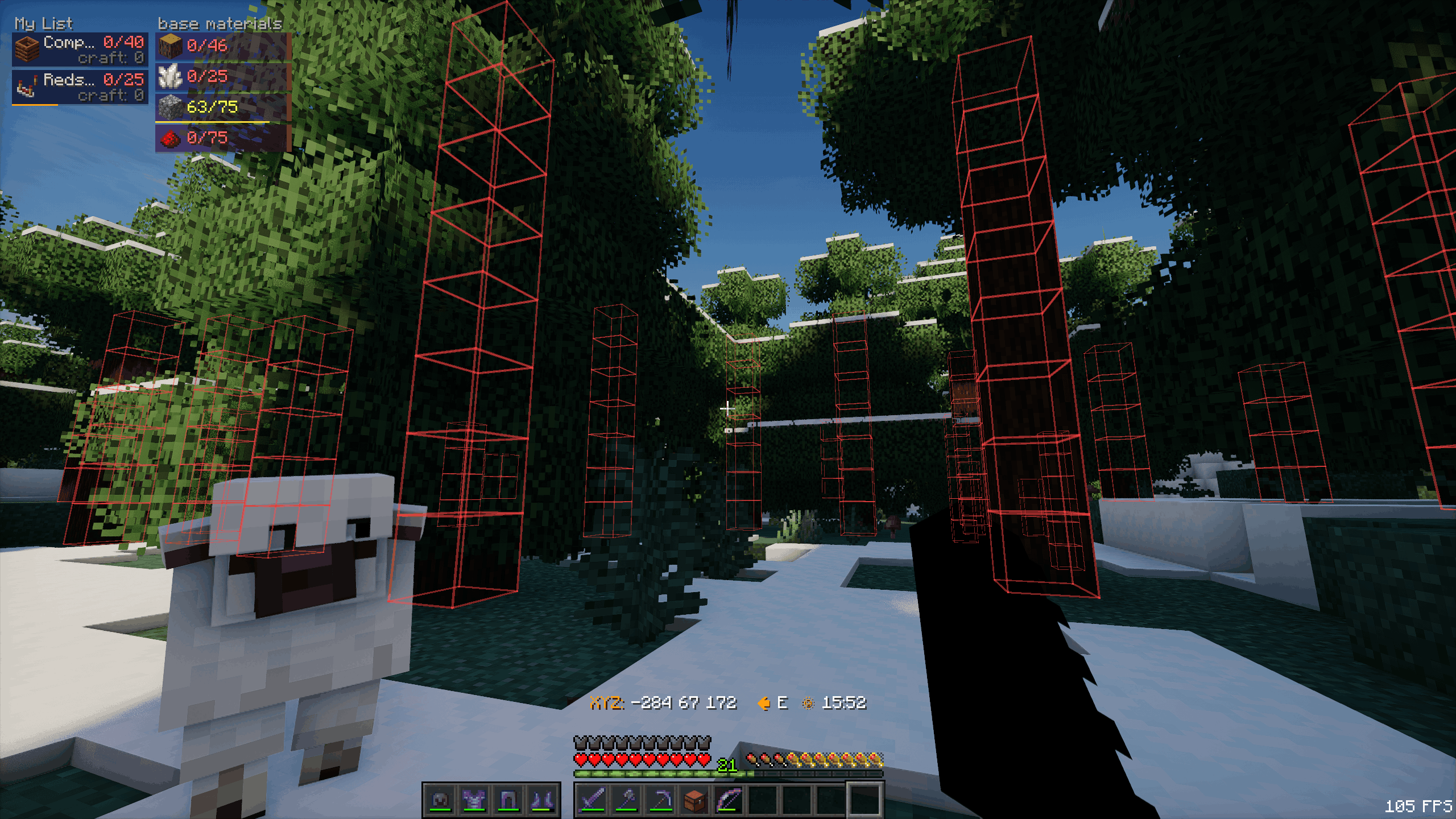
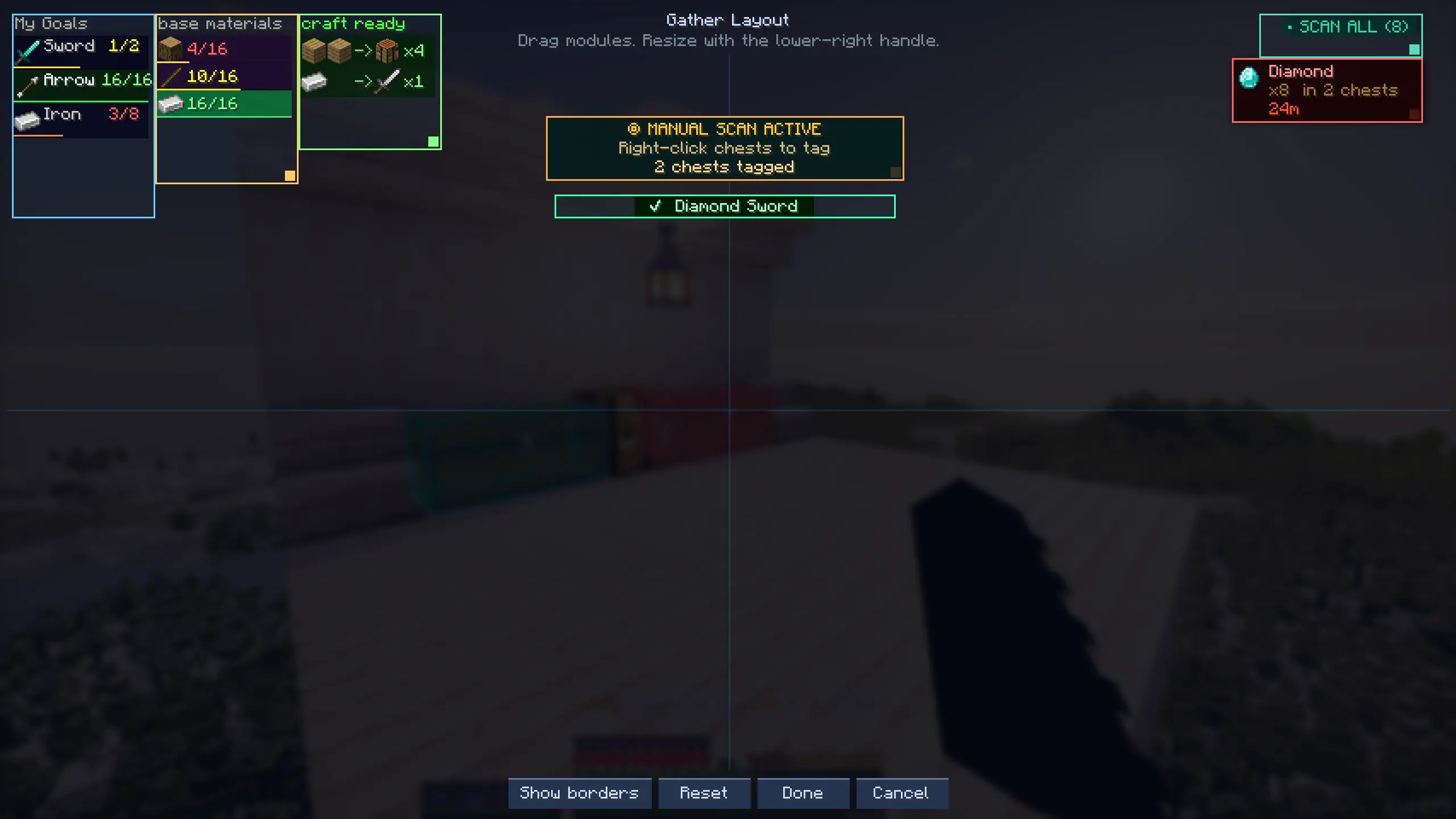
  • HUD - shows base materials needed with have/need counts
  • Auto recipe breakdown - goals auto-break to leaf materials

HUD showcase showing material goals with have/need counts

  • World block outlines - highlights source blocks for needed materials

Block outlines showcase highlighting needed resource blocks in the world

  • Block xray - toggle to see outlines through terrain and find needed ore/resource blocks

Xray showcase showing needed resource block outlines through terrain

The above feature is not accessible by default. Turning it on requires an admin to use the /gatherop xray on command.

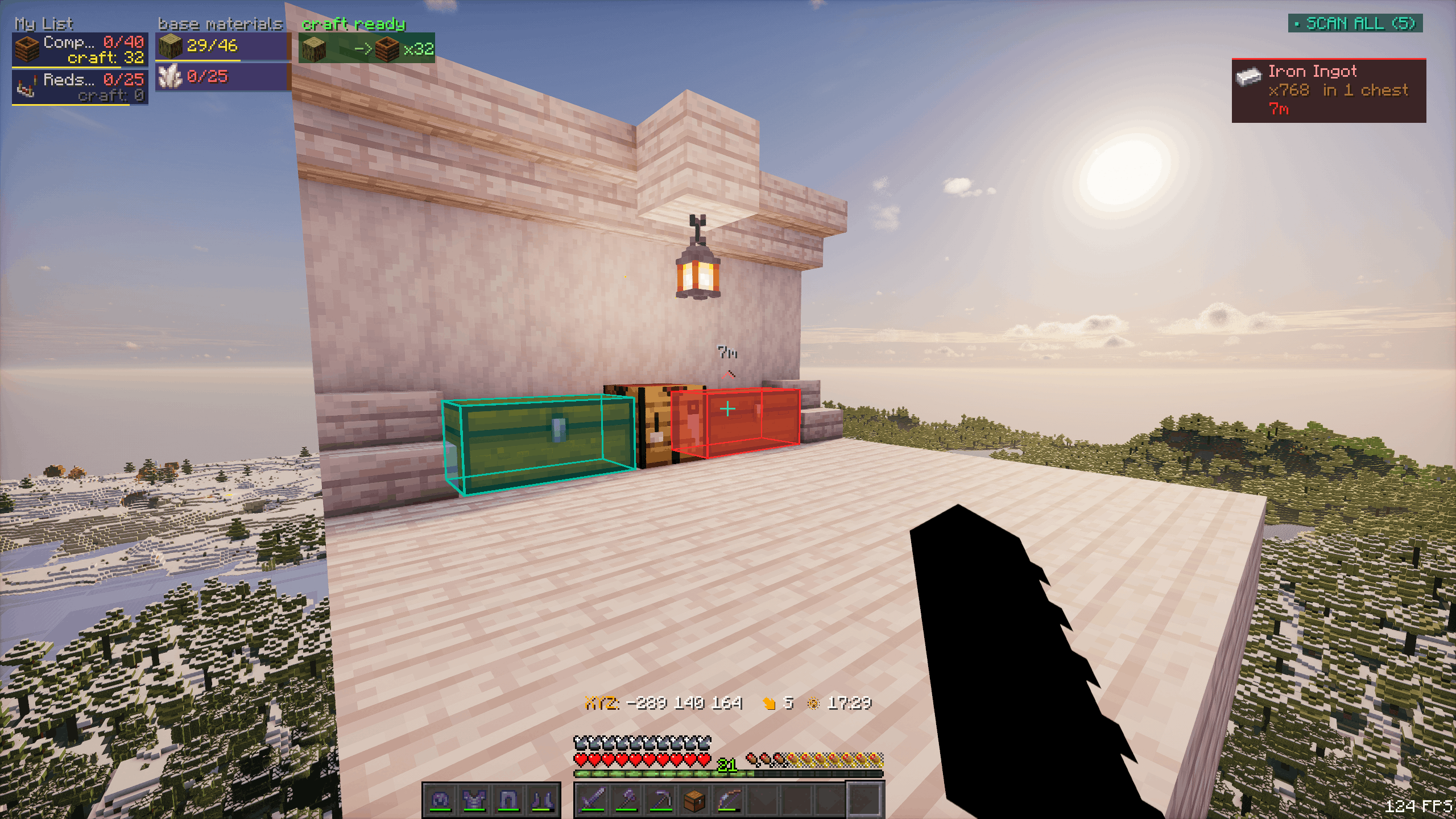
  • Chest scanning - tracks nearby chests containing needed items
  • Shulker collector - auto-pulls needed items into a carried shulker

Video Showcase: https://www.youtube-nocookie.com/embed/uRvVqEH0YBI
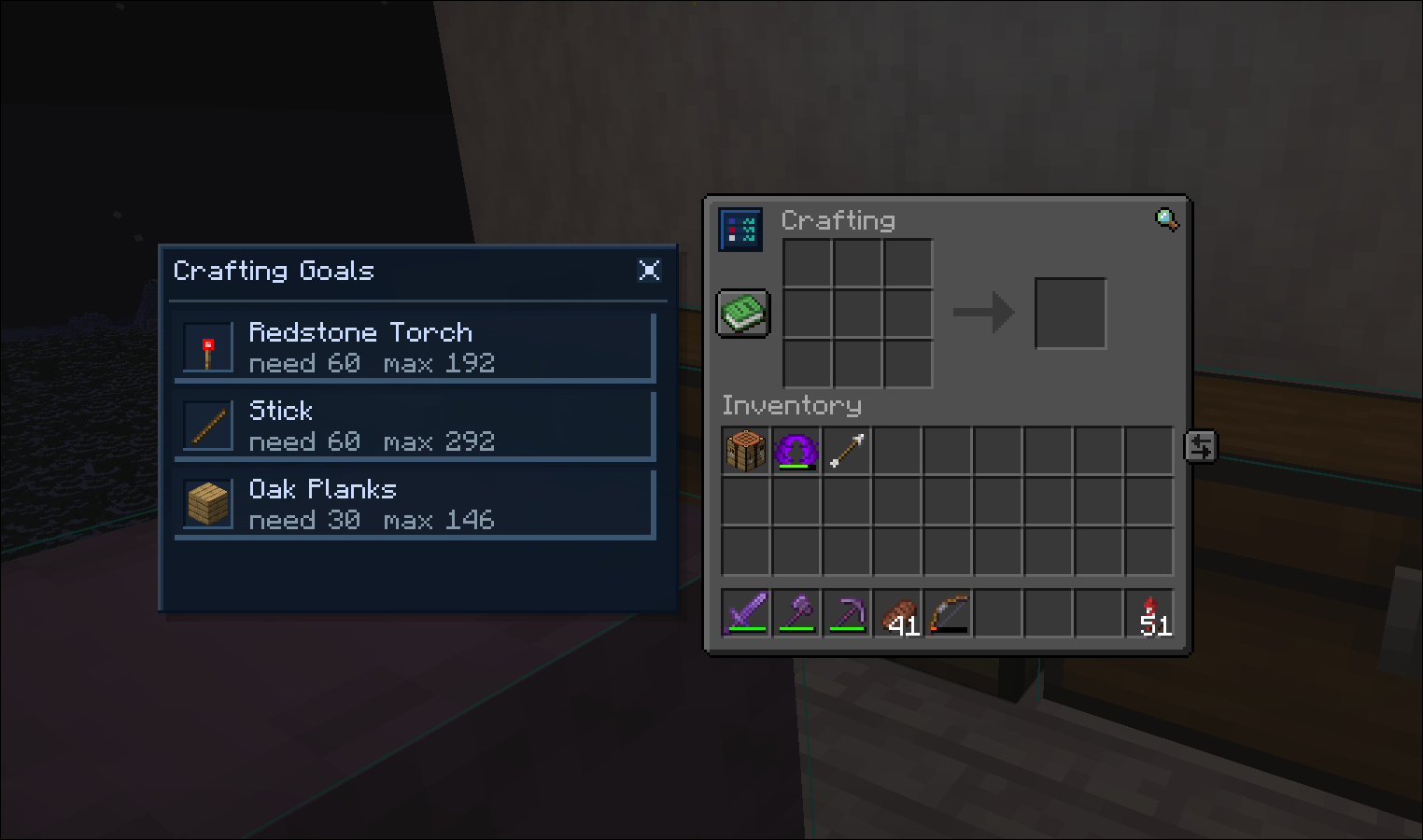
  • Crafting overlay - crafting table panel showing craftable goals

Crafting overlay showcase showing craftable goals in the crafting table panel

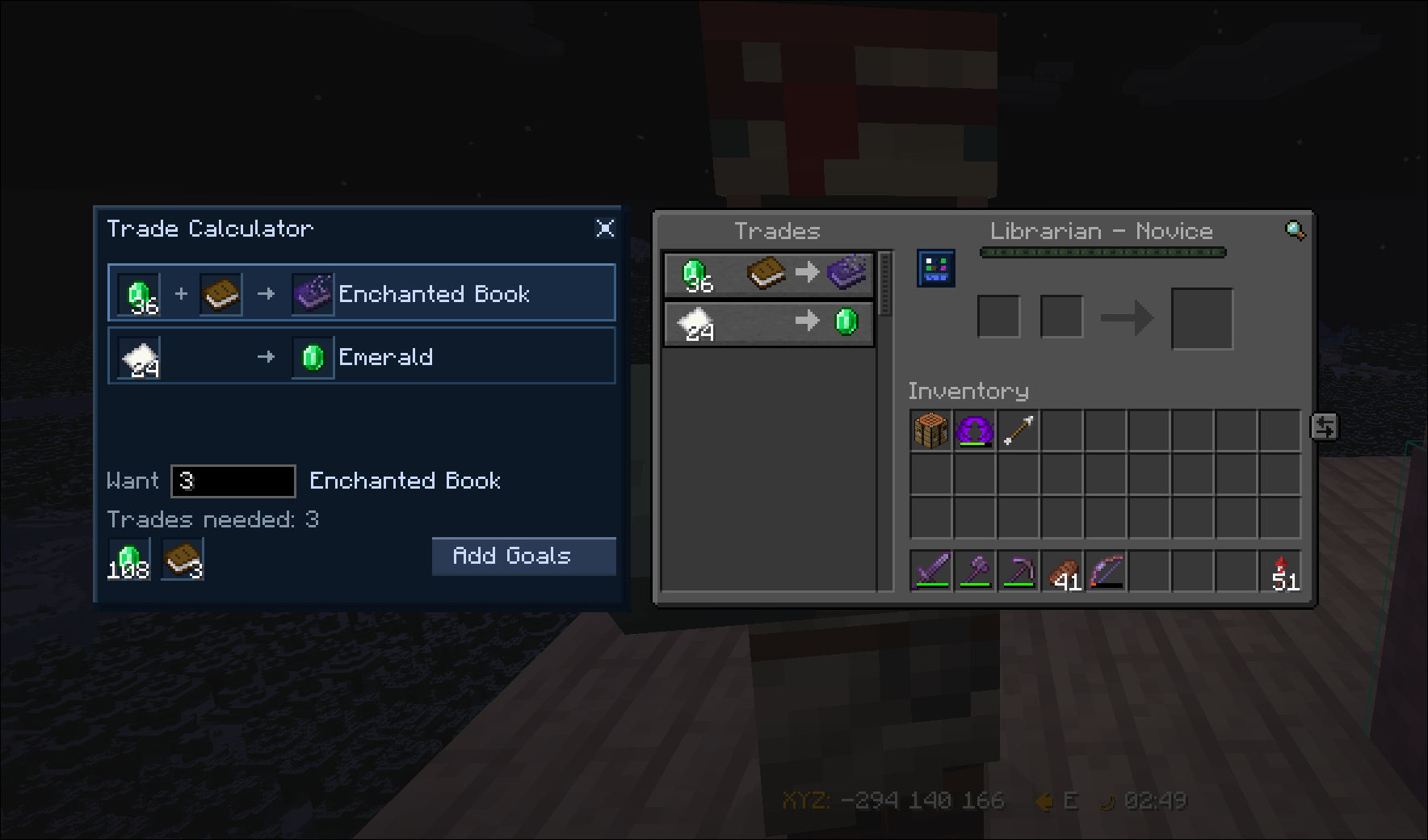
  • Trade Calculator - trade calculator menu that calculates the sell items needed to buy a certain amount of items

Trade calculator showcase showing trade calculation UI

  • Item finder - finds any item inside tracked chests
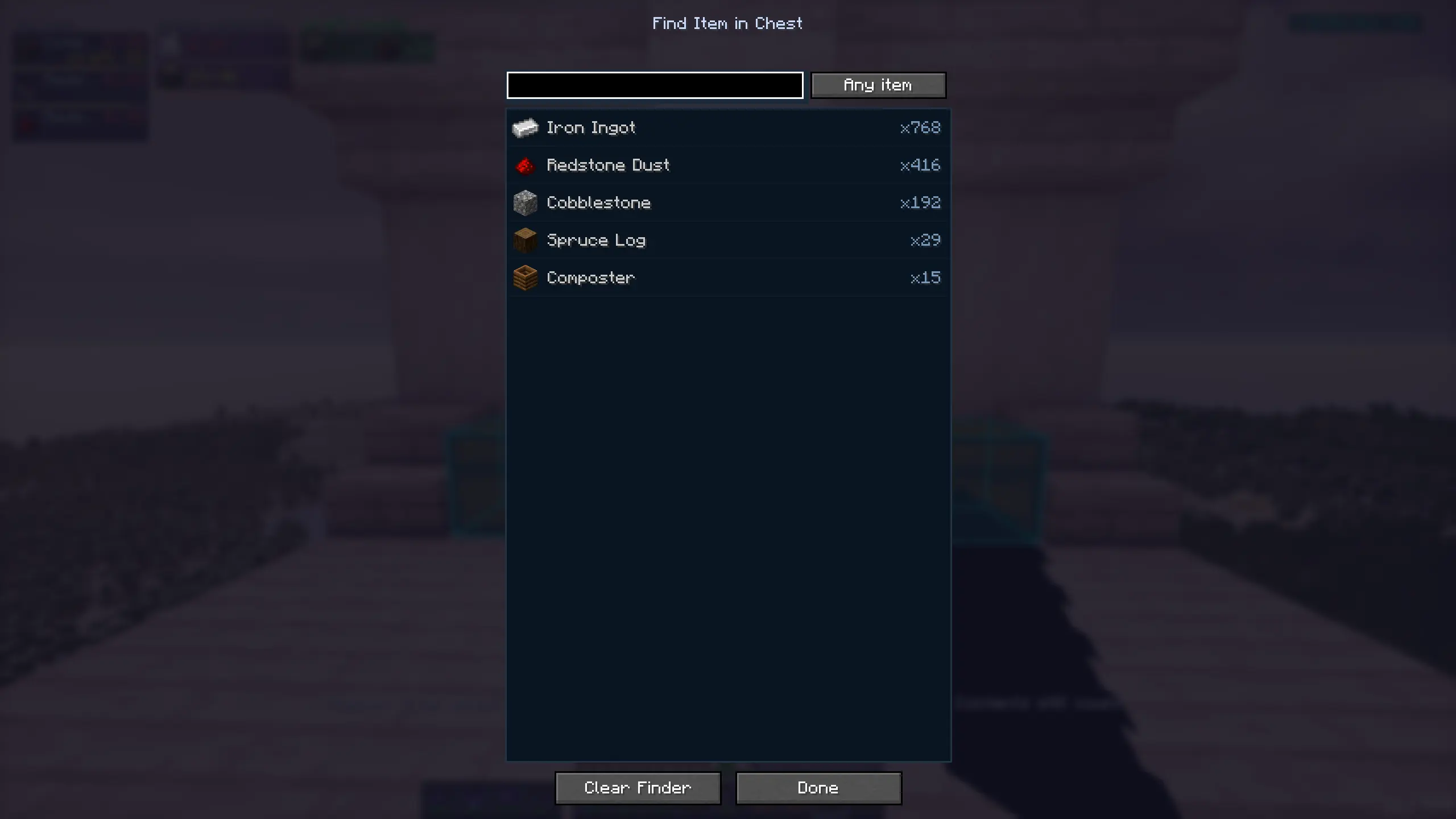
    Item finder showcase showing a searched item in tracked chests Item finder showcase showing chest tracking results for a searched item

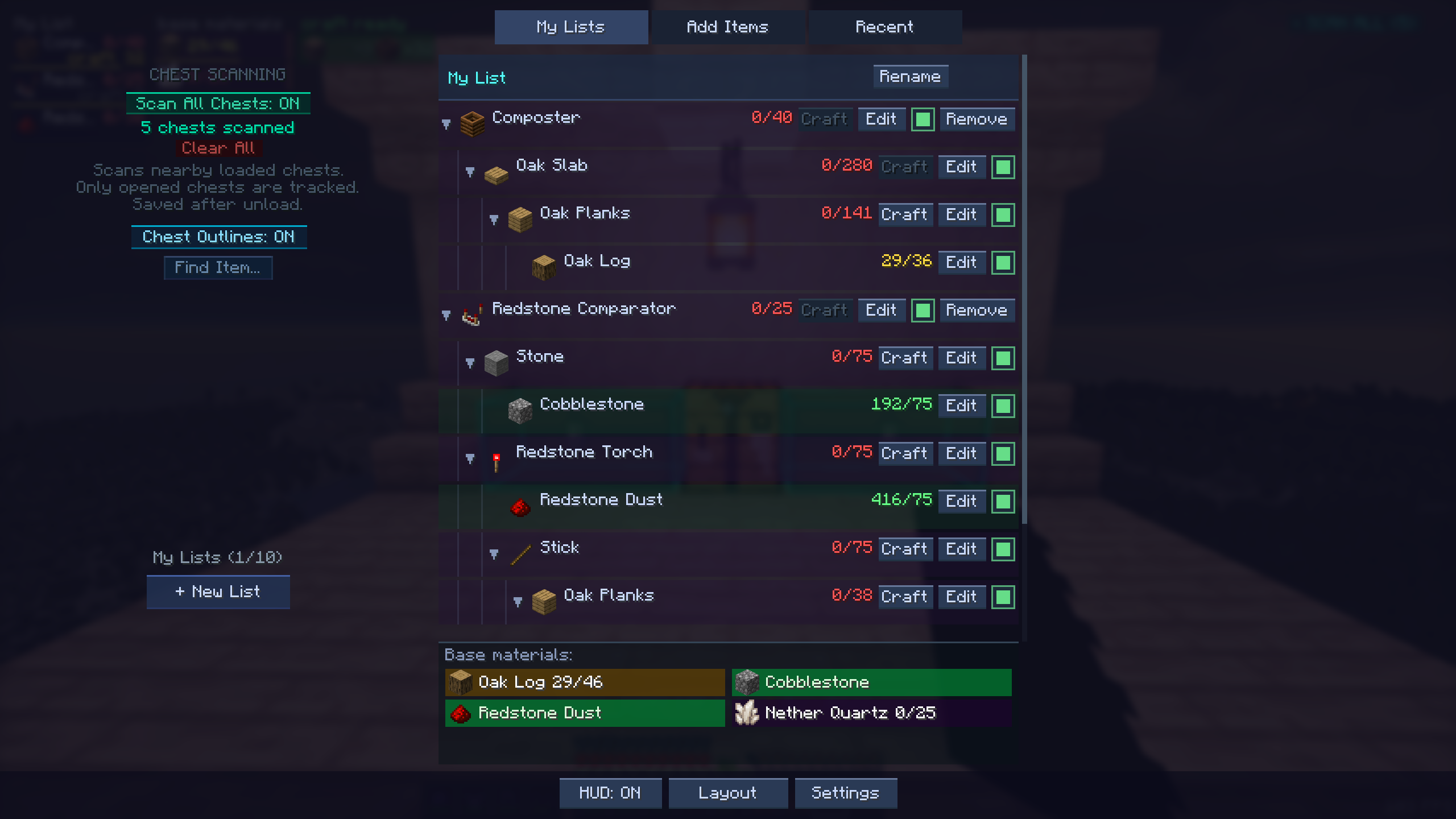
  • G-menu - main functionality menu

G-menu showcase showing the main functionality menu

  • HUD layout editor - drag/resize HUD modules

HUD layout editor showcase showing draggable and resizable HUD modules

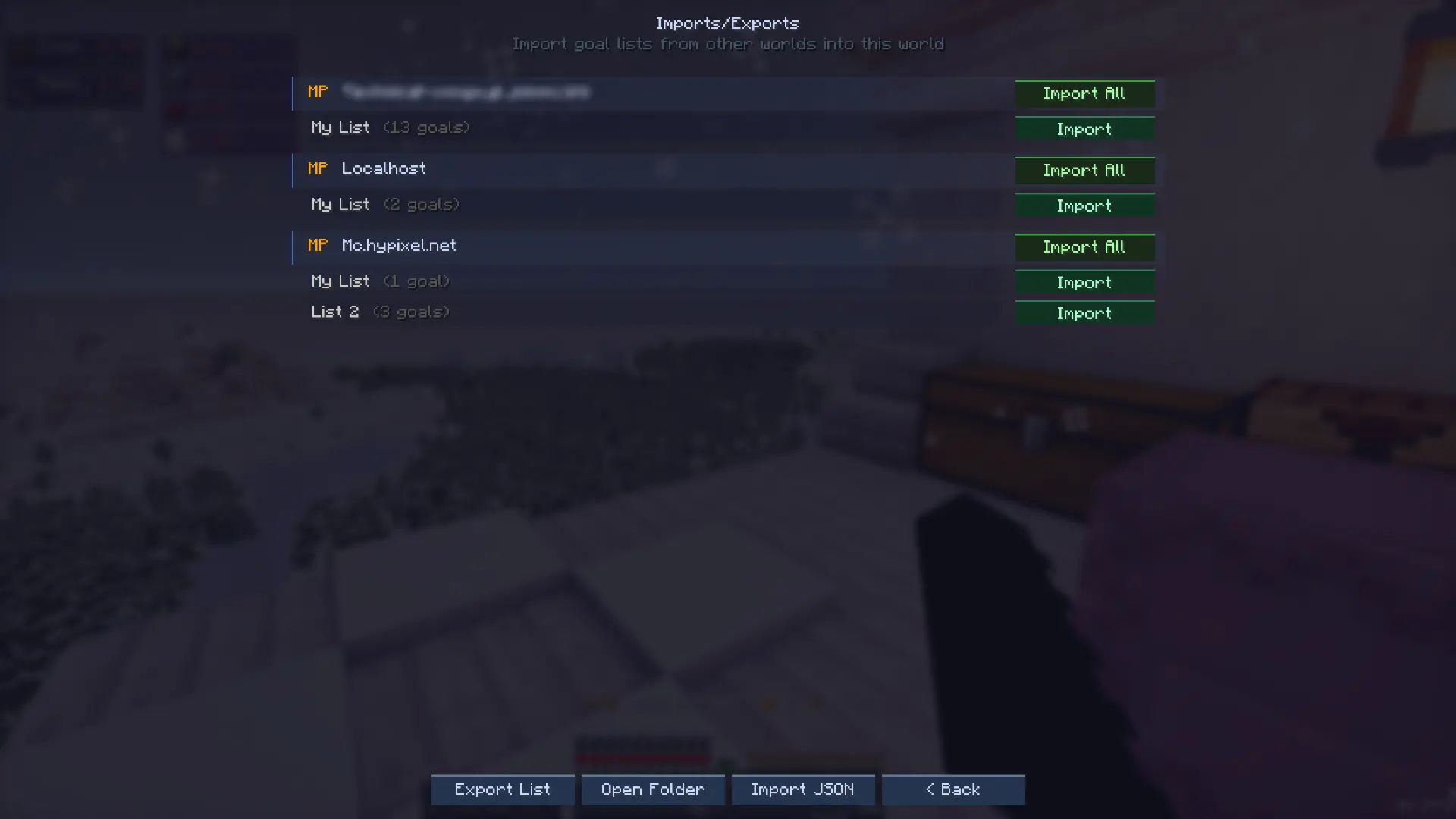
  • Imports - copy goal lists across worlds

Imports showcase showing goal list import options across worlds

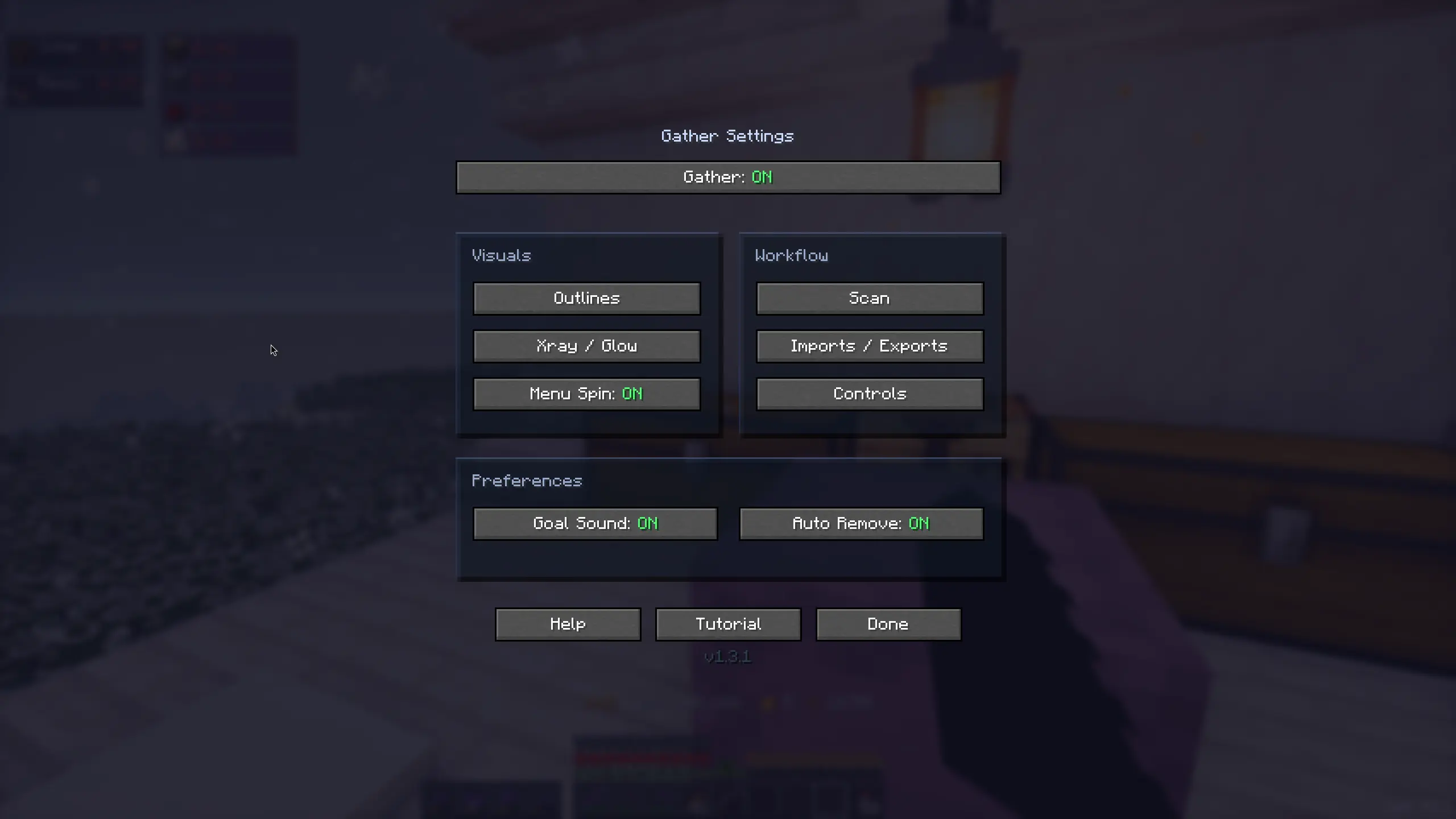
  • Settings screens - fully customize every inch of the mod

Settings screen showcase showing customization options for the mod

Requirements

  • Minecraft version: 1.21.11 or 26.1-26.1.2
  • Fabric loader: 0.19.2+
  • Fabric API: Any appropriate one for the selected minecraft version
  • Mod Menu: any, suggested for more settings customization
  • Where Is It (Unofficial port): any, required for the Xray feature

Possible environments

  • Single player: install the mod on the client.
  • Multiplayer / dedicated server: install the mod on both the server and each client.

What's coming

  • Mod UI themes: vanilla feel, light/dark modes, …
  • Broader loaders support
  • Support down to 1.21.1
  • Import goals from schematics and litematica 👀

Project description from CurseForge.

Pick your setup

Gather by Minecraft version and loader

Choose the version and loader you play, then open the matching release.

14 available setups

Showing the newest 12 of 14 game versions. Older files are in the list below.

Check the dependencies, then try the file in a copied instance before changing a world you care about.

Recent files

Gather versions and loaders

3 of 13 releases match
Clear filters

Looking for an older file? The official CurseForge project page is in Resources.