Minecraft version
Back to mods 
CurseForge · Minecraft mod
MalisisDoorsReborn
Animated doors and custom door creation with millions of possibilities! — Re-imagined from the original MalisisDoors mod by Ordinastie.
Choose a version Pick your version below, then grab the matching file.
Quick answer
Which MalisisDoorsReborn release should I use?
Latest stable file malisisdoorsreborn-neoforge-26.2-1.0.13.jar
Game version 26.2
Loader NeoForge
malisisdoorsreborn-neoforge-26.2-1.0.13.jar targets 26.2 with NeoForge. The project page does not say whether this file belongs on the client, dedicated server, or both. No extra mods listed for this file.
Where it goes
Is MalisisDoorsReborn required on the client, server, or both?
The project page does not say whether this file belongs on the client, dedicated server, or both.
Client Source doesn’t say
Dedicated server Source doesn’t say
Loader for this release NeoForge
Required install it here Optional supported, not mandatory Not supported do not install here Source doesn’t say do not assume
The source does not explicitly classify this release as client-only or server-only.
What else does malisisdoorsreborn-neoforge-26.2-1.0.13.jar need?
malisisdoorsreborn-neoforge-26.2-1.0.13.jar. Change the file and its required mods may change too.
This file does not list any required mods. Do not add a library just because a different file uses it.
This file does not list any required or optional mods.
Before you install it
Add MalisisDoorsReborn without breaking your instance.
Built for malisisdoorsreborn-neoforge-26.2-1.0.13.jar. Pick another file and the loader, install side or required mods may change.
- 01
Stick to this file
Use malisisdoorsreborn-neoforge-26.2-1.0.13.jar. It targets 26.2 with NeoForge; another release may have different loader, side or dependency requirements.
- 02
Bring the mods it needs
This file does not list any required mods. Do not add a library just because a different file uses it.
- 03
Put it on the correct side
The project page does not say whether this file belongs on the client, dedicated server, or both.
- 04
Pick the file you checked
Use the “Get this file” button beside malisisdoorsreborn-neoforge-26.2-1.0.13.jar. It opens that exact file at the source.
About this project
What does MalisisDoorsReborn add?
MalisisDoorsReborn
MalisisDoorsReborn is an unofficial modern-day re-imagination of the classic MalisisDoors mod by Ordinastie from the Minecraft 1.12 era, bringing its simple and flexible custom doors and door animations to newer Minecraft versions.
MalisisDoorsReborn focuses on preserving the original spirit, look, and feel as much as possible while rebuilding the experience around modern Minecraft systems. No external core libraries are required.
Selected doors from the original 1.7.10 version of HBM's Nuclear Tech Mod have also been included, bringing HBM's unique industrial style to MalisisDoorsReborn.
Optional support is also included for Macaw's Doors, allowing the majority of its 1x2 doors to be modified via the Door Factory.
Latest Update - Version 1.0.13
MalisisDoorsReborn 1.0.13 adds quality of life, stability, and gameplay improvements.
Highlights
- Improved collision handling for multipart HBM doors to safely handle unavailable root block states during collision queries
- Additional stability and gameplay improvements
Features
- All the original inspired doors including hi-tech, reinforced, shoji, jail, laboratory, factory, and sliding
- New doors including airlock, french sliding and accordion door variants, plus airlock, sliding wood, and metal trapdoors
- Animated alternatives for vanilla doors, trapdoors, and fence gates
- Animated versions of the vanilla copper door and trapdoor variants
- Door Factory for creating and modifying custom doors including sound preview
- Door Factory appearance support for compatible 1x2 Macaw's Doors
- Multiple movement styles including sliding, rotating, folding, curtain, and split-panel
- Dyeable curtains, large 3x3 double doors, and garage door variants
- Forcefields, including a simple 1x2 energy field and linkable panels for larger configurable areas
- Camouflage utility including a new door, trapdoor, and the original fence gate
- HBM inspired doors industrial doors, including the vault-tec blast, fire, secure access and the hinge-aware sealed sliding and water doors
- Multi-level key card access capability available for the HBM door family and selected MDR doors including the rusty hatch
- Simple card reader that adds configurable key card access control (redstone pulse or on/off modes, card access hierarchy) to other redstone doors and devices
- Compatibility with the Create lift contraption for the high-tech and basic sliding doors including the bostwick gate
How the Door Factory Works
The door factory is a self-powered machine that enables the design and creation of custom doors using a straight-forward interface. Custom door properties can be specified, such as the movement type (sliding, rotating etc.), sound, animation speed, and blocks can be inserted that are then used as materials to construct the frame, top, and bottom door panels.
For the top and bottom materials, a few items can also be entered for special effects:
- Flint & steel gives a fire effect
- Ender pearl displays a nether portal animation
- Water bucket displays flowing water
- Lava bucket displays flowing lava
Pre-existing stock doors, including the airlock, shoji, vanilla rotating alternatives, and compatible Macaw's Doors 1x2 doors, can also be used within the Door Factory and further customised.
How Forcefields Work
Forcefields come in two forms: a simple 1x2 Forcefield and configurable forcefield areas created by linking Forcefield Panels.
The 1x2 Forcefield behaves like a standard door and can be activated/deactivated simply by right-clicking.
Custom forcefields can be created, either vertically or horizontally, using Forcefield Panels and a Forcefield Linker. Place two Forcefield Panels, equip the Forcefield Linker, then right-click the first panel and right-click the second panel to create a forcefield. Again, a forcefield can be activated/deactivated simply by right-clicking.
Larger forcefields must be created on a flat, vertical or horizontal plane, and each axis is limited to a maximum size of 15 blocks. Any blocked positions inside the selected area are skipped, allowing forcefields to form around existing blocks.
A single-panel, horizontal trapdoor-style forcefield can also be created by selecting a Forcefield Panel with the Forcefield Linker and then right-clicking the same panel again.
When equipping the Forcefield Linker, any forcefields in range are highlighted using visual markers.
Camouflage Blocks
MalisisDoorsReborn includes new camouflage variants for door and trapdoor while still retaining the original fence-gate. These blocks can automatically blend into nearby builds, or be given a fixed appearance manually.
By default, a camouflage block samples the matching blocks on either side. If both side blocks are a valid match, the camouflage block uses that appearance. If no match is found, the normal fallback texture is used.
A specific appearance can also be applied manually:
- Sneak-right-clicking with a valid block item applies that block as camouflage
- Sneak-right-clicking with an empty hand clears the stored camouflage
Stored camouflage persists with the block, so manually applied appearances remain in place after reload.
Custom-Framed Big Doors
The Carriage Door and Medieval Door are extra-large double doors with customisable frames.
Craft the Carriage Door using an oak door, or the Medieval Door using a spruce door, together with five matching frame blocks. The finished door retains the chosen frame material.
Sample recipes using a selection of frame materials can be viewed through JEI.
Known Issues/Mod Compatibility
There is a conflict with the Fancy World Animations mod in that some Malisis Doors don't animate properly. To resolve this just ensure the following entry is added to the fwa-blacklist.json found in the default Minecraft config directory:
{ "mods":[ "malisisdoorsreborn" ] }
Videos
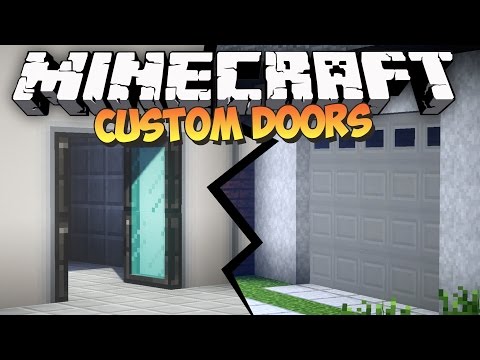
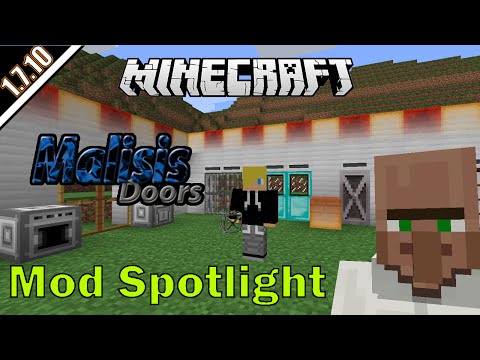
The following videos demonstrate the original Malisis Doors mod by Ordinastie. Malisis Doors (Reborn) maintains the same core functionality for modern Minecraft versions.
Please note that these videos are for versions of Minecraft prior to 1.12.2 so they do contain information relating to the MalisisBlocks mod which was originally part of MalisisDoors. The Player Sensor is now part of the MalisisSwitchesReborn mod, available for later versions of Minecraft.
Licensing and Third-Party Material
MalisisDoorsReborn is All Rights Reserved except where otherwise stated.
Selected code and assets are derived from HBM's Nuclear Tech Mod by HBMTheBobcat, originally licensed under the GNU Lesser General Public License v3.0.
HBM-derived portions have been modified and ported for MalisisDoorsReborn and modern Minecraft versions. Those HBM-derived portions remain licensed under LGPLv3. The original MalisisDoorsReborn code and assets remain All Rights Reserved unless explicitly stated otherwise.
The release JAR includes third-party notices and the relevant licence texts for HBM-derived material.
The MDR copper door/trapdoor implementation was inspired by Copper Age Backport by Smallinger.
Credits
- Original Mod: MalisisDoors by Ordinastie
- Selected HBM-derived material: HBM's Nuclear Tech Mod by HBMTheBobcat, licensed under LGPLv3
- Copper Door Inspiration: Copper Age Backport by Smallinger, licensed under CC0 1.0
Reporting Issues
If you encounter a compatibility issue with another mod, or find a machine setup that behaves incorrectly, please report it via the project issue tracker so it can be investigated.
Project description from CurseForge.
Pick your setup
MalisisDoorsReborn by Minecraft version and loader
Choose the version and loader you play, then open the matching release.
Minecraft version
26.1.2
1 loader buildMinecraft version
1.21.11
1 loader buildMinecraft version
1.21.1
1 loader buildMinecraft version
1.20.1
1 loader buildCheck the dependencies, then try the file in a copied instance before changing a world you care about.
Recent files
MalisisDoorsReborn versions and loaders
malisisdoorsreborn-neoforge-26.2-1.0.13.jar
15 Aug 2026
Client Source doesn’t say Server Source doesn’t say Dependencies No extras listed Listed on Release listing
Check the 26.2 · NeoForge setup NeoForge26.2 release
malisisdoorsreborn-neoforge-26.1.2-1.0.13.jar
15 Aug 2026
Client Source doesn’t say Server Source doesn’t say Dependencies No extras listed Listed on Release listing
Check the 26.1.2 · NeoForge setup NeoForge26.1.2 release
malisisdoorsreborn-neoforge-1.21.11-1.0.13.jar
15 Aug 2026
Client Source doesn’t say Server Source doesn’t say Dependencies No extras listed Listed on Release listing
Check the 1.21.11 · NeoForge setup NeoForge1.21.11 release
malisisdoorsreborn-neoforge-1.21.1-1.0.13.jar
15 Aug 2026
Client Source doesn’t say Server Source doesn’t say Dependencies No extras listed Listed on Release listing
Check the 1.21.1 · NeoForge setup 1.21.1NeoForge release
malisisdoorsreborn-forge-1.20.1-1.0.13.jar
15 Aug 2026
Client Source doesn’t say Server Source doesn’t say Dependencies No extras listed Listed on Release listing
Check the 1.20.1 · Forge setup 1.20.1Forge release
malisisdoorsreborn-neoforge-26.2-1.0.12.jar
10 Aug 2026
Client Source doesn’t say Server Source doesn’t say Dependencies No extras listed Listed on Release listing
Check the 26.2 · NeoForge setup NeoForge26.2 release
malisisdoorsreborn-neoforge-26.1.2-1.0.12.jar
10 Aug 2026
Client Source doesn’t say Server Source doesn’t say Dependencies No extras listed Listed on Release listing
Check the 26.1.2 · NeoForge setup NeoForge26.1.2 release
malisisdoorsreborn-neoforge-1.21.11-1.0.12.jar
10 Aug 2026
Client Source doesn’t say Server Source doesn’t say Dependencies No extras listed Listed on Release listing
Check the 1.21.11 · NeoForge setup NeoForge1.21.11 release
malisisdoorsreborn-neoforge-1.21.1-1.0.12.jar
10 Aug 2026
Client Source doesn’t say Server Source doesn’t say Dependencies No extras listed Listed on Release listing
Check the 1.21.1 · NeoForge setup 1.21.1NeoForge release
malisisdoorsreborn-forge-1.20.1-1.0.12.jar
10 Aug 2026
Client Source doesn’t say Server Source doesn’t say Dependencies No extras listed Listed on Release listing
Check the 1.20.1 · Forge setup 1.20.1Forge release
malisisdoorsreborn-neoforge-26.2-1.0.11.jar
7 Aug 2026
Client Source doesn’t say Server Source doesn’t say Dependencies No extras listed Listed on Release listing
Check the 26.2 · NeoForge setup NeoForge26.2 release
malisisdoorsreborn-neoforge-26.1.2-1.0.11.jar
7 Aug 2026
Client Source doesn’t say Server Source doesn’t say Dependencies No extras listed Listed on Release listing
Check the 26.1.2 · NeoForge setup NeoForge26.1.2 release
Looking for an older file? The official CurseForge project page is in Resources.
 mod
mod CurseForge · Minecraft
Pilot Helmet & Hud
Cartable pilot helmet and interactive heads up display
 mod
mod CurseForge · Minecraft
UwU tier-tagger
Tier tagger for MCtiers | PvPtiers | Atiers | CisTiers | MyTiers | Sub-tiers
 mod
mod CurseForge · Minecraft
MC Dungeons Emerald Pickup Sound
Replaces the pickup sound with the MCD's emerald collection sfx. Reacts dynamically to the amount of items you pick on quick succession.