Minecraft version
Back to mods 
CurseForge · Minecraft mod
ECHO: NetCore
Packet bridge, sync helpers, optional-channel safe sends, server action validation, rate limits, and packet diagnostics.
Choose a version Pick your version below, then grab the matching file.
Quick answer
Which ECHO: NetCore release should I use?
beta file echonetcore-1.1.0
Game version 26.1.2
Loader NeoForge
ECHO: NetCore echonetcore-1.1.0 targets 26.1.2 with NeoForge. The project page does not say whether this file belongs on the client, dedicated server, or both. No extra mods listed for this file.
Where it goes
Is ECHO: NetCore required on the client, server, or both?
The project page does not say whether this file belongs on the client, dedicated server, or both.
Client Source doesn’t say
Dedicated server Source doesn’t say
Loader for this release NeoForge
Required install it here Optional supported, not mandatory Not supported do not install here Source doesn’t say do not assume
The source does not explicitly classify this release as client-only or server-only.
What else does ECHO: NetCore echonetcore-1.1.0 need?
echonetcore-1.1.0. Change the file and its required mods may change too.
This file does not list any required mods. Do not add a library just because a different file uses it.
This file does not list any required or optional mods.
Before you install it
Add ECHO: NetCore without breaking your instance.
Built for ECHO: NetCore echonetcore-1.1.0. Pick another file and the loader, install side or required mods may change.
- 01
Stick to this file
Use echonetcore-1.1.0. It targets 26.1.2 with NeoForge; another release may have different loader, side or dependency requirements.
- 02
Bring the mods it needs
This file does not list any required mods. Do not add a library just because a different file uses it.
- 03
Put it on the correct side
The project page does not say whether this file belongs on the client, dedicated server, or both.
- 04
Pick the file you checked
Use the “Get this file” button beside echonetcore-1.1.0. It opens that exact file at the source.
About this project
What does ECHO: NetCore add?
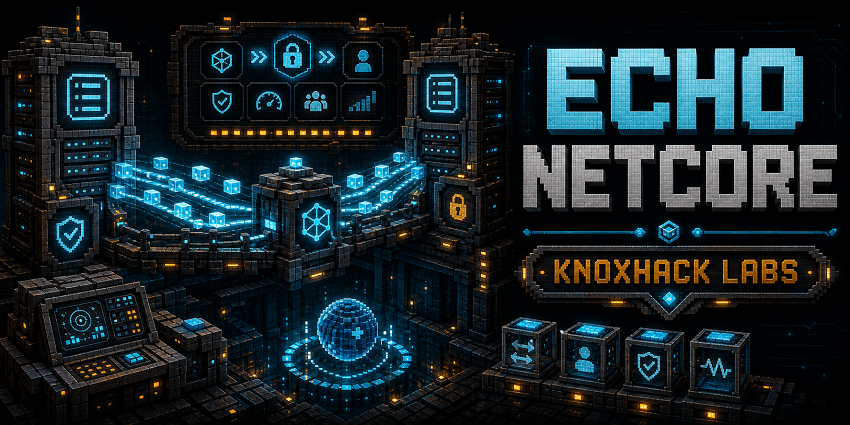 ECHO: NetCore is the networking foundation for the ECHO ecosystem. It centralizes packet registration patterns, clientbound sync helpers, serverbound action validation, rate limit policies, optional send handling, debug hooks, and client action helpers.
The addon exists so gameplay chapters can focus on authority and state instead of duplicating fragile network glue. Serverbound packets represent intent only; handlers validate permissions, distance, ownership, inventory, menu state, and world state on the server.
For players, NetCore is a library dependency. For developers, it is the standard way to keep optional addon channels, packet diagnostics, and action rate limits consistent across Terminal buttons, machine screens, scanner requests, and mission actions.
Main Features
- Optional packet registrar helpers for clientbound sync, serverbound actions, and debug packets.
- Rate-limited server action policies.
- Safe send helpers that catch missing-channel failures and emit debug events.
- Client action helpers for UI and terminal buttons.
- Shared network bridge for data, mission progress, visual state, machines, debug data, factions, and discovery toasts.
How It Plays
- Install it as a required library for ECHO modules that need shared packets or sync. It has no standalone survival loop, but it makes interactive ECHO screens and services behave safely.
- Addon developers should keep direct NeoForge packet registration inside NetCore patterns and validate all serverbound actions authoritatively.
Requirements
- Minecraft 26.1.2
- NeoForge 26.1.2.29-beta or newer
- Java 25+
- ECHO: Core 1.0.0 or newer
Recommended Pairings
- ECHO: Terminal, HoloMap, Lens, DataCore, WorldCore, and any interactive ECHO chapter
Compatibility Notes
- Debug packets are disabled by default and should require operator permissions when enabled.
- Optional sends should never crash missing consumers.
CurseForge Asset Files
- Banner:
docs/curseforge/echonetcore-banner.png - Feature image:
docs/curseforge/echonetcore-features.png
Existing Developer Notes
ECHO: NetCore
ECHO: NetCore is the shared packet, sync, server action, rate limiting, and debug network layer for ECHO addons.
Packet Categories
- Clientbound sync packets mirror server-owned state to the logical client.
- Serverbound action packets represent player intent only; handlers must validate permissions, distance, ownership, inventory, menu state, and world state on the server.
- Debug/dev packets are disabled by default and require operator permissions when enabled.
- Optional addon packets should use optional registration and safe send helpers so missing consumers do not crash a server or client.
Registering Packets
Use EchoNetPayloads.optional(event) to create the shared optional registrar, then register packets by category:
PayloadRegistrar registrar = EchoNetPayloads.optional(event);
EchoNetPayloads.clientboundSync(registrar, MySyncPacket.TYPE, MySyncPacket.CODEC, MyNetwork::handleSync);
EchoNetPayloads.serverboundAction(registrar, MyActionPacket.TYPE, MyActionPacket.CODEC,
        EchoRateLimitPolicy.of(10, "my_action"), MyNetwork::handleAction);
Serverbound handlers receive a ServerPlayer; packets from non-server contexts are dropped before the handler runs. Rate-limited packets are dropped without mutating gameplay state.
Sync Helpers
EchoCoreServices.networkBridge() exposes no-op-safe helpers for player data, world data, mission progress, visual state, machine/block-entity state, debug data, faction sync, and discovery toasts. NetCore supplies the real bridge when loaded; ECHO Core falls back to NoOpNetworkService.
Client code can subscribe to generic NetCore sync packets with EchoClientSyncRegistry.register(type, channelId, consumer).
Safe Sends
Use EchoNetSend.toPlayer(player, payload, kind) for optional clientbound sends. It catches missing-channel failures and emits packet debug events. Use EchoNetClientActions.sendServerboundAction(payload) from client-only classes for terminal buttons and other UI actions, or EchoNetClientActions.trySendServerboundAction(payload) when optional cross-addon UI sends need a boolean success result.
Packet Ownership
As of NetCore 1.2, addons may declare packet payload records and handlers, but direct NeoForge packet registration and distribution calls should stay inside NetCore. Addons should use EchoNetPayloads for registration, EchoNetSend for server-to-client sync, and EchoNetClientActions for client-to-server UI/action packets. This keeps optional-channel failures, debug hooks, and rate limits consistent across the ECHO stack.
Serverbound action packets should choose an explicit rate limit:
EchoNetPayloads.serverboundAction(registrar, MyActionPacket.TYPE, MyActionPacket.CODEC,
        EchoRateLimitPolicy.of(4, "my_action"), MyNetwork::handleAction);
Use EchoRateLimitPolicy.NONE only when an existing validated flow already owns its throttle semantics.
Debug Logging
Packet logging is controlled by NetCore common config:
debugPacketLogging=falselogDroppedPackets=falseenableDebugPackets=false
Debug logs and debug packet handlers stay silent unless explicitly enabled.
Project description from CurseForge.
Pick your setup
ECHO: NetCore by Minecraft version and loader
Choose the version and loader you play, then open the matching release.
Check the dependencies, then try the file in a copied instance before changing a world you care about.
Recent files
ECHO: NetCore versions and loaders
echonetcore-1.1.0
echonetcore-1.1.0.jar
13 May 2026
Client Source doesn’t say Server Source doesn’t say Dependencies No extras listed Listed on Release listing
Check the 26.1.2 · NeoForge setup NeoForge26.1.2 beta
Looking for an older file? The official CurseForge project page is in Resources.
 mod
mod CurseForge + Modrinth · Minecraft
wd's Selling Bin
A data-driven selling bin mod
 mod
mod CurseForge · Minecraft
Ageratum
A guidebook mod for Minecraft NeoForge
 mod
mod CurseForge + Modrinth · Minecraft
AnvilCraft: Pigeon Plus
An addon of AnvilCraft. Added a series of machines that don't need electricity