Architectury API Needed by Shield Hider shieldhider-neoforge-26.3-1.2.0.jar
requiredMatching file found Matched file: [NeoForge 26.3] v22.0.5
CurseForge · Minecraft mod
Hides your shield in first-person view to stop it from blocking your screen
Quick answer
Shield Hider shieldhider-neoforge-26.3-1.2.0.jar targets 26.3 with NeoForge. The project page does not say whether this file belongs on the client, dedicated server, or both. All 1 required mods have matching files.
Where it goes
The project page does not say whether this file belongs on the client, dedicated server, or both.
The source does not explicitly classify this release as client-only or server-only.
shieldhider-neoforge-26.3-1.2.0.jar. Change the file and its required mods may change too.
Install Architectury API first. We found matching files for this game-version and loader setup.
We only count dependency files that match this setup. A file for another loader does not fill the gap.
Before you install it
Built for Shield Hider shieldhider-neoforge-26.3-1.2.0.jar. Pick another file and the loader, install side or required mods may change.
Use shieldhider-neoforge-26.3-1.2.0.jar. It targets 26.3 with NeoForge; another release may have different loader, side or dependency requirements.
Install Architectury API first. We found matching files for this game-version and loader setup.
The project page does not say whether this file belongs on the client, dedicated server, or both.
Use the “Get this file” button beside shieldhider-neoforge-26.3-1.2.0.jar. It opens that exact file at the source.
About this project

Lightweight client-side utility that hides the shield model in first-person view, so bulky shields stop blocking your screen and field of vision.
Client-side only — no server install needed. Works in singleplayer and multiplayer, on vanilla and modded servers alike.
Dependencies: Fabric needs Fabric API and Architectury API. NeoForge needs Architectury API. Forge needs no additional dependencies.
Free to use in any modpack — public or private, no permission needed.
minecraft:shield. An item is treated as a shield if it is the vanilla shield, uses the game’s shield item type (ShieldItem), is in that build’s conventional shield item tag(s), or is listed in the config.Works out of the box with the vanilla shield. Optional file: config/shieldhider.properties (created with comments on first launch; read once per launch).
extra_shield_items, extra_shield_tags — hide these in addition to the built-in rules.force_visible_items, force_visible_tags — stay visible even when a rule matches (including minecraft:shield).#; bare ids default to minecraft:.Please report any bugs, errors, or feature suggestions on Discord: https://discord.gg/HTkn94BXmA
My other mods that I recommend.
Project description from CurseForge.
Pick your setup
Choose the version and loader you play, then open the matching release.
Check the dependencies, then try the file in a copied instance before changing a world you care about.
Recent files
2 Nov 2026
2 Nov 2026
2 Nov 2026
2 Nov 2026
2 Nov 2026
2 Nov 2026
2 Nov 2026
2 Nov 2026
2 Nov 2026
2 Nov 2026
2 Nov 2026
2 Nov 2026
Looking for an older file? The official CurseForge project page is in Resources.
 mod
modMedieval kingdoms, castles, knights, bandits, quests and diplomacy.
 mod
modGregnautics Core is a lightweight core mod for Gregnautics that provides shared compatibility hooks, fixes, and small gameplay integrations used across the modpack
 mod
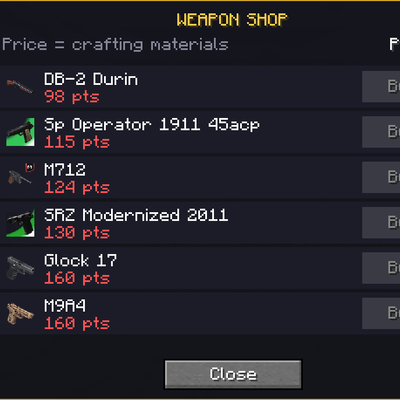
modAn addon for Timeless and Classics Zero (TaCZ) that introduces an in-game currency, allowing players to earn points by defeating zombies,skeleton,creeperts and spiders and spend them at dedicated shop interfaces for guns and ammo.