
Minecraft version
Back to mods 
CurseForge · Minecraft mod
Village Builder
Build amazing structures with a single click. Trade emeralds for your next empire!
Choose a version Pick your version below, then grab the matching file.
Quick answer
Which Village Builder release should I use?
Latest stable file village_builder-3.0-1.21.1-neoforge.jar
Game version 1.21.1
Loader NeoForge
Village Builder village_builder-3.0-1.21.1-neoforge.jar targets 1.21.1 with NeoForge. The project page does not say whether this file belongs on the client, dedicated server, or both. No extra mods listed for this file.
Where it goes
Is Village Builder required on the client, server, or both?
The project page does not say whether this file belongs on the client, dedicated server, or both.
Client Source doesn’t say
Dedicated server Source doesn’t say
Loader for this release NeoForge
Required install it here Optional supported, not mandatory Not supported do not install here Source doesn’t say do not assume
The source does not explicitly classify this release as client-only or server-only.
What else does Village Builder village_builder-3.0-1.21.1-neoforge.jar need?
village_builder-3.0-1.21.1-neoforge.jar. Change the file and its required mods may change too.
This file does not list any required mods. Do not add a library just because a different file uses it.
This file does not list any required or optional mods.
Before you install it
Add Village Builder without breaking your instance.
Built for Village Builder village_builder-3.0-1.21.1-neoforge.jar. Pick another file and the loader, install side or required mods may change.
- 01
Stick to this file
Use village_builder-3.0-1.21.1-neoforge.jar. It targets 1.21.1 with NeoForge; another release may have different loader, side or dependency requirements.
- 02
Bring the mods it needs
This file does not list any required mods. Do not add a library just because a different file uses it.
- 03
Put it on the correct side
The project page does not say whether this file belongs on the client, dedicated server, or both.
- 04
Pick the file you checked
Use the “Get this file” button beside village_builder-3.0-1.21.1-neoforge.jar. It opens that exact file at the source.
About this project
What does Village Builder add?
Village Builder
Build Thriving Settlements, One Contract at a Time
Tired of spending hours hauling blocks just to flesh out a half-decent village? What if you could commission a professional to handle the heavy lifting—and pay for it all with emeralds?
Village Builder introduces a brand-new villager profession, the Builder, along with a game-changing system of building contracts that let you place fully-formed structures instantly, anywhere in the world.
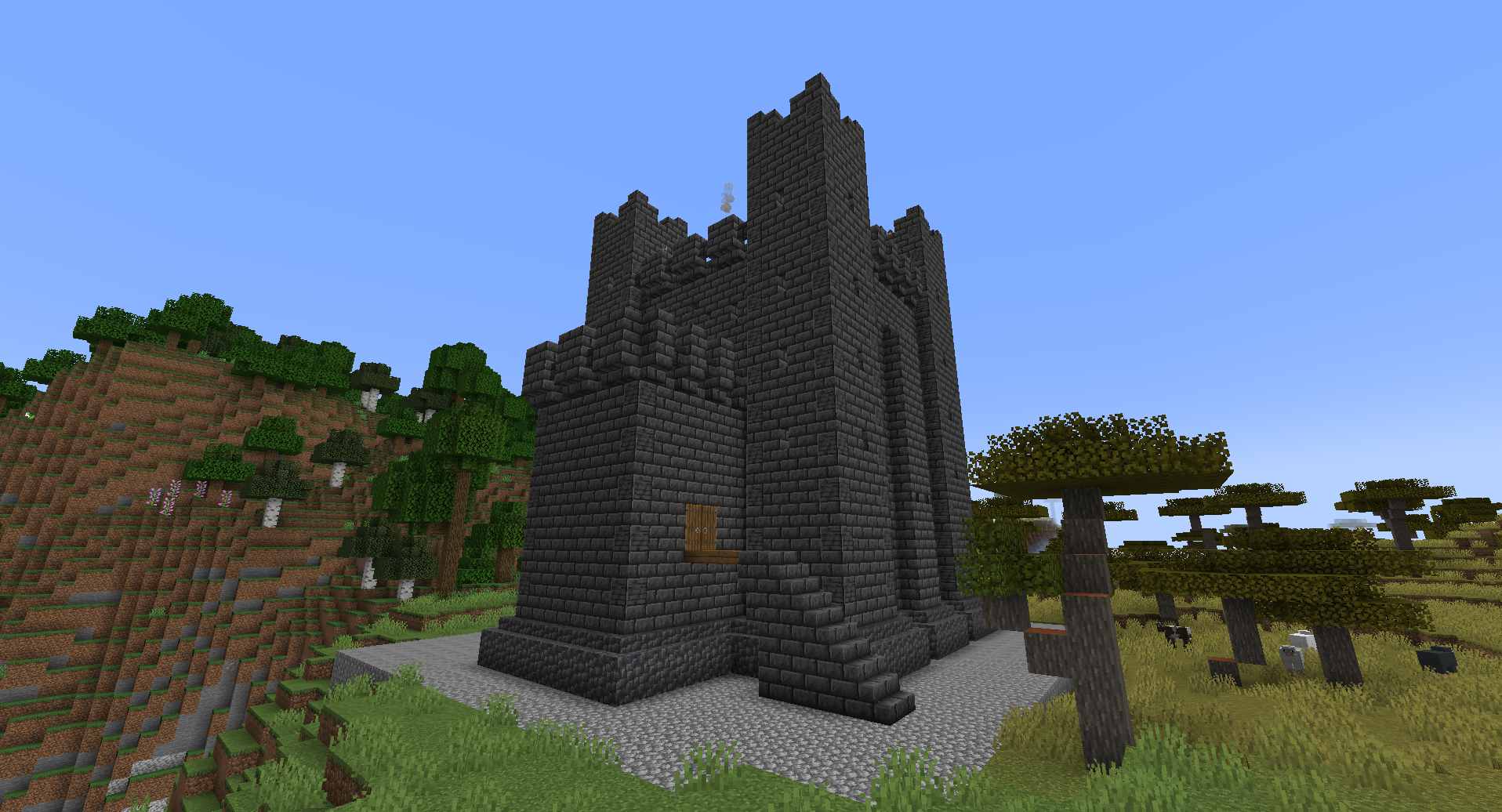
Along with the extra villager profession, we've also added a custom Fort to the game. Want us to add more custom buildings? Leave a comment!
Having trouble or just want to say Hi?
Join the discord channel
Meet the Builder
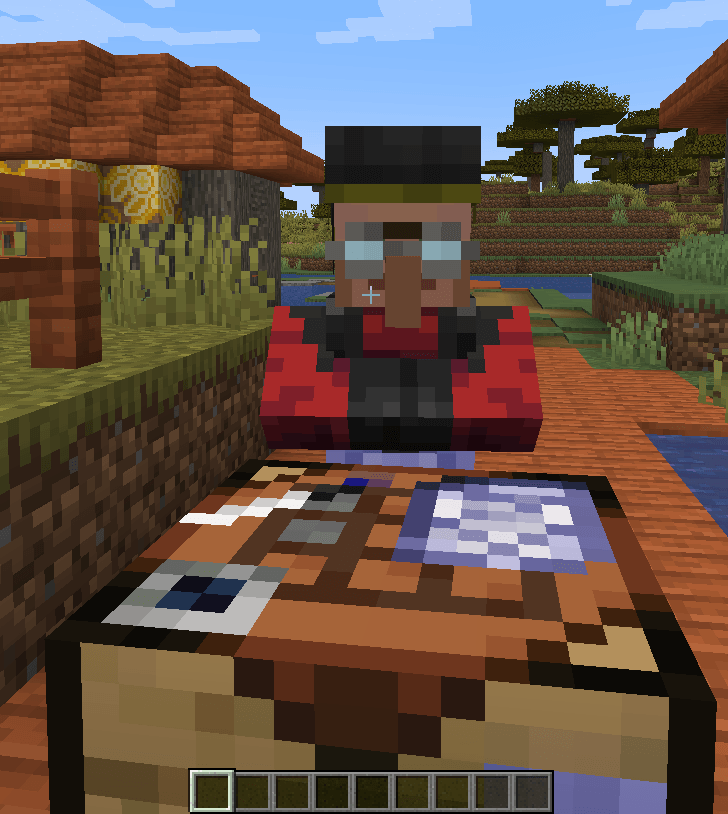
Wander into any village or set up your own trading post, and you might just spot a villager in a brand-new role. The builder will give you some dough for those unused blocks. But that's not all, their real specialty is building contracts.
For a fair price in emeralds, you can walk away with a contract that, when right-clicked on the ground, summons a complete structure before your eyes. No schematic files. No tedious block-by-block reconstruction. Just a building, exactly where you want it.
Craft, Combine, Customize
How to use
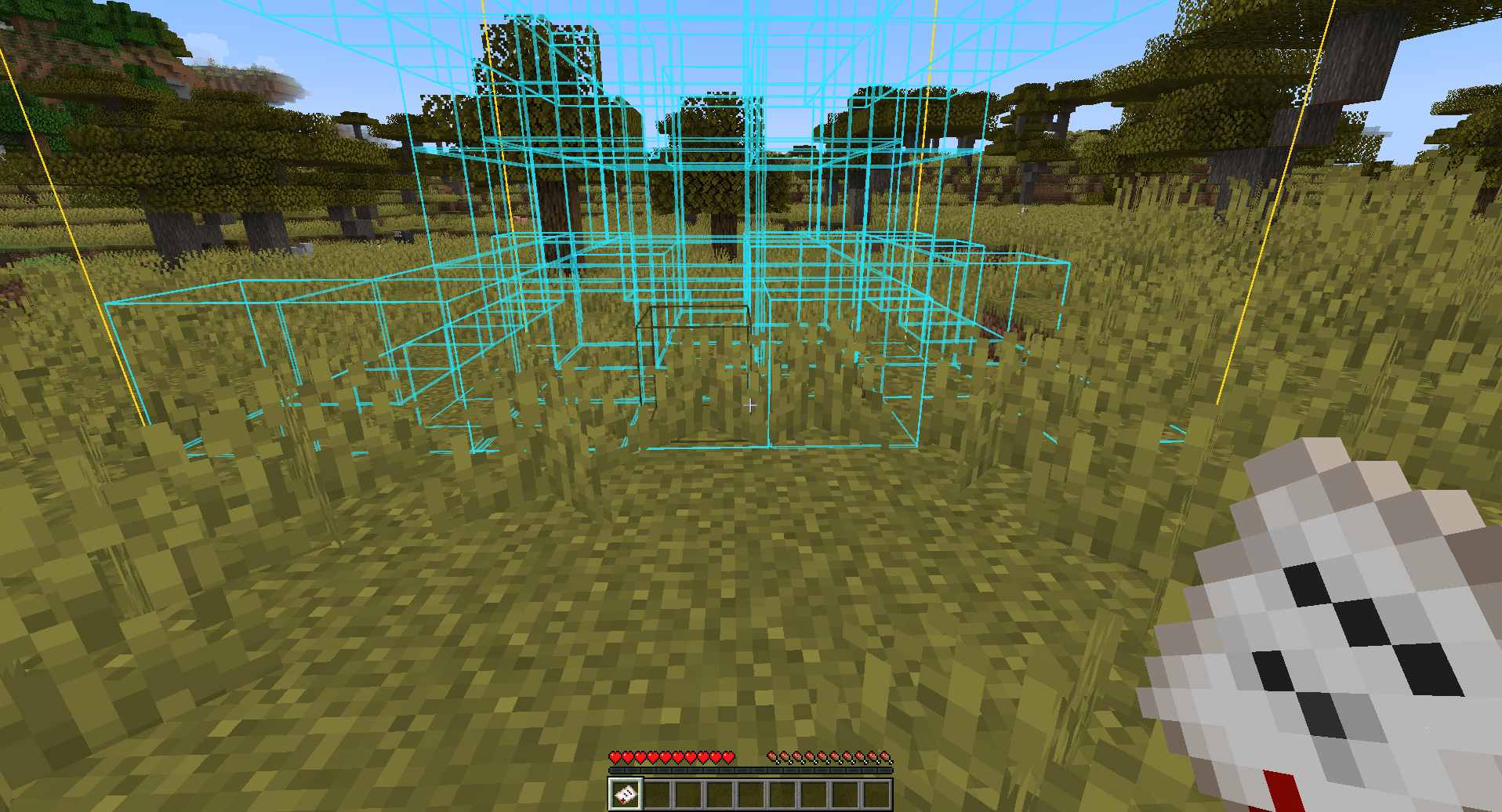
When holding a contract in your hand, you'll see a blue outline on the ground where you will place a building. When right clicking, you place the building.
Custom Buildings
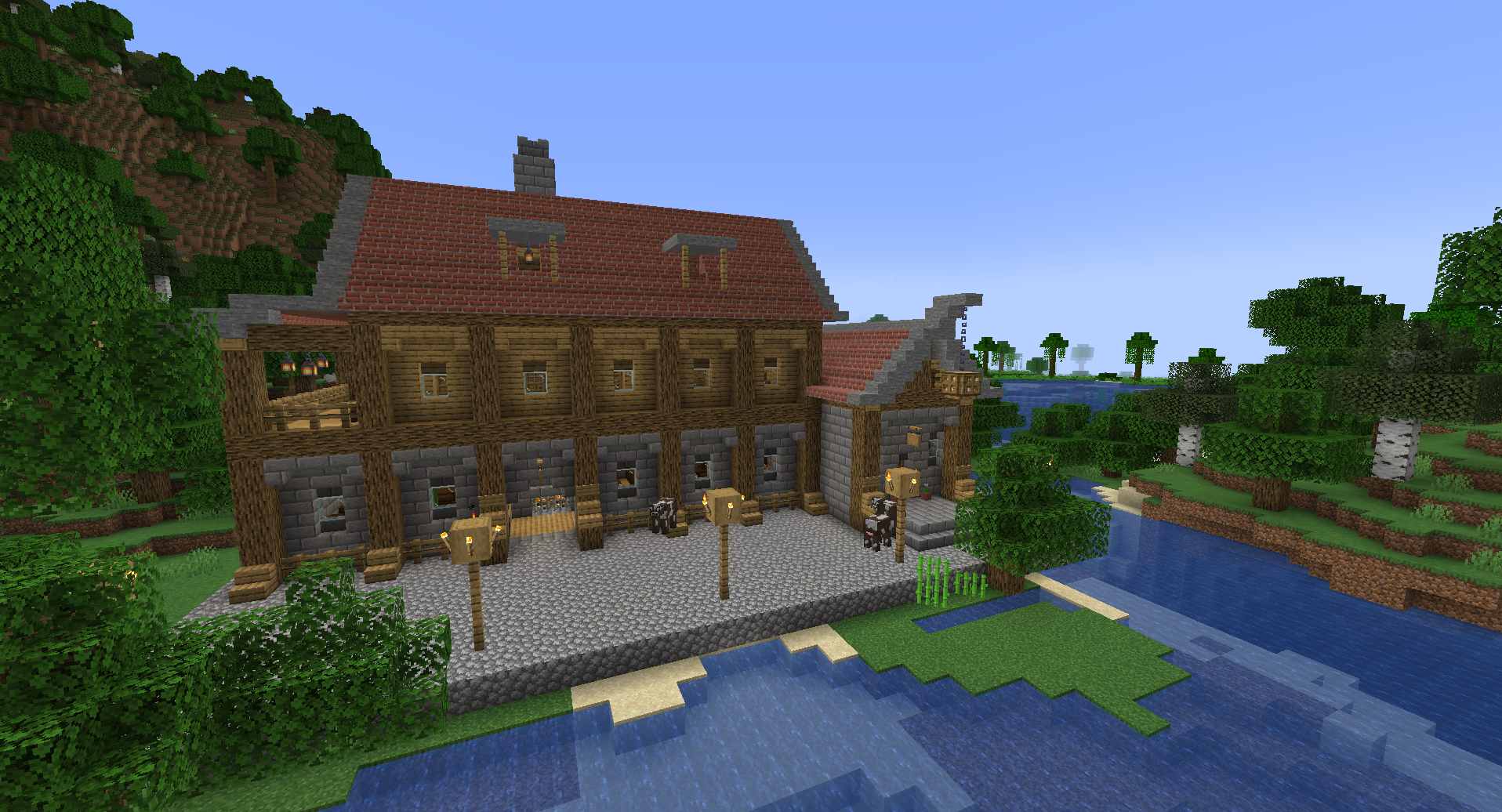
We've been working with a crack team of builder villagers to build some of the coolest custom buildings. We think you'll like them a lot. A few of the buildings we've added include, but are not limited to, a Castle, multiple different forts, an inn and a villager spawner!
Crafting
Not every building contract needs to stay as-is. Many contracts can be used in crafting recipes to transform or upgrade them.
Convert you emeralds into a contract that can be used to craft specialised workshop: armorer, fletcher, weaponsmith, and more. Combine two standard house contracts to create one large house—perfect for growing villages or impressing your friends. AND MORE! Look in the recipe book after you craft your first Builder's Table to find out!
The system is designed to give you flexibility. Want a fountain as the centrepiece of your town square? Buy a fountain contract. Need a library next to your enchanting setup? There’s a contract for that. Build the Village You Deserve
Forget the slow grind of manual construction. With Village Builder, you can lay out an entire settlement in minutes. Emeralds become a genuine currency for architecture, and every new building feels earned. Trades have been carefully balanced to keep the economy fair for both you and the villagers
Getting Started
To bring a Builder into your world, you’ll need a Builder’s Table. Craft it using a standard crafting table and a single piece of paper. Place that table in any village (or your own base), and an unemployed villager will happily adopt the profession. Then the trading begins.
Project description from CurseForge.
Pick your setup
Village Builder by Minecraft version and loader
Choose the version and loader you play, then open the matching release.
Minecraft version
1.20.1
3 loader buildsCheck the dependencies, then try the file in a copied instance before changing a world you care about.
Recent files
Village Builder versions and loaders
village_builder-3.0-1.21.1-neoforge.jar
20 Oct 2026
Client Source doesn’t say Server Source doesn’t say Dependencies No extras listed Listed on Release listing
Check the 1.21.1 · NeoForge setup 1.21.1NeoForge release
village_builder-3.0-1.21.1-fabric.jar
20 Oct 2026
Client Source doesn’t say Server Source doesn’t say Dependencies No extras listed Listed on Release listing
Check the 1.21.1 · Fabric setup Fabric1.21.1 release
village_builder-3.0-1.20.1-forge.jar
village_builder-3.0.jar
20 Oct 2026
Client Source doesn’t say Server Source doesn’t say Dependencies No extras listed Listed on Release listing
Check the 1.20.1 · Forge setup 1.20.1ForgeNeoForge release
village_builder-3.0-1.20.1-fabric.jar
village_builder-3.0.jar
20 Oct 2026
Client Source doesn’t say Server Source doesn’t say Dependencies No extras listed Listed on Release listing
Check the 1.20.1 · Fabric setup Fabric1.20.1 release
village_builder-2.2.2.jar
19 Oct 2026
Client Source doesn’t say Server Source doesn’t say Dependencies No extras listed Listed on Release listing
Check the 1.20.1 · Fabric setup Fabric1.20.1 release
village_builder-2.2.2.jar
23 Jun 2026
Client Source doesn’t say Server Source doesn’t say Dependencies No extras listed Listed on Release listing
Check the 1.20.1 · Forge setup 1.20.1ForgeNeoForge release
village_builder-2.2.1.jar
23 Jun 2026
Client Source doesn’t say Server Source doesn’t say Dependencies No extras listed Listed on Release listing
Check the 1.20.1 · Forge setup 1.20.1ForgeNeoForge release
village_builder-2.1.6.jar
1 Jun 2026
Client Source doesn’t say Server Source doesn’t say Dependencies No extras listed Listed on Release listing
Check the 1.20.1 · Forge setup 1.20.1ForgeNeoForge release
village_builder-2.1.5.jar
1 Jun 2026
Client Source doesn’t say Server Source doesn’t say Dependencies No extras listed Listed on Release listing
Check the 1.20.1 · Forge setup 1.20.1ForgeNeoForge release
village_builder-2.1.4.jar
31 May 2026
Client Source doesn’t say Server Source doesn’t say Dependencies No extras listed Listed on Release listing
Check the 1.20.1 · Forge setup 1.20.1ForgeNeoForge release
village_builder-2.1.3.jar
31 May 2026
Client Source doesn’t say Server Source doesn’t say Dependencies No extras listed Listed on Release listing
Check the 1.20.1 · Forge setup 1.20.1ForgeNeoForge release
village_builder-2.1.2.jar
31 May 2026
Client Source doesn’t say Server Source doesn’t say Dependencies No extras listed Listed on Release listing
Check the 1.20.1 · Forge setup 1.20.1ForgeNeoForge release
Looking for an older file? The official CurseForge project page is in Resources.