JourneyMap Optional for MrDeadPools Simple GPS with Navigation simplegps-1.21.1-1.0.4.jar
optionalMatching file found Matched file: journeymap-1.21.1-6.0.5+neoforge

CurseForge · Minecraft mod
A simple navigation mod, including dimension navigation — provided you have saved portals.
Quick answer
MrDeadPools Simple GPS with Navigation simplegps-1.21.1-1.0.4.jar targets 1.21.1 with NeoForge. The project page does not say whether this file belongs on the client, dedicated server, or both. No extra mods listed for this file.
Where it goes
The project page does not say whether this file belongs on the client, dedicated server, or both.
The source does not explicitly classify this release as client-only or server-only.
simplegps-1.21.1-1.0.4.jar. Change the file and its required mods may change too.
This file does not list any required mods. Do not add a library just because a different file uses it.
We only count dependency files that match this setup. A file for another loader does not fill the gap.
Before you install it
Built for MrDeadPools Simple GPS with Navigation simplegps-1.21.1-1.0.4.jar. Pick another file and the loader, install side or required mods may change.
Use simplegps-1.21.1-1.0.4.jar. It targets 1.21.1 with NeoForge; another release may have different loader, side or dependency requirements.
This file does not list any required mods. Do not add a library just because a different file uses it.
The project page does not say whether this file belongs on the client, dedicated server, or both.
Use the “Get this file” button beside simplegps-1.21.1-1.0.4.jar. It opens that exact file at the source.
About this project
[ENG] A simple navigation mod, including dimension navigation — provided you have saved portals.
/gps set "name" "x" "y" "z" "Color [Optional]"
You can start navigation to the specified coordinates .
These coordinates are then saved in the "History," including the dimension. From there, you can, of course, start navigation again, share them, add them to your favorites, or add them to a route (if you wish to create a multi-point route). 50 entries are saved after that, the oldest ones are automatically deleted.
To open the history: press "G" (this can be changed in the options) or /gps history.
You can also start navigation in the History window.
You can create categories on the right side, in which GPS destinations can also be saved by right-clicking within the history window.
/gps share
You can share your current navigation in the chat using /gps share or in the GPS GUI by clicking the arrow "[↗]". Any player can then click on the message to start the navigation as well.
/gps end
Ends the current navigation.
[GER] Eine einfache Navigationsmodifikation mit Dimensionsnavigation – vorausgesetzt, du hast Portale gespeichert.
/gps set "Name" "x" "y" "z" "Farbe [Optional]"
Startet eine Navigation zu den angegebenen Koordinaten.
Diese Koordinaten werden dann zusammen mit der Dimension im Verlauf gespeichert. Von dort aus kannst du die Navigation natürlich erneut starten, die Koordinaten teilen, zu deinen Favoriten hinzufügen oder sie einer Route hinzufügen (falls du eine Route mit mehreren Punkten erstellen möchten). Es werden 50 Einträge gespeichert, die ältesten werden automatisch gelöscht.
Um den Verlauf zu öffnen: Drücke "G" (diese Taste kann in den Optionen geändert werden) oder gebe
"/gps history" ein.
Du kannst die Navigation auch direkt im Verlaufsfenster starten.
Auf der rechten Seite kannst du Kategorien erstellen, in denen GPS-Ziele ebenfalls per Rechtsklick im Verlaufsfenster gespeichert werden können.
/gps share
Du kannst deine aktuelle Navigation im Chat mit /gps share oder in der GPS-Benutzeroberfläche durch Klicken auf den Pfeil "[↗]" teilen. Jeder Spieler kann dann auf die Nachricht klicken, um die Navigation ebenfalls zu starten.
/gps end
Beendet die aktuelle Navigation

Project description from CurseForge.
Pick your setup
Choose the version and loader you play, then open the matching release.
Check the dependencies, then try the file in a copied instance before changing a world you care about.
Recent files
23 May 2026
22 May 2026
22 May 2026
20 May 2026
17 May 2026
Looking for an older file? The official CurseForge project page is in Resources.
 mod
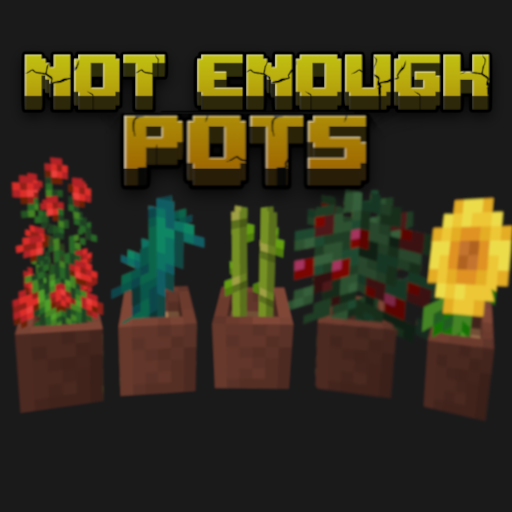
modPut all plants into flower pots
 mod
modGods and Faith does exactly as it says, there are a variety of gods upon which I keep expanding and followers of those gods with the followers gaining faith from their god, play as a god, a mortal, or a follower but faith does not break without gods.
 mod
modPerform necromancy and dark rituals using the power of souls. Highly configurable.