Minecraft version
Back to mods 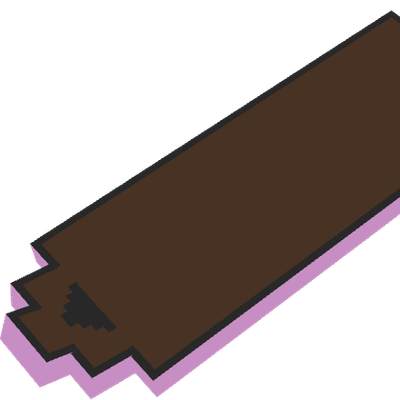
CurseForge · Minecraft mod
Hover Board
Fly like Marty McFly with this premium Hoverboard mod!
Choose a version Pick your version below, then grab the matching file.
Quick answer
Which Hover Board release matches Fabric?
Best match for your filters hoverboard-1.0.2-26.3.jar
Game version 26.3
Loader Fabric
Hover Board hoverboard-1.0.2-26.3.jar targets 26.3 with Fabric. The project page does not say whether this file belongs on the client, dedicated server, or both. No extra mods listed for this file.
Where it goes
Is Hover Board required on the client, server, or both?
The project page does not say whether this file belongs on the client, dedicated server, or both.
Client Source doesn’t say
Dedicated server Source doesn’t say
Loader for this release Fabric
Required install it here Optional supported, not mandatory Not supported do not install here Source doesn’t say do not assume
The source does not explicitly classify this release as client-only or server-only.
What else does Hover Board hoverboard-1.0.2-26.3.jar need?
hoverboard-1.0.2-26.3.jar on Fabric. Every mod below is checked against that same setup.
This file does not list any required mods. Do not add a library just because a different file uses it.
This file does not list any required or optional mods.
Before you install it
Add Hover Board without breaking your instance.
Built for Hover Board hoverboard-1.0.2-26.3.jar on Fabric. Pick another file and the loader, install side or required mods may change.
- 01
Stick to this file
Use hoverboard-1.0.2-26.3.jar. It targets 26.3 with Fabric; another release may have different loader, side or dependency requirements.
- 02
Bring the mods it needs
This file does not list any required mods. Do not add a library just because a different file uses it.
- 03
Put it on the correct side
The project page does not say whether this file belongs on the client, dedicated server, or both.
- 04
Pick the file you checked
Use the “Get this file” button beside hoverboard-1.0.2-26.3.jar. It opens that exact file at the source.
About this project
What does Hover Board add?
What is Hover Board?
Hover Board is a Fabric mod that introduces a stylish and functional hoverboard to Minecraft. Designed for players who want a faster, more dynamic way to travel, this mod combines futuristic aesthetics with smooth physics-based movement.
Key Features
Smooth Hover Physics: The board naturally floats 0.6 blocks above the ground, providing a cushioned glide over terrain.
Enhanced Mobility: With a high step height of 2.1, the hoverboard can easily scale blocks and navigate uneven landscapes without losing momentum.
Dimension-Specific Abilities:
Overworld/Nether: Perform high jumps to clear gaps and obstacles.
The End: Hold the jump key to defy gravity. The board will lock your height, allowing you to glide safely across the void between islands.Full Customization: Personalize your ride! Right-click the board with any Dye to change its color. If you want to return to the original look, simply use a Brush on it.
Fire & Lava Immunity: The hoverboard is completely fireproof. It can travel across lava lakes without taking damage, making it a perfect companion for Nether exploration.
Visual Flair: Dynamic cloud and End Rod particles trail behind you as you move, giving your travel a premium, high-tech feel.
Why Download Hover Board?
If you find horses too clunky or boats too limited, the Hover Board offers a versatile alternative. It’s not just a vehicle; it’s a tool for exploration that handles falls (zero fall damage while riding) and dangerous environments with ease.
How to Use
- Crafting: Create your board at a crafting table using Sticks, Iron Ingots, Obsidian, and a Redstone Torch.
- Riding: Place the board on the ground and right-click to mount it.
- Controls: Use standard movement keys. Use the Jump key for impulses in most dimensions, or hold it in the End to maintain your current altitude.
- Dyeing: Right-click with any dye to change the board's color. Use a Brush to clean it.
Requirements
- Minecraft: 1.21.10+
- Fabric Loader: >= 0.18.4
- Fabric API: >= 0.138.4
Project description from CurseForge.
Pick your setup
Hover Board by Minecraft version and loader
Choose the version and loader you play, then open the matching release.
Minecraft version
26.2
2 loader buildsMinecraft version
26.1.2
2 loader buildsMinecraft version
26.1.1
2 loader buildsMinecraft version
26.1
2 loader buildsMinecraft version
1.21.11
2 loader buildsMinecraft version
1.21.10
2 loader buildsCheck the dependencies, then try the file in a copied instance before changing a world you care about.
Recent files
Hover Board versions and loaders
hoverboard-1.0.2-26.3.jar
29 Sept 2026
Client Source doesn’t say Server Source doesn’t say Dependencies No extras listed Listed on Release listing
Check the 26.3 · Fabric setup Fabric26.3 release
hoverboard-1.0.1-26.3.jar
19 Sept 2026
Client Source doesn’t say Server Source doesn’t say Dependencies No extras listed Listed on Release listing
Check the 26.3 · Fabric setup Fabric26.3 release
hoverboard-1.0.1.jar
18 Jun 2026
Client Source doesn’t say Server Source doesn’t say Dependencies No extras listed Listed on Release listing
Check the 26.2 · Fabric setup Fabric26.2 release
hoverboard-1.0.1.jar
18 Jun 2026
Client Source doesn’t say Server Source doesn’t say Dependencies No extras listed Listed on Release listing
Check the 26.1.2 · Fabric setup Fabric26.1.2 release
hoverboard-1.0.1.jar
18 Jun 2026
Client Source doesn’t say Server Source doesn’t say Dependencies No extras listed Listed on Release listing
Check the 26.1.1 · Fabric setup Fabric26.1.1 release
hoverboard-1.0.1.jar
18 Jun 2026
Client Source doesn’t say Server Source doesn’t say Dependencies No extras listed Listed on Release listing
Check the 26.1 · Fabric setup Fabric26.1 release
hover-board-1.0.1.jar
18 Jun 2026
Client Source doesn’t say Server Source doesn’t say Dependencies No extras listed Listed on Release listing
Check the 1.21.11 · Fabric setup Fabric1.21.11 release
hover-board-1.0.1.jar
18 Jun 2026
Client Source doesn’t say Server Source doesn’t say Dependencies No extras listed Listed on Release listing
Check the 1.21.10 · Fabric setup Fabric1.21.10 release
hoverboard-1.0.0.jar
17 Jun 2026
Client Source doesn’t say Server Source doesn’t say Dependencies No extras listed Listed on Release listing
Check the 26.2 · Fabric setup Fabric26.2 release
hoverboard-1.0.0.jar
17 May 2026
Client Source doesn’t say Server Source doesn’t say Dependencies No extras listed Listed on Release listing
Check the 26.1.2 · Fabric setup Fabric26.1.2 release
hoverboard-1.0.0.jar
17 May 2026
Client Source doesn’t say Server Source doesn’t say Dependencies No extras listed Listed on Release listing
Check the 26.1.1 · Fabric setup Fabric26.1.1 release
hoverboard-1.0.0.jar
17 May 2026
Client Source doesn’t say Server Source doesn’t say Dependencies No extras listed Listed on Release listing
Check the 26.1 · Fabric setup Fabric26.1 release
Looking for an older file? The official CurseForge project page is in Resources.
 mod
CurseForge · Minecraft
Lodeways Waystones
Vanilla-style waystones: craft one, name it, click to travel. Pets come along, public stones, search, and a Warp Stone for the road.
 mod
CurseForge · Minecraft
Mako Mermaids/ H20
A Mod that adds H2O and Mako Mermaids Into Minecraft!
 mod
CurseForge · Minecraft
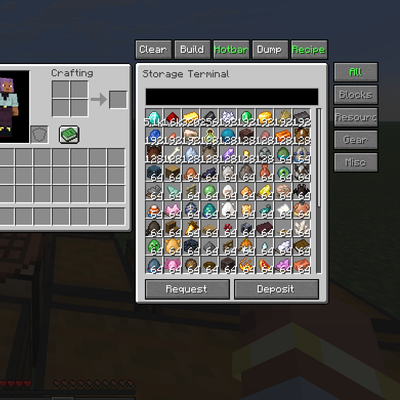
Storage Terminal
Storage Terminal in your vanilla world! Totally clientside!