Mod Menu Optional for Sound Culling soundculling-2.1.0.jar
optionalNo matching file

CurseForge · Minecraft mod
Dynamically limits and dampens overlapping sounds to reduce audio clutter and improve performance in sound-heavy areas.
Quick answer
Sound Culling soundculling-2.1.0.jar targets 26.2 with Forge. The project page does not say whether this file belongs on the client, dedicated server, or both. 1 required mod needs a matching file.
Where it goes
The project page does not say whether this file belongs on the client, dedicated server, or both.
The source does not explicitly classify this release as client-only or server-only.
soundculling-2.1.0.jar on 26.2. Every mod below is checked against that same setup.
Install Fabric API first, but 1 required mod has no matching file for this setup. Do not mix loader builds to force a match.
We only count dependency files that match this setup. A file for another loader does not fill the gap.
Before you install it
Built for Sound Culling soundculling-2.1.0.jar on 26.2. Pick another file and the loader, install side or required mods may change.
Use soundculling-2.1.0.jar. It targets 26.2 with Forge; another release may have different loader, side or dependency requirements.
Install Fabric API first, but 1 required mod has no matching file for this setup. Do not mix loader builds to force a match.
The project page does not say whether this file belongs on the client, dedicated server, or both.
Use the “Get this file” button beside soundculling-2.1.0.jar. It opens that exact file at the source.
About this project
Think of it as Entity Culling, but for your audio engine.
If you have ever built a massive cow breeder, chicken farm, iron farm, villager trading hall, or automated Create mod factory, you know the issue: deafening repetitive noise and audio stutter caused by Minecraft exhausting its internal sound channels.
Sound Culling solves this completely on the client side. It dynamically dampens volume or drops redundant sounds in crowded areas, keeping your audio clean and lag-free.
Sound Culling only changes client audio playback. It does not alter entities, blocks, gameplay mechanics, or server behavior, and it does not need to be installed on servers.
Note: Music, UI sounds, and sounds already outside Minecraft's audible range are automatically bypassed.
Sound Culling is 100% client-side and designed to fit into any modpack:
Open the settings screen via Mod Menu (Fabric) or the native Mods -> Config button (Forge / NeoForge):
The configuration screen does not pause single-player worlds, allowing you to observe audio statistics and adjustments in real time. Use Save & Close to save changes.
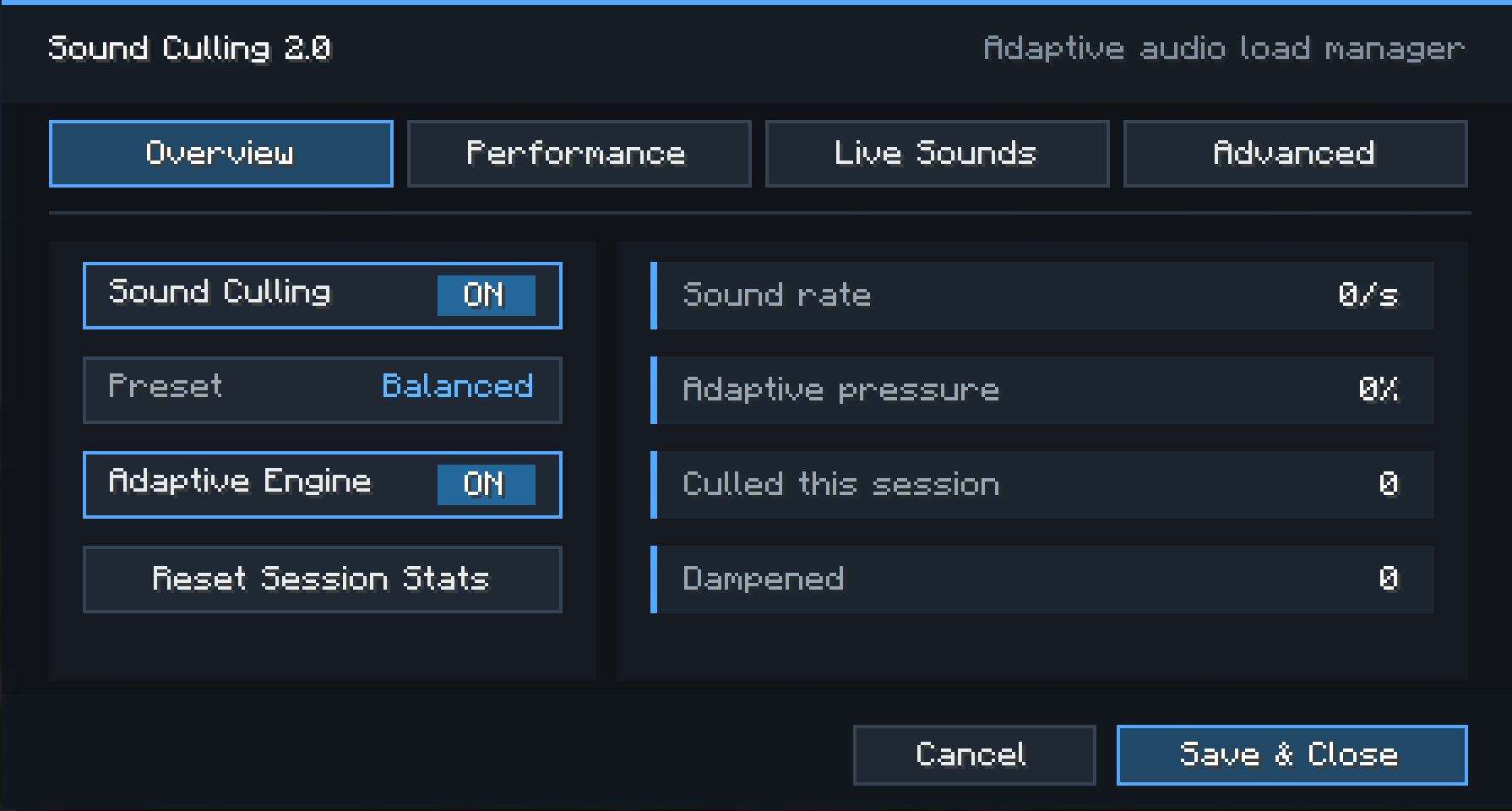
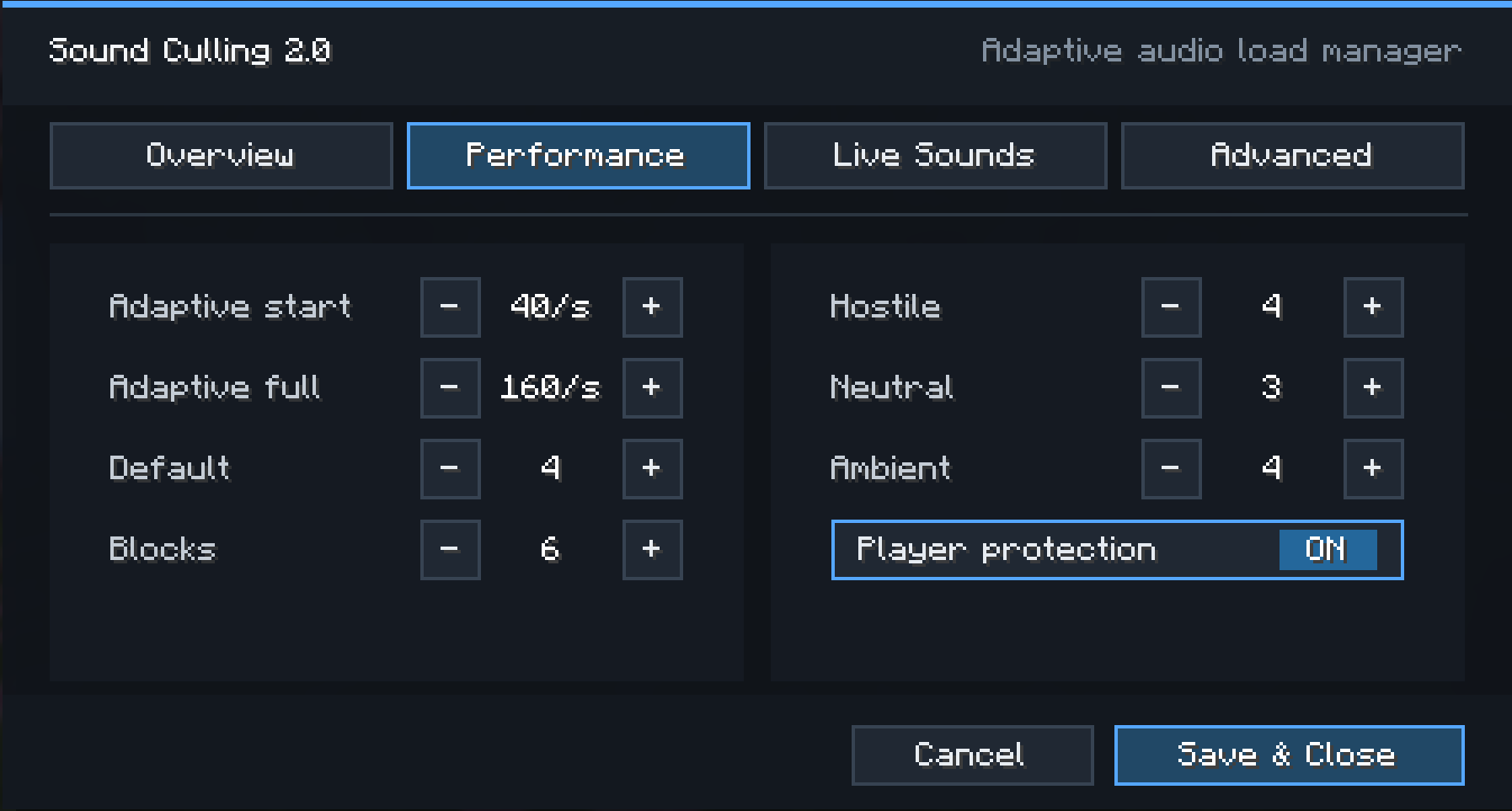
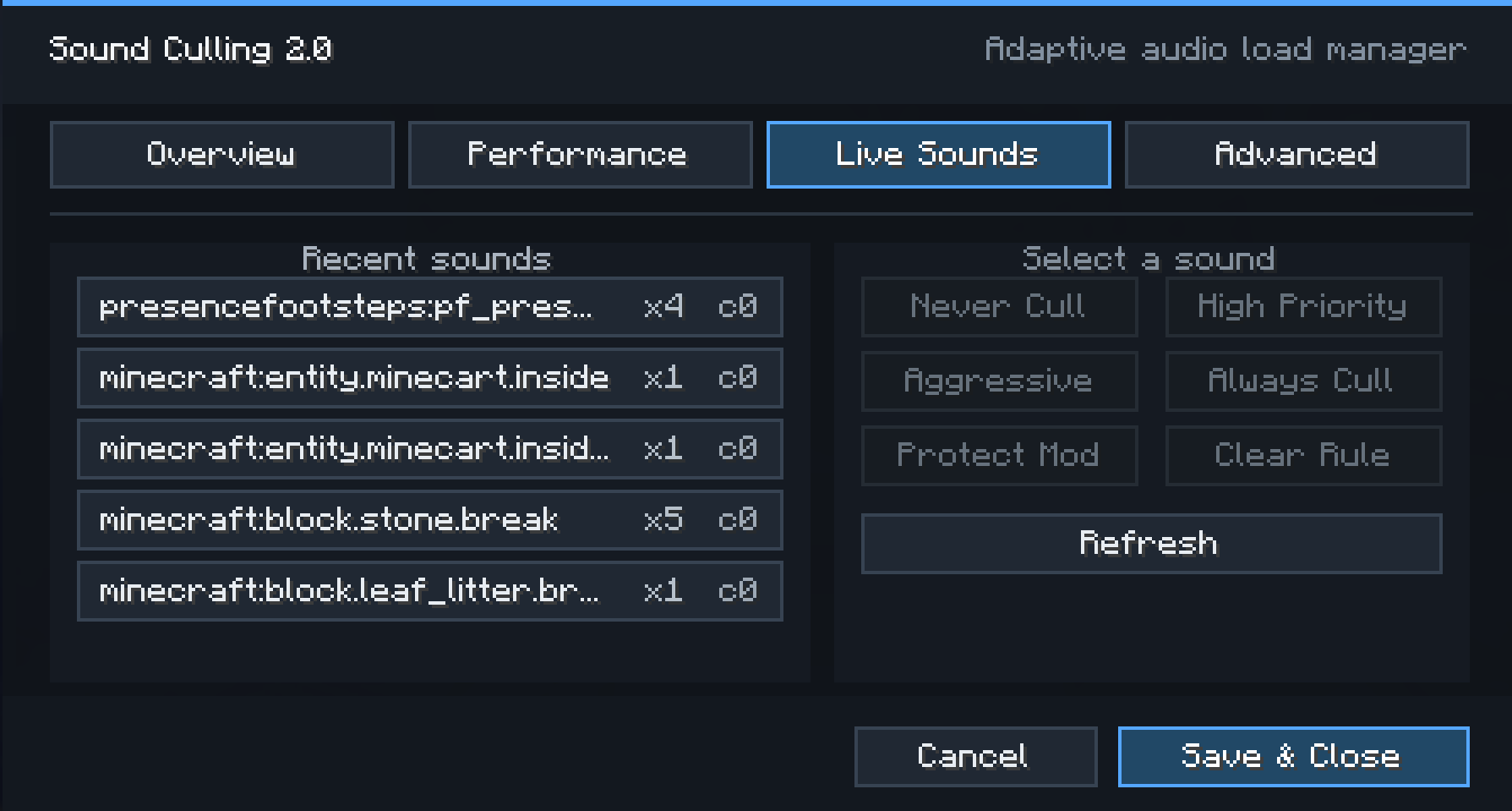
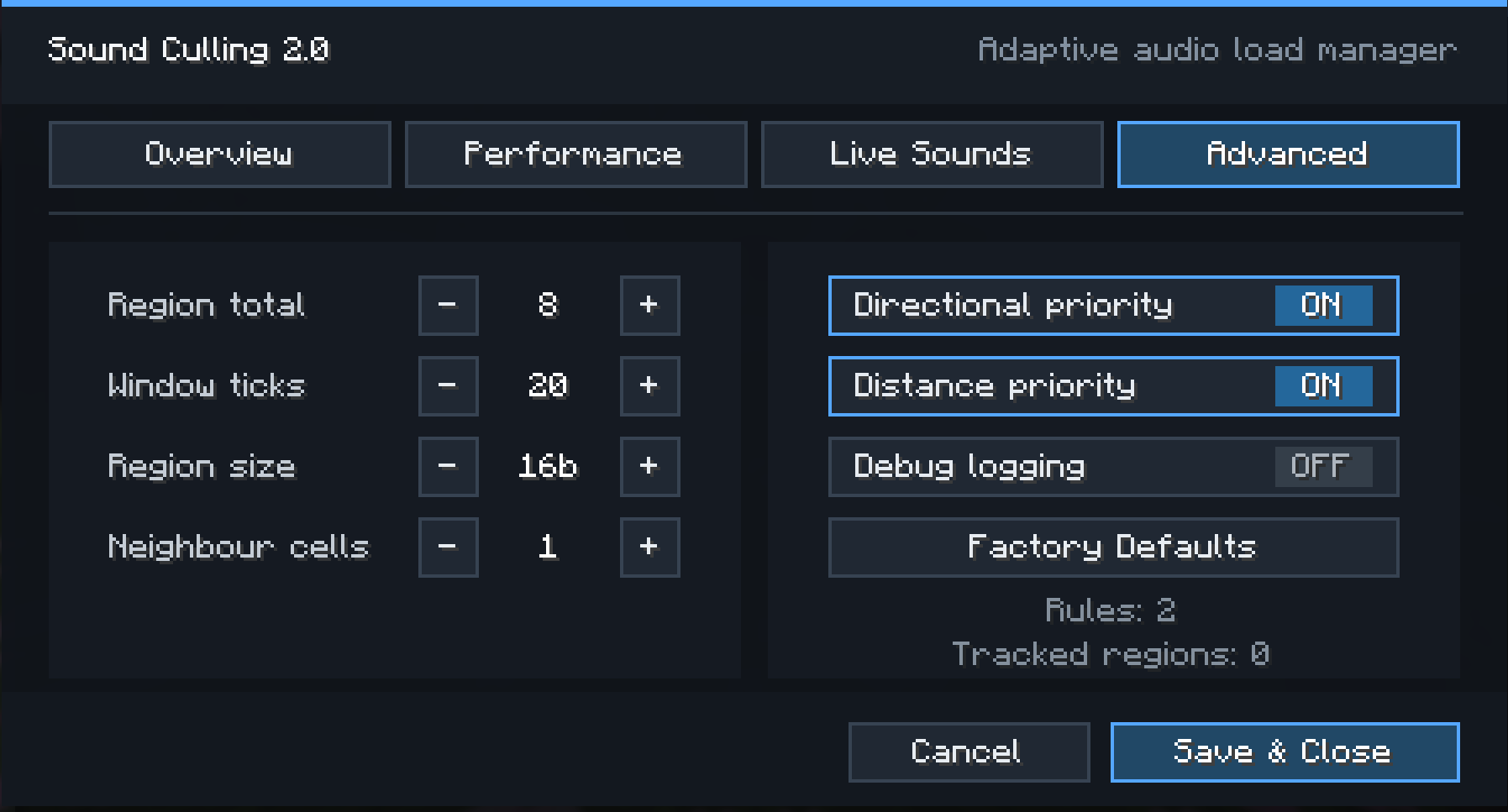
Configuration file location:
config/soundculling.json
| Preset | Purpose |
|---|---|
Vanilla+ (subtle) |
Preserves natural vanilla ambience; only steps in during extreme farm spam or lag machines. |
Balanced (balanced) |
The recommended default. Smoothly quiets crowded areas while keeping the game lively. |
Quiet Base (farming) |
Tuned for heavy automation. Aggressively dampens livestock and machinery while keeping combat crisp. |
Performance (performance) |
Maximizes CPU and audio channel savings for low-end PCs and heavy modpacks. |
Custom (custom) |
Automatically engaged whenever manual adjustments are made to limits or thresholds. |
Rules allow you to protect critical sounds, adjust priority, or silence unwanted audio completely. Select any sound in the Live Sounds tab to create rules without editing the JSON file:
| Rule Action | Effect |
|---|---|
NEVER_CULL |
Completely exempts the sound from culling decisions. |
CRITICAL |
Applies the highest priority multiplier under load. |
HIGH |
Raises playback priority when regional limits are near capacity. |
NORMAL |
Standard dynamic priority calculation. |
AGGRESSIVE |
Lowers priority; culls or dampens earlier than normal. |
ALWAYS_CULL |
Blocks playback and fades active loops to silence. |
Patterns support namespaces and * wildcards:
minecraft:block.piston.*
bettercombat:*
presencefootsteps:*
Sound Culling includes client-side commands that require no server operator permissions:
/soundculling
/soundculling toggle
/soundculling preset <subtle|balanced|farming|performance>
/soundculling limit <1-50>
/soundculling total <1-100>
/soundculling reset
/soundculling displays current event rates, adaptive pressure, and session statistics./soundculling reset clears session counters and recent sound history without resetting rolling rate buffers..jar file into your Minecraft instance's mods folder.Sound Culling is client-side, open-source, and licensed under the MIT License. You are free to include it in any CurseForge, Modrinth, or private modpack.
Report bugs or audio glitches on GitHub Issues with:
logs/latest.log or crash reports).Project description from CurseForge.
Pick your setup
Choose the version and loader you play, then open the matching release.
Showing the newest 12 of 22 game versions. Older files are in the list below.
Check the dependencies, then try the file in a copied instance before changing a world you care about.
Recent files
5 Nov 2026
5 Nov 2026
9 Oct 2026
11 Sept 2026
28 Aug 2026
18 Jul 2026
13 Jul 2026
13 Jul 2026
13 Jul 2026
Looking for an older file? The official CurseForge project page is in Resources.