Back to mods
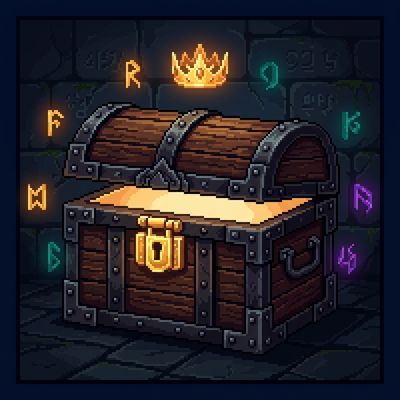
RPG Warehouse Storage project artwork

CurseForge · Minecraft mod

RPG Warehouse Storage

An RPG Warehouse Storage Implementation

Choose a version Pick your version below, then grab the matching file.

Quick answer

Which RPG Warehouse Storage release should I use?

Updated 6 days ago
Latest stable file rpgwarehouse-fabric-1.20.1-1.0.3-b135.jar
Game version 1.20.1
Loader Fabric, Quilt

RPG Warehouse Storage rpgwarehouse-fabric-1.20.1-1.0.3-b135.jar targets 1.20.1 with Fabric, Quilt. The project page does not say whether this file belongs on the client, dedicated server, or both. No extra mods listed for this file.

Where it goes

Is RPG Warehouse Storage required on the client, server, or both?

The project page does not say whether this file belongs on the client, dedicated server, or both.

Client Source doesn’t say
Dedicated server Source doesn’t say
Loader for this release Fabric, Quilt
Required install it here Optional supported, not mandatory Not supported do not install here Source doesn’t say do not assume

The source does not explicitly classify this release as client-only or server-only.

What else does RPG Warehouse Storage rpgwarehouse-fabric-1.20.1-1.0.3-b135.jar need?

rpgwarehouse-fabric-1.20.1-1.0.3-b135.jar. Change the file and its required mods may change too.

No extra mods listed for this file

This file does not list any required mods. Do not add a library just because a different file uses it.

This file does not list any required or optional mods.

Before you install it

Add RPG Warehouse Storage without breaking your instance.

Built for RPG Warehouse Storage rpgwarehouse-fabric-1.20.1-1.0.3-b135.jar. Pick another file and the loader, install side or required mods may change.

  1. 01

    Stick to this file

    Use rpgwarehouse-fabric-1.20.1-1.0.3-b135.jar. It targets 1.20.1 with Fabric, Quilt; another release may have different loader, side or dependency requirements.

  2. 02

    Bring the mods it needs

    This file does not list any required mods. Do not add a library just because a different file uses it.

  3. 03

    Put it on the correct side

    The project page does not say whether this file belongs on the client, dedicated server, or both.

  4. 04

    Pick the file you checked

    Use the “Get this file” button beside rpgwarehouse-fabric-1.20.1-1.0.3-b135.jar. It opens that exact file at the source.

About this project

What does RPG Warehouse Storage add?

A configurable personal storage mod for RPG servers — each player gets their own

private warehouse that persists across sessions, backed by a database so nothing

is ever lost to a server restart or world reload.

Features

  • Fully configurable grid size: set the number of columns, rows, and maximum tabs

allowed per player via the server config. (maximum of 15 columns, 9 rows)

  • Multiple tabs: players can own several warehouse tabs, each independently named.

Rename any tab by right-clicking its label directly in the UI.

  • Database-backed storage: all inventories are stored in a persistent database.

Individual players can be backed up and restored independently.

  • Admin access: admins can view and directly edit any player's warehouse tabs and

inventory contents.

  • Currency system (requires RPG Marketplace or RPG Auction House): define custom

in-game currencies using any item, with support for multiple denominations per

currency group.

How to use

Open your warehouse with:

/player_warehouse open

Or right-click the chest block placed with:

/player_warehouse admin create-warehouse-chest

Admin commands

Open and inspect a player's warehouse:

/player_warehouse admin check-player <player>

Check how many tabs a player has:

/player_warehouse admin tab-count <player>

Add or remove a tab from a player's warehouse:

/player_warehouse admin add-tab <player>

/player_warehouse admin remove-tab <player>

View the admin audit log:

/player_warehouse admin audit-log

Back up the entire warehouse database, or a single player:

/player_warehouse admin backup-complete-warehouse

/player_warehouse admin backup-player <player>

Restore a player from a backup file:

/player_warehouse admin import-player <player> <filename.json>

Restore from a backup where the UUID doesn't match (e.g. migrating a player):

/player_warehouse admin force-import-player <player> <filename.json>

Reload the server config and push all changes to connected players immediately:

/player_warehouse admin reload-config

Currency commands (1.0.1+ — requires RPG Marketplace or RPG Auction House)

Hold the item you want to use as currency in your hand, then run:

/rpg_warehouse admin currency add <type> <denomination>

/rpg_warehouse admin currency remove <type> <denomination>

To disable all built-in default currencies:

/rpg_warehouse admin remove-default-currency

Project description from CurseForge.
Pick your setup

RPG Warehouse Storage by Minecraft version and loader

Choose the version and loader you play, then open the matching release.

4 available setups

Check the dependencies, then try the file in a copied instance before changing a world you care about.

Recent files

RPG Warehouse Storage versions and loaders

18 of 18 releases match

Looking for an older file? The official CurseForge project page is in Resources.