Just Enough Items (JEI) Needed by Create: Diagram creatediagram-0.1.2.jar
requiredMatching file found Matched file: 19.44.0.403 for NeoForge 1.21.1

CurseForge · Minecraft mod
A Create addon that provides you with a full in-game flowchart editor.
Quick answer
Create: Diagram creatediagram-0.1.2.jar targets 1.21.1, 1.21 with NeoForge. The project page does not say whether this file belongs on the client, dedicated server, or both. 1 required mod needs a matching file.
Where it goes
The project page does not say whether this file belongs on the client, dedicated server, or both.
The source does not explicitly classify this release as client-only or server-only.
creatediagram-0.1.2.jar. Change the file and its required mods may change too.
Install Just Enough Items (JEI), Create, EMI, EMI and 1 more first, but 1 required mod has no matching file for this setup. Do not mix loader builds to force a match.
We only count dependency files that match this setup. A file for another loader does not fill the gap.
Before you install it
Built for Create: Diagram creatediagram-0.1.2.jar. Pick another file and the loader, install side or required mods may change.
Use creatediagram-0.1.2.jar. It targets 1.21.1, 1.21 with NeoForge; another release may have different loader, side or dependency requirements.
Install Just Enough Items (JEI), Create, EMI, EMI and 1 more first, but 1 required mod has no matching file for this setup. Do not mix loader builds to force a match.
The project page does not say whether this file belongs on the client, dedicated server, or both.
Use the “Get this file” button beside creatediagram-0.1.2.jar. It opens that exact file at the source.
About this project


Create Diagram is a Minecraft addon that provides you with a full in-game flowchart editor, perfectly integrated with the mechanics, recipes, and graphics of the Create mod and all its addons (e.g., Create: New Age).
Craft the Diagram item (the recipe will change in the future), right click it and start to draw your schematics.
Within the interface you can place items from the side menu and connect them using edges, draw using the pen and line tools, or place a sticky note (shift + right click) to write custom annotations.
If you ever found a bug or have a suggestion open an issue in my GitHub page.
Project description from CurseForge.
Pick your setup
Choose the version and loader you play, then open the matching release.
Check the dependencies, then try the file in a copied instance before changing a world you care about.
Recent files
12 Aug 2026
11 Aug 2026
1 Jun 2026
creatediagram-0.0.3.jar
22 May 2026
creatediagram-0.0.2.jar
21 May 2026
creatediagram-0.0.1.jar
20 May 2026
Looking for an older file? The official CurseForge project page is in Resources.
 mod
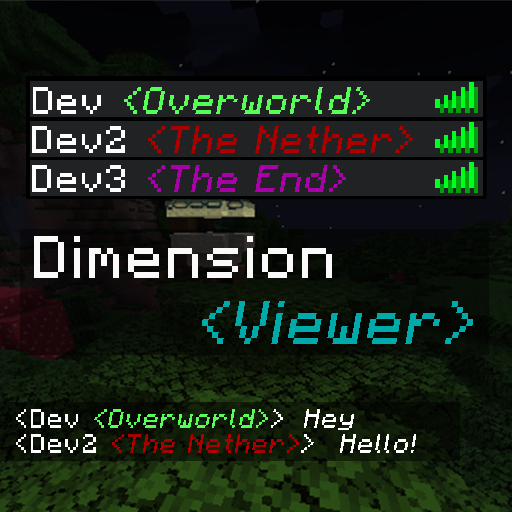
modA highly customisable server-side mod for viewing which dimension each player is currently in from the tab list.
 mod
modResource processing using molten materials, Create more resources from your ores !
 mod
modExplore seven SEKAI, meet 26 characters, collect 502 cards, play rhythm Lives, build your My SEKAI, and help Miku recover every lost memory in this Minecraft 1.21.1 fan mod.