Fabric API Needed by ChalkPlus-1.0-1.19.jar
requiredMatching file found Matched file: [1.19] Fabric API 0.58.0+1.19
CurseForge · Minecraft mod
Adds colored chalk tools that place regular, glowing, and waxed chalk marks.
Quick answer
ChalkPlus-1.0-1.19.jar targets 1.19 with Fabric. The project page does not say whether this file belongs on the client, dedicated server, or both. All 1 required mods have matching files.
Where it goes
The project page does not say whether this file belongs on the client, dedicated server, or both.
The source does not explicitly classify this release as client-only or server-only.
ChalkPlus-1.0-1.19.jar on 1.19. Every mod below is checked against that same setup.
Install Fabric API first. We found matching files for this game-version and loader setup.
We only count dependency files that match this setup. A file for another loader does not fill the gap.
Before you install it
Built for ChalkPlus-1.0-1.19.jar on 1.19. Pick another file and the loader, install side or required mods may change.
Use ChalkPlus-1.0-1.19.jar. It targets 1.19 with Fabric; another release may have different loader, side or dependency requirements.
Install Fabric API first. We found matching files for this game-version and loader setup.
The project page does not say whether this file belongs on the client, dedicated server, or both.
Use the “Get this file” button beside ChalkPlus-1.0-1.19.jar. It opens that exact file at the source.
About this project

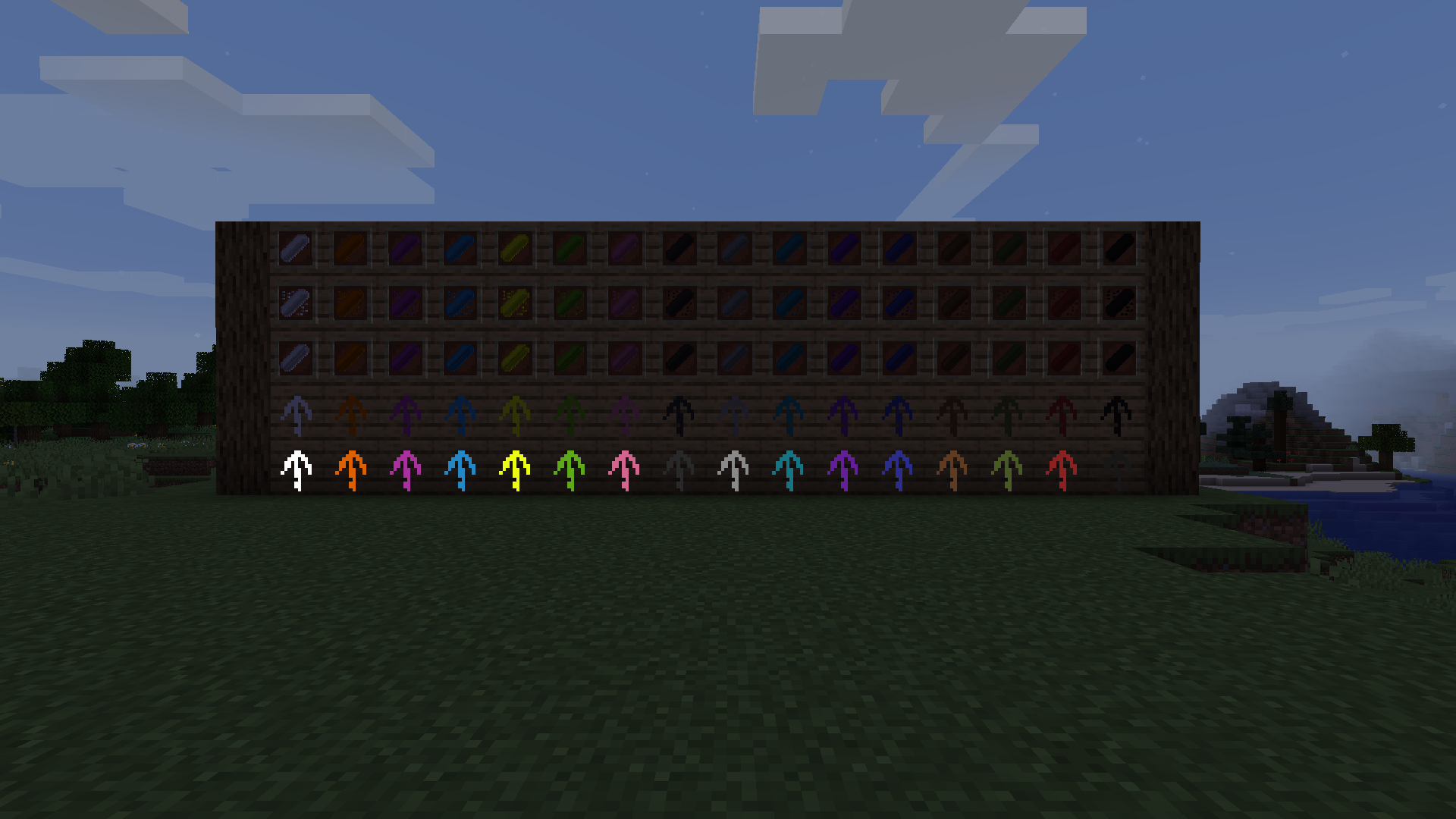
Have you ever found yourself hopelessly lost in a massive cave system? Or perhaps you wanted to leave a quick, immersive message for your friends on a multiplayer server? ChalkPlus is a simple yet highly effective mod that brings fully functional, drawable chalk into your Minecraft world!
Draw Anywhere: Leave visible marks, arrows, and symbols on almost any block surface. Perfect for marking dead ends or pointing towards the exit!
Multiple Colors: Combine basic chalk with any of the vanilla dyes to create a full palette of colorful markers.
Immersive Navigation: Say goodbye to placing ugly dirt blocks or wasting torches just to find your way back home. Chalk marks feel natural and fit perfectly into the game's aesthetic.
Multiplayer Friendly: Leave warnings about traps, mark your territory, or just draw something fun for other players to find.
Easy to Clean: Made a mistake? Chalk marks can be easily removed without damaging the block underneath.
Simply craft a piece of chalk, hold it in your hand, and right-click on a block to leave a mark. It is intuitive, lightweight, and designed to seamlessly enhance your vanilla survival experience.
Project description from CurseForge.
Pick your setup
Choose the version and loader you play, then open the matching release.
Showing the newest 12 of 15 game versions. Older files are in the list below.
Check the dependencies, then try the file in a copied instance before changing a world you care about.
Recent files
22 May 2026
Looking for an older file? The official CurseForge project page is in Resources.
 mod
modVanilla+ additions: Jars, signposts, faucets, weather vanes spring launchers, sconces, planters, lights, decoration and automation
 mod
modThis mod is a remake of Old Mod TofuCraft made by tsuteto. add soybean As a new all-purpose food!
 mod
modMore skin customization options for just about every version + skin backports for pre-1.9 versions. Skinport port patch texture fix