Fabric API Needed by SharedLife Plus sharedlife_plus-1.0.6.jar
requiredMatching file found Matched file: [26.1.2] Fabric API 0.155.3+26.1.2

CurseForge · Minecraft mod
Synchronizes inventory, health, and hunger across all players with configurable toggles, an in-game admin panel, death scoreboard, and shared-fate restart system.
Quick answer
SharedLife Plus sharedlife_plus-1.0.6.jar targets 26.1, 26.1.1, 26.1.2 with Fabric. The project page does not say whether this file belongs on the client, dedicated server, or both. All 1 required mods have matching files.
Where it goes
The project page does not say whether this file belongs on the client, dedicated server, or both.
The source does not explicitly classify this release as client-only or server-only.
sharedlife_plus-1.0.6.jar. Change the file and its required mods may change too.
Install Fabric API first. We found matching files for this game-version and loader setup.
We only count dependency files that match this setup. A file for another loader does not fill the gap.
Before you install it
Built for SharedLife Plus sharedlife_plus-1.0.6.jar. Pick another file and the loader, install side or required mods may change.
Use sharedlife_plus-1.0.6.jar. It targets 26.1, 26.1.1, 26.1.2 with Fabric; another release may have different loader, side or dependency requirements.
Install Fabric API first. We found matching files for this game-version and loader setup.
The project page does not say whether this file belongs on the client, dedicated server, or both.
Use the “Get this file” button beside sharedlife_plus-1.0.6.jar. It opens that exact file at the source.
About this project
A hardcore co-op SMP experience where the entire team shares inventory, health and hunger — when one player dies, everyone dies together. Configure whether the world regenerates, whether items drop, and whether the shared inventory is preserved across deaths.
Turn any Minecraft world into a one-life-shared-by-all challenge. Every item picked up by one player appears in everyone's inventory. Every hit taken hurts the whole team. And when someone dies, the whole team dies with them — you choose what happens next: teleport everyone to a brand-new untouched area for run #2, or stay in the same world and respawn together.
Designed for small co-op groups looking for a fresh take on hardcore SMP — coordination matters, every death has weight, and the death mode is fully configurable to fit the group's playstyle.
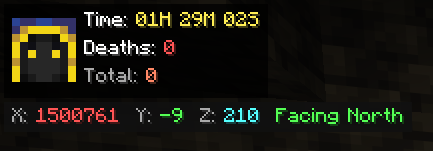
Victor took 2.0 damage (Zombie)"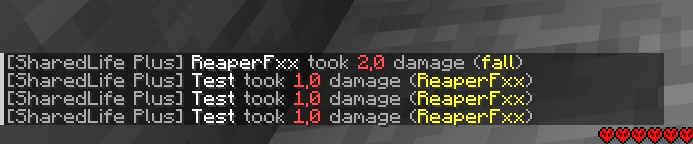
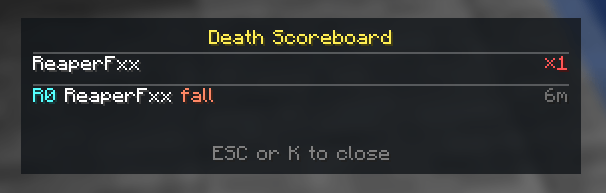
00H 12M 45S)Compact panel showing deaths per player and the most recent fatal deaths with their causes and timestamps. Available to all players.
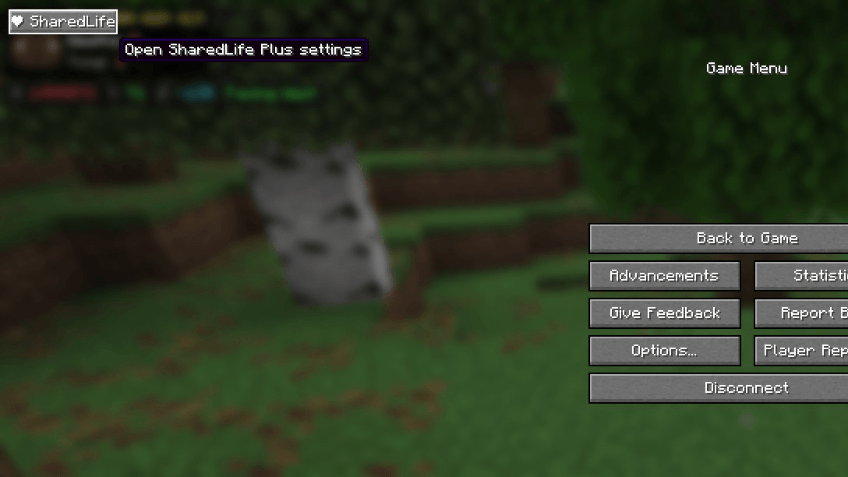
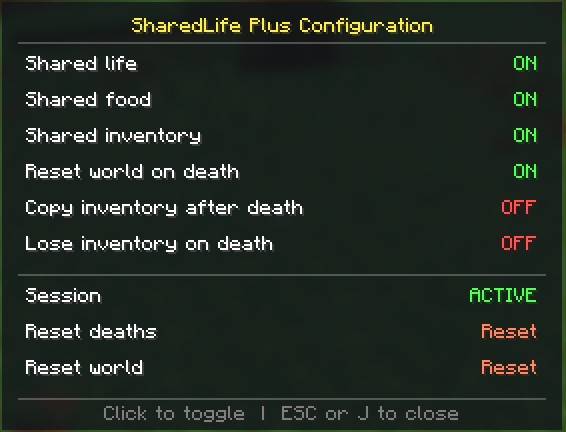
Open the panel two ways: click the ❤ SharedLife button in the pause menu (Esc), or press J. Everything is managed from here — no commands needed:
Every change is applied server-side and every connected client sees it instantly. The H, K and J keys are listed and fully rebindable under their own "SharedLife Plus" section in Options → Controls.
| Command | What it does |
|---|---|
/sharedlife_plus start |
Starts a shared session |
/sharedlife_plus stop |
Pauses the session |
/sharedlife_plus reset |
Manually triggers a new run |
/sharedlife_plus resetdeaths |
Clears the death counter and history for everyone |
/sharedlife_plus status |
Shows current state + all toggles |
/sharedlife_plus toggle <life|food|inventory|worldreset|copyinv|loseinv> |
Flips a share feature or death-behaviour option |
All commands require permission level 2 (operator).
What happens when someone takes lethal damage depends on how you've configured the death behaviour:
Vanilla death is cancelled and the entire team freezes in spectator mode for a 5-second countdown. Then the world regenerates and everyone teleports to a brand-new area with full hearts and full hunger — ready to start again. If Copy inventory is on, players carry their items across into the new run; otherwise they start fresh.
Everyone dies vanilla — the "You Died" screen appears for all players and they respawn at the world's normal spawn point. The inventory mode you picked (vanilla drops, copy, or lose) decides whether items drop on the ground, are restored after respawn, or vanish entirely.
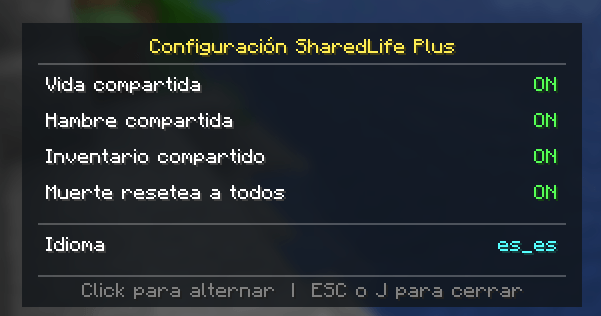
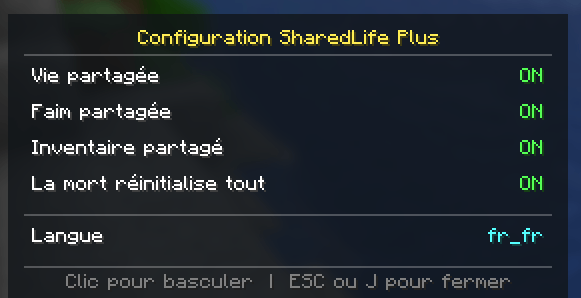
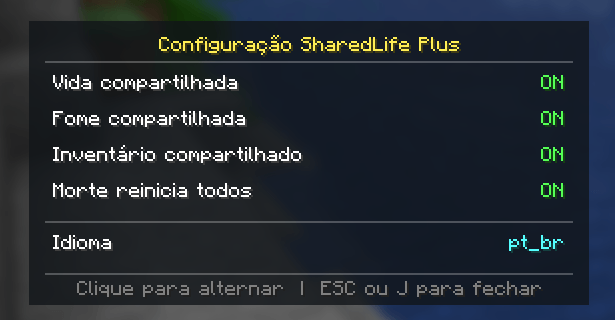
Ships with five languages out of the box:
en_us)es_es)de_de)fr_fr)pt_br)Every player automatically sees the mod in their own Minecraft language — the HUD, menus and chat all follow each client's game language. Nothing to configure and no resource pack needed: a player running Minecraft in Spanish sees SharedLife Plus in Spanish, while a teammate in German sees it in German, on the very same server.
The mod's mechanic replaces vanilla hardcore behaviour:
If you previously played on a vanilla hardcore world and someone died, just install the mod and run /sharedlife_plus reset — everyone comes back to life in a brand-new area.
The mod creates and reads:
world/data/sharedlife_plus__state.dat — persistent state (run number, inventory, settings, death log)The mod must be installed on both server and clients: the server runs all the shared-state logic; the clients render the HUD, the scoreboard panel, the admin panel and the localized chat messages.
Found a bug or want a feature? Please report it on the issues page of this project. Pull requests welcome.
SharedLife Plus is a one-mod-fits-all replacement for "shared inventory", "shared health" and "one life" mods — bundled, polished, and ready for your next hardcore run.
Created and maintained by vicxelcode.
If you enjoy SharedLife Plus, consider leaving a rating or sharing it with your co-op group — it helps the mod reach more players.
Project description from CurseForge.
Pick your setup
Choose the version and loader you play, then open the matching release.
Check the dependencies, then try the file in a copied instance before changing a world you care about.
Recent files
14 Nov 2026
14 Jul 2026
13 Jul 2026
6 Jun 2026
31 May 2026
26 May 2026
24 May 2026
Looking for an older file? The official CurseForge project page is in Resources.
 mod
Allows you play normally even when authentication servers are down
 mod
A mod made to deal with harder blocks a lot easier, like deepslate.
 mod
Animals will seek to destroy and eat unprotected crops.