Minecraft version
Back to mods 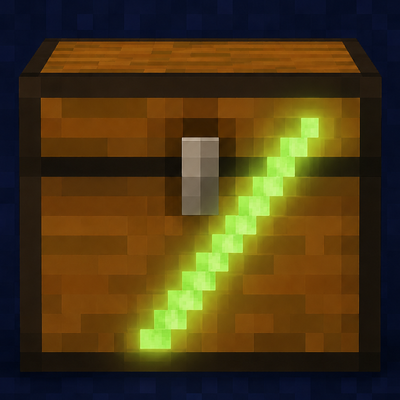
CurseForge · Minecraft mod
SlashLoot
Per-player loot for naturally-generated chests, barrels, shulker boxes, and minecarts — server-side only, requires no client mod.
Choose a version Pick your version below, then grab the matching file.
Quick answer
Which SlashLoot release should I use?
Latest stable file slashlootr-0.3.0+mc26.2-neoforge.jar
Game version 26.2
Loader NeoForge
slashlootr-0.3.0+mc26.2-neoforge.jar targets 26.2 with NeoForge. The project page does not say whether this file belongs on the client, dedicated server, or both. No extra mods listed for this file.
Where it goes
Is SlashLoot required on the client, server, or both?
The project page does not say whether this file belongs on the client, dedicated server, or both.
Client Source doesn’t say
Dedicated server Source doesn’t say
Loader for this release NeoForge
Required install it here Optional supported, not mandatory Not supported do not install here Source doesn’t say do not assume
The source does not explicitly classify this release as client-only or server-only.
What else does slashlootr-0.3.0+mc26.2-neoforge.jar need?
slashlootr-0.3.0+mc26.2-neoforge.jar. Change the file and its required mods may change too.
This file does not list any required mods. Do not add a library just because a different file uses it.
This file does not list any required or optional mods.
Before you install it
Add SlashLoot without breaking your instance.
Built for slashlootr-0.3.0+mc26.2-neoforge.jar. Pick another file and the loader, install side or required mods may change.
- 01
Stick to this file
Use slashlootr-0.3.0+mc26.2-neoforge.jar. It targets 26.2 with NeoForge; another release may have different loader, side or dependency requirements.
- 02
Bring the mods it needs
This file does not list any required mods. Do not add a library just because a different file uses it.
- 03
Put it on the correct side
The project page does not say whether this file belongs on the client, dedicated server, or both.
- 04
Pick the file you checked
Use the “Get this file” button beside slashlootr-0.3.0+mc26.2-neoforge.jar. It opens that exact file at the source.
About this project
What does SlashLoot add?
SlashLoot
Per-player loot for naturally-generated chests, barrels, shulker boxes, and minecarts — server-side only, no client install required.
Every player who opens a naturally-generated container gets their own personal copy of the loot. Open a mineshaft chest and get your roll; your friend opens that same chest and gets a separate roll of their own. No more racing to dungeons, and nobody arrives to find an empty chest after someone else already cleared it out.
Containers you place yourself are never touched — chests, barrels, and shulker boxes you build behave exactly like vanilla.
Server-side only — players install nothing
SlashLoot runs entirely on the server. Players connect with plain vanilla Fabric: they don't install the mod, and they don't have to update when you do. SlashLoot never replaces the block or its block-state, so the container always stays a real minecraft:chest (or barrel, shulker, minecart, etc.). Datapack predicates, /data queries, scoreboard selectors, and structure saves keep seeing ordinary vanilla blocks.
Features
- Per-player instanced loot for naturally-generated containers. One open = one personal roll.
- Persists across server restarts. Each player's personal loot is saved per-dimension.
- Stable on re-open. Close the menu with items still inside and they're there next time you open it.
- Player-placed containers untouched — full vanilla behavior for anything you build.
- Double-chest support. Each half tracks per-player loot independently; opening either half shows a combined 54-slot view.
- Configurable. Per-dimension and per-loot-table blocklists for adventure-map compatibility.
- Admin commands to wipe personal loot when you need to.
Container coverage
- Chests, trapped chests, barrels, shulker boxes
- Chest minecarts, hopper minecarts, chest boats
- Double chests (combined 54-slot view)
Installation
- Drop the JAR matching your Minecraft version into your server's
mods/folder. - Drop the matching Fabric API version into the same folder.
- Restart the server.
That's it. Clients connect with vanilla Fabric — nothing to install on their end.
Supported versions
Pick the JAR that matches your server's Minecraft version, and use the listed Fabric API build.
| Minecraft | Fabric API |
|---|---|
| 1.20.1 | 0.92.2+1.20.1 |
| 1.20.5 | 0.97.8+1.20.5 |
| 1.21 | 0.102.0+1.21 |
| 1.21.1 | 0.115.6+1.21.1 |
| 1.21.2 | 0.106.1+1.21.2 |
| 1.21.4 | 0.114.0+1.21.4 |
| 1.21.6 | 0.128.1+1.21.6 |
| 1.21.9 | 0.134.1+1.21.9 |
| 1.21.11 | 0.141.2+1.21.11 |
| 26.1.2 | 0.146.1+26.1.2 |
Configuration
A config/slashlootr.json file is created on first launch:
{
  "dimensionBlocklist": [],
  "lootTableBlocklist": [],
  "playOpenCloseSounds": true
}
dimensionBlocklist— dimensions (e.g."minecraft:the_nether") where SlashLoot is disabled and vanilla loot behavior applies.lootTableBlocklist— loot tables (e.g."minecraft:chests/buried_treasure") to skip. Useful for adventure maps with intentionally shared loot.playOpenCloseSounds— play the chest open sound when the personal menu opens.
Admin commands
All require permission level 2 (op).
| Command | Effect |
|---|---|
/slashloot forget here |
Wipe every player's personal loot at the block you're looking at |
/slashloot forget at <x> <y> <z> |
Same, by coordinate |
/slashloot forget player <player> |
Wipe a player's personal loot at every container in the current dim |
Known limitations
- No chest lid animation. The open sound plays, but the lid stays closed — the per-player menu bypasses vanilla's
ContainerOpenersCounter. - Hoppers don't pull from naturally-generated chests. The world container is left "unrolled" by design, so a hopper attached to one sees an empty container. Player-placed chests are unaffected.
- Comparator output reads 0 from naturally-generated chests for the same reason.
- Decorated pots and suspicious sand/gravel are not covered — they use a different (brushing) mechanic.
Source & links
- GitHub (source, issues, architecture deep-dive): https://github.com/mindfulent/SlashLootr
- License: CC-BY-4.0
Project description from CurseForge.
Pick your setup
SlashLoot by Minecraft version and loader
Choose the version and loader you play, then open the matching release.
Minecraft version
26.1.2
2 loader buildsMinecraft version
1.21.11
2 loader buildsMinecraft version
1.21.10
2 loader buildsMinecraft version
1.21.9
2 loader buildsMinecraft version
1.21.8
2 loader buildsMinecraft version
1.21.7
2 loader buildsMinecraft version
1.21.6
2 loader buildsMinecraft version
1.21.5
2 loader buildsMinecraft version
1.21.4
2 loader buildsMinecraft version
1.21.3
2 loader buildsMinecraft version
1.21.2
2 loader buildsShowing the newest 12 of 17 game versions. Older files are in the list below.
Check the dependencies, then try the file in a copied instance before changing a world you care about.
Recent files
SlashLoot versions and loaders
slashlootr-0.3.0+mc26.2-neoforge.jar
29 Aug 2026
Client Source doesn’t say Server Source doesn’t say Dependencies No extras listed Listed on Release listing
Check the 26.2 · NeoForge setup NeoForge26.2 release
slashlootr-0.3.0+mc26.2-fabric.jar
29 Aug 2026
Client Source doesn’t say Server Source doesn’t say Dependencies No extras listed Listed on Release listing
Check the 26.2 · Fabric setup Fabric26.2 release
slashlootr-0.3.0+mc26.1.2-neoforge.jar
29 Aug 2026
Client Source doesn’t say Server Source doesn’t say Dependencies No extras listed Listed on Release listing
Check the 26.1.2 · NeoForge setup NeoForge26.1.2 release
slashlootr-0.3.0+mc26.1.2-fabric.jar
29 Aug 2026
Client Source doesn’t say Server Source doesn’t say Dependencies No extras listed Listed on Release listing
Check the 26.1.2 · Fabric setup Fabric26.1.2 release
slashlootr-0.3.0+mc1.21.9-fabric.jar
29 Aug 2026
Client Source doesn’t say Server Source doesn’t say Dependencies No extras listed Listed on Release listing
Check the 1.21.10 · Fabric setup Fabric1.21.91.21.10 release
slashlootr-0.3.0+mc1.21.8-neoforge.jar
29 Aug 2026
Client Source doesn’t say Server Source doesn’t say Dependencies No extras listed Listed on Release listing
Check the 1.21.8 · NeoForge setup 1.21.81.21.61.21.7NeoForge release
slashlootr-0.3.0+mc1.21.6-fabric.jar
29 Aug 2026
Client Source doesn’t say Server Source doesn’t say Dependencies No extras listed Listed on Release listing
Check the 1.21.8 · Fabric setup Fabric1.21.81.21.61.21.7 release
slashlootr-0.3.0+mc1.21.5-neoforge.jar
29 Aug 2026
Client Source doesn’t say Server Source doesn’t say Dependencies No extras listed Listed on Release listing
Check the 1.21.5 · NeoForge setup 1.21.5NeoForge release
slashlootr-0.3.0+mc1.21.5-fabric.jar
29 Aug 2026
Client Source doesn’t say Server Source doesn’t say Dependencies No extras listed Listed on Release listing
Check the 1.21.5 · Fabric setup Fabric1.21.5 release
slashlootr-0.3.0+mc1.21.4-neoforge.jar
29 Aug 2026
Client Source doesn’t say Server Source doesn’t say Dependencies No extras listed Listed on Release listing
Check the 1.21.4 · NeoForge setup 1.21.4NeoForge release
slashlootr-0.3.0+mc1.21.4-fabric.jar
29 Aug 2026
Client Source doesn’t say Server Source doesn’t say Dependencies No extras listed Listed on Release listing
Check the 1.21.4 · Fabric setup Fabric1.21.4 release
slashlootr-0.3.0+mc1.21.3-neoforge.jar
29 Aug 2026
Client Source doesn’t say Server Source doesn’t say Dependencies No extras listed Listed on Release listing
Check the 1.21.3 · NeoForge setup 1.21.3NeoForge1.21.2 release
Looking for an older file? The official CurseForge project page is in Resources.
 mod
mod CurseForge · Minecraft
EnchantStats: Enchantment Descriptions +Tooltip+Inventory HUD+ + Monster HP+Damage Indicator+Tool Info Hub
EnchantStats is the combat & magic sequel to AppleStats — enchanting your HUD with exact enchantment values, advanced tooltips, and monster combat stats.
 mod
mod CurseForge · Minecraft
Bye?Pregen!
Reduce MSPT spikes and server freezes caused by chunk generation and speed it up.
 mod
mod CurseForge · Minecraft
Phrix, Phrox
A mod about curses and the like.