Sodium Needed by Render Scale (soduim Addons) Render Scale 1.0.1 - MC 26.1 - NeoForge
requiredMatching file found Matched file: Sodium 0.8.9 for NeoForge

CurseForge · Minecraft mod
Scale Minecraft's 3D rendering resolution to optimize FPS or improve image quality, while keeping all menus and HUD crystal clear at native resolution.
Quick answer
Render Scale (soduim Addons) Render Scale 1.0.1 - MC 26.1 - NeoForge targets 26.1 with NeoForge. The project page does not say whether this file belongs on the client, dedicated server, or both. All 1 required mods have matching files.
Where it goes
The project page does not say whether this file belongs on the client, dedicated server, or both.
The source does not explicitly classify this release as client-only or server-only.
Render Scale 1.0.1 - MC 26.1 - NeoForge on 26.1. Every mod below is checked against that same setup.
Install Sodium first. We found matching files for this game-version and loader setup.
We only count dependency files that match this setup. A file for another loader does not fill the gap.
Before you install it
Built for Render Scale (soduim Addons) Render Scale 1.0.1 - MC 26.1 - NeoForge on 26.1. Pick another file and the loader, install side or required mods may change.
Use Render Scale 1.0.1 - MC 26.1 - NeoForge. It targets 26.1 with NeoForge; another release may have different loader, side or dependency requirements.
Install Sodium first. We found matching files for this game-version and loader setup.
The project page does not say whether this file belongs on the client, dedicated server, or both.
Use the “Get this file” button beside Render Scale 1.0.1 - MC 26.1 - NeoForge. It opens that exact file at the source.
About this project
This mod is NOT a standalone utility! It requires the original Sodium mod to be installed in your game. This mod hooks directly into Sodium's settings UI and rendering backend; it will not load or function without it.
Render Scale is a client-side Fabric utility mod that allows you to change the rendering resolution of Minecraft's 3D world independently of your game window and HUD/GUI scale.
By downscaling the 3D world, you can significantly reduce the load on your graphics card (GPU) and boost your frame rates (FPS) while keeping text, chat, and inventory menus perfectly sharp at your monitor's native resolution. Alternatively, you can upscale the resolution to get high-quality super-sampled anti-aliasing.
Designed to work exclusively with Sodium, this mod integrates directly into the Sodium video settings screen.
Normally, lowering your game resolution in the settings makes everything—including text and menus—blurry and hard to read.
Render Scale prevents this by splitting the rendering process:
TRACY_BLIT) to ensure the sky and horizon rendering remain flawless.Nearest filter for maximum FPS boost.Linear filter.Linear filter (reduces jagged edges and shimmering).Linear (for a smooth blend) and Nearest (for sharp, pixelated, or retro look).This mod was built with a clear purpose: to bridge the gap between high visual clarity and high performance. I wanted to give players with lower-end hardware a way to enjoy smooth gameplay without making in-game text and menus unreadable, while simultaneously offering players with powerful rigs a premium super-sampling experience.
If this mod helps make your Minecraft journey smoother and more enjoyable, please consider sharing it and leaving your feedback. Happy crafting!
Project description from CurseForge.
Pick your setup
Choose the version and loader you play, then open the matching release.
Check the dependencies, then try the file in a copied instance before changing a world you care about.
Recent files
render-scale-neoforge-1.0.1+mc26.1.jar
3 Oct 2026
render-scale-1.0.1+mc26.1.jar
3 Oct 2026
25 May 2026
Looking for an older file? The official CurseForge project page is in Resources.
 mod
Full KubeJS support for Ex Deorum — every recipe type, plus custom meshes, hammers, ore chunks, sieves, barrels and crucibles.
 mod
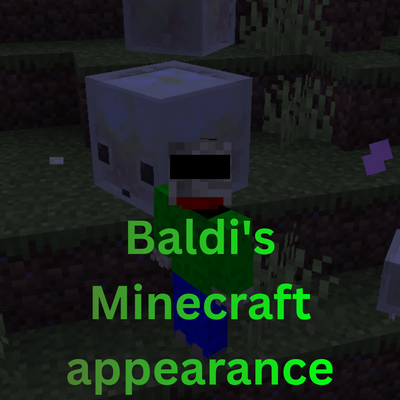
Baldi is in the official Minecraft update system, and he has broken into Minecraft's code!
 mod
Automates Jambels for you, fork of modrinth mod casino-helper