Cloth Config API Optional for Remote access remoteaccess-1.0.1.jar
optionalMatching file found Matched file: 26.1.154+fabric
CurseForge · Minecraft mod
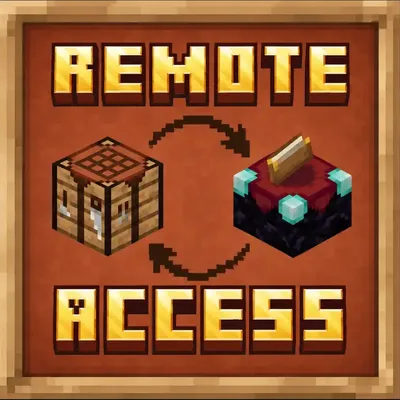
Switch between nearby workstations instantly without closing your current crafting interface.
Quick answer
Remote access remoteaccess-1.0.1.jar targets 26.1.2 with Fabric. The project page does not say whether this file belongs on the client, dedicated server, or both. No extra mods listed for this file.
Where it goes
The project page does not say whether this file belongs on the client, dedicated server, or both.
The source does not explicitly classify this release as client-only or server-only.
remoteaccess-1.0.1.jar on 26.1.2. Every mod below is checked against that same setup.
This file does not list any required mods. Do not add a library just because a different file uses it.
We only count dependency files that match this setup. A file for another loader does not fill the gap.
Before you install it
Built for Remote access remoteaccess-1.0.1.jar on 26.1.2. Pick another file and the loader, install side or required mods may change.
Use remoteaccess-1.0.1.jar. It targets 26.1.2 with Fabric; another release may have different loader, side or dependency requirements.
This file does not list any required mods. Do not add a library just because a different file uses it.
The project page does not say whether this file belongs on the client, dedicated server, or both.
Use the “Get this file” button beside remoteaccess-1.0.1.jar. It opens that exact file at the source.
About this project


Stop reopening workstations one by one.
Side Access lets you seamlessly switch between nearby functional blocks directly from inside your current interface. Open a crafting table, then cycle to nearby anvils, enchanting tables, cartography tables, looms, smithing tables, stonecutters, and more without ever closing the screen.
When compatible workstations are detected nearby, small navigation icons appear on the left and right sides of your inventory screen. Press your configured keys to instantly move to the previous or next workstation in range.
Perfect for:
The mod includes configurable:
Default detection radius:
radius = 5
Designed to feel like a natural extension of Minecraft’s inventory system rather than a separate modded interface.


Project description from CurseForge.
Pick your setup
Choose the version and loader you play, then open the matching release.
Check the dependencies, then try the file in a copied instance before changing a world you care about.
Recent files
30 Jun 2026
25 May 2026
25 May 2026
Looking for an older file? The official CurseForge project page is in Resources.
 mod
Removes Blindness, Darkness, and water/lava/powder snow fog and overlays.
 mod
Gives players the ability to morph into all kinds of different mobs!
 mod
Turn the chests you already have into one searchable storage network. Craft straight from it, feed it with hoppers, reach it wirelessly.