Minecraft version
Back to mods 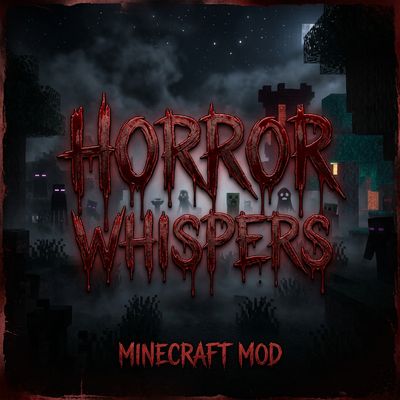
CurseForge · Minecraft mod
HORROR WHISPERS
A pure psychological horror experience for Minecraft
Choose a version Pick your version below, then grab the matching file.
Quick answer
Which HORROR WHISPERS release should I use?
Latest stable file horror-whispers-1.20.1
Game version 1.20.1
Loader Fabric
HORROR WHISPERS horror-whispers-1.20.1 targets 1.20.1 with Fabric. The project page does not say whether this file belongs on the client, dedicated server, or both. No extra mods listed for this file.
Where it goes
Is HORROR WHISPERS required on the client, server, or both?
The project page does not say whether this file belongs on the client, dedicated server, or both.
Client Source doesn’t say
Dedicated server Source doesn’t say
Loader for this release Fabric
Required install it here Optional supported, not mandatory Not supported do not install here Source doesn’t say do not assume
The source does not explicitly classify this release as client-only or server-only.
What else does HORROR WHISPERS horror-whispers-1.20.1 need?
horror-whispers-1.20.1. Change the file and its required mods may change too.
This file does not list any required mods. Do not add a library just because a different file uses it.
This file does not list any required or optional mods.
Before you install it
Add HORROR WHISPERS without breaking your instance.
Built for HORROR WHISPERS horror-whispers-1.20.1. Pick another file and the loader, install side or required mods may change.
- 01
Stick to this file
Use horror-whispers-1.20.1. It targets 1.20.1 with Fabric; another release may have different loader, side or dependency requirements.
- 02
Bring the mods it needs
This file does not list any required mods. Do not add a library just because a different file uses it.
- 03
Put it on the correct side
The project page does not say whether this file belongs on the client, dedicated server, or both.
- 04
Pick the file you checked
Use the “Get this file” button beside horror-whispers-1.20.1. It opens that exact file at the source.
About this project
What does HORROR WHISPERS add?
☠ Horror Whispers
Horror Whispers is a psychological horror mod for Minecraft 1.20.1 Fabric that turns your world into a terrifying mental nightmare — without adding any new mobs, blocks, or items.
Instead of relying on monsters, this mod attacks the player’s senses with disturbing sounds, fake events, visual distortions, ghostly messages, sudden scares, and immersive psychological tricks that become more intense the longer you play.
Doors may move by themselves. Glass may shatter near you. Strange footsteps may follow you. Your screen may shake, flash, fade, or distort. The world stays the same… but your mind does not.
Features
- Progressive horror system with increasing intensity
- Random terrifying sound events
- Visual effects such as screen shake, fog, flashes, darkness, and distortion
- Psychological fake events like chat messages, fake joins, fake achievements, and coordinate leaks
- Ghost door, trapdoor, gate, and glass break events
- Darkness, mining, damage, and passive animal scare triggers
- Fully configurable in-game menu with
/hw - Designed for immersive solo horror gameplay
Why Try It?
If you want Minecraft to feel haunted without adding obvious monsters, Horror Whispers is made for you.
It creates fear through atmosphere, tension, uncertainty, and psychological tricks — making every cave, house, forest, and dark corner feel unsafe.
Made by Kotorito ♦
Project description from CurseForge.
Pick your setup
HORROR WHISPERS by Minecraft version and loader
Choose the version and loader you play, then open the matching release.
Check the dependencies, then try the file in a copied instance before changing a world you care about.
Recent files
HORROR WHISPERS versions and loaders
horror-whispers-1.20.1
horror-whispers-1.20.1.jar
25 May 2026
Client Source doesn’t say Server Source doesn’t say Dependencies No extras listed Listed on Release listing
Check the 1.20.1 · Fabric setup Fabric1.20.1 release
Looking for an older file? The official CurseForge project page is in Resources.
 mod
CurseForge + Modrinth · Minecraft
CreativeCore
a core mod
 mod
CurseForge · Minecraft
Asterion
Descend into a forgotten Labyrinth, explore a mysterious new dimension, uncover ancient secrets, forge powerful equipment, and defeat the Minotaur.
 mod
CurseForge · Minecraft
Materialis Continuity (Tinkers’ Construct Addon)
Tinkers' Construct addon with extra materials, wrenches, and cross-mod compatibility. Unofficial port of Materialis.