Minecraft version
Back to mods 
CurseForge · Minecraft mod
Ping Items
Lets you mark items in containers!
Choose a version Pick your version below, then grab the matching file.
Quick answer
Which Ping Items release matches 1.19.1 Forge?
Best match for your filters pingitems-1.0-1.19-1.19.2.jar
Game version 1.19.1, 1.19.2, 1.19
Loader Forge
Ping Items pingitems-1.0-1.19-1.19.2.jar targets 1.19.1, 1.19.2, 1.19 with Forge. The project page does not say whether this file belongs on the client, dedicated server, or both. No extra mods listed for this file.
Where it goes
Is Ping Items required on the client, server, or both?
The project page does not say whether this file belongs on the client, dedicated server, or both.
Client Source doesn’t say
Dedicated server Source doesn’t say
Loader for this release Forge
Required install it here Optional supported, not mandatory Not supported do not install here Source doesn’t say do not assume
The source does not explicitly classify this release as client-only or server-only.
What else does Ping Items pingitems-1.0-1.19-1.19.2.jar need?
pingitems-1.0-1.19-1.19.2.jar on 1.19.1 Forge. Every mod below is checked against that same setup.
This file does not list any required mods. Do not add a library just because a different file uses it.
This file does not list any required or optional mods.
Before you install it
Add Ping Items without breaking your instance.
Built for Ping Items pingitems-1.0-1.19-1.19.2.jar on 1.19.1 Forge. Pick another file and the loader, install side or required mods may change.
- 01
Stick to this file
Use pingitems-1.0-1.19-1.19.2.jar. It targets 1.19.1, 1.19.2, 1.19 with Forge; another release may have different loader, side or dependency requirements.
- 02
Bring the mods it needs
This file does not list any required mods. Do not add a library just because a different file uses it.
- 03
Put it on the correct side
The project page does not say whether this file belongs on the client, dedicated server, or both.
- 04
Pick the file you checked
Use the “Get this file” button beside pingitems-1.0-1.19-1.19.2.jar. It opens that exact file at the source.
About this project
What does Ping Items add?
PingItems
**Point out items in containers to your teammates - instantly.**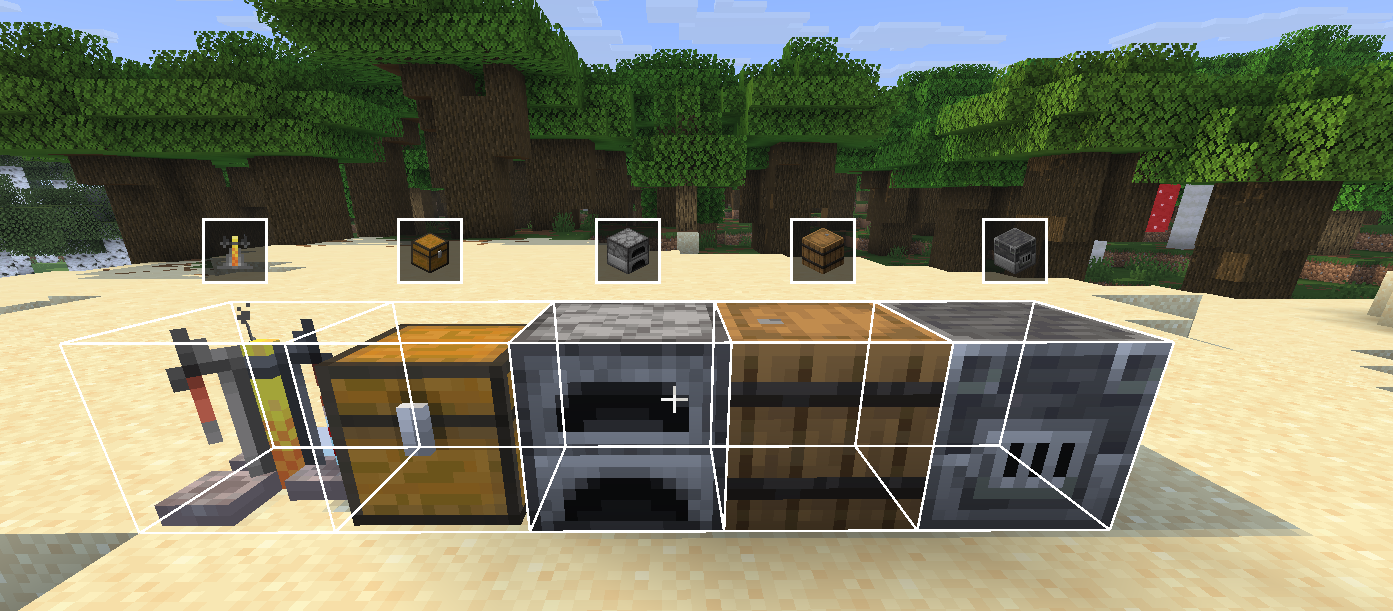
Ever dug through a chest trying to describe where something is? PingItems lets you middle-click any item in a container and ping it - your teammates see a highlight on the item and a glowing outline on the chest in the world.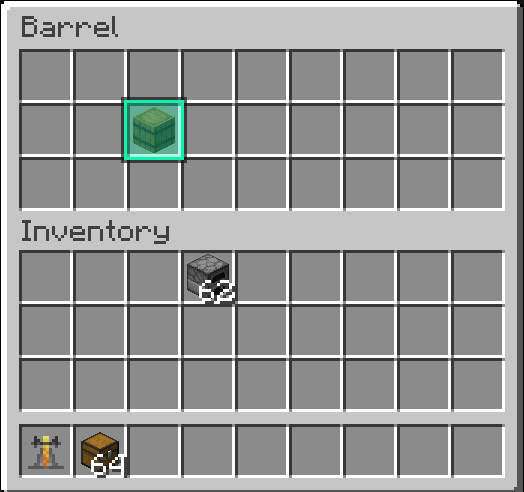
Features
- **Middle-click to ping** any item in a chest, barrel, or other container
- **Slot highlight** - the exact slot you pinged lights up with a gold outline for everyone
- **World outline** - a glowing box appears around the container in the world so teammates can find it from a distance
- **HUD icon** - a container icon floats above the block on screen when you're not looking at it directly
- **Multi-ping** - ping up to 5 items at once; pings expire after 10 seconds
- **Color picker** - choose your ping color in the mod settings
- **Channel system** - filter pings by channel so large servers stay organized
- **Configurable keybind** - rebind the ping key in Options → Controls → Key Binds under the **PingItems** category

How to use
- Open any container (chest, barrel, etc.)
- Hover over an item
- Press **middle mouse button** (rebindable)
- Your teammates see the ping
Requirements
Designed for multiplayer survival and co-op servers.
Project description from CurseForge.
Pick your setup
Ping Items by Minecraft version and loader
Choose the version and loader you play, then open the matching release.
Minecraft version
26.1.2
1 loader buildMinecraft version
26.1.1
1 loader buildMinecraft version
26.1
1 loader buildMinecraft version
1.21.1
1 loader buildMinecraft version
1.20.1
2 loader buildsMinecraft version
1.19.2
1 loader buildMinecraft version
1.19.1
1 loader buildMinecraft version
1.19
1 loader buildMinecraft version
1.12.2
1 loader buildMinecraft version
1.8.9
1 loader buildMinecraft version
1.7.10
1 loader buildCheck the dependencies, then try the file in a copied instance before changing a world you care about.
Recent files
Ping Items versions and loaders
pingitems-1.0-1.19-1.19.2.jar
pingitems-1.0-SNAPSHOT.jar
4 Jul 2026
Client Source doesn’t say Server Source doesn’t say Dependencies No extras listed Listed on Release listing
Check the 1.19.1 · Forge setup Forge1.19.11.19.21.19 release
Looking for an older file? The official CurseForge project page is in Resources.