Cloth Config API (Fabric/Forge/NeoForge) Needed by Wrench Finder wrenchfinder-26.1.2-1.1.0.jar
requiredMatching file found Matched file: [NeoForge 26.1] v26.1.154
CurseForge · Minecraft mod
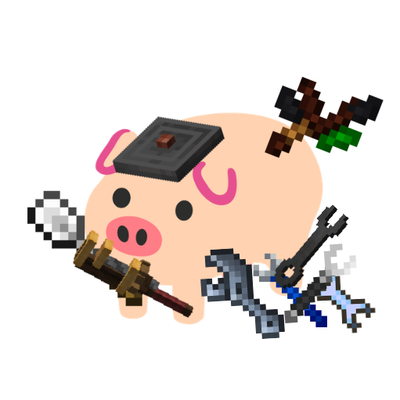
Lets you aim at a block and press a key to pull a matching item into your main hand from everywhere.
Quick answer
Wrench Finder wrenchfinder-26.1.2-1.1.0.jar targets 26.1.2 with NeoForge. The project page does not say whether this file belongs on the client, dedicated server, or both. All 1 required mods have matching files.
Where it goes
The project page does not say whether this file belongs on the client, dedicated server, or both.
The source does not explicitly classify this release as client-only or server-only.
wrenchfinder-26.1.2-1.1.0.jar. Change the file and its required mods may change too.
Install Cloth Config API (Fabric/Forge/NeoForge) first. We found matching files for this game-version and loader setup.
We only count dependency files that match this setup. A file for another loader does not fill the gap.
Before you install it
Built for Wrench Finder wrenchfinder-26.1.2-1.1.0.jar. Pick another file and the loader, install side or required mods may change.
Use wrenchfinder-26.1.2-1.1.0.jar. It targets 26.1.2 with NeoForge; another release may have different loader, side or dependency requirements.
Install Cloth Config API (Fabric/Forge/NeoForge) first. We found matching files for this game-version and loader setup.
The project page does not say whether this file belongs on the client, dedicated server, or both.
Use the “Get this file” button beside wrenchfinder-26.1.2-1.1.0.jar. It opens that exact file at the source.
About this project

Wrench Finder lets you aim at a block and press a key (Default Z) to pull a matching item into your main hand from everywhere.
Wrench Finder uses an ordered Block-Item mapping table on the client side. It has a default rule that coves almost all tech mod.
blockPattern and one ordered itemPatterns list.lookupRules from top to bottom.itemPatterns are also checked from top to bottom.The config data shape is effectively:
[
    {
      "blockPattern": "minecraft:bedrock",
      "itemPatterns": [
        {
          "value": "create:wrench"
        },
        {
          "value": "minecraft:barrier"
        }
      ]
    },
    {
      "blockPattern": "*create*:*",
      "itemPatterns": [
        {
          "value": "create:wrench"
        }
      ]
    }
]
Pattern matching uses simple glob syntax:
* matches any number of characters.create:shaft or minecraft:crafting_table.create:* matches every id whose namespace is exactly create.*create*:* matches every id whose namespace contains create, such as create:shaft and createdeco:andesite_sheet.minecraft:*_planks matches item or block ids like minecraft:oak_planks.Examples:
minecraft:bedrock -> [create:wrench, minecraft:barrier] Trying bedrock will first search for create:wrench; if not found, it will try minecraft:barrier.botania:* -> [botania:dreamwood_wand, botania:twigwand] Any Botania block can map to either wand, in priority order.*ae*:* -> [ae2:network_tool, ae2:certus_quartz_wrench, ae2:nether_quartz_wrench] Any block whose namespace contains ae will try these three AE2 tools in order.If no explicit rule matches and fallbackToBlockItem is enabled, Wrench Finder will try the block's own item form.
Project description from CurseForge.
Pick your setup
Choose the version and loader you play, then open the matching release.
Check the dependencies, then try the file in a copied instance before changing a world you care about.
Recent files
18 Aug 2026
18 Aug 2026
18 Aug 2026
29 May 2026
29 May 2026
29 May 2026
27 May 2026
27 May 2026
Looking for an older file? The official CurseForge project page is in Resources.
 mod
modAdds items that help manage your inventory. Automatically pick up items into sacks and quivers which can store multiple stacks in one item.
 mod
modA NeoForge 1.21.1 addon for ParCool that improves compatibility with Create Aeronautic, Sable, Better Combat, Carry On, Player Animator, and (client-side) ETF/EMF for cleaner player animations with resource packs.
 mod
modMassive collection of tweaks & fixes for Linggango modpack