Minecraft version
Back to mods 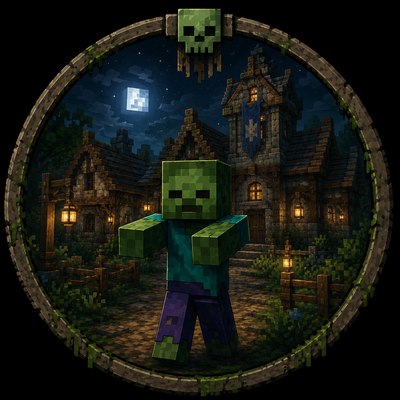
CurseForge · Minecraft mod
ZV-Houses
Hand-authored houses you can build in survival with a Blueprint (26 stonecutter options, your own materials) — or install alongside Zombie Village and let villagers build them. Includes furniture, shelves, hearths, shingles, and shutters.
Choose a version Pick your version below, then grab the matching file.
Quick answer
Which ZV-Houses release should I use?
Latest stable file zvhouses-1.0.9+mc26.1.2.jar
Game version 26.1.2
Loader NeoForge
ZV-Houses zvhouses-1.0.9+mc26.1.2.jar targets 26.1.2 with NeoForge. The project page does not say whether this file belongs on the client, dedicated server, or both. No extra mods listed for this file.
Where it goes
Is ZV-Houses required on the client, server, or both?
The project page does not say whether this file belongs on the client, dedicated server, or both.
Client Source doesn’t say
Dedicated server Source doesn’t say
Loader for this release NeoForge
Required install it here Optional supported, not mandatory Not supported do not install here Source doesn’t say do not assume
The source does not explicitly classify this release as client-only or server-only.
What else does ZV-Houses zvhouses-1.0.9+mc26.1.2.jar need?
zvhouses-1.0.9+mc26.1.2.jar. Change the file and its required mods may change too.
This file does not list any required mods. Do not add a library just because a different file uses it.
This file does not list any required or optional mods.
Before you install it
Add ZV-Houses without breaking your instance.
Built for ZV-Houses zvhouses-1.0.9+mc26.1.2.jar. Pick another file and the loader, install side or required mods may change.
- 01
Stick to this file
Use zvhouses-1.0.9+mc26.1.2.jar. It targets 26.1.2 with NeoForge; another release may have different loader, side or dependency requirements.
- 02
Bring the mods it needs
This file does not list any required mods. Do not add a library just because a different file uses it.
- 03
Put it on the correct side
The project page does not say whether this file belongs on the client, dedicated server, or both.
- 04
Pick the file you checked
Use the “Get this file” button beside zvhouses-1.0.9+mc26.1.2.jar. It opens that exact file at the source.
About this project
What does ZV-Houses add?
ZV-Houses
Hand-crafted houses, furniture, and decoration blocks — build any of the 26 blueprint designs in survival with the in-game Blueprint system, or install alongside Zombie Village and let the villagers build them for you.
ZV-Houses is a NeoForge mod for building well-designed houses. As of version 1.0, it runs fully standalone: craft a Blueprint, choose from 26 designs in a stonecutter, place it in the world, and deposit the materials to have the house rise block by block in the materials you supplied. Installed alongside Zombie Village, the same templates are also what villagers build in the auto-generated villages.
Two live versions — Minecraft 26.1.2 and Minecraft 1.21.1. Check the Requires section before you download; the two builds are not interchangeable.
Blueprint: build houses in survival
- Craft a Blueprint — eight paper around a single blue dye (or lapis lazuli) crafts a blank Blueprint.
- Choose a house — put the Blueprint into a stonecutter and pick from the list of 26: 14 surface houses and 12 subterranean rooms. Each option shows the house's footprint size.
- Place it — right-click the ground to set down a Blueprint Station. A white wireframe marks the exact space the finished house will occupy — walk around and inside before committing.
- Deposit materials — open the station and fill its slots. Each slot's count shows red while it is short and turns green once satisfied. Only the structure costs materials; furniture, decoration, and workstations are included free.
- Build — when every slot is green, press Build. The house rises from the ground up in the materials you supplied. A built house is permanent.
Build it your way. Deposited materials substitute within their family — any log for any log, and any stone for another stone of the same tier. Stone comes in two tiers: rough (cobblestone, andesite, diorite, granite, tuff, deepslate) and refined (polished stone, stone bricks, smooth stone, deepslate bricks and the like), and a slot wanting refined stone will not take raw cobblestone — a quick stonecutter pass fixes that. Slabs and walls follow their base block's tier, so a cobblestone slab counts as rough while a stone slab counts as refined, because stone itself comes out of a furnace. Mix materials across slots and they all appear in the finished house, so the same house can be built many different ways.
Portable. A Blueprint holding materials shimmers and its tooltip shows “Materials X / Y”. Break the station and the Blueprint returns to you with its contents intact — carry a half-stocked build and finish it elsewhere. (Only pressing Build is irreversible.)
What is in the pack
97 hand-authored building templates ship with the mod, alongside 160+ furniture and decoration blocks. 26 of the templates are Blueprint-buildable in survival; Zombie Village can place all of them.
Surface buildings
22 above-ground homes and workplaces — cottages, cabins, a tavern, blacksmith, bakery, fishery, farmhouse, barn, estate, longhall, manor, townhouse, and more. Each has its own footprint and interior layout so no two houses in a village feel identical. 14 of the 22 are available as Blueprints.
Subterranean rooms
Underground villages assemble from a full set of interconnected rooms:
- Six universal building families across five connection categories (PLUS, T, L, I, DEAD_END) so any layout the placer generates has valid geometry — every archway leads somewhere real, no orphan doors.
- Single-category specialties — barracks, library, smithy, villa, warehouse
- Vertical stair bridges — how the catacomb changes floors. Four are available to the village generator; two of those (a straight run and an L-turn) are also craftable as Blueprints.
- Two visual styles for rooms —
_ybr(Yellow Brick Road: tight interiors, defined rooms) and_ofp(open floor plan: fewer walls, more contiguous space)._ofpis the current default; issue the ZV command/zv templateset ofp|ybrbefore placing your Soul Well to switch (the choice locks in at Soul Well placement). Stair bridges are shared between the two styles rather than duplicated, which is why 2 of the 12 subterranean Blueprints are_ybrstairs alongside 10_ofprooms.
Custom furniture + decoration blocks
160+ furniture and decoration blocks — tables, benches, counters, drawers, shelves, hearths, shingles, thin wood panels, openable wall shutters, and more — the blocks that give each building its character. In a Zombie Village build, the builder opens each shutter as it places it, so villagers path straight through instead of getting walled out mid-build.
How it works
- Zombie Village decides where to place buildings (surface vs subterranean, which categories).
- ZV-Houses supplies the NBT templates for those slots.
- The templates auto-extract to
world/generated/zvhouses/structures/on first server start. - ZV villagers build them cell by cell, laborer by laborer.
Requires / compatible with
Two live builds. Pick the file that matches your Minecraft version — they are not interchangeable.
For Minecraft 26.1.2 — zvhouses-1.0.x+mc26.1.2.jar
- Minecraft 26.1.2 exactly. This build pins that version and will not load on 26.1.3 or later.
- NeoForge 26.1.2.99 or newer
- Java 25
For Minecraft 1.21.1 — zvhouses-1.1.x.jar
- Minecraft 1.21.1
- NeoForge 21.1.224 or newer
- Java 21
No hard mod dependencies on either line — installs cleanly.
Designed for use with: Zombie Village. Without ZV installed you can still craft Blueprints and build every design by hand; what you lose is the villagers building them for you and the auto-generated villages.
Modpack authors
Safe to include. No configuration, no client-server split (everything is data + block registrations that ship on both sides), no world modification unless ZV is also present. Ships with the Risen — Undead Army modpack.
Credits
House designs are original to this project, adapted from freely-licensed builds, or inspired by designs shared publicly by community creators.
Particular thanks to AxianErve on YouTube — several of the surface buildings draw on their designs, used with permission.
License
All Rights Reserved. Free to use for players and to include in modpacks. See LICENSE.md in the source repo for the full grants.
Project description from CurseForge.
Pick your setup
ZV-Houses by Minecraft version and loader
Choose the version and loader you play, then open the matching release.
Minecraft version
1.21.1
1 loader buildCheck the dependencies, then try the file in a copied instance before changing a world you care about.
Recent files
ZV-Houses versions and loaders
zvhouses-1.0.9+mc26.1.2.jar
30 Aug 2026
Client Source doesn’t say Server Source doesn’t say Dependencies No extras listed Listed on Release listing
Check the 26.1.2 · NeoForge setup NeoForge26.1.2 release
zvhouses-1.1.12.jar
30 Aug 2026
Client Source doesn’t say Server Source doesn’t say Dependencies No extras listed Listed on Release listing
Check the 1.21.1 · NeoForge setup 1.21.1NeoForge release
zvhouses-1.0.8+mc26.1.2.jar
30 Aug 2026
Client Source doesn’t say Server Source doesn’t say Dependencies No extras listed Listed on Release listing
Check the 26.1.2 · NeoForge setup NeoForge26.1.2 release
zvhouses-1.1.11.jar
30 Aug 2026
Client Source doesn’t say Server Source doesn’t say Dependencies No extras listed Listed on Release listing
Check the 1.21.1 · NeoForge setup 1.21.1NeoForge release
zvhouses-1.0.7+mc26.1.2.jar
29 Aug 2026
Client Source doesn’t say Server Source doesn’t say Dependencies No extras listed Listed on Release listing
Check the 26.1.2 · NeoForge setup NeoForge26.1.2 release
zvhouses-1.0.5+mc26.1.2.jar
28 Aug 2026
Client Source doesn’t say Server Source doesn’t say Dependencies No extras listed Listed on Release listing
Check the 26.1.2 · NeoForge setup NeoForge26.1.2 release
zvhouses-1.0.4+mc26.1.2.jar
27 Aug 2026
Client Source doesn’t say Server Source doesn’t say Dependencies No extras listed Listed on Release listing
Check the 26.1.2 · NeoForge setup NeoForge26.1.2 release
zvhouses-1.1.9.jar
24 Aug 2026
Client Source doesn’t say Server Source doesn’t say Dependencies No extras listed Listed on Release listing
Check the 1.21.1 · NeoForge setup 1.21.1NeoForge release
zvhouses-1.1.8.jar
5 Aug 2026
Client Source doesn’t say Server Source doesn’t say Dependencies No extras listed Listed on Release listing
Check the 1.21.1 · NeoForge setup 1.21.1NeoForge release
zvhouses-1.1.3.jar
21 Jul 2026
Client Source doesn’t say Server Source doesn’t say Dependencies No extras listed Listed on Release listing
Check the 1.21.1 · NeoForge setup 1.21.1NeoForge release
zvhouses-1.1.2.jar
21 Jul 2026
Client Source doesn’t say Server Source doesn’t say Dependencies No extras listed Listed on Release listing
Check the 1.21.1 · NeoForge setup 1.21.1NeoForge release
zvhouses-1.0.3.jar
20 Jul 2026
Client Source doesn’t say Server Source doesn’t say Dependencies No extras listed Listed on Release listing
Check the 1.21.1 · NeoForge setup 1.21.1NeoForge release
Looking for an older file? The official CurseForge project page is in Resources.
 mod
CurseForge + Modrinth · Minecraft
Ae2 CraftCore
Break the chains of physical patterns! Store your AE2 recipes digitally on storage cells and virtualize your auto-crafting.
 mod
CurseForge · Minecraft
PlayerRevive
Revive your friends
 mod
CurseForge · Minecraft
Tiered More
Fork of Globox_Z's TieredZ that adds some QoL things & Accessories Modifiers!