Minecraft version
Back to mods 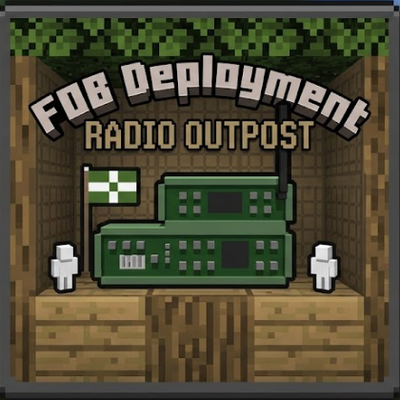
CurseForge · Minecraft mod
FOB Deployment
Brings Squad style tactical spawn points (FOBs), supply lines, and military logistics to Minecraft.
Choose a version Pick your version below, then grab the matching file.
Quick answer
Which FOB Deployment release should I use?
Latest stable file FOB Deployment 1.1.0 hotfix
Game version 1.20.1
Loader Forge
FOB Deployment 1.1.0 hotfix targets 1.20.1 with Forge. The project page does not say whether this file belongs on the client, dedicated server, or both. No extra mods listed for this file.
Where it goes
Is FOB Deployment required on the client, server, or both?
The project page does not say whether this file belongs on the client, dedicated server, or both.
Client Source doesn’t say
Dedicated server Source doesn’t say
Loader for this release Forge
Required install it here Optional supported, not mandatory Not supported do not install here Source doesn’t say do not assume
The source does not explicitly classify this release as client-only or server-only.
What else does FOB Deployment 1.1.0 hotfix need?
FOB Deployment 1.1.0 hotfix. Change the file and its required mods may change too.
This file does not list any required mods. Do not add a library just because a different file uses it.
This file does not list any required or optional mods.
Before you install it
Add FOB Deployment without breaking your instance.
Built for FOB Deployment 1.1.0 hotfix. Pick another file and the loader, install side or required mods may change.
- 01
Stick to this file
Use FOB Deployment 1.1.0 hotfix. It targets 1.20.1 with Forge; another release may have different loader, side or dependency requirements.
- 02
Bring the mods it needs
This file does not list any required mods. Do not add a library just because a different file uses it.
- 03
Put it on the correct side
The project page does not say whether this file belongs on the client, dedicated server, or both.
- 04
Pick the file you checked
Use the “Get this file” button beside FOB Deployment 1.1.0 hotfix. It opens that exact file at the source.
About this project
What does FOB Deployment add?
> ### 📢 Active Development & Community Feedback
> This mod is under **active development**! We are carefully listening to all your ideas and suggestions for future updates.
>
> 🌐 Our Minecraft Server: This mod is being actively developed and tailored specifically for our upcoming tactical Minecraft server! You can find all the details, launch dates, and playtest info inside our community hub.
>
> 💬 To get in touch with the developers, follow the server's progress, or share your feedback faster, join our official Discord: Join our Discord Server
📡 FOB Deployment: Tactical Radio Outposts
Tired of military servers feeling like vanilla Minecraft where players just spam beds behind walls during an intense siege? FOB Deployment completely rewrites the rules of engagement, bringing the hardcore logistics and tactical gameplay of Squad, Arma, and Hell Let Loose straight into the blocky world.
Say goodbye to unrealistic respawns. Welcome to the era of supply lines and strategic planning.
⚡ Key Features
- The Forward Operating Base (FOB): Deploy a specialized Radio Station block that serves as your squad's forward respawn point.
- No More Meat Grinds: Establishes a strict 32-block no-build zone for enemy radio stations. You cannot simply spam spawn points in the middle of a firefight; you must choose your grid carefully, fortify the area, and defend the perimeter.
- Atmospheric Radio Buzz: The Radio Station emits a distinct, immersive mono-noise loop. It helps allies locate the base in dense environments—but watch out, smart enemy scouts can track your FOB down just by listening to the radio static!
- The Strategic Retreat: Use the
/sethomebasecommand to establish your main heavily fortified HQ deep in the rear. If your forward radio gets destroyed, your entire offensive completely stalls, sending your squad back to the main base kilometers away.
🛠️ Upcoming Features (Tactical Logistics Update):
Done:
- The "Reinforcement Pack" System: Non-stackable supply items (Max 1 per slot). New radios start with 0 spawn tickets. Logisticians must physically transport packs via trucks, cars, or helicopters to charge the radio. 1 respawn = minus 1 pack.
- Vanilla
/teamIntegration: When placed, the radio binds to your current vanilla Minecraft team. Enemies cannot use it or modify it. - Neutral Player Mechanics: Players without a team (
none) can use and deploy neutral radios. However, neutral radios are unsecured — anyone can bind to them, and if a team player charges a neutral radio with a Reinforcement Pack, it gets automatically captured and claimed by that team!
In progress:
- Radio SOS Signals: When your FOB is running out of lives (2 or fewer tickets left), the radio will broadcast a panicked voice line through the static: "We need reinforcements! Send backup!", alerting the defenders of critical danger.
📦 Requirements & Compatibility
* Designed to perfectly complement heavy military weapon mods like TaC (Timeless and Classics) and Superb Warfare. Explosion Overhaul is also supported.
* Fully lightweight and server-side friendly.
* Take command, secure the perimeter, and don't let them cut the radio transmission! 🫡🎖️
Project description from CurseForge.
Pick your setup
FOB Deployment by Minecraft version and loader
Choose the version and loader you play, then open the matching release.
Check the dependencies, then try the file in a copied instance before changing a world you care about.
Recent files
FOB Deployment versions and loaders
FOB Deployment 1.1.0 hotfix
fobdeployment-1.1.0.jar
29 May 2026
Client Source doesn’t say Server Source doesn’t say Dependencies No extras listed Listed on Release listing
Check the 1.20.1 · Forge setup 1.20.1Forge release
FOB Deployment 1.1.0
fobdeployment-1.1.0.jar
29 May 2026
Client Source doesn’t say Server Source doesn’t say Dependencies No extras listed Listed on Release listing
Check the 1.20.1 · Forge setup 1.20.1Forge release
fobdeployment-1.0.0.jar
28 May 2026
Client Source doesn’t say Server Source doesn’t say Dependencies No extras listed Listed on Release listing
Check the 1.20.1 · Forge setup 1.20.1Forge release
Looking for an older file? The official CurseForge project page is in Resources.