Minecraft version
Back to mods 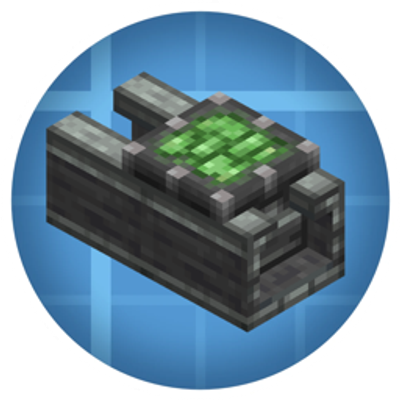
CurseForge · Minecraft mod
Create: Linear Bearing
This mod adds a working linear bearing for Create Aeronautics.
Choose a version Pick your version below, then grab the matching file.
Quick answer
Which Create: Linear Bearing release should I use?
Latest stable file linearbearing-1.2.6.jar
Game version 1.21.1
Loader NeoForge
Create: Linear Bearing linearbearing-1.2.6.jar targets 1.21.1 with NeoForge. The project page does not say whether this file belongs on the client, dedicated server, or both. No extra mods listed for this file.
Where it goes
Is Create: Linear Bearing required on the client, server, or both?
The project page does not say whether this file belongs on the client, dedicated server, or both.
Client Source doesn’t say
Dedicated server Source doesn’t say
Loader for this release NeoForge
Required install it here Optional supported, not mandatory Not supported do not install here Source doesn’t say do not assume
The source does not explicitly classify this release as client-only or server-only.
What else does Create: Linear Bearing linearbearing-1.2.6.jar need?
linearbearing-1.2.6.jar. Change the file and its required mods may change too.
This file does not list any required mods. Do not add a library just because a different file uses it.
This file does not list any required or optional mods.
Before you install it
Add Create: Linear Bearing without breaking your instance.
Built for Create: Linear Bearing linearbearing-1.2.6.jar. Pick another file and the loader, install side or required mods may change.
- 01
Stick to this file
Use linearbearing-1.2.6.jar. It targets 1.21.1 with NeoForge; another release may have different loader, side or dependency requirements.
- 02
Bring the mods it needs
This file does not list any required mods. Do not add a library just because a different file uses it.
- 03
Put it on the correct side
The project page does not say whether this file belongs on the client, dedicated server, or both.
- 04
Pick the file you checked
Use the “Get this file” button beside linearbearing-1.2.6.jar. It opens that exact file at the source.
About this project
What does Create: Linear Bearing add?
Create: Linear Bearing — True Physics-Based Sliders!
Hey everyone! If you are playing with Create Aeronautics, you already know how awesome it is to build moving vehicles and airships. But there was always one missing piece: a reliable way to make stable, physics-based linear sliders, cranes, and elevators that hook directly into the world physics.
Create: Linear Bearing solves this perfectly for NeoForge 1.21.1. It allows you to transform any glued block structure into a fully physics-driven sliding mechanism using the power of the Sable engine!
⚙️ What does this mod do?
This mod adds two core components: the Linear Bearing and its track, the Linear Casing. Together, they allow you to create real physics-based joints that snap seamlessly into your builds.
Smart Multi-Block Assembly: Build your rail out of Linear Casings, place the bearing, and build any structure on top. Use Create's Super Glue or vanilla Honey Blocks to secure it, then right-click the bearing with an empty hand.
True Physics Sub-Levels: The mod automatically scans your glued structure, calculates its center of mass, and instantly converts it into a true physical Sable sub-level object.
Pixel-Perfect Spawning: The technical carriage model spawns flawlessly inside the C-shaped groove of the rail channel. No weird gaps, no clipping, and no ghost blocks left behind. It behaves like a built-in feature of the base Create mod.
Works with empty space: Just want a standalone hovering rail joint? Right-click an empty bearing, and a single physical carriage block will immediately spawn and break free into physics space on its own.
Immersive Audio: The assembly process triggers original heavy industrial clanking sound effects (simulated:block.physics_assembler.assemble) right at the center of the block.
🛠️ Requirements
- Create
- Create Aeronautics
- Sable
💬 Future Plans
Right now, the assembled carriage acts as a completely free-moving physical joint. I am currently working on implementing axis-locking mechanics to restrict the slider movement entirely along the rail path, as well as a disassembly system to safely snap the flying physical grids back into regular world blocks. Have fun building your advanced elevators and cranes! Let me know what you think or if you catch any bugs in the comments! 🦾🚀
Project description from CurseForge.
Pick your setup
Create: Linear Bearing by Minecraft version and loader
Choose the version and loader you play, then open the matching release.
Check the dependencies, then try the file in a copied instance before changing a world you care about.
Recent files
Create: Linear Bearing versions and loaders
linearbearing-1.2.6.jar
1 Jun 2026
Client Source doesn’t say Server Source doesn’t say Dependencies No extras listed Listed on Release listing
Check the 1.21.1 · NeoForge setup 1.21.1NeoForge release
linearbearing-1.1.1.jar
28 May 2026
Client Source doesn’t say Server Source doesn’t say Dependencies No extras listed Listed on Release listing
Check the 1.21.1 · NeoForge setup 1.21.1NeoForge release
Looking for an older file? The official CurseForge project page is in Resources.
 mod
mod CurseForge · Minecraft
StaTech Companion
Companion mod for the StaTech Industry modpack
 mod
mod CurseForge · Minecraft
Create: Odometer
Adds a nixie-style odometer for Create: Aeronautics ships, tracking lifetime mileage and two resettable trip counters
 mod
mod CurseForge · Minecraft
OverForged (Overgeared AutoCompat)
OverForged is an addon for overgeared that scans automatically for armors/weapons and converts the recipe from crafting table to forging