Minecraft version
Back to mods 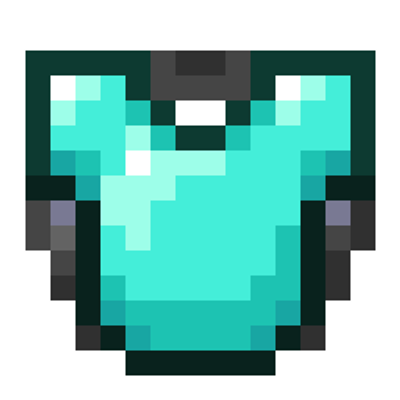
CurseForge · Minecraft mod
Glideplate
Allows chestplates and Elytra to be combined in an anvil without XP costs or prior-work penalties.
Choose a version Pick your version below, then grab the matching file.
Quick answer
Which Glideplate release matches 26.1.2?
Best match for your filters glideplate-1.1.2.jar
Game version 26.1.2
Loader Fabric
glideplate-1.1.2.jar targets 26.1.2 with Fabric. The project page does not say whether this file belongs on the client, dedicated server, or both. No extra mods listed for this file.
Where it goes
Is Glideplate required on the client, server, or both?
The project page does not say whether this file belongs on the client, dedicated server, or both.
Client Source doesn’t say
Dedicated server Source doesn’t say
Loader for this release Fabric
Required install it here Optional supported, not mandatory Not supported do not install here Source doesn’t say do not assume
The source does not explicitly classify this release as client-only or server-only.
What else does glideplate-1.1.2.jar need?
glideplate-1.1.2.jar on 26.1.2. Every mod below is checked against that same setup.
This file does not list any required mods. Do not add a library just because a different file uses it.
This file does not list any required or optional mods.
Before you install it
Add Glideplate without breaking your instance.
Built for glideplate-1.1.2.jar on 26.1.2. Pick another file and the loader, install side or required mods may change.
- 01
Stick to this file
Use glideplate-1.1.2.jar. It targets 26.1.2 with Fabric; another release may have different loader, side or dependency requirements.
- 02
Bring the mods it needs
This file does not list any required mods. Do not add a library just because a different file uses it.
- 03
Put it on the correct side
The project page does not say whether this file belongs on the client, dedicated server, or both.
- 04
Pick the file you checked
Use the “Get this file” button beside glideplate-1.1.2.jar. It opens that exact file at the source.
About this project
What does Glideplate add?
Languages
Glideplate
A server-side and client-side Fabric mod that lets players combine a chestplate with an elytra, then gives the resulting item proper Glideplate visuals.
Place a chestplate in the left anvil slot and an elytra in the right slot. The output keeps the chestplate as armor, adds gliding support, and carries item data that identifies it as a Glideplate.
When installed on the client, Glideplate also improves the appearance of marked chestplates: the item model shows an elytra under the chestplate, and equipped Glideplates render with elytra wings.
Features
- Supports leather, copper, chainmail, iron, golden, diamond and netherite chestplates
- Combines only in one direction: chestplate on the left, elytra on the right
- Keeps the chestplate's durability, enchantments, trims and other item data
- Ignores the elytra's durability, damage and enchantments
- Updates marked chestplate item models with an elytra-and-chestplate appearance
- Keeps normal chestplates rendering normally
- Shows elytra wings when a marked chestplate is equipped
- Adds localized item names and tooltip text with English fallback text
- Costs no XP and does not add anvil prior-work penalty
- Works on dedicated servers
Usage
Use an anvil:
- Put a supported chestplate in the left slot.
- Put an elytra in the right slot.
- Take the Glideplate output.
The output item remains a chestplate, but it can also be used for elytra gliding.
Compatibility
Glideplate can be installed on servers, clients, or both.
Install it on the server to enable anvil crafting and gameplay support. Players do not need the mod installed to join, but without the mod on their client, Glideplates will render like regular chestplates.
Install it on the client to see enhanced Glideplate item models and equipped elytra wings.
Supported Versions
- Minecraft 26.3
- Fabric Loader 0.19.5+
- Fabric API 0.160.5+
- Java 25
License
MIT
Project description from CurseForge.
Pick your setup
Glideplate by Minecraft version and loader
Choose the version and loader you play, then open the matching release.
Minecraft version
26.1.2
1 loader buildMinecraft version
1.21.11
1 loader buildCheck the dependencies, then try the file in a copied instance before changing a world you care about.
Recent files
Glideplate versions and loaders
glideplate-1.1.2.jar
20 Jul 2026
Client Source doesn’t say Server Source doesn’t say Dependencies No extras listed Listed on Release listing
Check the 26.1.2 · Fabric setup Fabric26.1.2 release
glideplate-1.1.1.jar
2 Jun 2026
Client Source doesn’t say Server Source doesn’t say Dependencies No extras listed Listed on Release listing
Check the 26.1.2 · Fabric setup Fabric26.1.2 release
glideplate-1.1.0.jar
1 Jun 2026
Client Source doesn’t say Server Source doesn’t say Dependencies No extras listed Listed on Release listing
Check the 26.1.2 · Fabric setup Fabric26.1.2 release
Looking for an older file? The official CurseForge project page is in Resources.
 mod
CurseForge + Modrinth · Minecraft
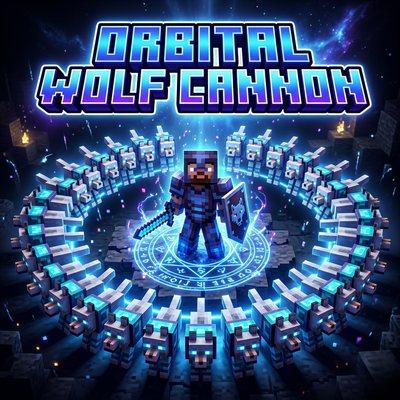
Orbital Wolf Cannon
Summon 48 powerful wolves in a perfect circle around you and unleash chaos on your enemies.
 mod
CurseForge + Modrinth · Minecraft
TheZenithSword
Adding the Zenith Sword to Minecraft, use it to attack groups of enemies from a distance.
 mod
CurseForge · Minecraft
Re:XrayAndSuperTools(X光与超级工具:重生)
This is a mod with overpowered equipment and tools, or rather, a "salty fish" mod. It is inspired by the classic old mod Super Tools.(这是一个带有超模装备与工具的模组,或者说咸鱼模组。灵感来自经典老模组Super Tools。)