Minecraft version
Back to mods 
CurseForge · Minecraft mod
Version World Sorter
Hides save worlds that don't match your current Minecraft version from the world selection screen.
Choose a version Pick your version below, then grab the matching file.
Quick answer
Which Version World Sorter release matches 26.3 NeoForge?
beta file Version World Sorter v0.0.3
Game version 1.21, 1.21.8, 1.20.5
Loader Fabric, Forge, NeoForge
Version World Sorter v0.0.3 targets 1.21, 1.21.8, 1.20.5 with Fabric, Forge, NeoForge. The project page does not say whether this file belongs on the client, dedicated server, or both. No extra mods listed for this file.
Where it goes
Is Version World Sorter required on the client, server, or both?
The project page does not say whether this file belongs on the client, dedicated server, or both.
Client Source doesn’t say
Dedicated server Source doesn’t say
Loader for this release Fabric, Forge, NeoForge
Required install it here Optional supported, not mandatory Not supported do not install here Source doesn’t say do not assume
The source does not explicitly classify this release as client-only or server-only.
What else does Version World Sorter v0.0.3 need?
Version World Sorter v0.0.3 on 26.3 NeoForge. Every mod below is checked against that same setup.
This file does not list any required mods. Do not add a library just because a different file uses it.
This file does not list any required or optional mods.
Before you install it
Add Version World Sorter without breaking your instance.
Built for Version World Sorter v0.0.3 on 26.3 NeoForge. Pick another file and the loader, install side or required mods may change.
- 01
Stick to this file
Use Version World Sorter v0.0.3. It targets 1.21, 1.21.8, 1.20.5 with Fabric, Forge, NeoForge; another release may have different loader, side or dependency requirements.
- 02
Bring the mods it needs
This file does not list any required mods. Do not add a library just because a different file uses it.
- 03
Put it on the correct side
The project page does not say whether this file belongs on the client, dedicated server, or both.
- 04
Pick the file you checked
Use the “Get this file” button beside Version World Sorter v0.0.3. It opens that exact file at the source.
About this project
What does Version World Sorter add?
Version World Sorter
A client-side mod that hides save worlds which don't match your current Minecraft version from the world selection screen. Supports Fabric, Forge, and NeoForge.
It is a companion to Version Mod Sorter. Because VMS keeps mods for many Minecraft versions in one shared mods folder, every save world stays visible from every version, and opening a world with the wrong version can corrupt it. Version World Sorter keeps worlds that don't fit the current version out of sight to prevent this. The two work well together, but either can also be used on its own.
How It Works
Open the world selection screen. A toggle button appears to the right of the search box, and pressing it cycles through three display modes:
- Exact — shows only worlds that exactly match the current Minecraft version.
- Compatible — shows worlds at the current version or older, and hides worlds created in a newer version (which would be downgraded — the main corruption risk).
- All — shows every world, the same as vanilla.

On each launch, the mod automatically starts in the first mode that isn't empty, and the toggle skips any mode that would show no worlds. The selected mode is not saved and resets on the next launch.
Features
- Works with Fabric, Forge, and NeoForge — a single jar supports all three
- Three display modes: Exact, Compatible, and All
- Client-side only — no effect on servers
Requirements
- Minecraft 1.20.5+ (Forge is 1.20.6+, since Forge has no 1.20.5 release)
- Fabric Loader 0.15.0+ / Forge 50+ / NeoForge 20.5+
Notes
- Hidden worlds are never deleted or altered — they are only filtered out of the on-screen list. Switching to All brings them all back.
- A major Minecraft version update may cause this mod to stop working, but it will never affect the game or your worlds.
Project description from CurseForge.
Pick your setup
Version World Sorter by Minecraft version and loader
Choose the version and loader you play, then open the matching release.
Minecraft version
26.2
3 loader buildsMinecraft version
26.1.2
3 loader buildsMinecraft version
26.1.1
3 loader buildsMinecraft version
26.1
3 loader buildsMinecraft version
1.21.11
3 loader buildsMinecraft version
1.21.10
3 loader buildsMinecraft version
1.21.9
3 loader buildsMinecraft version
1.21.8
3 loader buildsMinecraft version
1.21.7
3 loader buildsMinecraft version
1.21.6
3 loader buildsMinecraft version
1.21.5
3 loader buildsShowing the newest 12 of 19 game versions. Older files are in the list below.
Check the dependencies, then try the file in a copied instance before changing a world you care about.
Recent files
Version World Sorter versions and loaders
Version World Sorter v0.0.3
version-world-sorter-0.0.3.jar
23 Jun 2026
Client Source doesn’t say Server Source doesn’t say Dependencies No extras listed Listed on Release listing
Check the 26.3 · NeoForge setup 1.21Fabric1.21.81.20.5 beta
Looking for an older file? The official CurseForge project page is in Resources.
 mod
mod CurseForge · Minecraft
Peterwolf's Ocean Cruiser Sail Yacht (Ocean Cruiser 72)
A true 22-block modern ocean-going cruising yacht with a 3-block draft keel, fully furnished panoramic saloon, working transom │ tender davit, twin helms, and authentic sailing physics.
 mod
mod CurseForge · Minecraft
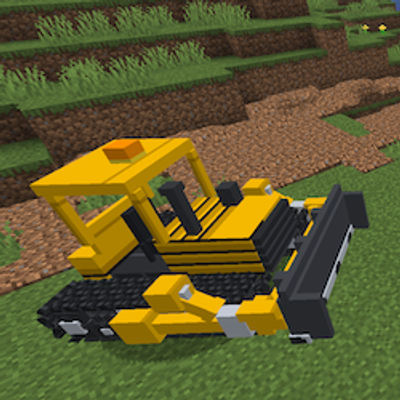
PeterWolf's Groundworks Bulldozer
A fully controllable bulldozer designed for pushing, spreading and leveling granular terrain. Move large amounts of material using an adjustable front blade.
 mod
mod CurseForge · Minecraft
Peterwolf's groundworks conveyor belt
The conveyor belt allows continuous bulk transport of Groundworks granular aggregate (Dirt, Sand, Gravel) between excavation sites