Modern UI Optional for Music HUD music_hud-neoforge-1.3.0-alpha-2+1.21.11.jar
optionalNo matching file

CurseForge · Minecraft mod
Enjoy music in all situations powered by Netease Cloud Music (NCM) | 基于网易云的全场景音乐模组
Quick answer
Music HUD music_hud-neoforge-1.3.0-alpha-2+1.21.11.jar targets 1.21.11 with NeoForge. The project page does not say whether this file belongs on the client, dedicated server, or both. No extra mods listed for this file.
Where it goes
The project page does not say whether this file belongs on the client, dedicated server, or both.
The source does not explicitly classify this release as client-only or server-only.
music_hud-neoforge-1.3.0-alpha-2+1.21.11.jar. Change the file and its required mods may change too.
This file does not list any required mods. Do not add a library just because a different file uses it.
We only count dependency files that match this setup. A file for another loader does not fill the gap.
Before you install it
Built for Music HUD music_hud-neoforge-1.3.0-alpha-2+1.21.11.jar. Pick another file and the loader, install side or required mods may change.
Use music_hud-neoforge-1.3.0-alpha-2+1.21.11.jar. It targets 1.21.11 with NeoForge; another release may have different loader, side or dependency requirements.
This file does not list any required mods. Do not add a library just because a different file uses it.
The project page does not say whether this file belongs on the client, dedicated server, or both.
Use the “Get this file” button beside music_hud-neoforge-1.3.0-alpha-2+1.21.11.jar. It opens that exact file at the source.
About this project
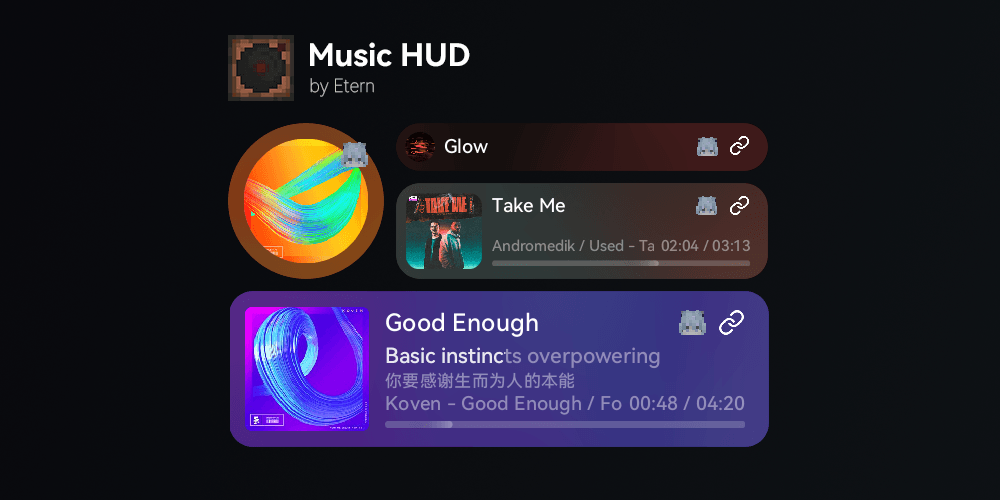
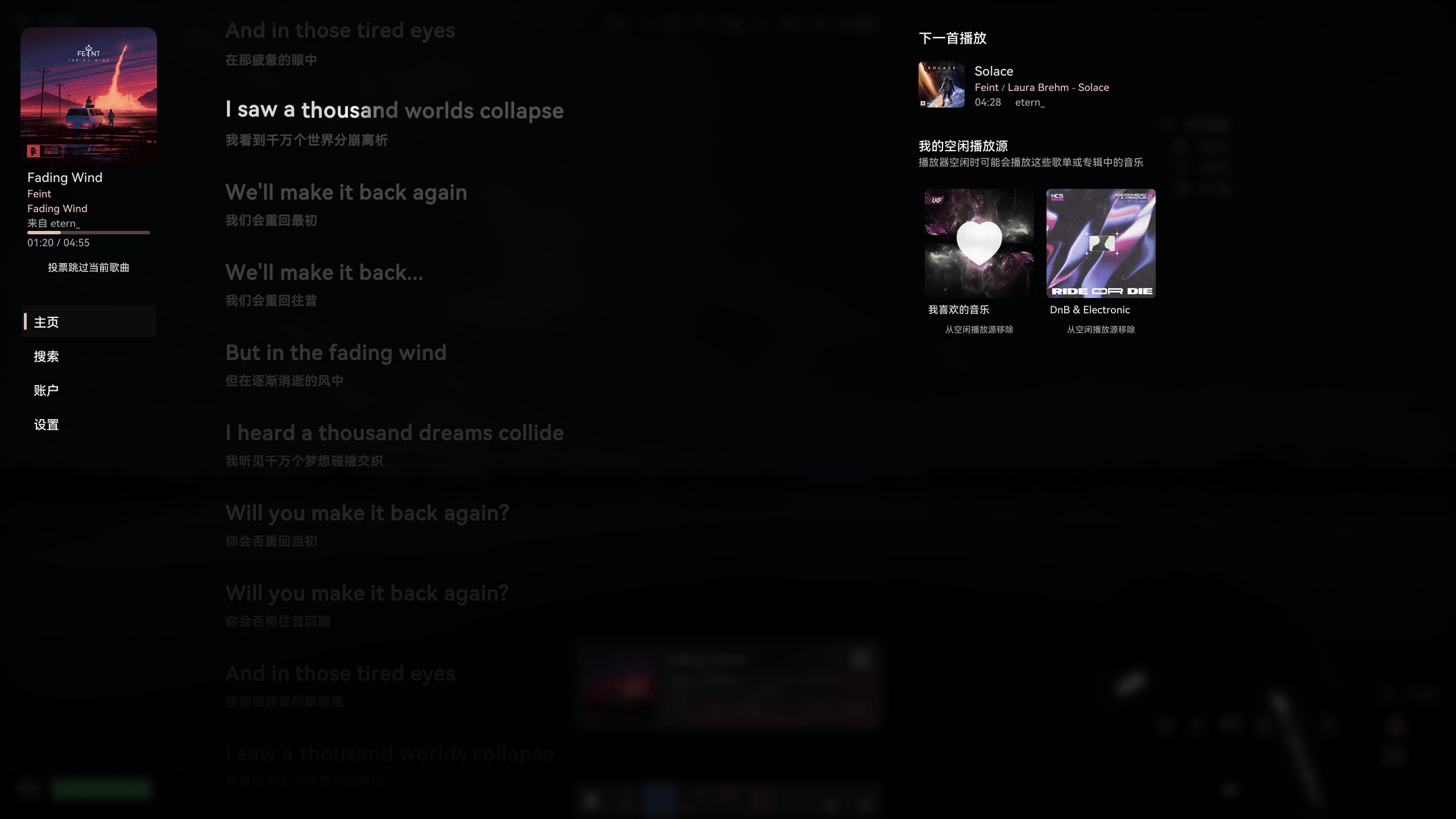
Due to service scope provided by NetEase, this mod might not work well outside China
First-party Plugin Edition
Third-party Bukkit plugin 1 (1.0.5 stable -)
Third-party Bukkit plugin 2 (1.1.4 hotfix +, now partly merged into main repository)
First of all, place the prerequisite mods and the MusicHud jar file into the mods folder.
All you need is to configure or deploy an API server.
You don't need to configure or deploy an API server, but the server or LAN multiplayer host needs to configure or deploy MusicHUD and API server.
All you need is to configure or deploy an API server.
All you need is to configure or deploy an API server.
There are 2 methods to deploy.
This method allows MusicHUD to manage lifecycle of api server.
Due to some limitations, API Server may not be auto-closed when game exit abnormal (e.g., due to a crash)
You can find "Download API…" button in setting page, which will open a download guide, and download NetEase Cloud Music Enhanced from a trusted repository which automatically releases artifact powered by GitHub Actions to bypass login restrictions of accessing artifacts from GitHub Actions, with optional GH Proxy speedup
{corepath}/music-hud/ and rename it to api (api.exe on Windows){corepath}/ and rename it to api (api.exe on Windows)serverApiBinaryExecutablePath (absolute or relative path) in config file /config/music_hud-common.toml.serverApiBaseUrl property in the config file /config/music_hud-server.toml.Experimentally, theres another Rust version API server, which remains most of api-port same with NodeJS version but is much faster. MusicHUD Adapted to it since 1.2.13. You can find binary executible files in its release page. But theres still some issues in this api server edition. So use it at your own risk.
插件版
第三方 Bukkit 插件实现 1 (1.0.5 stable -)
第三方 Bukkit 插件实现 2 (1.1.4 hotfix +,目前已部分合并至主仓库)
首先在 mods 文件夹中放入前置 mod 和 MusicHud 的 jar 文件
只需要配置/部署 API 服务器
不需要配置/部署 API 服务器
但是需要服务器/局域网主机配置/部署 MusicHUD 和 API 服务器
只需要配置/部署 API 服务器
只需要部署 API 服务器
两种方法
这个方法会让 MusicHUD 管理 API 服务器生命周期
由于一些限制,在游戏非正常退出时(如崩溃)无法自动结束进程
在设置页面中的 API 状态一栏中可找到“下载 API…”按钮,可打开一个下载指引,会从一个通过 GitHub Actions 自动发布 release 的可信的分支仓库下载 NetEase Cloud Music Enhanced 以绕过访问 GitHub Actions 工件的登录限制,可选使用 GH Proxy 加速下载
api (对于 Windows 为 api.exe)/config/music_hud-common.toml中修改选项 serverApiBinaryExecutablePath 对应(绝对/相对)目录/config/music_hud-server.toml的 serverApiBaseUrl 属性实验性地,有另一个Rust 版本的 API 服务器,保持了大部分 API 端点不变,但比 NodeJS 版本快得多。Music HUD 已在 1.2.13 实现对其兼容。可以在它的 Release 页中找到二进制可执行文件。但它仍然有一些问题。使用前请考虑风险
Project description from CurseForge.
Pick your setup
Choose the version and loader you play, then open the matching release.
Check the dependencies, then try the file in a copied instance before changing a world you care about.
Recent files
22 Aug 2026
22 Aug 2026
22 Aug 2026
22 Aug 2026
22 Aug 2026
22 Aug 2026
music_hud-neoforge-1.3.0-alpha-2+26.2.jar
22 Aug 2026
music_hud-fabric-1.3.0-alpha-2+26.2.jar
22 Aug 2026
music_hud-neoforge-1.3.0-alpha-2+26.1-26.1.2.jar
22 Aug 2026
music_hud-fabric-1.3.0-alpha-2+26.1-26.1.2.jar
22 Aug 2026
music_hud-neoforge-1.3.0-alpha-2+1.21.6-8.jar
22 Aug 2026
music_hud-fabric-1.3.0-alpha-2+1.21.6-8.jar
22 Aug 2026
Looking for an older file? The official CurseForge project page is in Resources.
 mod
modCasting Tools is an addon to casting that aims to provide tool and equipment modifying using casting
 mod
modPack resource and data packs into profiles with multiple selection, drag and drop, and extended mouse and keyboard controls.
 mod
modCustomizable communcation between minecraft chat + advancements and discord.