Minecraft version
Back to mods 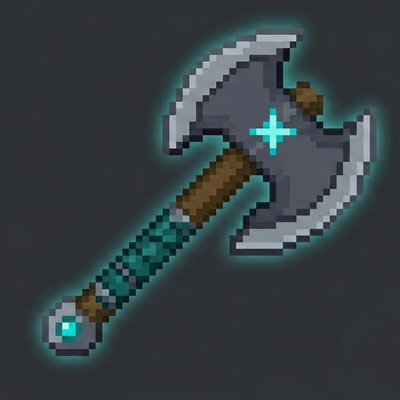
CurseForge · Minecraft mod
GuardSyn
GuardSyn, Extra Minecraft komutları Sağlar. NeoForge 1.21.8 Desteklidir. Yararlı Minecraft Java komutları Sağlar.
Choose a version Pick your version below, then grab the matching file.
Quick answer
Which GuardSyn release should I use?
Latest stable file guardsyn-1.0.1 neoforge-1.21.8
Game version 1.21.8
Loader NeoForge
guardsyn-1.0.1 neoforge-1.21.8 targets 1.21.8 with NeoForge. The project page does not say whether this file belongs on the client, dedicated server, or both. No extra mods listed for this file.
Where it goes
Is GuardSyn required on the client, server, or both?
The project page does not say whether this file belongs on the client, dedicated server, or both.
Client Source doesn’t say
Dedicated server Source doesn’t say
Loader for this release NeoForge
Required install it here Optional supported, not mandatory Not supported do not install here Source doesn’t say do not assume
The source does not explicitly classify this release as client-only or server-only.
What else does guardsyn-1.0.1 neoforge-1.21.8 need?
guardsyn-1.0.1 neoforge-1.21.8. Change the file and its required mods may change too.
This file does not list any required mods. Do not add a library just because a different file uses it.
This file does not list any required or optional mods.
Before you install it
Add GuardSyn without breaking your instance.
Built for guardsyn-1.0.1 neoforge-1.21.8. Pick another file and the loader, install side or required mods may change.
- 01
Stick to this file
Use guardsyn-1.0.1 neoforge-1.21.8. It targets 1.21.8 with NeoForge; another release may have different loader, side or dependency requirements.
- 02
Bring the mods it needs
This file does not list any required mods. Do not add a library just because a different file uses it.
- 03
Put it on the correct side
The project page does not say whether this file belongs on the client, dedicated server, or both.
- 04
Pick the file you checked
Use the “Get this file” button beside guardsyn-1.0.1 neoforge-1.21.8. It opens that exact file at the source.
About this project
What does GuardSyn add?
📖 User Guide: How to Use GuardSyn
If you are an operator or server admin, here is how you can use GuardSyn to protect your server:
1. Getting Started
/guardsyn: Use this command to verify if the mod is running correctly. It will confirm the system is active./guardsyn get: This will grant you the GuardSyn Selection Axe. This tool is essential for defining the borders of your protected zones.
2. Protecting Regions
Step 1: Hold the GuardSyn Selection Axe and Left-Click a block to define the first corner (Pos 1).
Step 2: Right-Click another block to define the second corner (Pos 2).
Step 3: Type
/guardsyn deny. This command locks the selected area. Now, no one without operator permissions can break or place blocks within that zone!
3. Automatic Features
- PvP Death Announcements: You don't need to type any commands for this! Once the mod is installed, it automatically tracks PvP encounters. Whenever a player dies, the server will display a color-coded message in the chat, detailing who won the fight and what gear they used.
💡 Admin Tips:
Make sure you have operator permissions (OP) to use these commands.
If you find an area is no longer needed to be protected, simply select new coordinates or reset the zone.
Project description from CurseForge.
Pick your setup
GuardSyn by Minecraft version and loader
Choose the version and loader you play, then open the matching release.
Check the dependencies, then try the file in a copied instance before changing a world you care about.
Recent files
GuardSyn versions and loaders
guardsyn-1.0.1 neoforge-1.21.8
guardsyn-1.0.1-neoforge-1.21.8.jar
29 May 2026
Client Source doesn’t say Server Source doesn’t say Dependencies No extras listed Listed on Release listing
Check the 1.21.8 · NeoForge setup 1.21.8NeoForge release
ERROR VERSION NOT DOWNLOAD
guardsyn-1.0.0-neoforge-1.21.8.jar
29 May 2026
Client Source doesn’t say Server Source doesn’t say Dependencies No extras listed Listed on Release listing
Check the 1.21.8 · NeoForge setup 1.21.8NeoForge release
Looking for an older file? The official CurseForge project page is in Resources.