Minecraft version
Back to mods 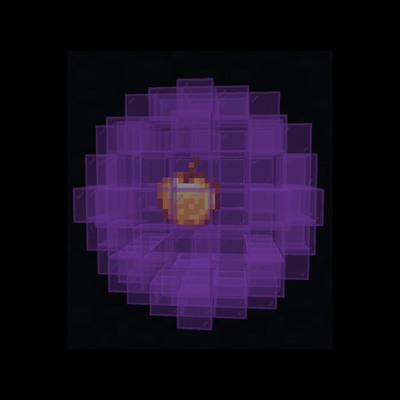
CurseForge · Minecraft mod
Bubbled
Adds bubbles that can hold your items and be sent back home with a flick of your wrist. Inspired by Steven Universe.
Choose a version Pick your version below, then grab the matching file.
Quick answer
Which Bubbled release should I use?
Latest stable file bubbled-1.0.0.jar
Game version 1.20.1
Loader Forge, NeoForge
bubbled-1.0.0.jar targets 1.20.1 with Forge, NeoForge. The project page does not say whether this file belongs on the client, dedicated server, or both. No extra mods listed for this file.
Where it goes
Is Bubbled required on the client, server, or both?
The project page does not say whether this file belongs on the client, dedicated server, or both.
Client Source doesn’t say
Dedicated server Source doesn’t say
Loader for this release Forge, NeoForge
Required install it here Optional supported, not mandatory Not supported do not install here Source doesn’t say do not assume
The source does not explicitly classify this release as client-only or server-only.
What else does bubbled-1.0.0.jar need?
bubbled-1.0.0.jar. Change the file and its required mods may change too.
This file does not list any required mods. Do not add a library just because a different file uses it.
This file does not list any required or optional mods.
Before you install it
Add Bubbled without breaking your instance.
Built for bubbled-1.0.0.jar. Pick another file and the loader, install side or required mods may change.
- 01
Stick to this file
Use bubbled-1.0.0.jar. It targets 1.20.1 with Forge, NeoForge; another release may have different loader, side or dependency requirements.
- 02
Bring the mods it needs
This file does not list any required mods. Do not add a library just because a different file uses it.
- 03
Put it on the correct side
The project page does not say whether this file belongs on the client, dedicated server, or both.
- 04
Pick the file you checked
Use the “Get this file” button beside bubbled-1.0.0.jar. It opens that exact file at the source.
About this project
What does Bubbled add?

Bubbled
Bubble your items and send them home instantly!
A lightweight utility mod that lets you magically bubble up dropped items and teleport them back to a designated "home point" using a bubble wand.
✨ | Features
- Bubble Wand — A magical tool that lets you collect loose items with style
- Bubble Items — Right-click dropped items to encase them in bubbles
- Designated Return Point — Crouch + right-click any block to set a permanent "bubble home" attached to your bubble wand
- Instant Delivery — Bubble items and send them straight to your chosen return point
Perfect for mining sessions, mob farms, item sorting, or just making item collection less of a hassle!
📖 | Usage
- Craft the Bubble Wand
- Recipe: Two sticks + an emerald diagonally with the emerald in the top right corner of the crafting table.
- Set Your Bubble Point
- Crouch + Right-click any block with the wand
- This becomes your item return destination
- Bubble Items
- Right-click on dropped items to bubble them up
- Multiple items can be in the same bubble (as long as they're the same item)
- Send Them Home
- Right-click the bubbles (with or without the wand) to send them flying back to their destination. (works across dimensions)
Bubbled items are safely stored in the bubble until you decide to send (or pop) them.
🎨 | Gallery
Click the "Gallery" button at the top of the project page to view photos.
Compatibility
- Minecraft: 1.20.1 (1.21.1 coming soon)
- Forge + NeoForge
Installation
- Install Forge 1.20.1
- Download Bubbled from Modrinth
- Drop the
.jarinto yourmodsfolder
Enjoy cleaner inventory management and magical item transport!
Inspired by Cartoon Network's Steven Universe
Project description from CurseForge.
Pick your setup
Bubbled by Minecraft version and loader
Choose the version and loader you play, then open the matching release.
Check the dependencies, then try the file in a copied instance before changing a world you care about.
Recent files
Bubbled versions and loaders
bubbled-1.0.0.jar
31 May 2026
Client Source doesn’t say Server Source doesn’t say Dependencies No extras listed Listed on Release listing
Check the 1.20.1 · Forge setup 1.20.1ForgeNeoForge release
Looking for an older file? The official CurseForge project page is in Resources.
 mod
mod CurseForge + Modrinth · Minecraft
Locator Bar
Recreated concept of a player locator bar for Minecraft. Simple, clean bar at the top of your screen.
 mod
mod CurseForge · Minecraft
Chat-ulator
Chat-ulator is a simple client-side calculator for Minecraft chat.
 mod
mod CurseForge · Minecraft
Limn - Colored Block Outlines
Recolor the box drawn around the block you're looking at: any solid color you like, or a Rainbow that flows along the edges. Adjust opacity and line thickness . Client-side only, works with Mod Menu.