Fabric API Needed by playertrackerplus-1.0.2.jar
requiredMatching file found Matched file: [26.1.2] Fabric API 0.155.3+26.1.2
CurseForge · Minecraft mod
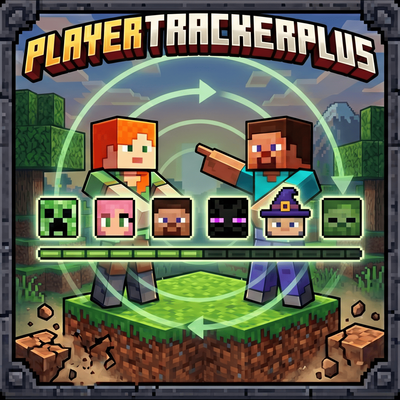
A client-side mod that enhances Minecraft's locator bar to display players' skin faces instead of generic dots.
Quick answer
playertrackerplus-1.0.2.jar targets 26.1, 26.1.1, 26.1.2 with Fabric. The project page does not say whether this file belongs on the client, dedicated server, or both. All 1 required mods have matching files.
Where it goes
The project page does not say whether this file belongs on the client, dedicated server, or both.
The source does not explicitly classify this release as client-only or server-only.
playertrackerplus-1.0.2.jar on 26.1.2 Fabric. Every mod below is checked against that same setup.
Install Fabric API first. We found matching files for this game-version and loader setup.
We only count dependency files that match this setup. A file for another loader does not fill the gap.
Before you install it
Built for playertrackerplus-1.0.2.jar on 26.1.2 Fabric. Pick another file and the loader, install side or required mods may change.
Use playertrackerplus-1.0.2.jar. It targets 26.1, 26.1.1, 26.1.2 with Fabric; another release may have different loader, side or dependency requirements.
Install Fabric API first. We found matching files for this game-version and loader setup.
The project page does not say whether this file belongs on the client, dedicated server, or both.
Use the “Get this file” button beside playertrackerplus-1.0.2.jar. It opens that exact file at the source.
About this project
Replace the boring locator-bar dots with each player's skin face.
Built for Minecraft Fabric. Pixel-perfect overlay, friends list, in-game UI.
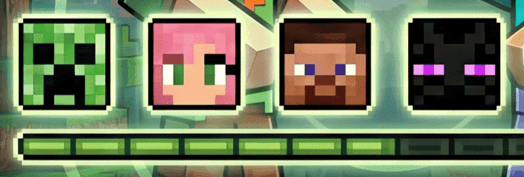
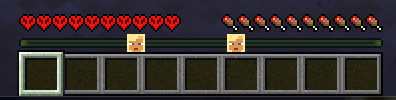
Minecraft's locator bar shows colored dots for nearby players, but you can't tell who's who at a glance. PlayerTrackerPlus replaces every dot with the actual skin face of that player, drawn pixel-perfect on top of the vanilla indicator.
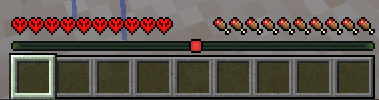
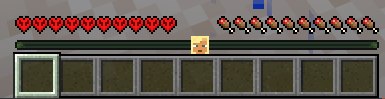
Left: vanilla colored dots. Right: same locator bar with PlayerTrackerPlus enabled.
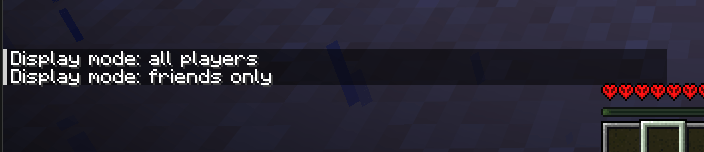
Press <kbd>F8</kbd> at any time to flip between show every player's face and show only my friends. A chat message confirms the change. The key is rebindable from Options → Controls → Misc.
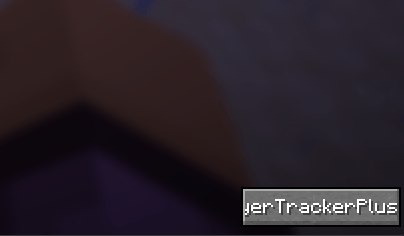
Open your inventory or the game menu (Esc). A new button labeled PlayerTrackerPlus appears in the bottom-right corner.
Clicking the button opens a modal with:
[+] = not a friend yet, [-] = already in your list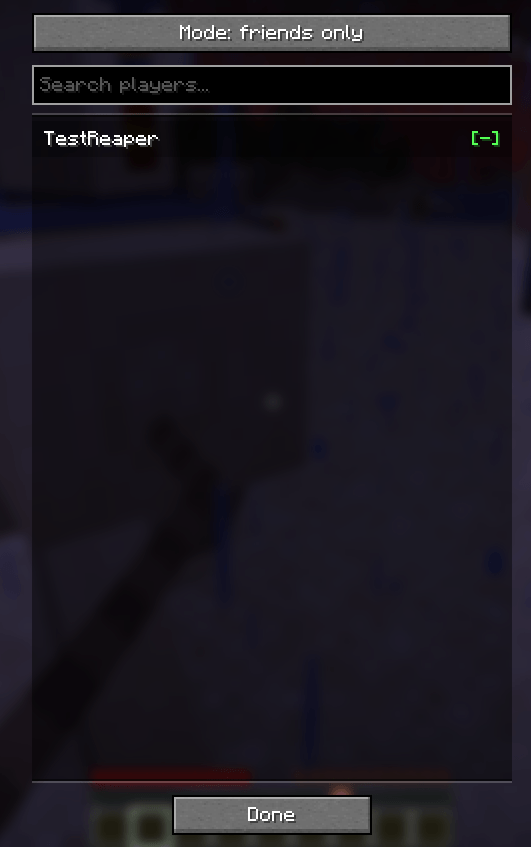
For keyboard lovers, the /playertrackerplus command does the same things:
/playertrackerplus add <name> — add a player to your friends list/playertrackerplus remove <name> — remove a player/playertrackerplus list — show your current friends/playertrackerplus mode all — show face for every player/playertrackerplus mode friends — show face only for friendsAll settings live in .minecraft/config/playertrackerplus.json. The file is created on first launch.
{
  "mode": "ALL_PLAYERS",          // or "FRIENDS_ONLY"
  "healthRowYOffset": 2,          // pixels to lift hearts/food/armor (0-40)
  "friends": [
    "vicxelcode",
    "reaperfxx"
  ]
}
Changes apply when you re-enter the world (no full Minecraft restart needed). Editing the JSON by hand is safe; the UI just writes the same file.
| Minecraft | Loader | Fabric API | Java |
|---|---|---|---|
| 1.21.6 | Fabric ≥ 0.16.10 | ≥ 0.127.0+1.21.6 | 21+ |
| 26.1.2 | Fabric ≥ 0.19.2 | ≥ 0.149.1+26.1.2 | 25+ |
Download the JAR matching your Minecraft version and drop it in .minecraft/mods/. Requires Fabric Loader and Fabric API.
Does it work on servers I don't own?
Yes. The mod is 100% client-side, no server install needed. Faces show for any player visible on the locator bar.
Does it work for players whose skin hasn't loaded?
If a player's skin isn't loaded yet (rare — usually means they're not on the tab list), the vanilla colored dot stays visible as a fallback.
Will it conflict with other HUD mods?
The mod only touches the locator-bar render and the health-row position. It should coexist with most HUD mods, but report any conflicts as an issue.
Is the friends list shared across servers?
Yes — it's stored in your Minecraft client config, so the same list applies on every server you join.
Built by vicxelcode for the Fabric community.
Issues, suggestions and pull requests welcome on the source repository.
If you enjoy the mod, leave a ⭐ and share it with your friends!
Project description from CurseForge.
Pick your setup
Choose the version and loader you play, then open the matching release.
Check the dependencies, then try the file in a copied instance before changing a world you care about.
Recent files
25 Jun 2026
4 Jun 2026
31 May 2026
Looking for an older file? The official CurseForge project page is in Resources.
 mod
Adds party pet health displays and friendly-fire protection for tamed mobs to Better Party.
 mod
More Berry Uses adds 14 new food items crafted from Sweet Berries and Glow Berries, giving them real uses beyond early-game snacking.
 mod
Pick a side — seven joinable factions, tracked reputation and long-term choices that reshape a whole playthrough of the Neroland universe.