Simple Voice Chat Needed by Militiw Radio militiwradio-1.20.1-1.0.0.jar
requiredMatching file found Matched file: [FORGE][1.20.1] Simple Voice Chat 1.20.1-2.6.26
CurseForge · Minecraft mod
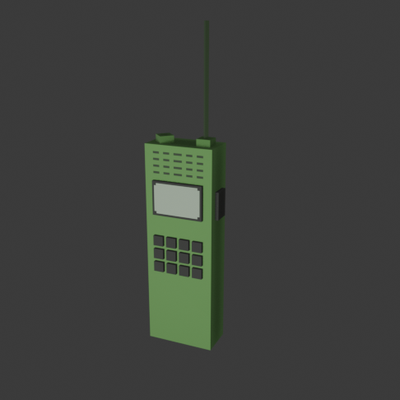
The mod adds functional tactical walkie talkie radio with frequency and channel settings.
Quick answer
Militiw Radio militiwradio-1.20.1-1.0.0.jar targets 1.20.1 with Forge. The project page does not say whether this file belongs on the client, dedicated server, or both. All 2 required mods have matching files.
Where it goes
The project page does not say whether this file belongs on the client, dedicated server, or both.
The source does not explicitly classify this release as client-only or server-only.
militiwradio-1.20.1-1.0.0.jar. Change the file and its required mods may change too.
Install Simple Voice Chat, Curios API first. We found matching files for this game-version and loader setup. 2 come through another mod in the chain.
2 extra mods were pulled in by other dependencies. Indented rows show who needs each one. We only count dependency files that match this setup. A file for another loader does not fill the gap.
Before you install it
Built for Militiw Radio militiwradio-1.20.1-1.0.0.jar. Pick another file and the loader, install side or required mods may change.
Use militiwradio-1.20.1-1.0.0.jar. It targets 1.20.1 with Forge; another release may have different loader, side or dependency requirements.
Install Simple Voice Chat, Curios API first. We found matching files for this game-version and loader setup. 2 come through another mod in the chain.
The project page does not say whether this file belongs on the client, dedicated server, or both.
Use the “Get this file” button beside militiwradio-1.20.1-1.0.0.jar. It opens that exact file at the source.
About this project
You can set the frequency on the walkie-talkie and assign it to a channel.
To toggle the walkie-talkie's power, press Shift-RMB (Sneak-RMB).
When you right-click while holding the walkie-talkie, its interface will open. The left and right arrows change the channel; to enter a frequency, press the numbers on the keyboard, then press Enter.
To speak on the radio, place it in the Curios slot and press the bind key (default: B). Use [ ] by default to switch channels, and press Home to open the active radio’s interface.
Project description from CurseForge.
Pick your setup
Choose the version and loader you play, then open the matching release.
Check the dependencies, then try the file in a copied instance before changing a world you care about.
Recent files
13 Jun 2026
Looking for an older file? The official CurseForge project page is in Resources.
 mod
modA minimap and world map drawn at an angle, like a model of your world on a table. Towers stand up, cliffs have faces and trees cast shadows.
 mod
modLunchWorlds is an expanding Forge mod made for the LunchButt modpack, bringing its world new bosses, structures, QoL features, gameplay systems, custom items, and more.
 mod
modA client (optionally server), highly configurable mod that adds simple 3D VFX on effect application!