Create Needed by Create: Geo-Resonance creategeoresonance-neoforge-1.21.1-1.1.1.jar
requiredMatching file found Matched file: Create 6.0.10 for mc1.21.1

CurseForge · Minecraft mod
Uncover the depths of the world with seismic prospecting!
Quick answer
Create: Geo-Resonance creategeoresonance-neoforge-1.21.1-1.1.1.jar targets 1.21.1 with NeoForge. The project page does not say whether this file belongs on the client, dedicated server, or both. All 1 required mods have matching files.
Where it goes
The project page does not say whether this file belongs on the client, dedicated server, or both.
The source does not explicitly classify this release as client-only or server-only.
creategeoresonance-neoforge-1.21.1-1.1.1.jar. Change the file and its required mods may change too.
Install Create first. We found matching files for this game-version and loader setup.
We only count dependency files that match this setup. A file for another loader does not fill the gap.
Before you install it
Built for Create: Geo-Resonance creategeoresonance-neoforge-1.21.1-1.1.1.jar. Pick another file and the loader, install side or required mods may change.
Use creategeoresonance-neoforge-1.21.1-1.1.1.jar. It targets 1.21.1 with NeoForge; another release may have different loader, side or dependency requirements.
Install Create first. We found matching files for this game-version and loader setup.
The project page does not say whether this file belongs on the client, dedicated server, or both.
Use the “Get this file” button beside creategeoresonance-neoforge-1.21.1-1.1.1.jar. It opens that exact file at the source.
About this project

This mod brings seismic prospecting to Create: strike terrain, follow returning echoes, read seismograms and generate projections of hidden treasures in your Minecraft world.
Find smarter, mine faster.
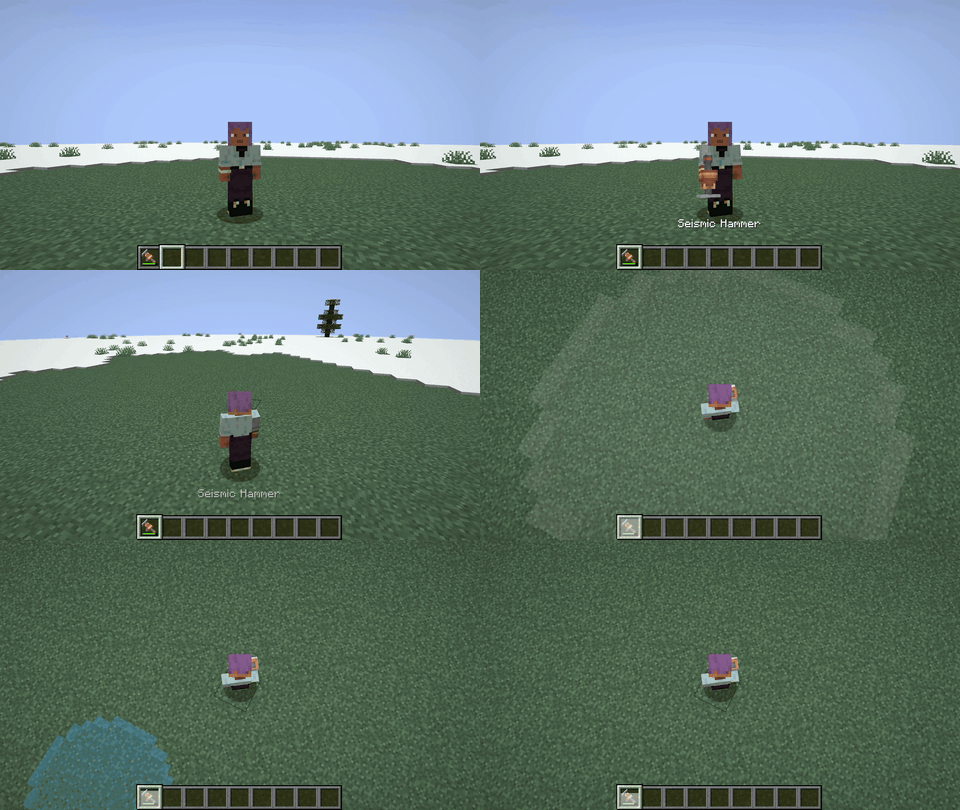
Use the Seismic Hammer to send pulses and read returns. Hand hammer can assist in finding caves, underground water or lava pools.
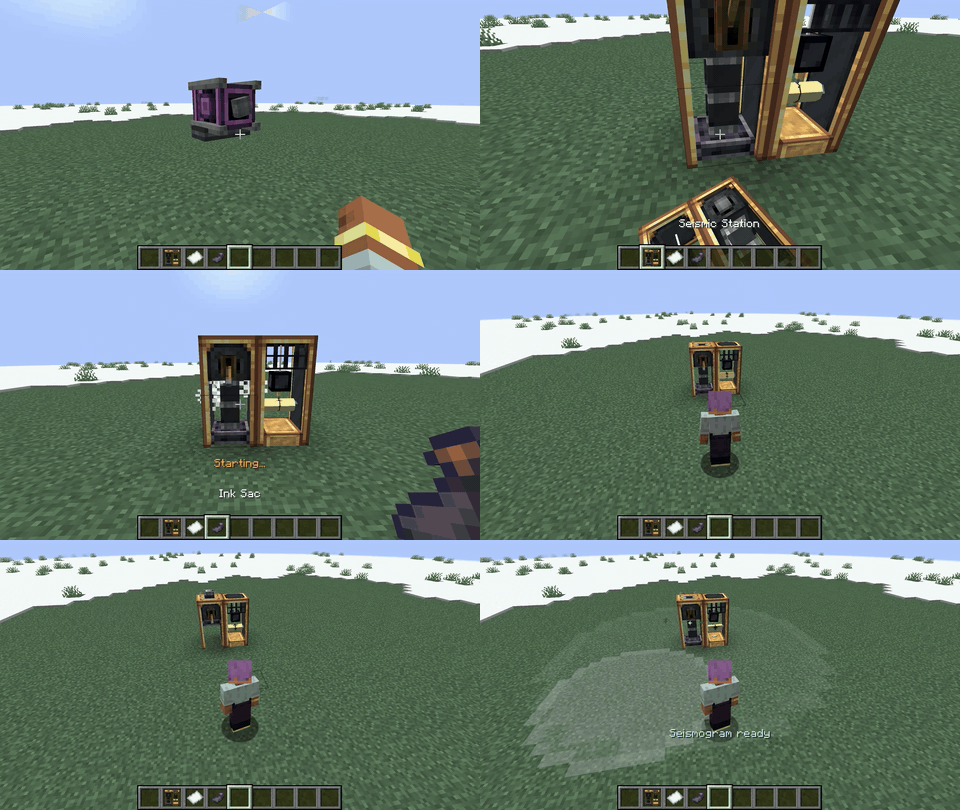
Power the Seismic Station, load paper + ink, run scans and collect seismograms - interactive maps of discovered resources.
Refine scan results with modules to focus on the valuables you need.
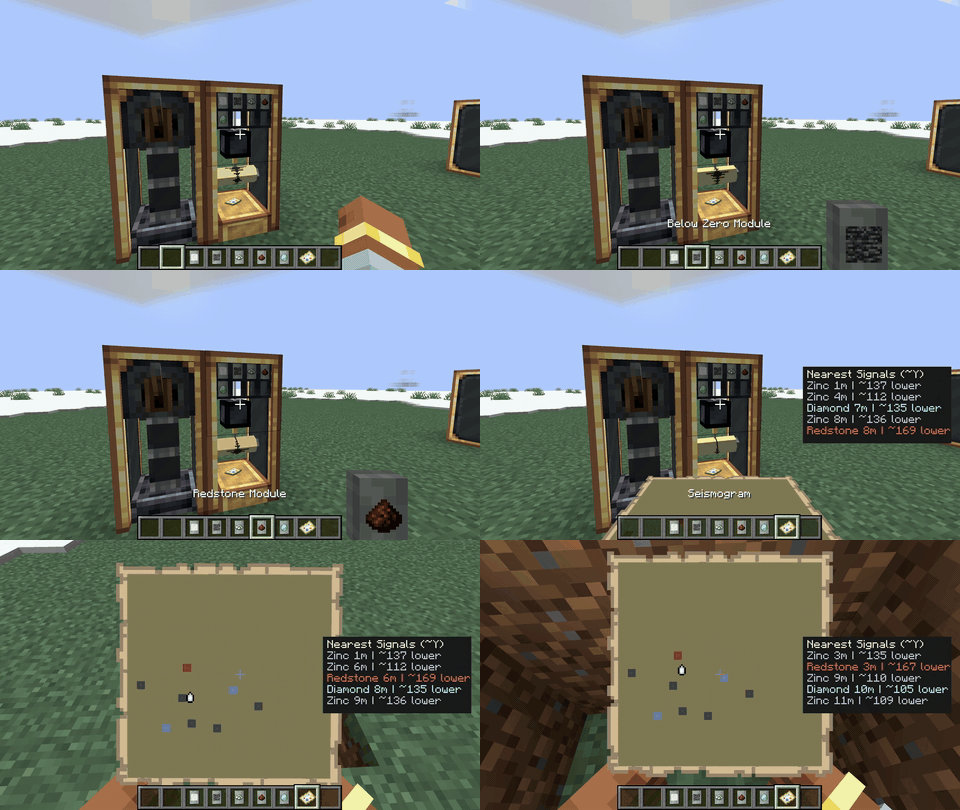
Y < 0).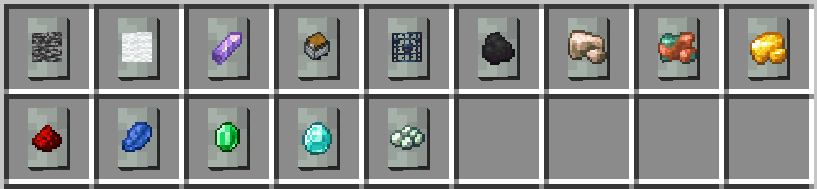
Load two valid seismograms into the Seismic Projector to generate underground projections.
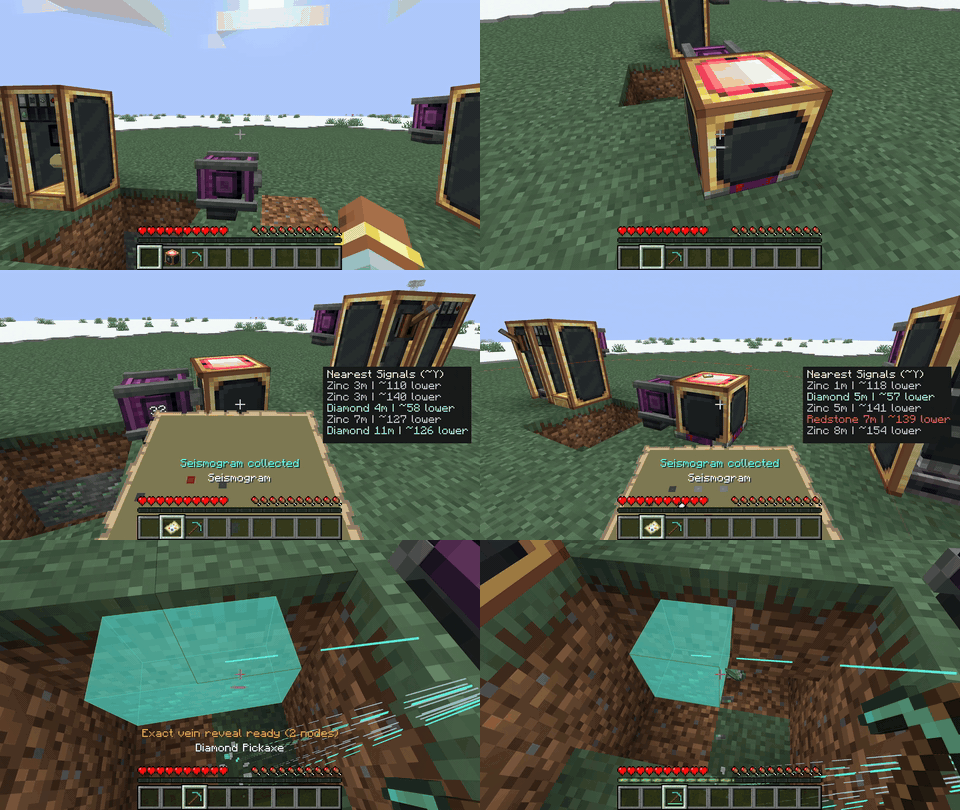
New in 1.1.0: Create trains can now carry working Seismic Stations and Projectors.
1.20.1ForgeCreate 6.x1.20.16.xmodsProject description from CurseForge.
Pick your setup
Choose the version and loader you play, then open the matching release.
Check the dependencies, then try the file in a copied instance before changing a world you care about.
Recent files
23 Sept 2026
23 Sept 2026
3 Jul 2026
27 Jun 2026
creategeoresonance-forge-1.20.1-1.0.0.jar
1 Jun 2026
31 May 2026
Looking for an older file? The official CurseForge project page is in Resources.
 mod
modHand-cranked and animal-powered machinery focusing on early game grinding, chopping, pressing, drying, and crushing. Leash horses, donkeys, or llamas to automate the line or generate Forge Energy. Data-driven recipes with full JEI, EMI, and Jade support.
 mod
modGuide your players through the ages. History Stages lets modpack creators lock items, recipes, dimensions, mobs, loot, and more behind custom research-based eras with full in-game tooling.
 mod
modYet another 1.20.1 AE2 addon for personal use.