YetAnotherConfigLib Needed by Jeff's Pets pets-mod-0.8.0-26.2-neo.jar
requiredMatching file found Matched file: 3.9.5 for neoforge 26.2
CurseForge · Minecraft mod
Adds completely client-sided pets to your game. Supports every vanilla mob, some custom ones, and will work on any server, including in singleplayer!
Quick answer
Jeff's Pets pets-mod-0.8.0-26.2-neo.jar targets 26.2 with NeoForge. The project page does not say whether this file belongs on the client, dedicated server, or both. 2 required mods need a matching file.
Where it goes
The project page does not say whether this file belongs on the client, dedicated server, or both.
The source does not explicitly classify this release as client-only or server-only.
pets-mod-0.8.0-26.2-neo.jar. Change the file and its required mods may change too.
Install YetAnotherConfigLib, Fabric API, Mod Menu, Cloth Config API (Fabric/Forge/NeoForge) first, but 2 required mods have no matching file for this setup. Do not mix loader builds to force a match.
We only count dependency files that match this setup. A file for another loader does not fill the gap.
Before you install it
Built for Jeff's Pets pets-mod-0.8.0-26.2-neo.jar. Pick another file and the loader, install side or required mods may change.
Use pets-mod-0.8.0-26.2-neo.jar. It targets 26.2 with NeoForge; another release may have different loader, side or dependency requirements.
Install YetAnotherConfigLib, Fabric API, Mod Menu, Cloth Config API (Fabric/Forge/NeoForge) first, but 2 required mods have no matching file for this setup. Do not mix loader builds to force a match.
The project page does not say whether this file belongs on the client, dedicated server, or both.
Use the “Get this file” button beside pets-mod-0.8.0-26.2-neo.jar. It opens that exact file at the source.
About this project






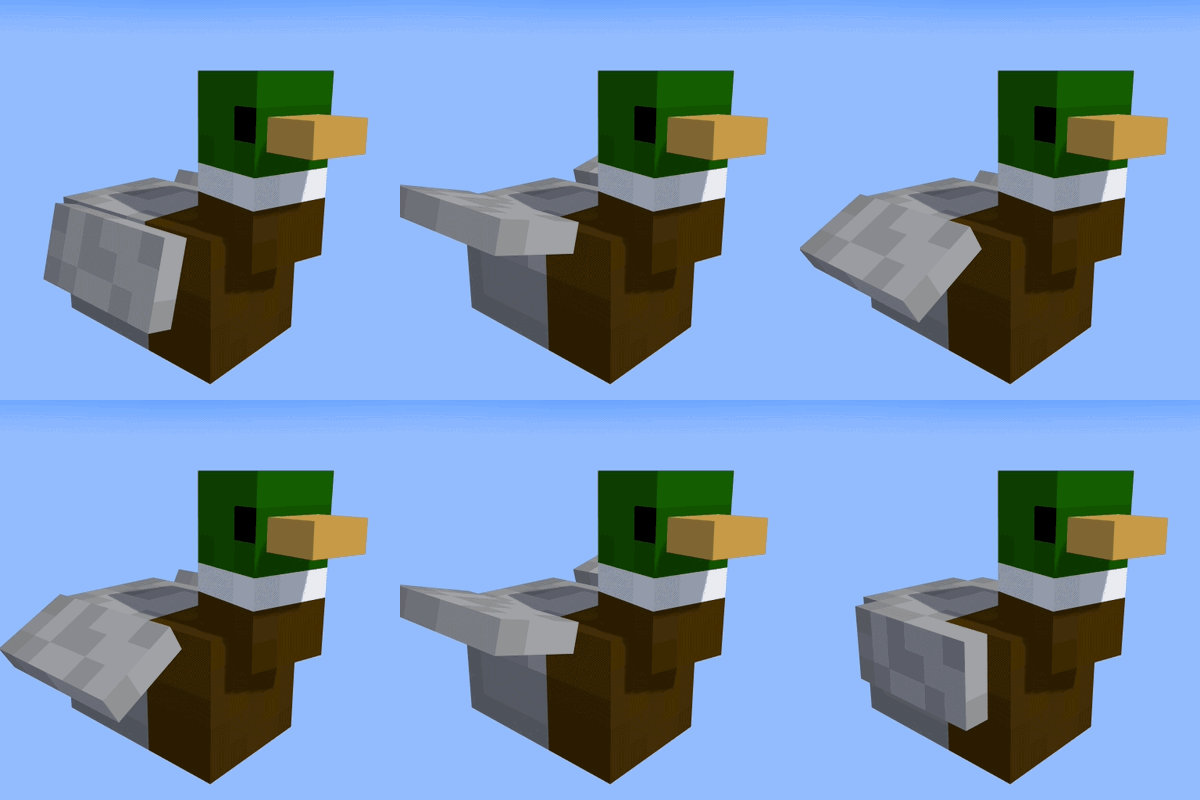
The pets project is bringing you your own client-sided pets into your game! From squids to iron golems to even penguins, PetsMod offers nearly every mob from vanilla Minecraft, and more! And it will work no matter whether you are on a multiplayer server or your own singleplayer world. Simply use /pet on to spawn the pet, and use /petspecies <species> to change what mob your pet is! <details> <summary>Commands</summary>
</details> PetsMod comes with its own configuration screen and custom commands to easily toggle between pets, change whether the mod is enabled at all, and switch up the appearance of your pets with skins and names. Showcase video: Embed Removed: https://www.youtube-nocookie.com/embed/mlud8R7Cq7M
Make your pets your own with skins and names! You can access these in two ways: by using our configuration menu or using /petskin and /petname. Both of these will switch up your pet's appearance in real time and make it yours! There is no need to do this multiple times - all of this information is stored in a config file locatated in .minecraft/config and will be read every time you enter a new world. To switch between pets, simply run /petspecies <pet>. 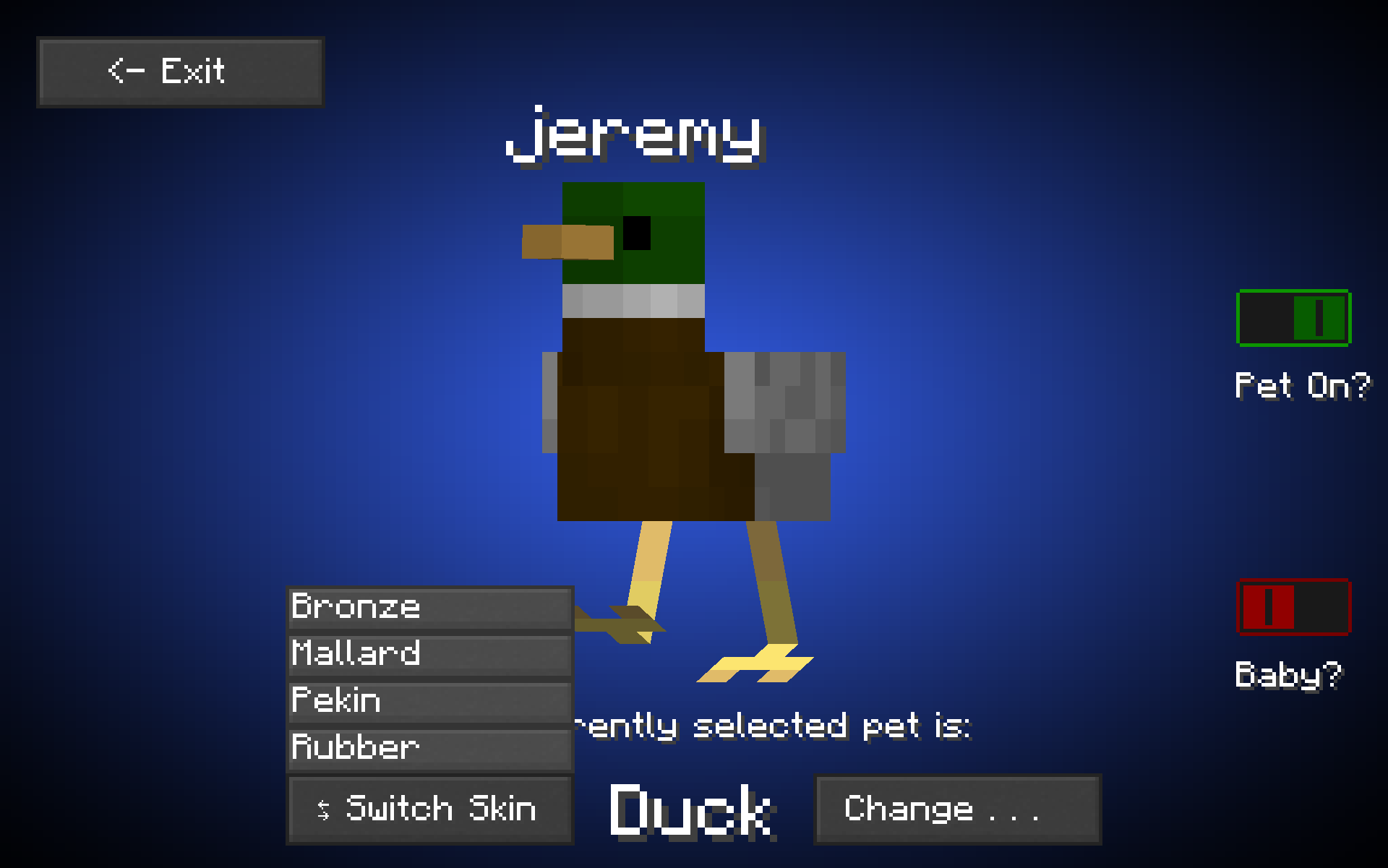
TIP: Pet names are stored for each individual pet - if you have both a blaze and a duck, you can name them each individually!
This is an updated and upgraded version of DuckMod. Following this release, DuckMod will recieve a bump to the latest version and thus be archived, continued by this project. If you are migrating from DuckMod to PetsMod, simply use /pet on and then /petspecies duck, or use our easily configurable configuration menu powered by Mod Menu and YetAnotherConfigLib to switch to a duck.
The 0.8.0 update has been released for Pets Mod Fabric, Quilt, Neoforge, and Java Agent, 26.1 & 26.2. This update allows users to see each others pets, introduces a brand new config screen, and squashes bugs. Read on to learn more!
Pets Networked is our new networking protocol for PetsMod. It uses Ably as a message carrier to allow users to see each others pets - still, completely client-sided. So player one joins Hypixel, and sends a message to ably saying, Hey, I have a duck named Jeremy!, and then Ably sends a message to player two saying, Hey, player two has a duck named Jeremy! and players twos client spawns a duck named Jeremy that is tamed to player one. Remember - Pets Networked is a new, expiremental addition! While it certainly isn't going away, there will be issues popping up! Report any issues on our GitHub so we can fix them for you. For players to be able to see each others' pets, both users will have to have Pets Mod 0.8.0 or above installed. We have no plans to port 0.8.0 to later versions other than 1.8.9, but pull requests are welcome and will be accepted if they work.
We have a new config screen, based on those character customization menus from RPG games. This screen was made with no APIs, so YetAnotherConfigLib is no longer required! Additionally, we tweaked how the Mod Menu screen worked, so that Mod Menu is no longer required but is still supported.
We have many things in mind for PetsMod coming up.
Thanks for 13,000 downloads!
Mob Packs are our way of introducing custom mobs into the game. <details> <summary>The First Mob Pack</summary>The standard for custom mob packs is three mobs, but the full release came out so quickly we were only able to fit two in! Introducing the penguin and the racoon. 
 In addition, the racoon has an extra skin - albino!
  The racoon and duck models are available and free to use on my GitHub. </details> <details> <summary>April Fools Mob Pack</summary>
  The April Fools Mob Pack This mob pack introduces every April Fools mob into Minecraft, plus our own custom one. All of these mobs are not temporary, and are here to stay! Full list of mobs included, with images: <details><summary>The Head (our own custom mob!) </summary>
<details><summary>Angry Ghast</summary>  </details> <details><summary>Batato</summary>
  </details> <details><summary>Diamond Chicken</summary>
  </details> <details><summary>Love Golem</summary>
  </details> <details> <summary>Mega Spud</summary>
  </details> <details> <summary>Moon Cow</summary>
<details> <summary>Nerd Creeper</summary>  </details> <details> <summary>Pink Wither/Friendly Wither</summary>
  </details> <details> <summary>Plaguewhale Slab</summary>
  </details> <details> <summary>Poisonous Potato Zombie</summary>
  </details> <details> <summary>Potato Husk</summary>
  </details> <details> <summary>Ray Tracing</summary>
  </details> <details> <summary>Redstone Bug</summary>
  </details> <details> <summary>Smiling Creeper</summary>
  </details> <details> <summary>Toxifin Slab</summary>
  </details> <details> <summary>Traitor</summary>
  </details> </details>
This mob pack introduces three new mobs: the Dumbo Octopus, Stingray, and Koi. 

 As always, these models are free and available on our GitHub.
Simply shift and right click on a mob with an empty hand to pick it up, and shift and jump to drop it again! 
On Fabric, this mod requires Fabric API, Cloth Config API, YACL (YetAnotherConfigLib) and Mod Menu. On Neoforge, this mod requires Cloth Config API and YACL. It's a lot, I know, but hopefully you already have most of them installed! Why do you need two configuration libraries? Cloth Config is useful for saving and reading data across instances, so your pet retains its name even after you come back the next day. YACL is useful for the actual configuration screen.
Is this mod paid/are some features paid? No, and they never will be! This mod will forever remain free for everyone to use. Why is this mod in BETA? Currently, we are missing a lot of features. Even with supporting nearly every vanilla Minecraft mob, we are still missing the tropical fish, the ability to change villager's biomes, the ability to add carpets to llamas, etc. We hope to improve on these features as we drift towards a full release. Will this mod adapt its textures with a texturepack? This mod uses the vanilla texture system, so yes, it will use custom textures if a texturepack is present. How can I contribute to the Pets Project? Simply play the mod! If you wish to join our team, please create a new discussion thread on our GitHub. If you simply have an issue, please report it there - we look forwards to making this mod the best - and clearest of bugs - that it can be! Is a Forge/Neoforge port ever coming? This project depends heavily on the Fabric API. If a working Fabric API ever releases for Neoforge, then yes, I will try my best to make this available on Neoforge. For Forge, a port will never come due to the amount of issues and slow updates it has had in the past. Neoforge has been ported! May I use this in my modpack? Yep, go ahead! Just give credit where it's due :)
Project description from CurseForge.
Pick your setup
Choose the version and loader you play, then open the matching release.
Showing the newest 12 of 44 game versions. Older files are in the list below.
Check the dependencies, then try the file in a copied instance before changing a world you care about.
Recent files
10 Sept 2026
10 Sept 2026
9 Sept 2026
9 Sept 2026
7 Sept 2026
5 Sept 2026
31 Aug 2026
30 Aug 2026
29 Aug 2026
29 Jul 2026
29 Jul 2026
29 Jul 2026
Looking for an older file? The official CurseForge project page is in Resources.
 mod
modAn expansive open-ended magic mod inspired by the web serials Pact and Pale by wildbow.
 mod
modTactical PvE sieges for 1.20.1 Forge. Enemy armies build a war camp, breach your walls, and try to occupy your base. You and your Villager Recruits soldiers hold the line. Zero admin setup, full block restoration, server-friendly. Formerly Faction Raids.
 mod
modCustom Origins for the Warborn SMP