Dex Tools Optional for More Custom Paintings ---NEW UPDATE 2 added 8K Image Rendering---
optionalNo matching file
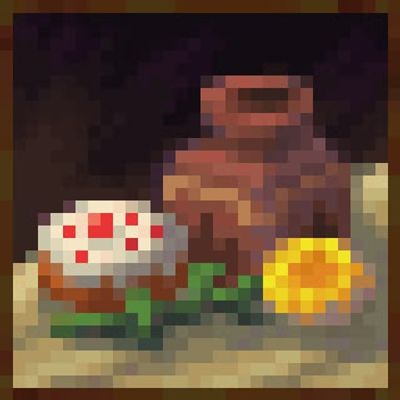
CurseForge · Minecraft mod
More Paintings (Forge 1.20.1) lets you upload a PNG ingame and place it as a custom wall painting. Install Forge, drop MorePaintings.jar in .minecraft/mods, open Creative > More Paintings, right-click Custom Painting upload PNG, then place on wall.
Quick answer
More Custom Paintings ---NEW UPDATE 2 added 8K Image Rendering--- targets 1.20.1 with Forge. The project page does not say whether this file belongs on the client, dedicated server, or both. No extra mods listed for this file.
Where it goes
The project page does not say whether this file belongs on the client, dedicated server, or both.
The source does not explicitly classify this release as client-only or server-only.
---NEW UPDATE 2 added 8K Image Rendering---. Change the file and its required mods may change too.
This file does not list any required mods. Do not add a library just because a different file uses it.
We only count dependency files that match this setup. A file for another loader does not fill the gap.
Before you install it
Built for More Custom Paintings ---NEW UPDATE 2 added 8K Image Rendering---. Pick another file and the loader, install side or required mods may change.
Use ---NEW UPDATE 2 added 8K Image Rendering---. It targets 1.20.1 with Forge; another release may have different loader, side or dependency requirements.
This file does not list any required mods. Do not add a library just because a different file uses it.
The project page does not say whether this file belongs on the client, dedicated server, or both.
Use the “Get this file” button beside ---NEW UPDATE 2 added 8K Image Rendering---. It opens that exact file at the source.
About this project
A Forge mod for Minecraft 1.20.1 that lets players upload real PNG images and place them as custom wall paintings. MAKE SURE IF IT CRASHED MAKE SURE UR PNG IS 64x64 OK.
Author: Dandusnehith
Platform: Minecraft Forge 1.20.1
More Paintings transforms the way players decorate their worlds.
Instead of cycling through the same vanilla paintings, this mod lets you upload any PNG image—art, screenshots, memes, logos, anything—and place it directly in‑game as a custom painting.
It’s simple, fast, and feels like a natural part of Minecraft Creative building.
Dedicated Creative Tab
All custom painting tools are grouped in a new More Paintings tab.
Custom Painting Item
A special item that stores your uploaded PNG data.
In‑Game Upload GUI
Right‑click with the item to open a clean upload screen and pick a PNG from your computer.
Automatic Size Detection
The GUI shows your image’s width and height immediately.
Wall Placement
Right‑click a wall face to place your custom painting in the world.
Persistent Data
Painting data is stored via block entity NBT and saved with the world.
Built‑in Credit
The GUI includes: Mod made by Dandusnehith.
MorePaintings-working.jar into your .minecraft/mods folder..png file.Project description from CurseForge.
Pick your setup
Choose the version and loader you play, then open the matching release.
Check the dependencies, then try the file in a copied instance before changing a world you care about.
Recent files
Morepaintings v 2.0.jar
21 Aug 2026
morepaintings-1.0.0.jar
4 Jul 2026
15 Jun 2026
15 Jun 2026
15 Jun 2026
14 Jun 2026
14 Jun 2026
14 Jun 2026
5 Jun 2026
5 Jun 2026
5 Jun 2026
5 Jun 2026
Looking for an older file? The official CurseForge project page is in Resources.
 mod
mod15× faster JEI ingredient filter build — drastically reduces "Joining world..." wait time on big modded servers.
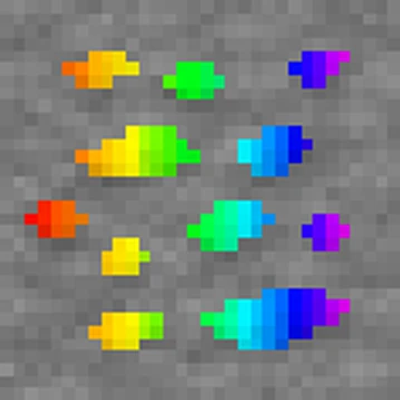 mod
modThis is a new mod that not only adds Ores, but it also adds a new structure and probably more! This also adds a new way of getting ores and making their respectives tools, weapons and armors!
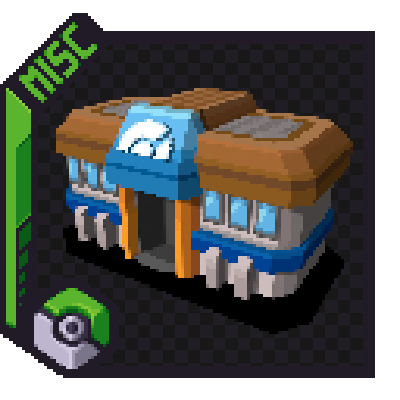 mod
modAdds naturally spawning gyms & other structures(soon™) for the key trainers featured in the Radical Cobblemon Trainers mod.