
Minecraft version
Back to mods 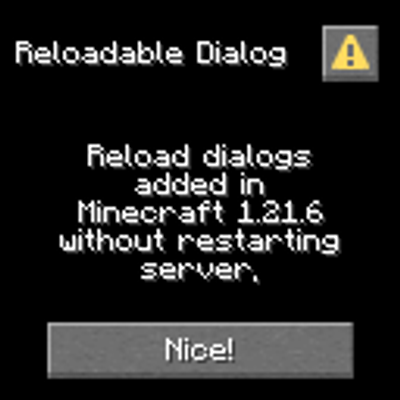
CurseForge · Minecraft mod
Reloadable Dialog
Reload dialogs added in Minecraft 1.21.6 without restarting server,
Choose a version Pick your version below, then grab the matching file.
Quick answer
Which Reloadable Dialog release should I use?
Latest stable file v0.1.0
Game version 26.1, 26.1.1, 26.1.2
Loader Fabric, NeoForge
Reloadable Dialog v0.1.0 targets 26.1, 26.1.1, 26.1.2 with Fabric, NeoForge. The project page does not say whether this file belongs on the client, dedicated server, or both. No extra mods listed for this file.
Where it goes
Is Reloadable Dialog required on the client, server, or both?
The project page does not say whether this file belongs on the client, dedicated server, or both.
Client Source doesn’t say
Dedicated server Source doesn’t say
Loader for this release Fabric, NeoForge
Required install it here Optional supported, not mandatory Not supported do not install here Source doesn’t say do not assume
The source does not explicitly classify this release as client-only or server-only.
What else does Reloadable Dialog v0.1.0 need?
v0.1.0. Change the file and its required mods may change too.
This file does not list any required mods. Do not add a library just because a different file uses it.
This file does not list any required or optional mods.
Before you install it
Add Reloadable Dialog without breaking your instance.
Built for Reloadable Dialog v0.1.0. Pick another file and the loader, install side or required mods may change.
- 01
Stick to this file
Use v0.1.0. It targets 26.1, 26.1.1, 26.1.2 with Fabric, NeoForge; another release may have different loader, side or dependency requirements.
- 02
Bring the mods it needs
This file does not list any required mods. Do not add a library just because a different file uses it.
- 03
Put it on the correct side
The project page does not say whether this file belongs on the client, dedicated server, or both.
- 04
Pick the file you checked
Use the “Get this file” button beside v0.1.0. It opens that exact file at the source.
About this project
What does Reloadable Dialog add?
Reloadable Dialog

















Minecraft 1.21.6 added a new feature called dialog, which allows players to interact through a dialog interface. However, the dialog data is loaded only once when the server starts, and any changes to the dialog data require a server restart to take effect.
This mod fix that.
What does it do and doesn't do?
This server-side mod allows you to reload dialog data without restarting the server. You can simply edit the dialog JSON files and run the command /reload to apply the changes immediately.
However, the reloaded dialog data cannot be sent to players who are already connected to the server. They will need to reconnect to see the updated dialog data. This is what a server-side mod can do without modifying the client.
Download
Requirement
- Minecraft ⩾ 1.21.6
- Fabric or NeoForge
Usage
Very simple, just add the mod to your server and restart the server. After that, you can edit the dialog JSON files and run the command /reload to apply the changes.
Contributor
How could I contribute?
Issue and Pull-requests are both welcomed.
License
Apache 2.0 © qwertycxz
Project description from CurseForge.
Pick your setup
Reloadable Dialog by Minecraft version and loader
Choose the version and loader you play, then open the matching release.
Minecraft version
26.2
2 loader buildsMinecraft version
26.1.2
2 loader buildsMinecraft version
26.1.1
2 loader buildsMinecraft version
26.1
2 loader buildsMinecraft version
1.21.11
2 loader buildsMinecraft version
1.21.10
2 loader buildsMinecraft version
1.21.9
2 loader buildsMinecraft version
1.21.8
2 loader buildsMinecraft version
1.21.7
2 loader buildsMinecraft version
1.21.6
2 loader buildsCheck the dependencies, then try the file in a copied instance before changing a world you care about.
Recent files
Reloadable Dialog versions and loaders
v0.1.0
unobfuscated.jar
29 Sept 2026
Client Source doesn’t say Server Source doesn’t say Dependencies No extras listed Listed on Release listing
Check the 26.3 · Fabric setup FabricNeoForge26.126.1.1 release
v0.1.0
obfuscated.jar
25 Sept 2026
Client Source doesn’t say Server Source doesn’t say Dependencies No extras listed Listed on Release listing
Check the 1.21.11 · Fabric setup Fabric1.21.81.21.61.21.7 release
v0.0.2
unobfuscated.jar
1 Jun 2026
Client Source doesn’t say Server Source doesn’t say Dependencies No extras listed Listed on Release listing
Check the 26.2 · Fabric setup FabricNeoForge26.126.1.1 release
v0.0.2
obfuscated.jar
1 Jun 2026
Client Source doesn’t say Server Source doesn’t say Dependencies No extras listed Listed on Release listing
Check the 1.21.11 · Fabric setup Fabric1.21.81.21.61.21.7 release
v0.0.1
unobfuscated.jar
1 Jun 2026
Client Source doesn’t say Server Source doesn’t say Dependencies No extras listed Listed on Release listing
Check the 26.1.2 · Fabric setup Fabric26.126.1.126.1.2 release
v0.0.1
obfuscated.jar
1 Jun 2026
Client Source doesn’t say Server Source doesn’t say Dependencies No extras listed Listed on Release listing
Check the 1.21.11 · Fabric setup Fabric1.21.81.21.61.21.7 release
Looking for an older file? The official CurseForge project page is in Resources.
 mod
CurseForge · Minecraft
RealmControl
Centralizes world generation, structures, beacon areas, and teleport permissions.
 mod
CurseForge · Minecraft
TextStudio
Adds animated text effects, name styling, and chat-interface improvements.
 mod
CurseForge · Minecraft
KineticArmory
KineticArmory is the Kinetic armor-set and dynamic-condition mod for modpack authors and server administrators. It provides a complete workflow for armor-set definitions