Minecraft version
Back to mods 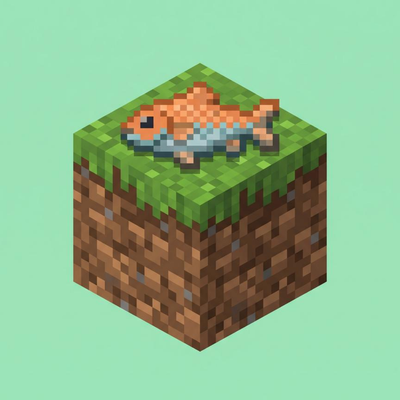
CurseForge · Minecraft mod
Ocean Block
OceanBlock is a survival Minecraft mod that starts you on a single block in the middle of the ocean. Build, expand, gather resources, and progress from a tiny block into a thriving ocean base.
Choose a version Pick your version below, then grab the matching file.
Quick answer
Which Ocean Block release should I use?
Latest stable file Ocean Block 1.0.0
Game version 1.20.1
Loader Fabric
Ocean Block 1.0.0 targets 1.20.1 with Fabric. The project page does not say whether this file belongs on the client, dedicated server, or both. No extra mods listed for this file.
Where it goes
Is Ocean Block required on the client, server, or both?
The project page does not say whether this file belongs on the client, dedicated server, or both.
Client Source doesn’t say
Dedicated server Source doesn’t say
Loader for this release Fabric
Required install it here Optional supported, not mandatory Not supported do not install here Source doesn’t say do not assume
The source does not explicitly classify this release as client-only or server-only.
What else does Ocean Block 1.0.0 need?
Ocean Block 1.0.0. Change the file and its required mods may change too.
This file does not list any required mods. Do not add a library just because a different file uses it.
This file does not list any required or optional mods.
Before you install it
Add Ocean Block without breaking your instance.
Built for Ocean Block 1.0.0. Pick another file and the loader, install side or required mods may change.
- 01
Stick to this file
Use Ocean Block 1.0.0. It targets 1.20.1 with Fabric; another release may have different loader, side or dependency requirements.
- 02
Bring the mods it needs
This file does not list any required mods. Do not add a library just because a different file uses it.
- 03
Put it on the correct side
The project page does not say whether this file belongs on the client, dedicated server, or both.
- 04
Pick the file you checked
Use the “Get this file” button beside Ocean Block 1.0.0. It opens that exact file at the source.
About this project
What does Ocean Block add?
 🌊 Ocean Block
Minecraft Fabric 1.20.1 | Created by Forzzy_FZ
About
Ocean Block is a survival mod where the entire world is flooded. You start on a tiny island in the middle of the ocean with nothing. Resources drift toward your island automatically every 5 seconds — loot quality improves as days pass. Your goal is to survive 100 days and complete the mod.
The world runs on a 7-minute day cycle (4 min day / 3 min night).
World Type
When creating a new world, select the Ocean Block world preset from the world type menu. This generates the correct ocean world layout.
Setting Up a Server
To run Ocean Block on a server:
- Create a singleplayer world using the Ocean Block world preset.
- Close the game, then locate the world folder inside your
.minecraft/saves/directory. - Copy that world folder into the worlds directory on your hosting panel (the folder name must match
level-namein yourserver.properties). - Start the server — the world and all mod data will be intact.
Commands
Requires operator permission (level 2), except backpack commands.
| Command | Description |
|---|---|
/oceanblock start |
Start the mod and create the island |
/oceanblock stop |
Disable the mod |
/oceanblock info |
Show current day, phase and active event |
/oceanblock day set <n>; |
Set the current day |
/oceanblock language english / eng |
Switch to English (default) |
/oceanblock language russian / rus |
Switch to Russian |
/oceanblock event <name>; on|off|run |
Enable, disable or force-trigger an event |
/tsunamibackpack or /tbp |
Open the tsunami loot backpack |
/meteorbackpack or /mbp |
Open the meteor loot backpack |
<name> — one of: meteor, tsunami, thunder, shipwreck
Events
| Event | Days | Interval | Description |
|---|---|---|---|
| ☄️ Meteor | 35–100 | every 105 min | A meteor targets a random player. On impact it explodes — all broken blocks and bonus loot go into /meteorbackpack. |
| 🌊 Tsunami | 15–100 | every 30 min | A 25-block-wide wave sweeps through the island. Destroys blocks in its path — drops go into /tsunamibackpack. Kills players and mobs. |
| ⚡ Thunderstorm | 25–100 | every 90 min | A 1-minute storm. Lightning strikes a random player every 15 seconds, breaking nearby blocks. |
| ⚓ Shipwreck | 3–100 | every 45 min | A ship appears near the island for 1–2 min with a loot chest. Water damage disabled while it lasts. Loot improves over time. |
| ☀️ Day Without Food | any | every 3rd day | No food drifts in. |
| 🚫 Day Without Mobs | any | every 3rd day | No mobs spawn. |
| 🪨 Day Without Blocks | any | every 3rd day | No blocks drift in. |
| 💀 Empty Day | any | every 3rd day | Nothing drifts in at all. |
| 🔥 Nether Day | 50–99 | 40% chance/day | Nether-themed items wash ashore and dangerous nether mobs spawn around the island. |
Languages
| Language | Command |
|---|---|
| 🇬🇧 English (default) | /oceanblock language english or eng |
| 🇷🇺 Russian | /oceanblock language russian or rus |
Made by Forzzy_FZ
Project description from CurseForge.
Pick your setup
Ocean Block by Minecraft version and loader
Choose the version and loader you play, then open the matching release.
Check the dependencies, then try the file in a copied instance before changing a world you care about.
Recent files
Ocean Block versions and loaders
Ocean Block 1.0.0
oceanblock-1.0.0.jar
2 Jun 2026
Client Source doesn’t say Server Source doesn’t say Dependencies No extras listed Listed on Release listing
Check the 1.20.1 · Fabric setup Fabric1.20.1 release
Looking for an older file? The official CurseForge project page is in Resources.
 mod
mod CurseForge · Minecraft
VTX's Tweaks
Adds various new items and restores removed or unused content from other mods
 mod
mod CurseForge · Minecraft
Seekers United
A fun mod that adds different elemental beings called, "Seekers" who fight hostile mobs. It adds a bunch of cool items, mobs, dimensions and more!
 mod
mod CurseForge + Modrinth · Minecraft
TLM: True POWER
A SlashBlade: Resharped and Touhou Little Maid crossover addon, designed to empower maids in wielding SlashBlades.