Puzzles Lib Needed by Locked In Slots [FABRIC] [26.2.x] v26.2.0
requiredMatching file found Matched file: [FABRIC] [26.2.x] v26.2.1

CurseForge · Minecraft mod
Lock your inventory slots. Protect your tools. Prevent accidents, fully client-side.
Quick answer
Locked In Slots [FABRIC] [26.2.x] v26.2.0 targets 26.2 with Fabric. The project page does not say whether it belongs on the client. The project page does not say whether it belongs on the dedicated server. All 3 required mods have matching files.
Where it goes
The project page does not say whether it belongs on the client. The project page does not say whether it belongs on the dedicated server.
The source does not explicitly classify this release as client-only or server-only.
[FABRIC] [26.2.x] v26.2.0. Change the file and its required mods may change too.
Install Puzzles Lib, Fabric API, Forge Config API Port first. We found matching files for this game-version and loader setup. 4 come through another mod in the chain.
4 extra mods were pulled in by other dependencies. Indented rows show who needs each one. We only count dependency files that match this setup. A file for another loader does not fill the gap.
Before you install it
Built for Locked In Slots [FABRIC] [26.2.x] v26.2.0. Pick another file and the loader, install side or required mods may change.
Use [FABRIC] [26.2.x] v26.2.0. It targets 26.2 with Fabric; another release may have different loader, side or dependency requirements.
Install Puzzles Lib, Fabric API, Forge Config API Port first. We found matching files for this game-version and loader setup. 4 come through another mod in the chain.
The project page does not say whether it belongs on the client. The project page does not say whether it belongs on the dedicated server.
Use the “Get this file” button beside [FABRIC] [26.2.x] v26.2.0. It opens that exact file at the source.
About this project







Locked In Slots helps protect your most important items from accidental inventory mistakes. 🔒 Simply hover a slot and press the lock key to toggle its locked state. Locked slots keep valuable tools, weapons, and other items safely in place until you decide otherwise.
No more accidentally dropping your pickaxe, moving your sword into a chest, or replacing an important hotbar slot during a hectic adventure. Once a slot is locked, its contents stay exactly where they belong. 🛡️
Best of all, the mod is fully client side and works in both singleplayer and on multiplayer servers. ✨


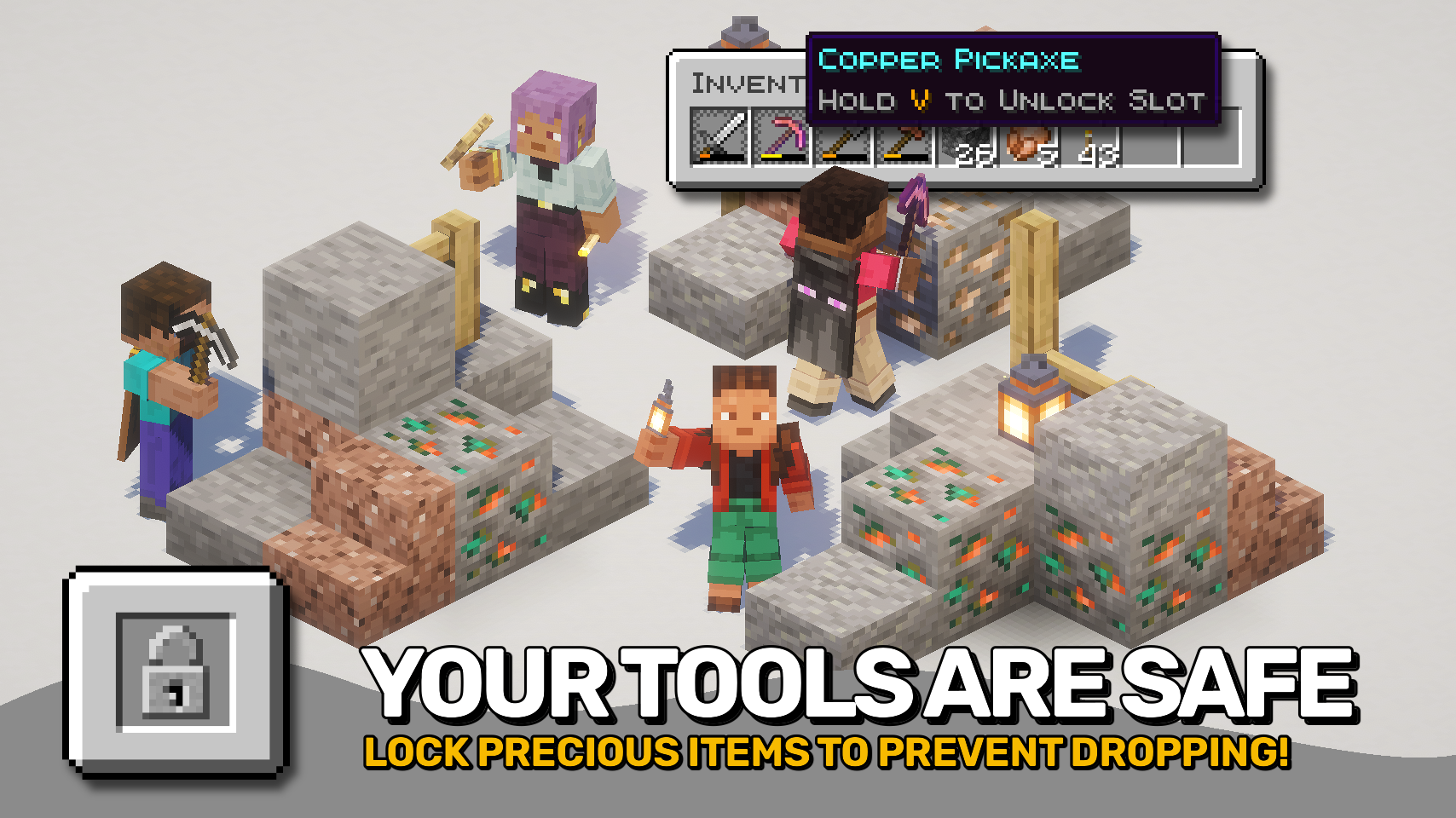

⏩ INSTALLATION REQUIRED ON CLIENT
⏩ REQUIRES PUZZLES LIB TO BE INSTALLED (FABRIC & NEOFORGE)
⏩ REQUIRES FABRIC API TO BE INSTALLED (FABRIC)
⏩ REQUIRES FORGE CONFIG API PORT TO BE INSTALLED (FABRIC)

If available for a mod, configuration is possible directly from in-game using the mod menu (requires Mod Menu by Prospector to be installed on Fabric).
For manual configuration using an external text editor all files are found at .minecraft/config, named as MOD_ID-client.toml, MOD_ID-common.toml, or MOD_ID-server.toml, depending on the type of config. Not all types might exist for a mod, if any at all.

🌟 Big thanks to D4rkness_King and their SlotLock mod for inspiring this project.
 |
 |
|
|---|---|---|
 |
 |
|
 |
 |
|
 |
 |
|
 |
 |
|

Project description from CurseForge.
Pick your setup
Choose the version and loader you play, then open the matching release.
Check the dependencies, then try the file in a copied instance before changing a world you care about.
Recent files
LockedInSlots-v26.2.0-mc26.2.x-Fabric.jar
18 Jun 2026
LockedInSlots-v26.2.0-mc26.2.x-NeoForge.jar
18 Jun 2026
LockedInSlots-v26.1.0-mc26.1.x-Fabric.jar
3 Jun 2026
LockedInSlots-v26.1.0-mc26.1.x-NeoForge.jar
3 Jun 2026
Looking for an older file? The official CurseForge project page is in Resources.
 mod
modOrder of Obsidian and a develpoment mod adding armor, enchantment and craft to minecraft
 mod
modA multitool which combines pickaxe, axe and shovel
 mod
modDon’t mess with the server Play Minecraft with your friends in 2 clicks
