Quick answer
Which Companion Codex - Vault Hunters Addon release should I use?
Latest stable file companioncodex-1.1.7.jar
Game version 1.18.2
Loader Forge
Companion Codex - Vault Hunters Addon companioncodex-1.1.7.jar targets 1.18.2 with Forge. The project page does not say whether this file belongs on the client, dedicated server, or both. All 2 required mods have matching files.
Where it goes
Is Companion Codex - Vault Hunters Addon required on the client, server, or both?
The project page does not say whether this file belongs on the client, dedicated server, or both.
Client Source doesn’t say
Dedicated server Source doesn’t say
Loader for this release Forge
Required install it here Optional supported, not mandatory Not supported do not install here Source doesn’t say do not assume
The source does not explicitly classify this release as client-only or server-only.
What else does Companion Codex - Vault Hunters Addon companioncodex-1.1.7.jar need?
companioncodex-1.1.7.jar. Change the file and its required mods may change too.
Install The Vault Mod (Standalone), Curios API first. We found matching files for this game-version and loader setup.
Matching file found Matched file: the_vault-1.18.2-3.21.6.6884.jar
Curios API Needed by Companion Codex - Vault Hunters Addon companioncodex-1.1.7.jar requiredMatching file found Matched file: curios-forge-1.18.2-5.0.9.2.jar
We only count dependency files that match this setup. A file for another loader does not fill the gap.
Before you install it
Add Companion Codex - Vault Hunters Addon without breaking your instance.
Built for Companion Codex - Vault Hunters Addon companioncodex-1.1.7.jar. Pick another file and the loader, install side or required mods may change.
- 01
Stick to this file
Use companioncodex-1.1.7.jar. It targets 1.18.2 with Forge; another release may have different loader, side or dependency requirements.
- 02
Bring the mods it needs
Install The Vault Mod (Standalone), Curios API first. We found matching files for this game-version and loader setup.
- 03
Put it on the correct side
The project page does not say whether this file belongs on the client, dedicated server, or both.
- 04
Pick the file you checked
Use the “Get this file” button beside companioncodex-1.1.7.jar. It opens that exact file at the source.
About this project
What does Companion Codex - Vault Hunters Addon add?
A companion-management add-on for The Vault (Vault Hunters 3rd Edition + Remastered). Companion Codex allows you to build a companion party of multiple companions at once.
Features
- Companion Codex block: A physical station where all companions can be stored by shift right clicking. You can then access this to build your party.
- Build a party: Assemble your party by choosing which companions you want to bring. Strategically combine companion temporal modifiers and relics to build the perfect party for each vault.
- Companion Crest: This item can be obtained in the codex block. It is bound to your player and equipped in your curios head slot. This contains your companion party and can be toggled on/off to let your companions be visible/invisible.
- Radial temporal wheel: Set a keybind for companion activation (can be equipped to the same as the defaultcast), this will open a cast wheel of all your companion temporals allowing you to choose whichever one you want.
- Party HUD: A toggleable HUD option that displays all your temporals. This can be turned on/off in the VH HUD settings.
- Companion detail view: Ctrl + left-click to open the companion in a window-view mode. This provides you with all information about the companion including age, vaults ran, temporal modifier, relics and trails.
- Favourites & filter tabs: Open the tab bars on the left to filter through your companions. You can add your most frequently used companions to your ‘Favourites’. You can filter through tabs to view your favourites, series, and temporals.
- Search: A regex-capable search function used to filter search your companions based on different properties, for example: #favourite, #overpower, #gilded.
- Saved parties: Save a staged party in the drawer using a named preset. This will save the selected companions in a companion crest to be used an a later point.
- Party modifiers at a glance: The Codex screen displays all information about your selected party including relics, temporals, companions and curses! Curses are created by bringing the same modifier on multiple companions.
- Open from anywhere: Once you have created your companion codex, it can be accessed wirelessly anywhere in your world.
- Built-in guide: An in-game guide that fully displays all information about the codex which automatically adapts and displays the right information dpepending on the configuarations of your world/server.
- Configurable: Decide the base party size, level-based size tiers, curses, challenge stack rules, non-leader temporal caps, vault cooldown dependencies, companion rendering and more through an accessible config file.
Recipe
The Companion Codex is a shaped crafting recipe:
| Cosmic Dust |
Pog |
Cosmic Dust |
| Companion Relic Fragment |
Black Chromatic Steel Block |
Companion Relic Fragment |
| Driftwood Planks |
Pog |
Driftwood Planks |
The Companion Crest is not crafted but obtained through the codex by selecting 'Get companion crest'
Getting started
- Craft and place your companion codex.
- Add companions to the codex by shift-clicking them from your inventory while the screen is open, or by shift-clicking the block while holding the companion. To remove a companion shift right click it while the GUI is open.
- Add companions to your party from the pool on the left side. Left click a companion to make it the party leader, right click to de-select the companion.
- Take a Companion Crest from the Codex, equip it in your head Curios slot, and your party will appear and follow you in the overworld and the vault!
- Bind Companion Party Temporal in Options → Controls → Companion Codex. This can be bound to the same keybind as the default cast key. Hold it down inside the vault to open the cast wheel.
- Open the guide book in the Codex any time you want the details or more information.
Requirements
- Minecraft 1.18.2 (Forge)
- The Vault (Vault Hunters 3rd Edition) - compatible with both the original Vault Hunters Third Edition and Vault Hunters Third Edition - Remastered
- Curios API
Credits
A huge thank-you to PawsomeKat for the textures.
If you find any bugs, encounter any issues or have any questions you can message us through discord: xabbes or TheFrozenFish2!
Project description from CurseForge.
Pick your setup
Companion Codex - Vault Hunters Addon by Minecraft version and loader
Choose the version and loader you play, then open the matching release.
Minecraft version
1.18.2
1
loader build Check the dependencies, then try the file in a copied instance before changing a world you care about.
Recent files
Companion Codex - Vault Hunters Addon versions and loaders
30 Aug 2026
Client Source doesn’t say Server Source doesn’t say Dependencies 2 required · 2 unchecked Listed on Release listing
Check the 1.18.2 · Forge setup → 17 Aug 2026
Client Source doesn’t say Server Source doesn’t say Dependencies 2 required · 2 unchecked Listed on Release listing
Check the 1.18.2 · Forge setup → 14 Aug 2026
Client Source doesn’t say Server Source doesn’t say Dependencies 2 required · 2 unchecked Listed on Release listing
Check the 1.18.2 · Forge setup → 12 Aug 2026
Client Source doesn’t say Server Source doesn’t say Dependencies 2 required · 2 unchecked Listed on Release listing
Check the 1.18.2 · Forge setup → 14 Jul 2026
Client Source doesn’t say Server Source doesn’t say Dependencies 2 required · 2 unchecked Listed on Release listing
Check the 1.18.2 · Forge setup → 20 Jun 2026
Client Source doesn’t say Server Source doesn’t say Dependencies 2 required · 2 unchecked Listed on Release listing
Check the 1.18.2 · Forge setup → 13 Jun 2026
Client Source doesn’t say Server Source doesn’t say Dependencies 2 required · 2 unchecked Listed on Release listing
Check the 1.18.2 · Forge setup → 10 Jun 2026
Client Source doesn’t say Server Source doesn’t say Dependencies 2 required · 2 unchecked Listed on Release listing
Check the 1.18.2 · Forge setup → 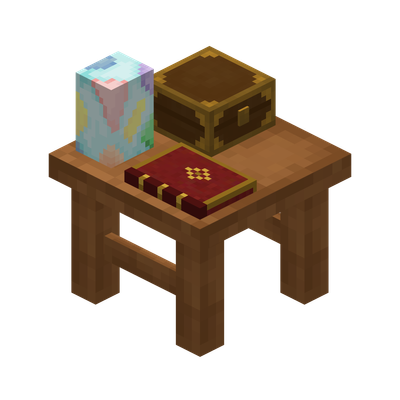
 mod
mod mod
mod mod
mod