Minecraft version
Back to mods 
CurseForge · Minecraft mod
Higgsfield AI
Generate AI images, videos, texture blocks, photos, and prompt-built structures directly inside Minecraft.
Choose a version Pick your version below, then grab the matching file.
Quick answer
Which Higgsfield AI release should I use?
Latest stable file higgsfield-1.3.3.jar
Game version 1.21.1
Loader NeoForge
Higgsfield AI higgsfield-1.3.3.jar targets 1.21.1 with NeoForge. The project page does not say whether this file belongs on the client, dedicated server, or both. No extra mods listed for this file.
Where it goes
Is Higgsfield AI required on the client, server, or both?
The project page does not say whether this file belongs on the client, dedicated server, or both.
Client Source doesn’t say
Dedicated server Source doesn’t say
Loader for this release NeoForge
Required install it here Optional supported, not mandatory Not supported do not install here Source doesn’t say do not assume
The source does not explicitly classify this release as client-only or server-only.
What else does Higgsfield AI higgsfield-1.3.3.jar need?
higgsfield-1.3.3.jar. Change the file and its required mods may change too.
This file does not list any required mods. Do not add a library just because a different file uses it.
This file does not list any required or optional mods.
Before you install it
Add Higgsfield AI without breaking your instance.
Built for Higgsfield AI higgsfield-1.3.3.jar. Pick another file and the loader, install side or required mods may change.
- 01
Stick to this file
Use higgsfield-1.3.3.jar. It targets 1.21.1 with NeoForge; another release may have different loader, side or dependency requirements.
- 02
Bring the mods it needs
This file does not list any required mods. Do not add a library just because a different file uses it.
- 03
Put it on the correct side
The project page does not say whether this file belongs on the client, dedicated server, or both.
- 04
Pick the file you checked
Use the “Get this file” button beside higgsfield-1.3.3.jar. It opens that exact file at the source.
About this project
What does Higgsfield AI add?
Higgscraft brings AI generation tools into Minecraft.
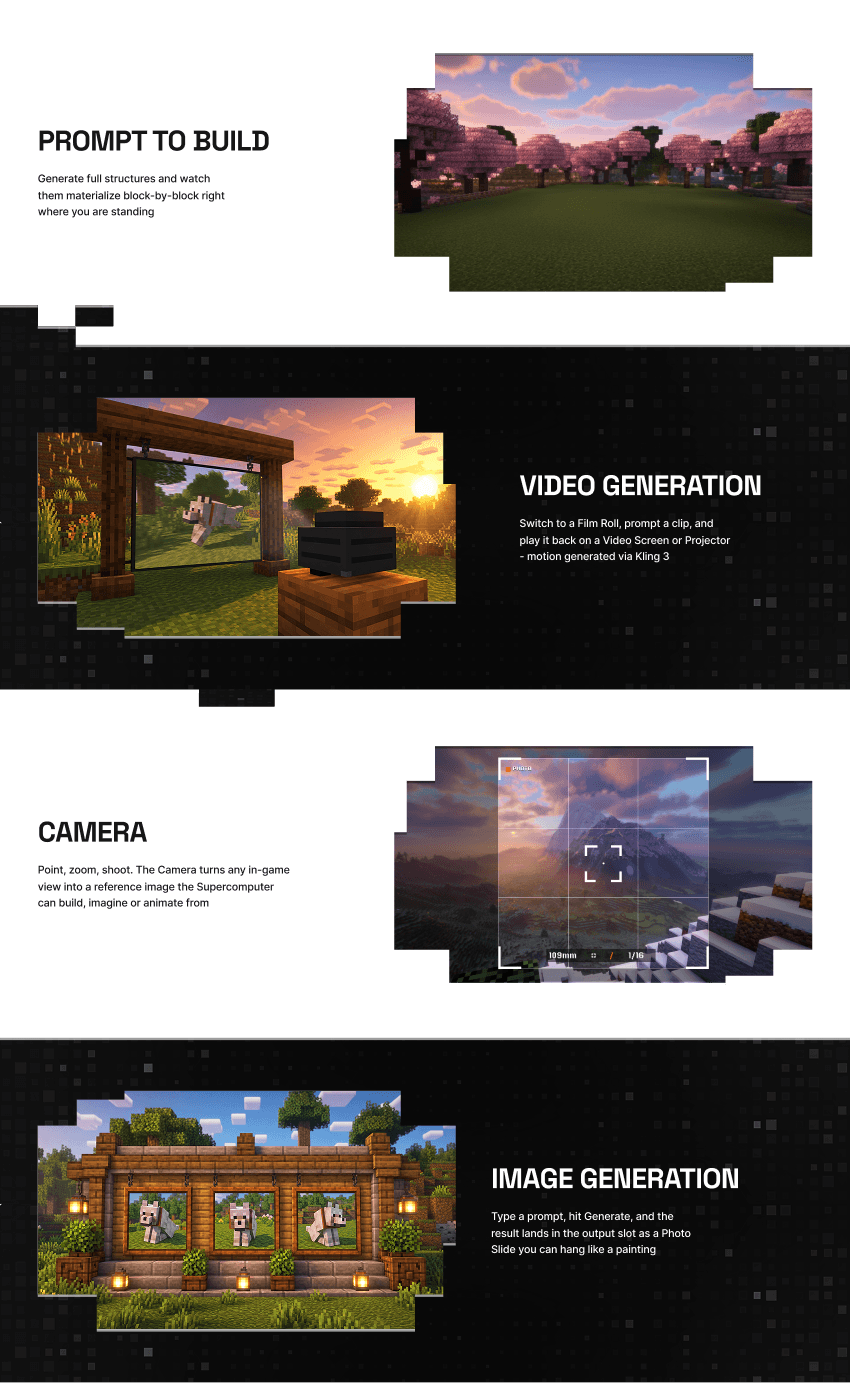
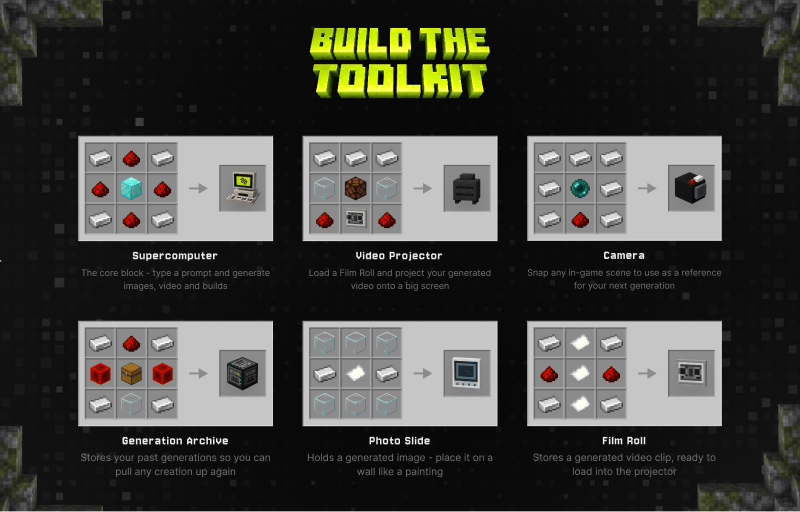
Use the Supercomputer to generate images, print them onto maps, create generated paintings and texture blocks, capture in-game photos with a camera, generate Film Rolls for video playback.
Features:
- AI image generation inside Minecraft
- Generated paintings, maps, and texture blocks
- Camera item for taking in-game photos
- Film Roll and video screen/projector blocks
- Generation Archive for browsing recent AI outputs
Requirements:
- Minecraft 1.21.1
- NeoForge 21.1.233 or newer
- Higgsfield sign-in for image/video generation
Project description from CurseForge.
Pick your setup
Higgsfield AI by Minecraft version and loader
Choose the version and loader you play, then open the matching release.
Check the dependencies, then try the file in a copied instance before changing a world you care about.
Recent files
Higgsfield AI versions and loaders
higgsfield-1.3.3.jar
8 Jun 2026
Client Source doesn’t say Server Source doesn’t say Dependencies No extras listed Listed on Release listing
Check the 1.21.1 · NeoForge setup 1.21.1NeoForge release
higgsfield-1.3.4-prod.jar
6 Jun 2026
Client Source doesn’t say Server Source doesn’t say Dependencies No extras listed Listed on Release listing
Check the 1.21.1 · NeoForge setup 1.21.1NeoForge release
Looking for an older file? The official CurseForge project page is in Resources.
 mod
CurseForge · Minecraft
Cinematic Interactions: Modded Stations
An add-on for Cinematic Interactions: work Farmer's Delight pots, Cultural Delights ovens, Immersive Engineering furnaces and more by hand, in the world, instead of in a GUI.
 mod
CurseForge · Minecraft
Create : New Furnitures
Create Furnitures Mod Multiplayer 3rd Party Chair Seat
 mod
CurseForge · Minecraft
Genetic Incubator - Hybrid Creatures
Draw DNA from any mob, splice it in the incubator and bring creatures to life that never existed before.