Minecraft version
Back to mods 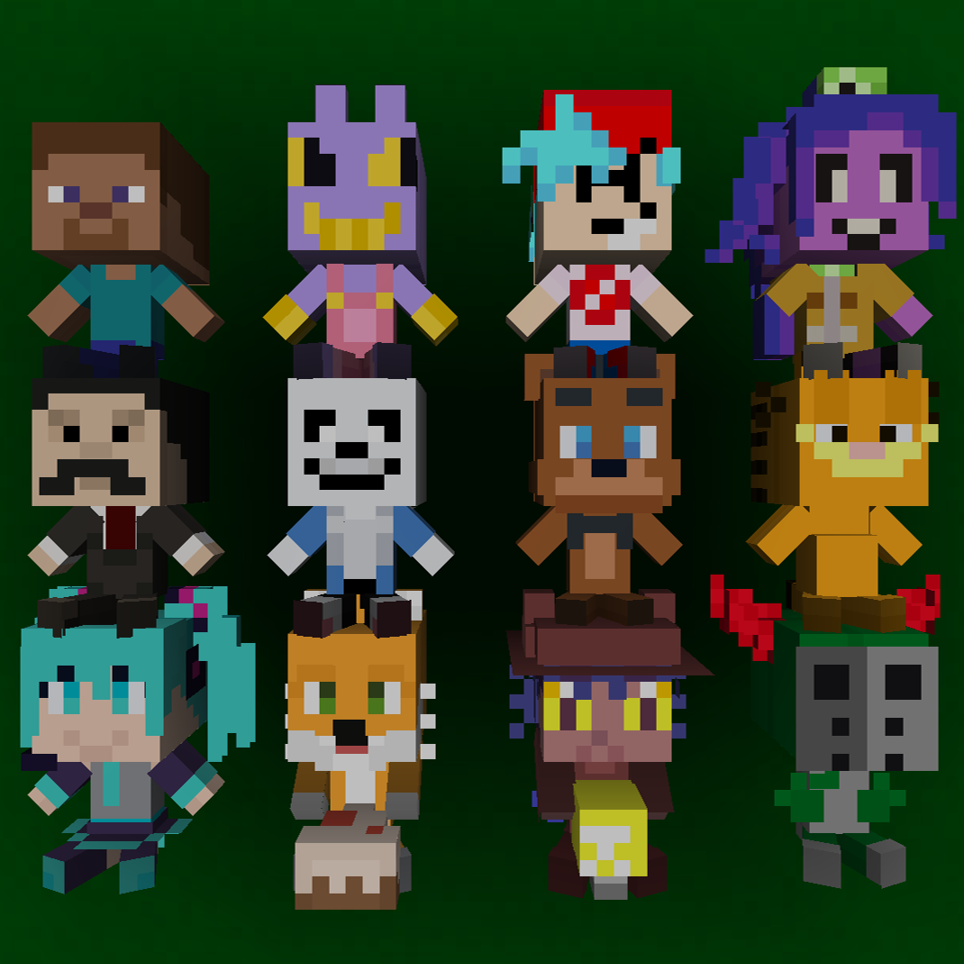
CurseForge · Minecraft mod
TYL's Plushies
Adds a variety of decorative plushies.
Choose a version Pick your version below, then grab the matching file.
Quick answer
Which TYL's Plushies release should I use?
Latest stable file TYL’s Plushies 1.3 [Forge 1.20.1]
Game version 1.20.1
Loader Forge
TYL's Plushies TYL’s Plushies 1.3 [Forge 1.20.1] targets 1.20.1 with Forge. The project page does not say whether this file belongs on the client, dedicated server, or both. No extra mods listed for this file.
Where it goes
Is TYL's Plushies required on the client, server, or both?
The project page does not say whether this file belongs on the client, dedicated server, or both.
Client Source doesn’t say
Dedicated server Source doesn’t say
Loader for this release Forge
Required install it here Optional supported, not mandatory Not supported do not install here Source doesn’t say do not assume
The source does not explicitly classify this release as client-only or server-only.
What else does TYL's Plushies TYL’s Plushies 1.3 [Forge 1.20.1] need?
TYL’s Plushies 1.3 [Forge 1.20.1]. Change the file and its required mods may change too.
This file does not list any required mods. Do not add a library just because a different file uses it.
This file does not list any required or optional mods.
Before you install it
Add TYL's Plushies without breaking your instance.
Built for TYL's Plushies TYL’s Plushies 1.3 [Forge 1.20.1]. Pick another file and the loader, install side or required mods may change.
- 01
Stick to this file
Use TYL’s Plushies 1.3 [Forge 1.20.1]. It targets 1.20.1 with Forge; another release may have different loader, side or dependency requirements.
- 02
Bring the mods it needs
This file does not list any required mods. Do not add a library just because a different file uses it.
- 03
Put it on the correct side
The project page does not say whether this file belongs on the client, dedicated server, or both.
- 04
Pick the file you checked
Use the “Get this file” button beside TYL’s Plushies 1.3 [Forge 1.20.1]. It opens that exact file at the source.
About this project
What does TYL's Plushies add?
TYL's Plushies adds a wide variety of plushies from different media, including games, animation and youtubers, that you can use to decorate your base, or carry around in your off-hand on your adventures.
To make a plushie you'll need to combine some wool and dye with a plush template, which can be made with sticks, string and paper. You can also add a dye to make specific plush templates, which can help with finding a specific recipe with JEI or reducing the number of plushies in your recipe book, as crafting a template unlocks recipes for all plushies in that category.
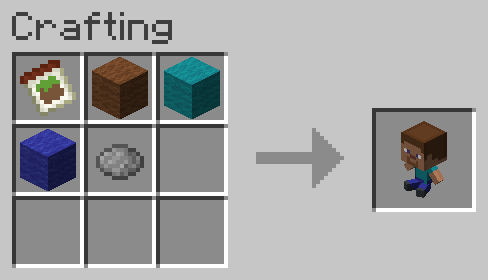
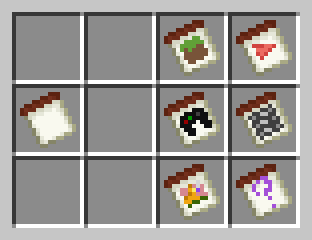
Certain plushies (see Gallery) have alternate styles that can be cycled through using with crafting, or by right-clicking with an axe or hoe (or any plush template if Create is installed).
There are also 7 secret plushies obtained in different ways, updated recipes for plushies if Dye Depot is installed, and a translation for the LOLCAT language option.
Many more plushies are planned to be added, but if you have any suggestions you can comment them or if would like to contribute you can contact me at tomsyalad.contact@gmail.com. If you're looking to contribute, existing textures including "template_plushie_one.png" and "test_plushie_1.png" (available in the project's GitHub repo) can be used as references, and custom textures can be applied over existing plushies using a resource pack for testing.
Project description from CurseForge.
Pick your setup
TYL's Plushies by Minecraft version and loader
Choose the version and loader you play, then open the matching release.
Check the dependencies, then try the file in a copied instance before changing a world you care about.
Recent files
TYL's Plushies versions and loaders
TYL’s Plushies 1.3 [Forge 1.20.1]
tylsplushies-1.3-1.20.1.jar
11 Oct 2026
Client Source doesn’t say Server Source doesn’t say Dependencies No extras listed Listed on Release listing
Check the 1.20.1 · Forge setup 1.20.1Forge release
TYL’s Plushies 1.2 [Forge 1.20.1]
tylsplushies-1.2-1.20.1.jar
18 Jul 2026
Client Source doesn’t say Server Source doesn’t say Dependencies No extras listed Listed on Release listing
Check the 1.20.1 · Forge setup 1.20.1Forge release
TYL’s Plushies 1.1 [Forge 1.20.1]
tylsplushies-1.1-1.20.1.jar
24 Jun 2026
Client Source doesn’t say Server Source doesn’t say Dependencies No extras listed Listed on Release listing
Check the 1.20.1 · Forge setup 1.20.1Forge release
TYL’s Plushies 1.0 [Forge 1.20.1]
tylsplushies-1.0-1.20.1.jar
5 Jun 2026
Client Source doesn’t say Server Source doesn’t say Dependencies No extras listed Listed on Release listing
Check the 1.20.1 · Forge setup 1.20.1Forge release
Looking for an older file? The official CurseForge project page is in Resources.