Mod Menu Optional for Fullscreen Tweaks fullscreen_tweaks-2.0.1+26.2-fabric.jar
optionalMatching file found Matched file: v20.0.3 for 26.2
CurseForge · Minecraft mod
Expands Minecraft's window settings with native and borderless fullscreen modes, customizable focus-loss behavior, and independent loading-screen options — including staying minimized until the game finishes launching!
Quick answer
Fullscreen Tweaks fullscreen_tweaks-2.0.1+26.2-fabric.jar targets 26.2 with Fabric. The project page does not say whether this file belongs on the client, dedicated server, or both. All 1 required mods have matching files.
Where it goes
The project page does not say whether this file belongs on the client, dedicated server, or both.
The source does not explicitly classify this release as client-only or server-only.
fullscreen_tweaks-2.0.1+26.2-fabric.jar on 26.2. Every mod below is checked against that same setup.
Install Fabric API first. We found matching files for this game-version and loader setup. 2 come through another mod in the chain.
2 extra mods were pulled in by other dependencies. Indented rows show who needs each one. We only count dependency files that match this setup. A file for another loader does not fill the gap.
Before you install it
Built for Fullscreen Tweaks fullscreen_tweaks-2.0.1+26.2-fabric.jar on 26.2. Pick another file and the loader, install side or required mods may change.
Use fullscreen_tweaks-2.0.1+26.2-fabric.jar. It targets 26.2 with Fabric; another release may have different loader, side or dependency requirements.
Install Fabric API first. We found matching files for this game-version and loader setup. 2 come through another mod in the chain.
The project page does not say whether this file belongs on the client, dedicated server, or both.
Use the “Get this file” button beside fullscreen_tweaks-2.0.1+26.2-fabric.jar. It opens that exact file at the source.
About this project

⚠️ Fabric builds 1.0.0 and up also require installing Fabric API ⚠️
A client-side Minecraft mod for controlling fullscreen style, focus-loss behavior, and the loading window independently from the rest of the game. Version 2.0.0 supports native, borderless, and SDL3 fullscreen behavior across a large range of Minecraft and loader versions.
Install the jar that matches both your Minecraft version and mod loader. No server installation is required.
Fullscreen Tweaks was previously known as Stop Minimizing on Focus Loss (versions 1.0.0 and older) before its feature set and scope grew beyond the original single-purpose design. Existing settings are migrated automatically after the rename.
Added in 0.1.0:
Added in 1.0.0:
config/fullscreen-tweaks.properties, automatically migrating both the previous filename and the original enable/disable setting.Added in 2.0.0:
Open Options → Fullscreen Settings in Minecraft. The page controls:
Although do note that on some Minecraft targets (e.g. SDL-based versions such as 26.3 or Better Than Adventure), the available options may differ slightly.
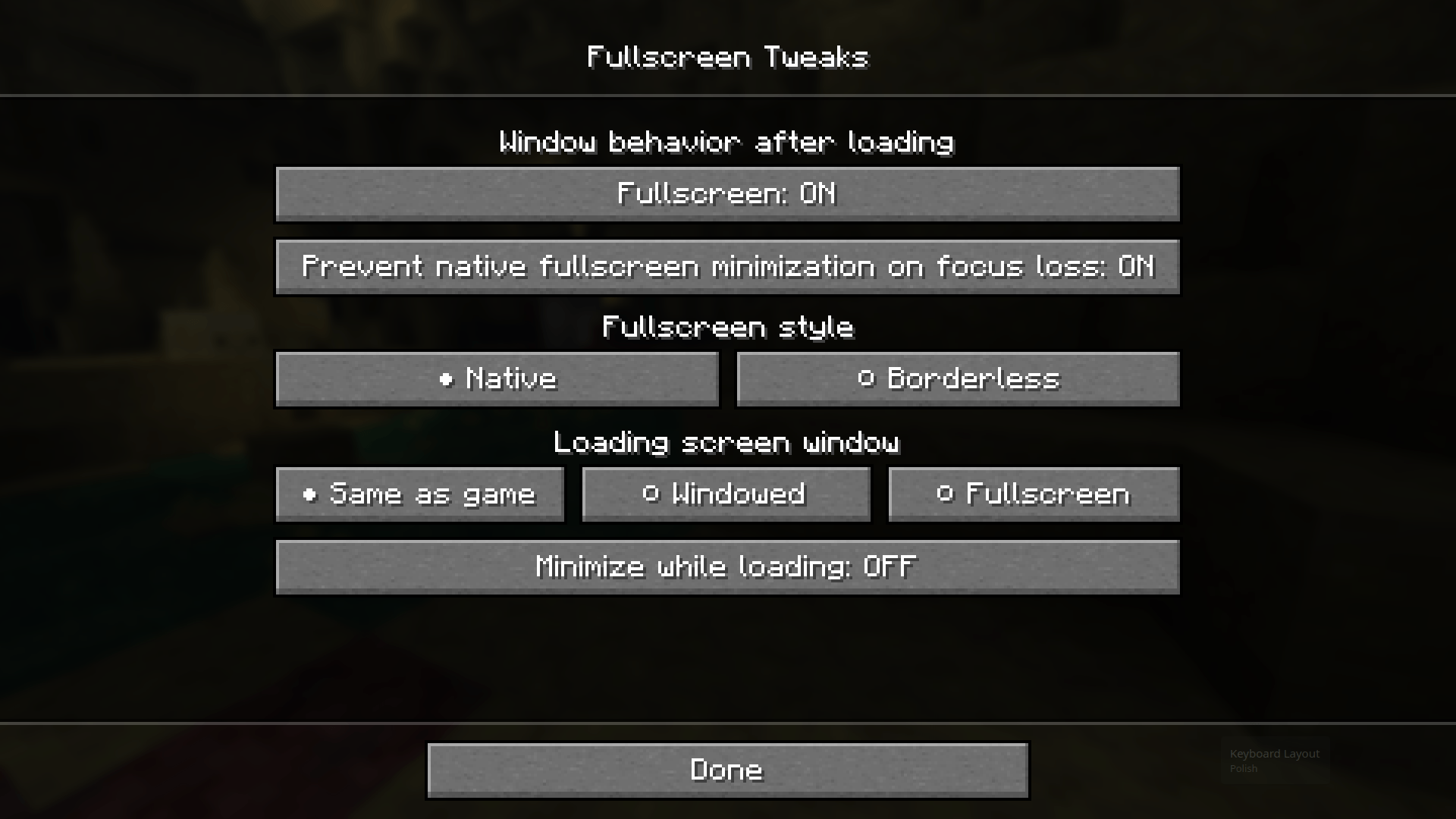
The Options entry searches for a free position without moving other mods' controls hence helping prevent the button from causing conflicts even on very large modpacks. On crowded screens it can shrink to ... or hide until a slot becomes available. In which case, the same settings screen can also be accessed through the ModMenu mod on Fabric or (Neo)Forge's built-in modlist.
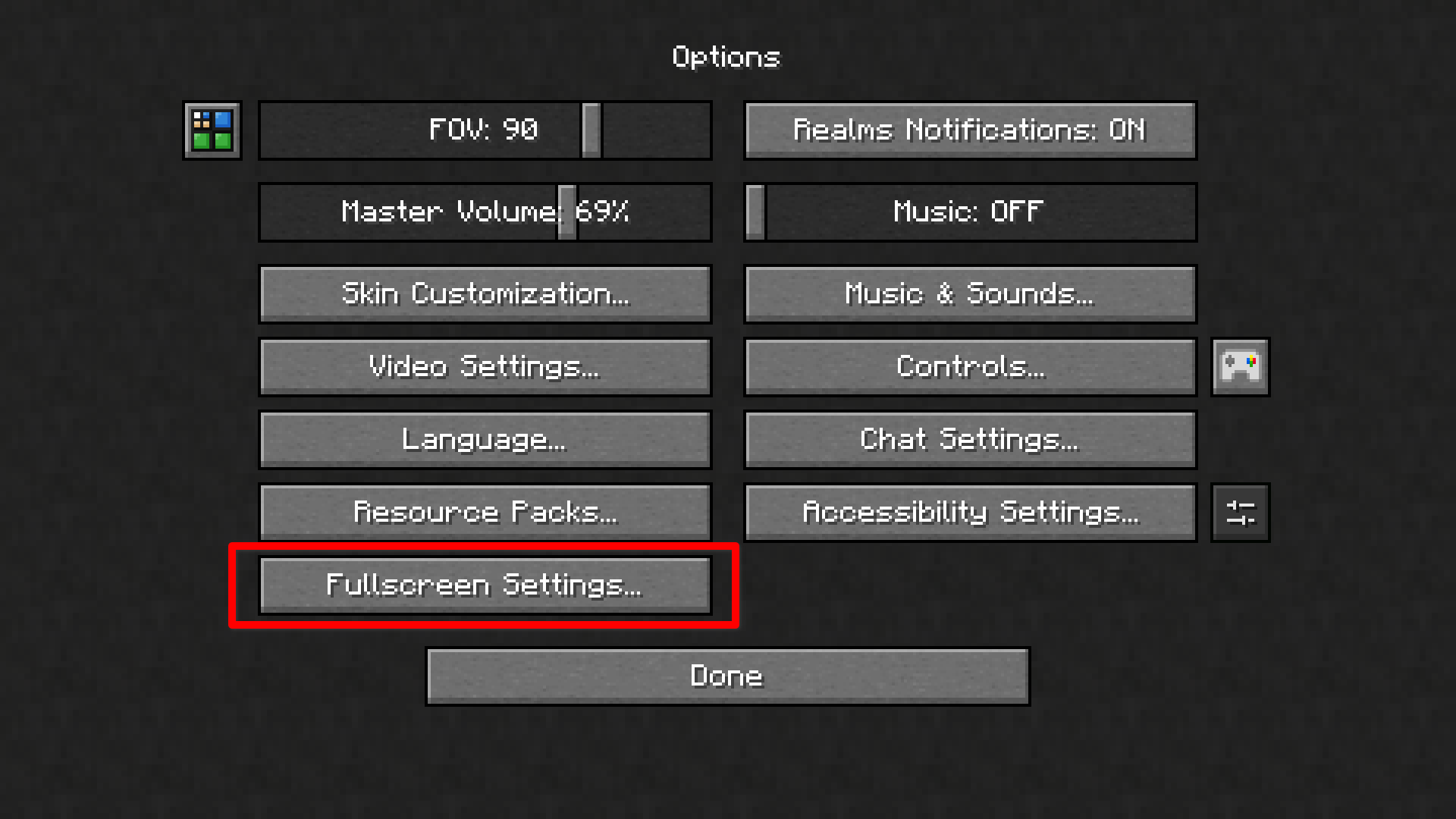
Meanwhile, on Better Than Adventure, the mod adds its options directly to Better Than Adventure's video settings tab.
Fullscreen Tweaks 2.0.x is actively supported only on the exact Minecraft and loader combinations listed below. Each jar is built for one specific combination; do not use a jar with a different Minecraft version or loader.
| Minecraft version | Fabric | Forge | NeoForge | Support notes |
|---|---|---|---|---|
| 1.14.4 | 2.0.x | ❎ | ❎ | Fabric target for Minecraft 1.14.4 |
| 1.15.2 | 2.0.x | ❎ | ❎ | Fabric target for Minecraft 1.15.2 |
| 1.16.5 | 2.0.x | 2.0.x | ❎ | Fabric and standalone Forge targets |
| 1.17.1 | 2.0.x | 2.0.x | ❎ | Fabric and Forge targets |
| 1.18.2 | 2.0.x | 2.0.x | ❎ | Fabric and Forge targets |
| 1.19.2 | 2.0.x | 2.0.x | ❎ | Fabric and Forge targets |
| 1.19.4 | 2.0.x | 2.0.x | ❎ | Fabric and Forge targets |
| 1.20.1 | 2.0.x | 2.0.x | 2.0.x | Fabric, Forge, and standalone NeoForge targets |
| 1.20.6 | 2.0.x | ❎ | 2.0.x | Fabric and NeoForge targets |
| 1.21.1 | 2.0.x | ❎ | 2.0.x | Fabric and NeoForge targets |
| 1.21.11 | 2.0.x | ❎ | 2.0.x | Fabric and NeoForge targets |
| 26.1.2 | 2.0.x | ❎ | 2.0.x | Fabric and NeoForge targets |
| 26.2 | 2.0.x | ❎ | 2.0.x | Fabric and NeoForge targets |
| 26.3 | 2.0.x | ❎ | 2.0.x | Fabric and NeoForge SDL3 targets |
All other Minecraft and loader combinations are legacy-only and are not supported beyond the 0.1.x release line. This includes the Quilt builds, Forge 1.7.10, Forge 1.8.9, Forge 1.12.2, Forge 1.20.6, and several others available exclusively on Modrinth including Liteloader builds, and the vanilla Beta 1.7.3 Babric build. Existing 0.1.x files remain available for those legacy targets.
Project description from CurseForge.
Pick your setup
Choose the version and loader you play, then open the matching release.
Showing the newest 12 of 48 game versions. Older files are in the list below.
Check the dependencies, then try the file in a copied instance before changing a world you care about.
Recent files
24 Sept 2026
24 Sept 2026
22 Sept 2026
22 Sept 2026
stop_minimizing_on_focus_loss-1.0.0+26.2-neoforge.jar
7 Sept 2026
stop_minimizing_on_focus_loss-1.0.0+26.2-fabric.jar
7 Sept 2026
Looking for an older file? The official CurseForge project page is in Resources.
 mod
A configurable visual representation of your reach and hit distances
 mod
Farming automation mod with planters, machines, modules, and power gen.
 mod
Breed faster Happy Ghasts, boost flight speed with Speed Potions or Snowballs, and inspect mount stats with a Book and Quill.