Cloth Config API (Fabric/Forge/NeoForge) Needed by Dark Loading Screen Neoforge dark_loading_screen-neoforge-26.2-1.0.1.jar
requiredMatching file found Matched file: [NeoForge 26.2] v26.2.155
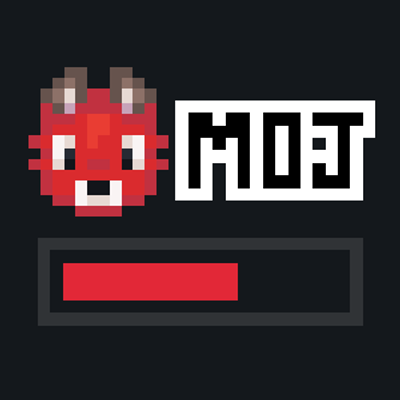
CurseForge · Minecraft mod
Makes the loading screen darker. Now on Neoforge!
Quick answer
Dark Loading Screen Neoforge dark_loading_screen-neoforge-26.2-1.0.1.jar targets 26.2 with NeoForge. The project page does not say whether this file belongs on the client, dedicated server, or both. All 1 required mods have matching files.
Where it goes
The project page does not say whether this file belongs on the client, dedicated server, or both.
The source does not explicitly classify this release as client-only or server-only.
dark_loading_screen-neoforge-26.2-1.0.1.jar. Change the file and its required mods may change too.
Install Cloth Config API (Fabric/Forge/NeoForge) first. We found matching files for this game-version and loader setup.
We only count dependency files that match this setup. A file for another loader does not fill the gap.
Before you install it
Built for Dark Loading Screen Neoforge dark_loading_screen-neoforge-26.2-1.0.1.jar. Pick another file and the loader, install side or required mods may change.
Use dark_loading_screen-neoforge-26.2-1.0.1.jar. It targets 26.2 with NeoForge; another release may have different loader, side or dependency requirements.
Install Cloth Config API (Fabric/Forge/NeoForge) first. We found matching files for this game-version and loader setup.
The project page does not say whether this file belongs on the client, dedicated server, or both.
Use the “Get this file” button beside dark_loading_screen-neoforge-26.2-1.0.1.jar. It opens that exact file at the source.
About this project
A simple Neoforge port of a mod to make the loading screen darker and way more customizable!
Color configuration:the Colors can be modified in-game if both Mod Menu/Catalgoue and Cloth Config are installed.
Manual configuration Create or edit .minecraft/config/dark-loading-screen.json, the default config is
{ "background": "14181c", "bar": "e22837", "barBackground": "14181c", "border": "303336", "logo": "ffffff", "fadeIn": 1.0, "fadeOut": 2.0 } Manual changes are only visible after restarting the game.
Credits
I’ve spent thousands of hours on my mods. I learned Java specifically for this. If you've enjoyed my projects a ton, two great ways to support me are through Patreon directly, or buying your server through Bisect Hosting. Click on the above picture to get a server, use my code CraisinCraft to get 25% off your first month and enjoy playing with your friends! Set up is so easy, it's basically one click.
Click on the picture bellow for my patreon to directly support me. You'll get exclusive discord roles, chats, and get to directly influence the development of IDAS.

Join the Discord by clicking on the image or link below if you run into an issue of any kind or have a suggestion, I'll try my best to respond to everyone and would absolutely love suggestions! Thanks for playing and supporting my mod!

Project description from CurseForge.
Pick your setup
Choose the version and loader you play, then open the matching release.
Check the dependencies, then try the file in a copied instance before changing a world you care about.
Recent files
dark_loading_screen-neoforge-26.2-1.0.0.jar
8 Aug 2026
8 Aug 2026
8 Aug 2026
13 Jul 2026
8 Jun 2026
8 Jun 2026
Looking for an older file? The official CurseForge project page is in Resources.
 mod
modThis add-on adds Voice of the World’s animations and sound effects into the Tensura: Reincarnated mod.
 mod
modAdd multiple new stacking levels to Sophisticated Backpacks and Sophisticated Storage.
 mod
modA cinematic, fully vector-drawn HUD: holographic terrain map, flight instruments, threat alerts, and nine switchable themes. Every element is geometry, not a texture.