YetAnotherConfigLib (YACL) Needed by Featurify - WorldGen Control forge-2.0.6+mc1.20.1
requiredMatching file found Matched file: 3.6.6+1.20.1-forge

CurseForge · Minecraft mod
A worldgen configuration mod that eliminates the need for datapacks. Add, disable, replace any feature, replace, disable any biome with another biome.
Quick answer
Featurify - WorldGen Control forge-2.0.6+mc1.20.1 targets 1.20, 1.20.1 with Forge. Installation on the client is optional. Installation on the dedicated server is optional. All 1 required mods have matching files.
Where it goes
Installation on the client is optional. Installation on the dedicated server is optional.
The source marks this as usable on both the client and server.
forge-2.0.6+mc1.20.1. Change the file and its required mods may change too.
Install YetAnotherConfigLib (YACL) first. We found matching files for this game-version and loader setup.
We only count dependency files that match this setup. A file for another loader does not fill the gap.
Before you install it
Built for Featurify - WorldGen Control forge-2.0.6+mc1.20.1. Pick another file and the loader, install side or required mods may change.
Use forge-2.0.6+mc1.20.1. It targets 1.20, 1.20.1 with Forge; another release may have different loader, side or dependency requirements.
Install YetAnotherConfigLib (YACL) first. We found matching files for this game-version and loader setup.
Installation on the client is optional. Installation on the dedicated server is optional.
Use the “Get this file” button beside forge-2.0.6+mc1.20.1. It opens that exact file at the source.
About this project



Featurify is a worldgen feature configuration mod that eliminates the need for datapacks. Add, remove, and tweak features in any biome.
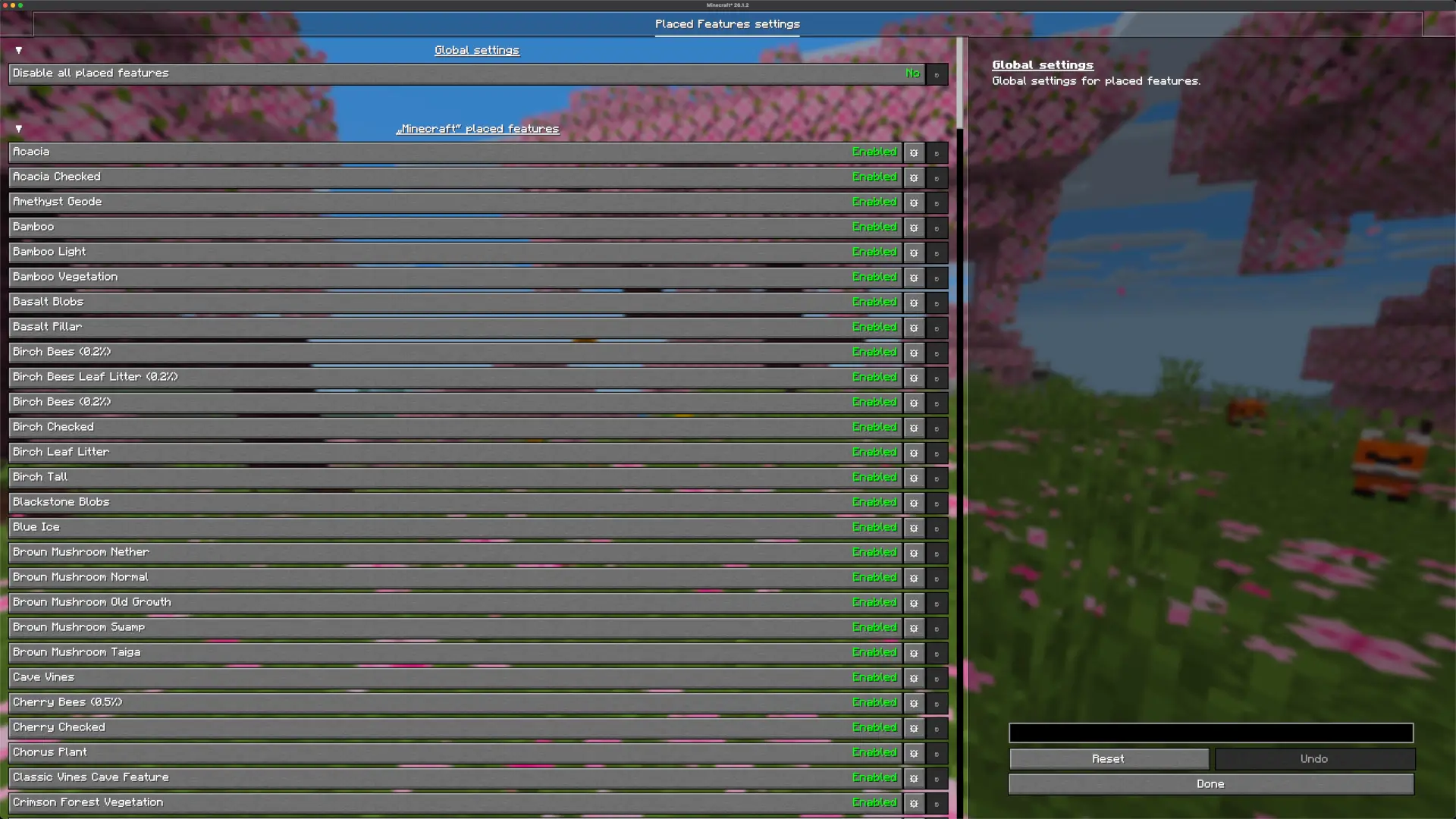
Currently, it is possible to:
Since this is the initial update, you can expect a lot of more features in the future.
Available Commands:
This mod is designed for in-game configuration, so it requires the YACL (YetAnotherConfigLib) mod.
If you’re using Fabric or Quilt, you’ll also need the Mod Menu mod or another mod that provides access to mod configs.
No extra mods are needed.
All placed feature settings can be configured directly in game through intuitive configuration screens. Changes are applied immediately, making it easy to add, remove, and modify placed features without editing files or creating datapacks.
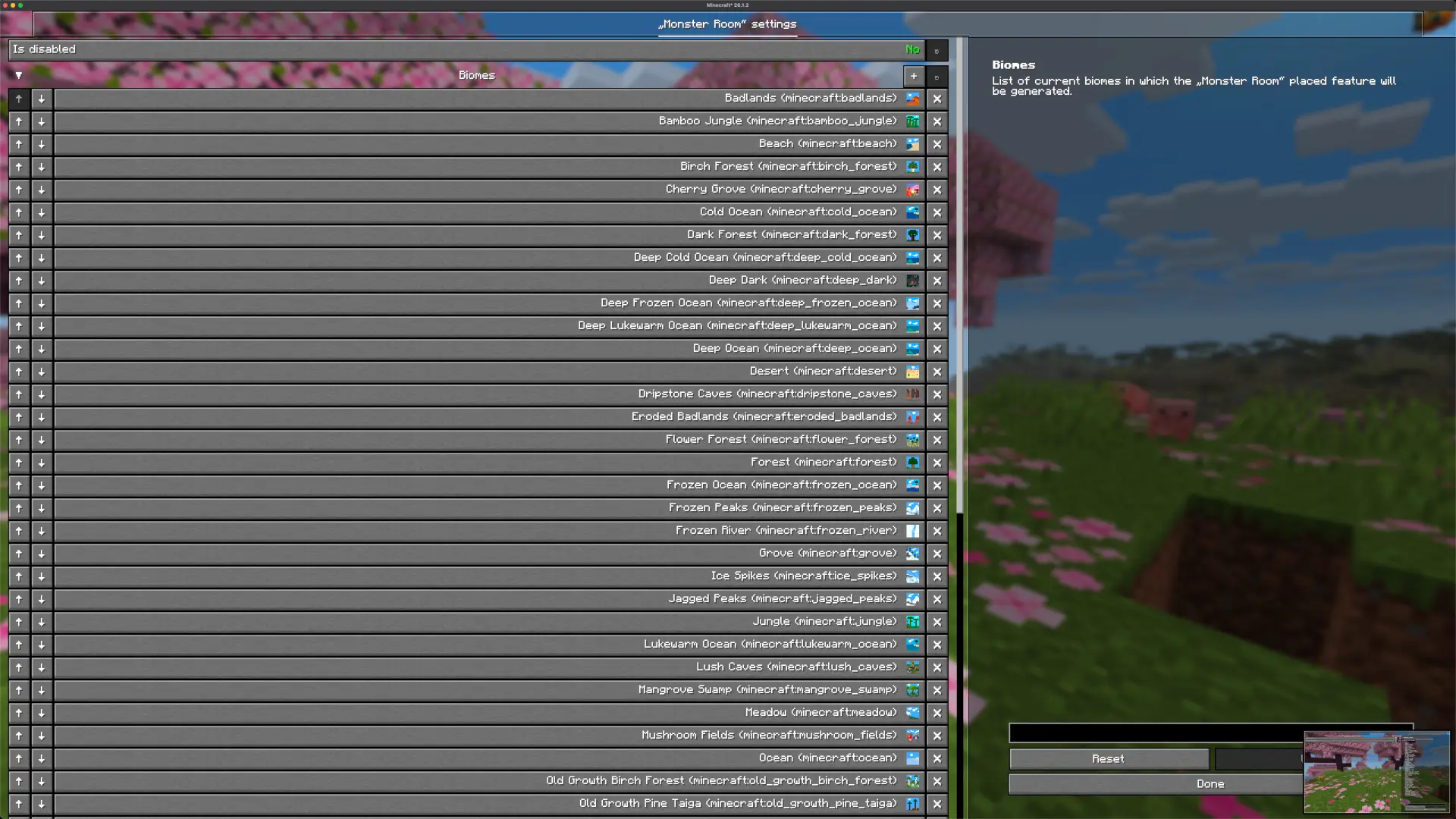
All configurations mentioned in the In-Game section of this guide are mirrored and saved in a JSON file located at config/featurify.json. This file is particularly useful for managing configurations on the server side. For that case it is recommended to configure everything based on the In-Game section of this guide.
Featurify is designed to be fully compatible with most of the worldgen mods and datapacks, and it currently offers enhanced compatibility with the following:
Since feature generation is a complex system, things can occasionally break, especially with mods that implement their own custom feature generation logic or heavily alter vanilla generation behavior.
Feel free to join our community at the discord server to chat, share your creations, ask any question or to simply be updated about the latest development of the mod and notified when the new release is out. Also don't hesitate to report any crash or bug via GitHub issues.
I will continue developing my mods as a hobby because I truly enjoy it. If you'd like to support me, you can do so on Patreon or Ko-fi. Your support is greatly appreciated.
The mod is licensed with CC BY-NC-ND 4.0 license.
Please feel free to explore my code for examples of how I've tackled and solved various challenges while developing this mod. You're welcome to incorporate code snippets into your own projects. Also feel free to use this mod in any modpack ( although credit/link back to this page will be greatly appreciated).
Project description from CurseForge.
Pick your setup
Choose the version and loader you play, then open the matching release.
Showing the newest 12 of 17 game versions. Older files are in the list below.
Check the dependencies, then try the file in a copied instance before changing a world you care about.
Recent files
featurify-forge-2.0.6+mc1.20.1.jar
21 Aug 2026
featurify-neoforge-2.0.6+mc26.2.jar
21 Aug 2026
featurify-neoforge-2.0.6+mc26.1.2.jar
21 Aug 2026
featurify-neoforge-2.0.6+mc1.21.11.jar
21 Aug 2026
featurify-neoforge-2.0.6+mc1.21.10.jar
21 Aug 2026
featurify-neoforge-2.0.6+mc1.21.8.jar
21 Aug 2026
featurify-neoforge-2.0.6+mc1.21.3.jar
21 Aug 2026
featurify-neoforge-2.0.6+mc1.21.1.jar
21 Aug 2026
featurify-neoforge-2.0.6+mc1.21.5.jar
21 Aug 2026
featurify-fabric-2.0.6+mc26.2.jar
21 Aug 2026
featurify-fabric-2.0.6+mc26.1.2.jar
21 Aug 2026
featurify-fabric-2.0.6+mc1.21.11.jar
21 Aug 2026
Looking for an older file? The official CurseForge project page is in Resources.
 mod
modA structure configuration mod that eliminates the need for datapacks. Spread out structures, prevent overlap, enforce flat terrain, customize size and biomes.
 mod
modMadoku Craft: Items is a configurable Item system. It allows users to customize Items to their specific needs. Which allows you to adjust Tool stats, stacking limit, Fuel Items, etc.
 mod
modadds automatic JEI integration for anvil repair recipes
