Minecraft version
Back to mods 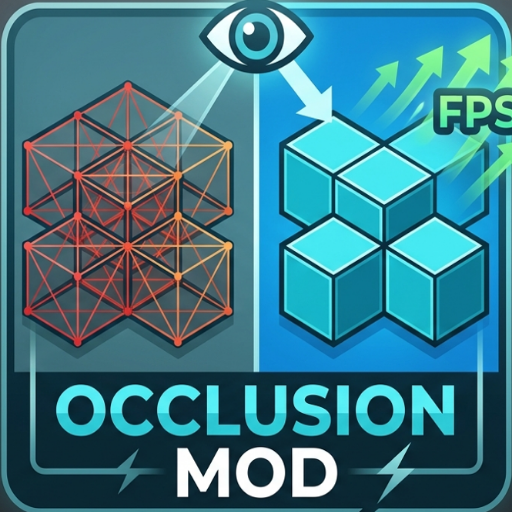
CurseForge · Minecraft mod
Occlusion Mod
A Mod that Deload block behind block so you get a fps boost Before i get 100-200 fps now i get 200-300 fps
Choose a version Pick your version below, then grab the matching file.
Quick answer
Which Occlusion Mod release should I use?
Latest stable file Occlusion Mod
Game version 1.21.10, 1.21.11-snapshot, 1.21.11
Loader Fabric
Occlusion Mod targets 1.21.10, 1.21.11-snapshot, 1.21.11 with Fabric. The project page does not say whether this file belongs on the client, dedicated server, or both. No extra mods listed for this file.
Where it goes
Is Occlusion Mod required on the client, server, or both?
The project page does not say whether this file belongs on the client, dedicated server, or both.
Client Source doesn’t say
Dedicated server Source doesn’t say
Loader for this release Fabric
Required install it here Optional supported, not mandatory Not supported do not install here Source doesn’t say do not assume
The source does not explicitly classify this release as client-only or server-only.
What else does Occlusion Mod need?
Occlusion Mod. Change the file and its required mods may change too.
This file does not list any required mods. Do not add a library just because a different file uses it.
This file does not list any required or optional mods.
Before you install it
Add Occlusion Mod without breaking your instance.
Built for Occlusion Mod. Pick another file and the loader, install side or required mods may change.
- 01
Stick to this file
Use Occlusion Mod. It targets 1.21.10, 1.21.11-snapshot, 1.21.11 with Fabric; another release may have different loader, side or dependency requirements.
- 02
Bring the mods it needs
This file does not list any required mods. Do not add a library just because a different file uses it.
- 03
Put it on the correct side
The project page does not say whether this file belongs on the client, dedicated server, or both.
- 04
Pick the file you checked
Use the “Get this file” button beside Occlusion Mod. It opens that exact file at the source.
About this project
What does Occlusion Mod add?
The Big Picture: What This Mod Actually Does
Right now, Minecraft wastefully processes thousands of blocks you can’t see—like caves hidden deep underground, or stone blocks buried inside a mountain right in front of you.
What this mod do:
When you install this mod, it acts like a smart filter for your graphics card. It completely stops Minecraft from rendering blocks that are hidden behind other solid walls, drastically lowering the workload on your computer and giving you an immediate boost in FPS.
Step-by-Step: How It Works While You Play
Once the mod is running in your game, it continuously performs a highly optimized routine behind the scenes:
It Constantly Scans Your Surroundings
As you walk around, the mod scans a 48-block radius around your character. It automatically ignores empty air blocks so it doesn’t waste any processing power.
It Shoots Invisible Laser Lines (Raycasting)
For the blocks around you, the mod shoots an invisible "line of sight" ray from your character's eyes to the block.
If the line hits a solid wall before it reaches the target block, the mod marks that block as hidden (occluded).
It cleverly respects the shapes of stairs and slabs, and ignores water/lava so fluids don't break the calculations.
It Remembers What's Hidden (The Performance Buffer)
To keep your CPU from lagging, the mod doesn't recalculate everything every single millisecond. It saves the hidden blocks into a temporary memory list (cache). It will only wipe and refresh this list if you move more than half a block or turn your head more than 3 degrees.
It Deletes Invisible Block Faces
The moment Minecraft tries to draw the world on your screen, the mod steps in and forces the game engine to entirely drop the hidden blocks and overlapping block faces from the rendering queue.
Why This Boosts Your FPS
Massive Poly-Count Reduction: Your graphics card (GPU) no longer has to render thousands of hidden polygons underground or inside structures. It only works on what you can actually see.
Smoother Gameplay (Less Stuttering):
By using a smart memory cache, your CPU does all the heavy lifting in efficient bursts rather than constantly lagging your game frame-by-frame. This frees up your hardware to deliver higher, more stable framerates.
Project description from CurseForge.
Pick your setup
Occlusion Mod by Minecraft version and loader
Choose the version and loader you play, then open the matching release.
Minecraft version
26.1.1
1 loader buildMinecraft version
26.1
1 loader buildMinecraft version
1.21.11-snapshot
1 loader buildMinecraft version
1.21.11
1 loader buildMinecraft version
1.21.10
1 loader buildCheck the dependencies, then try the file in a copied instance before changing a world you care about.
Recent files
Occlusion Mod versions and loaders
Occlusion Mod
occlusion-mod-1.0.0.jar
9 Jun 2026
Client Source doesn’t say Server Source doesn’t say Dependencies No extras listed Listed on Release listing
Check the 26.1.2 · Fabric setup Fabric1.21.101.21.11-snapshot1.21.11 release
Looking for an older file? The official CurseForge project page is in Resources.
 mod
mod CurseForge · Minecraft
IronTagger
The official nametag tier display mod for Iron Tiers!
 mod
mod CurseForge + Modrinth · Minecraft
Enhanced Anvils
Allows you to use colors / fonts and set lore when renaming items in an anvil.
 mod
mod CurseForge · Minecraft
Material Lib
A material library making it that much easier to add vanilla-style materials to Minecraft.