Minecraft version
Back to mods 
CurseForge · Minecraft mod
Bundle Expansion
This mod expands on the existing bundles within the vanilla game.
Choose a version Pick your version below, then grab the matching file.
Quick answer
Which Bundle Expansion release matches 26.2 NeoForge?
Best match for your filters bundleexpansion-26.2-1.0.0.jar
Game version 26.2
Loader NeoForge
Bundle Expansion bundleexpansion-26.2-1.0.0.jar targets 26.2 with NeoForge. The project page does not say whether this file belongs on the client, dedicated server, or both. No extra mods listed for this file.
Where it goes
Is Bundle Expansion required on the client, server, or both?
The project page does not say whether this file belongs on the client, dedicated server, or both.
Client Source doesn’t say
Dedicated server Source doesn’t say
Loader for this release NeoForge
Required install it here Optional supported, not mandatory Not supported do not install here Source doesn’t say do not assume
The source does not explicitly classify this release as client-only or server-only.
What else does Bundle Expansion bundleexpansion-26.2-1.0.0.jar need?
bundleexpansion-26.2-1.0.0.jar on 26.2 NeoForge. Every mod below is checked against that same setup.
This file does not list any required mods. Do not add a library just because a different file uses it.
This file does not list any required or optional mods.
Before you install it
Add Bundle Expansion without breaking your instance.
Built for Bundle Expansion bundleexpansion-26.2-1.0.0.jar on 26.2 NeoForge. Pick another file and the loader, install side or required mods may change.
- 01
Stick to this file
Use bundleexpansion-26.2-1.0.0.jar. It targets 26.2 with NeoForge; another release may have different loader, side or dependency requirements.
- 02
Bring the mods it needs
This file does not list any required mods. Do not add a library just because a different file uses it.
- 03
Put it on the correct side
The project page does not say whether this file belongs on the client, dedicated server, or both.
- 04
Pick the file you checked
Use the “Get this file” button beside bundleexpansion-26.2-1.0.0.jar. It opens that exact file at the source.
About this project
What does Bundle Expansion add?
Introducing the Bundle Expansion Mod
Tired of old bundles? Well Minecraft has just received the Bundlier Bundles update!
This mod contains:
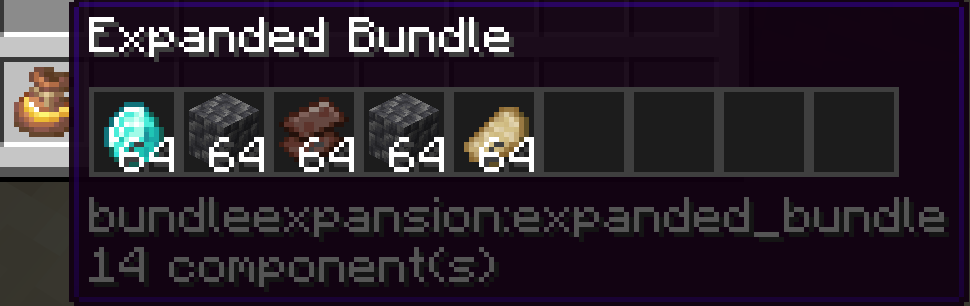
- 17 new Expanded Bundles which can hold up to 9 slots with each slot able to hold a full stack.
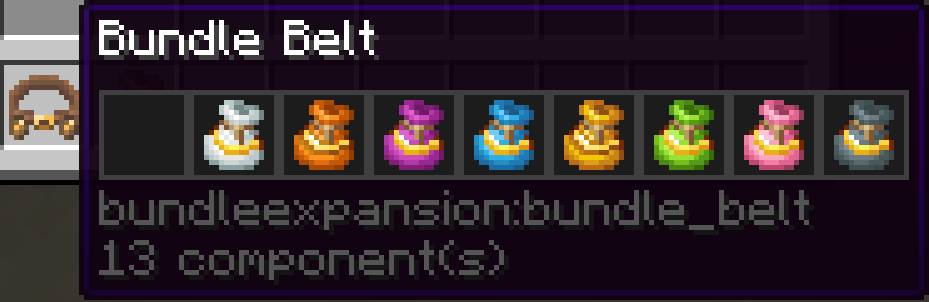
- 1 new Bundle Belt which can hold up to 9 Expanded Bundles.
- 5 new enchantments with varying levels and abilities.
Expanded Bundles
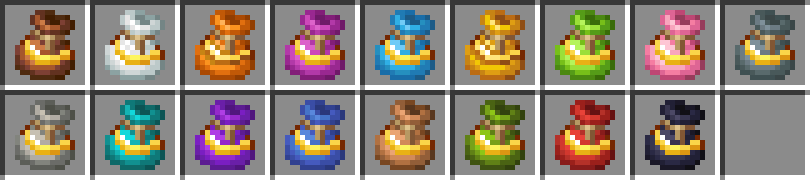
Bundle Belt

Enchantments
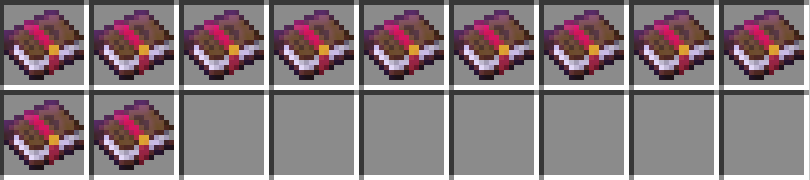
Smelting
- Level 1 - Smelts ores every 8 seconds, which is 2x slower than a furnace.
- Level 2 - Smelts ores every 4 seconds, which is the same speed as a furnace.
- Level 3 - Smelts ores every 2 seconds, which is 2x faster than a furnace.
Cooking
- Level 1 - Cooks food every 8 seconds, which is 2x slower than a furnace.
- Level 2 - Cooks food every 4 seconds, which is the same speed as a furnace.
- Level 3 - Cooks food every 2 seconds, which is 2x faster than a furnace.
Magnetise
- Level 1 - Pulls in items at a 6 block radius.
- Level 2 - Pulls in items at a 10 block radius.
- Level 3 - Pulls in items at a 16 block radius.
Void
- Level 1 - Destroys the content of a bundle.
Feeding
- Level 1 - Feeds the player when hungry, if the Expanded Bundle has food.
Recipes
Bundle Belt
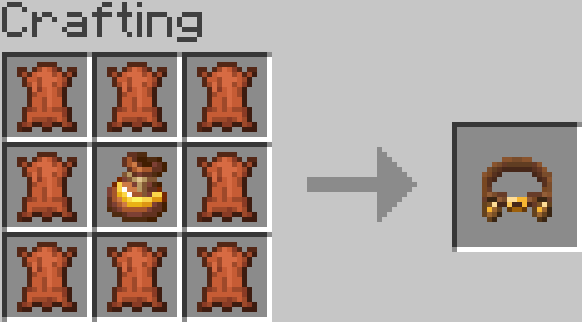
Expanded Bundle
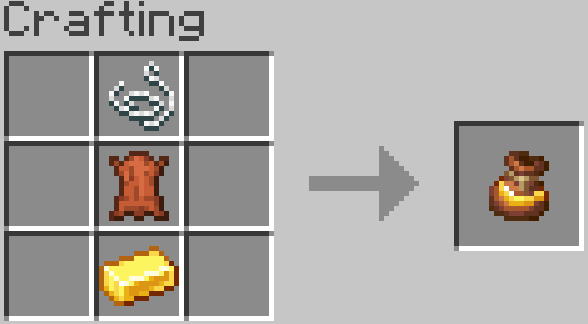
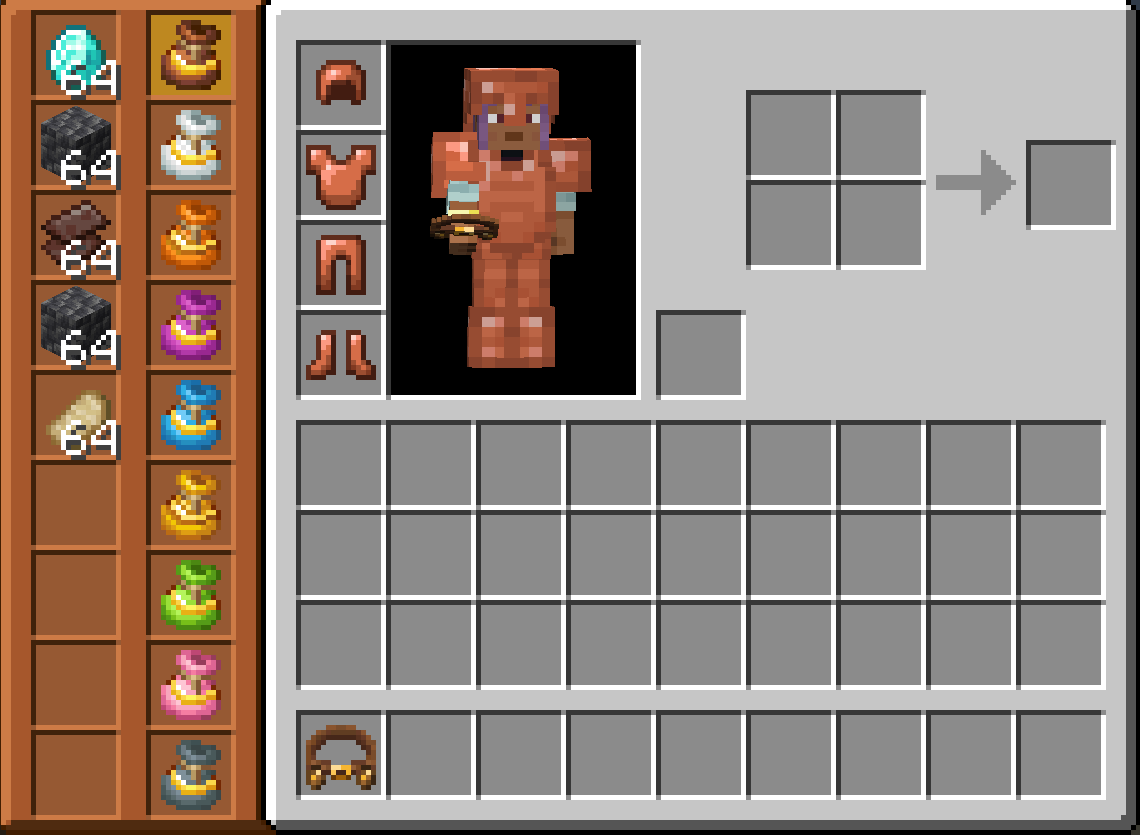
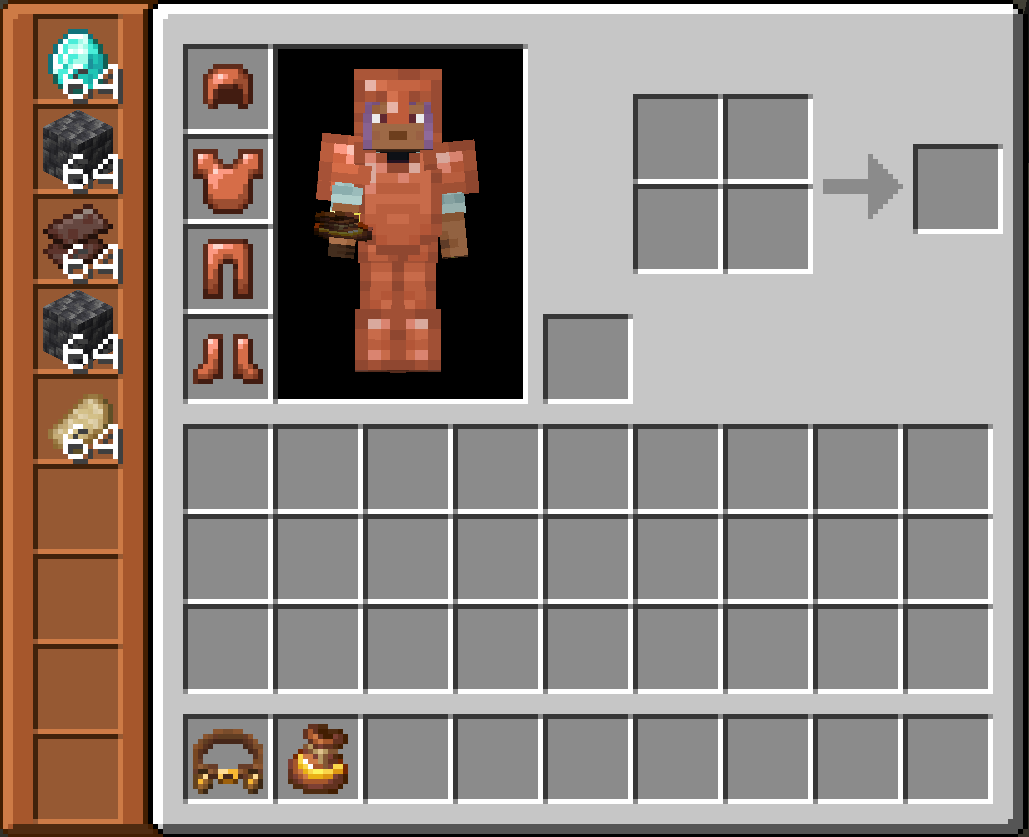
Bundle Expansion GUIs
Bundle Belt
Expanded Bundle
Tool Tips
Bundle Belt
Expanded Bundle
How To Use
Bundle Belt
Press 'B' (this is the default key but can be changed in control settings) or right click whilst holding to open the GUI. Right click an Expanded Bundle on the left hand side to see and interact with it's contents.
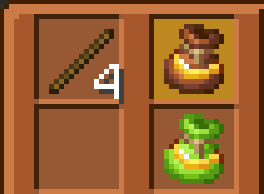
Expanded Bundle
Right click whilst holding to open the GUI.
Project description from CurseForge.
Pick your setup
Bundle Expansion by Minecraft version and loader
Choose the version and loader you play, then open the matching release.
Minecraft version
26.1.2
1 loader buildCheck the dependencies, then try the file in a copied instance before changing a world you care about.
Recent files
Bundle Expansion versions and loaders
bundleexpansion-26.2-1.0.0.jar
28 Jun 2026
Client Source doesn’t say Server Source doesn’t say Dependencies No extras listed Listed on Release listing
Check the 26.2 · NeoForge setup NeoForge26.2 release
Looking for an older file? The official CurseForge project page is in Resources.
 mod
CurseForge · Minecraft
Just enough weapons akicater
Adds 16 new melee weapons to the game
 mod
CurseForge + Modrinth · Minecraft
Hunter'sReturn
Add evil Hunter's mob! They hunt the animals while making a cheeky laugh...
 mod
CurseForge · Minecraft
ExfilCraft Core
Base building extraction survival for Minecraft: carry your kit into hostile raid worlds, fight for loot, and survive the extraction to bring it home — or die and drop it all. Build a home base, squad up, and risk it for one more chest.